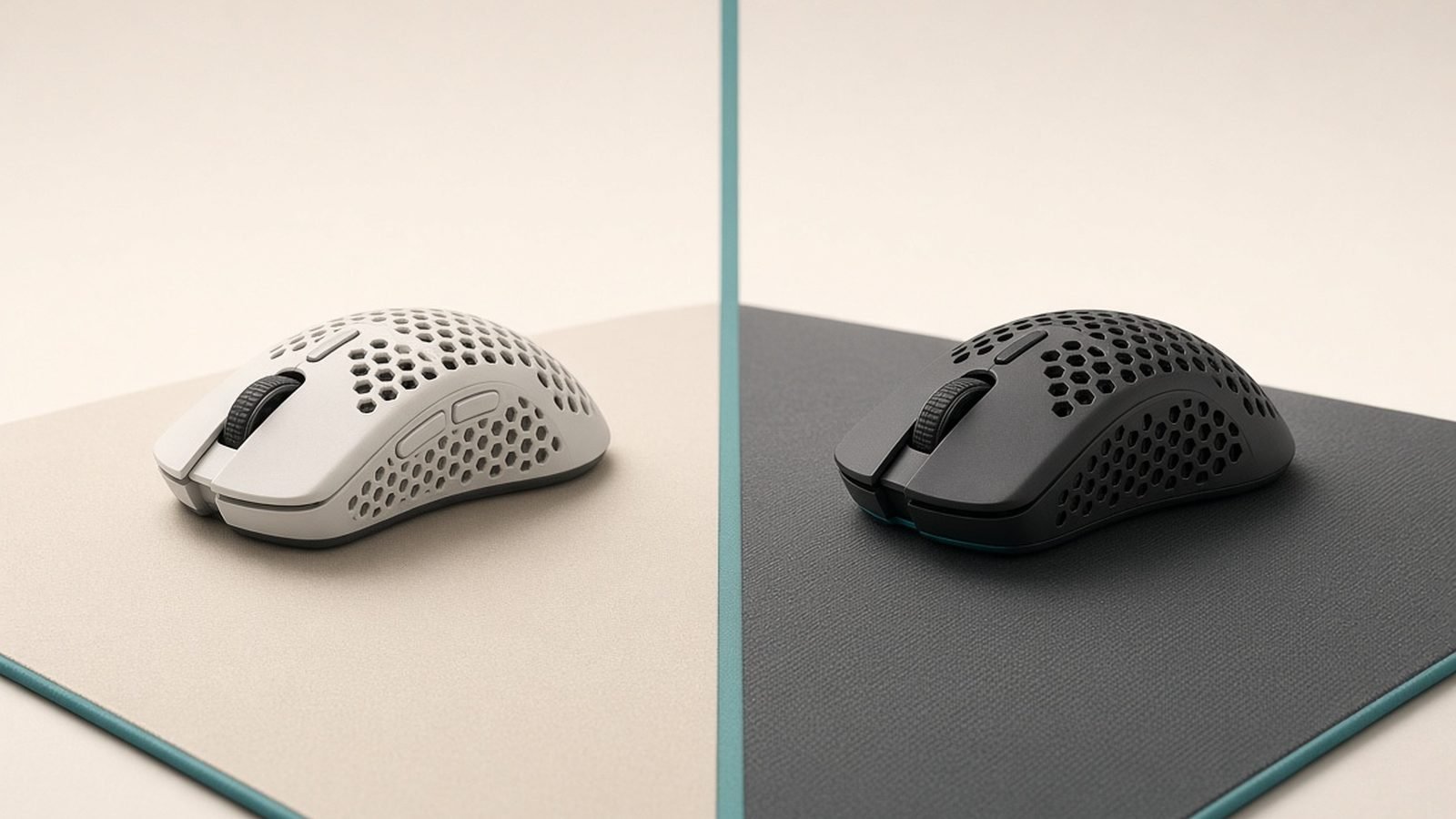
If you have narrowed your next competitive mouse down to the Razer Viper V3 Pro vs Logitech Superlight 2 DEX, you already have good taste. These are two of the best pure-performance wireless mice money can buy in 2026, they cost almost the same, and both are aimed squarely at the FPS crowd. The problem is that most comparisons just read the spec sheet back to you. The real decision here is about shape and grip, not sensor numbers, and that is exactly where we are going to spend our time.
Below you will find a quick verdict, a printable-style shape breakdown, and a straight answer to which one belongs in your hand.
Quick verdict and spec table
Short version: the Viper V3 Pro is the safer buy for claw and fingertip players who want the lightest possible mouse with 8K wireless polling in the box. The Superlight 2 DEX is the pick for palm and relaxed-claw players with medium-to-large hands who want a filled-out, ergonomic shape and Logitech’s rock-solid software.
| Razer Viper V3 Pro | Logitech G Pro X Superlight 2 DEX | |
|---|---|---|
| Weight | ~54g | ~60g |
| Shape | Symmetrical, low-profile | Ergonomic, taller hump |
| Sensor | Focus Pro 35K Gen-2 | Hero 2 (44K) |
| 8K polling | Included in box | Supported via firmware toggle |
| DPI button | Yes | No dedicated button |
| Price | around $159.99 / £159.99 | around $159.99 / £149.99 |
| Best for | Claw, fingertip, small-medium hands | Palm, relaxed claw, medium-large hands |
Check price: Razer Viper V3 Pro
Check price: Logitech G Pro X Superlight 2 DEX
Shape and grip styles: the real difference
This is the whole ballgame. In our research across owner reports and community shape databases, grip fit is the single biggest predictor of whether someone keeps a mouse or returns it.
The Viper V3 Pro uses a symmetrical, low-profile shape. The hump sits slightly rearward and the body stays flat, which lets your fingertips do the aiming. That geometry is why it is so often named the best FPS mouse for claw grip and fingertip grip. Small and medium hands settle onto it instantly; if you flick from the wrist and want the mouse to feel like an extension of your fingers, this is the shape.
The Superlight 2 DEX shape is Logitech’s answer to years of feedback that the original Superlight was too neutral. DEX adds height and a more pronounced hump, plus a subtle right-hand ergonomic lean. That extra volume fills the palm, so if you rest your hand fully on the mouse and aim with your arm, the DEX gives you something to push against. Larger hands and palm-grippers consistently prefer it in owner feedback.
A quick way to self-test before you buy: measure your hand from wrist crease to middle-finger tip. Roughly 17-19cm with a claw grip leans Viper; 19cm+ with a palm grip leans DEX. Print a 1:1 top-down outline of each (both brands publish dimensions) and lay your hand over it — that overlay tells you more than any spec sheet.
Sensors and 8K polling in practice
Here is the honest truth: both sensors are better than you are. The Viper V3 Pro’s Focus Pro 35K Gen-2 and the Superlight 2’s Hero 2 both track flawlessly at any speed a human can produce, on any surface you would actually game on. Nobody is losing a duel because of the sensor in either of these.
The more meaningful gap is polling. Viper V3 Pro 8K polling works out of the box — the 8,000Hz wireless dongle is included, so you get lower, more consistent click-to-photon latency the moment you plug in. On the DEX, 8K wireless polling is supported but gated behind a firmware toggle in G Hub, and depending on your bundle you may be relying on the standard receiver at 1K/2K until you enable it.
Does 8K matter? On a high-refresh 240Hz+ monitor, based on owner reports, the smoother cursor is noticeable in fast tracking. On a 144Hz panel the difference is marginal. Do not let it be your deciding factor — but if you already run a 360Hz display, the Viper hands it to you with zero setup.
Weight, clicks and build
At around 54g, the Viper V3 Pro is the lighter mouse, and 6g is genuinely perceptible during long sessions and fast repositioning. It is one of the lightest non-holed mice on the market. The Superlight 2 DEX sits at roughly 60g — still featherweight by any normal standard, just not class-leading.
Clicks are close. Both use optical main switches with crisp, low-travel actuation and minimal pre/post-travel. In aggregated owner feedback, Razer’s clicks are described as slightly snappier and higher-pitched, while Logitech’s feel a touch deeper and more tactile. Neither develops the double-click issues that plagued older mechanical-switch mice.
Build quality is excellent on both, with no creak or flex reported at this tier. One aesthetic note: the Viper’s 8K dongle is a puck that sits on your desk, so some owners find the setup a little less tidy than Logitech’s smaller receiver.
Razer Viper V3 Pro — pros and cons
Pros: Lightest at ~54g; 8K polling included; superb claw/fingertip shape; dedicated DPI button.
Cons: Symmetrical shape can feel thin for large palm-grip hands; desktop dongle puck.
Logitech G Pro X Superlight 2 DEX — pros and cons
Pros: Filled ergonomic DEX shape for palm grip; excellent G Hub software; slightly cheaper in the UK.
Cons: 8K needs a firmware toggle; no dedicated DPI button; ~6g heavier.
Battery life and software
Both mice comfortably clear a week of heavy play per charge, though enabling 8K polling roughly halves runtime on either. At 1K polling, owner reports put both in the multi-day-to-week range depending on brightness of any indicators and connection mode. Neither has RGB to drain the cell.
Software is where Logitech pulls slightly ahead. G Hub is mature, stable, and stores profiles onboard. Razer Synapse has improved a lot and covers everything you need — DPI stages, polling, lift-off distance — but it remains the heavier install of the two. If you hate fiddling with settings, note that the DEX omits a dedicated DPI button, so on-the-fly DPI switching means remapping a button or diving into software.
Price and value (USD/GBP)
Pricing is nearly identical. The Viper V3 Pro runs around $159.99 / £159.99. The Superlight 2 DEX runs around $159.99 / £149.99, giving UK buyers a small saving. Both frequently appear in sales, so it is worth checking current pricing before you commit — a £20-30 discount on either changes the value math instantly.
Given that the Viper includes the 8K dongle that some rivals sell separately, it edges the value crown in the US. In the UK, the DEX’s lower list price narrows the gap.
Which should you buy?
Buy the Razer Viper V3 Pro if you claw or fingertip grip, have small-to-medium hands, want the absolute lightest mouse, and like the idea of 8K polling working the second you unbox it. It is our default recommendation in the viper v3 pro vs superlight 2 debate for the competitive FPS majority.
Buy the Logitech G Pro X Superlight 2 DEX if you palm grip or relaxed-claw, have medium-to-large hands, and want a shape with more body to push against — plus the cleanest software experience. It is the more comfortable long-session mouse for the right hand.
There is no wrong answer here for the title of best esports mouse 2026. Both are elite. Let your grip and hand size decide, and you will be happy either way.
Check price: Razer Viper V3 Pro
Check price: Logitech G Pro X Superlight 2 DEX
For more gaming gear guides, see our Gaming. If you are on a tighter budget, our Best Gaming Mouse Under $50 in 2026: Top Budget Picks roundup covers strong value picks, and to complete your setup check Best Hall Effect Keyboards 2026: Rapid Trigger Rankings and our explainer on Hall Effect Keyboards Explained: Rapid Trigger, Actuation & Hype.
FAQ
Is the Razer Viper V3 Pro better than the Logitech Superlight 2 DEX?
Neither is universally better — they target different hands. The Viper is lighter and shaped for claw and fingertip grips with 8K polling included. The DEX has a taller, more ergonomic shape suited to palm grip and larger hands. Match the shape to your grip and both perform at the same elite competitive level.
Do I actually need 8K polling for gaming?
Only if you run a very high-refresh monitor. On 240Hz and above, owner reports describe smoother tracking with 8K enabled. On 144Hz the benefit is marginal, and 8K roughly halves battery life. It is a nice bonus on the Viper V3 Pro, but it should not be your deciding factor between these two mice.
Which mouse is best for claw grip?
The Razer Viper V3 Pro is widely regarded as the better claw-grip mouse thanks to its low-profile, symmetrical shape and 54g weight. It rewards fingertip control and fast wrist flicks. The Superlight 2 DEX can work for a relaxed claw, but its taller hump is really built with palm-grip comfort in mind.
Does the Superlight 2 DEX have a DPI button?
No. The DEX ships without a dedicated DPI button, so switching sensitivity on the fly means remapping an existing button in G Hub or adjusting settings in software. The Viper V3 Pro includes a DPI button on the underside. If quick DPI changes matter to you, that is a point in Razer’s favour.
Are these mice worth it over cheaper options?
If competitive FPS is your priority, yes — the weight, sensor consistency, and build justify the price. Casual players will be well served by cheaper mice; see our best gaming mouse under $50 guide. But for ranked play on a high-refresh setup, either of these is a long-term investment that you will not need to replace soon.
Zen Tech Hub may earn a commission from links on this page, at no extra cost to you.