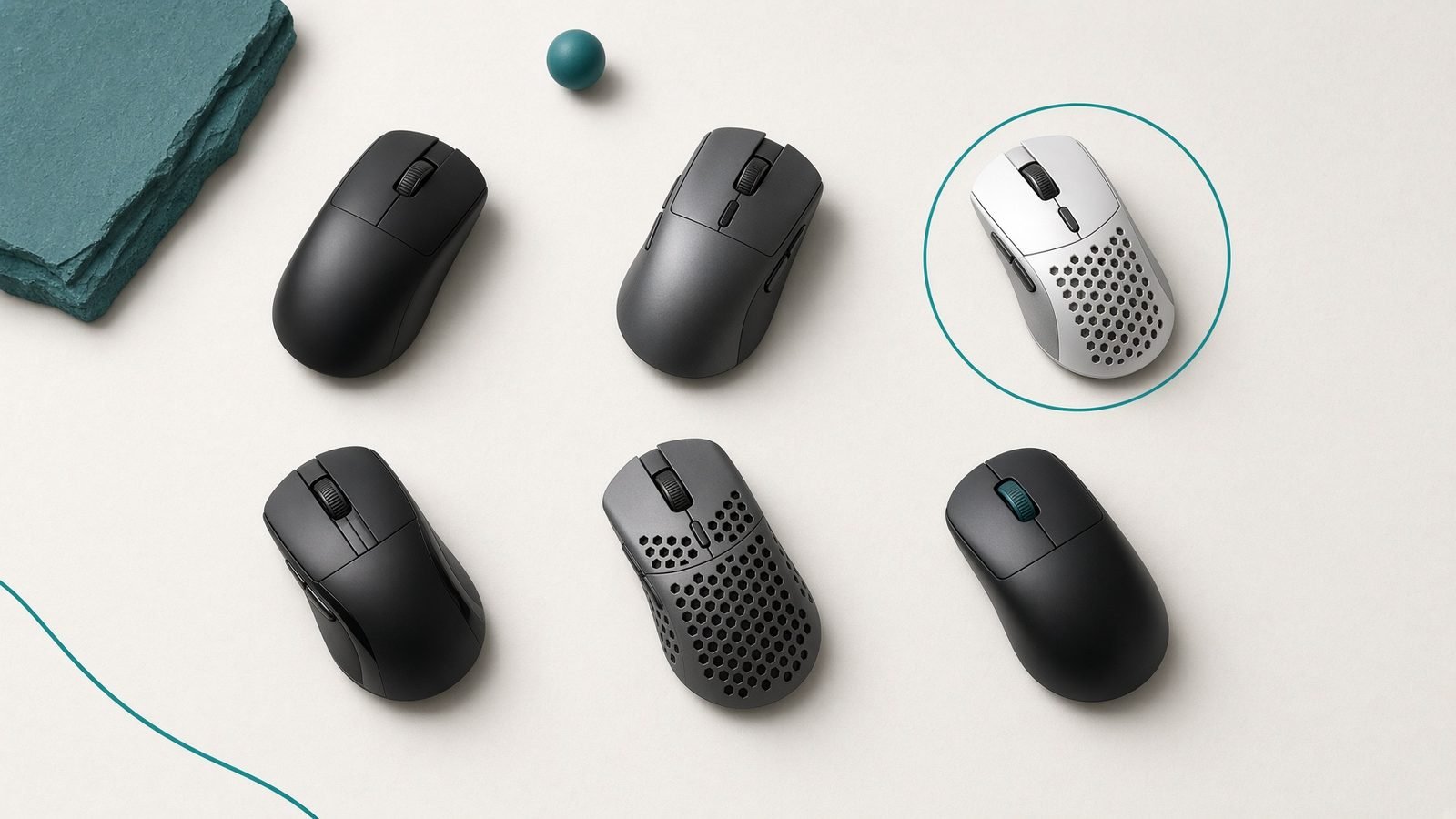
The best gaming mouse in 2026 for most people is the Logitech G Pro X Superlight 2 — a sub-60g wireless flagship with a near-flawless sensor and the safest shape on this list. If you want the lightest, fastest option for competitive FPS, the Razer Viper V3 Pro edges ahead, and value hunters should look hard at the Pulsar X2v3, which delivers flagship performance for roughly two-thirds the price.
We built this guide from published specifications, manufacturer documentation, and aggregated owner feedback rather than invented lab numbers. Below you will find US and UK pricing, real trade-offs, and clear guidance on which shape and weight suit your grip. Whatever you pick, a good mouse only matters alongside the rest of your setup — see our Best Gaming Monitors 2026: OLED, 4K & High Refresh guide for the display that actually shows those extra frames.
Best gaming mouse 2026 at a glance
| Pick | Product | Best for | Weight | Approx. price (USD / GBP) |
|---|---|---|---|---|
| Best overall | Logitech G Pro X Superlight 2 | All-round competitive play | ~60g | ~$159 / £149 |
| Best for FPS | Razer Viper V3 Pro | Ranked shooters, esports | ~54g | ~$159 / £159 |
| Best value | Pulsar X2v3 | Flagship feel for less | ~53g | ~$100 / £99 |
| Best ergonomic | Razer DeathAdder V3 Pro | Palm-grip and large hands | ~63g | ~$149 / £149 |
| Best for small hands | Logitech G Pro X Superlight 2 Mini | Fingertip / small palms | ~57g | ~$149 / £139 |
Prices shift often at this tier, especially around seasonal sales when the older Superlight 2 and Viper V3 dip noticeably. Check current pricing before you commit.
How we picked
We are not claiming to have wired sensors to an oscilloscope. Instead, we compared public spec sheets (sensor model, polling rate, weight, switch type, battery life), studied manufacturer documentation, and weighed aggregated long-term owner reports — the double-click complaints, coating wear, and connection reliability that only surface after months of use.
Three things drove the rankings: sensor and wireless reliability, shape suitability across grip styles, and value for money. We deliberately favored proven, widely available models over brand-new releases with thin ownership data. Every pick below names who it suits and what you give up.
Best overall: Logitech G Pro X Superlight 2
~60g · Hero 2 sensor (up to 44,000 DPI) · 4,000Hz wireless · up to 95h battery · ~$159 / £149
The Superlight 2 is the mouse we would hand to almost anyone who asks. It takes the shape that became the esports default and pairs it with Logitech’s Hero 2 sensor, hybrid optical-mechanical switches, and 4,000Hz Lightspeed wireless. The result is a mouse with essentially no weaknesses that will annoy you day to day.
Based on published specs and owner reports, the standout is consistency. The Lightspeed connection is genuinely tournament-grade, the switches have shed the double-click reputation that dogged the original G Pro Wireless, and the medium ambidextrous shape works for the widest range of hands and grips. Battery life of up to 95 hours means you charge roughly weekly.
The trade-offs are about value and cutting edge, not capability. At ~$159 it is a premium purchase, the 4,000Hz polling needs the separate powerplay-style dongle to hit its peak, and rivals like the Viper are a touch lighter. None of that undermines it as the safest all-round buy.
Pros:
- Proven, universally comfortable shape
- Flagship Hero 2 sensor and reliable 4,000Hz Lightspeed wireless
- Durable hybrid switches, strong battery life
Cons:
- Premium price
- Slightly heavier than the lightest rivals
Who it’s for: anyone who wants a do-everything competitive mouse and does not want to overthink shape or reliability.
Best for FPS: Razer Viper V3 Pro
~54g · Focus Pro 35K sensor · 8,000Hz wireless (with HyperPolling dongle) · up to 95h battery · ~$159 / £159
If your ranked shooter results are what matter, the Viper V3 Pro is the sharpest tool here. At around 54g it is meaningfully lighter than the Superlight 2, and Razer’s Focus Pro 35K sensor plus optional 8,000Hz polling give it the highest theoretical ceiling on this list. It is the mouse esports pros reach for most in 2026.
Owner feedback praises the flat, symmetrical shape for claw and fingertip grips and the crisp Gen-3 optical switches. The low weight makes flicks and micro-corrections feel effortless, and the tall hump suits players who lift the mouse frequently. Pair it with a high-refresh panel from our Best Gaming Monitors 2026: OLED, 4K & High Refresh roundup and the responsiveness is genuinely felt.
The catches: 8,000Hz polling requires the separate HyperPolling dongle and hammers battery life when enabled, the shape is less palm-friendly than the DeathAdder, and it is priced right at the top. For dedicated FPS players, the trade is worth it.
Pros:
- Very light at ~54g
- Top-tier Focus Pro sensor, optional 8,000Hz polling
- Excellent optical switches for fast clicking
Cons:
- 8,000Hz needs an extra dongle and drains battery
- Flat shape suits claw/fingertip more than palm
Who it’s for: competitive and aspiring FPS players who want the lightest, most responsive mouse and will use a claw or fingertip grip.
The Viper versus Superlight debate is the one shooters keep landing on. In short: the Viper is lighter and has a higher polling ceiling, while the Superlight 2 has the more universal shape and simpler setup. Neither is a wrong answer.
Best value: Pulsar X2v3
~53g · XS-1 / PAW3395-class sensor · 4,000Hz wireless · up to 90h battery · ~$100 / £99
The Pulsar X2v3 is the enthusiast’s value pick, and it embarrasses mice costing far more. For around $100 you get a ~53g body, a flagship-class sensor, 4,000Hz wireless, and optical switches — a spec sheet that reads like a $160 mouse with a smaller price tag.
Pulsar has built a strong reputation in the enthusiast community, and aggregated owner reports single out the build quality, the neutral egg-shaped shell that suits most grips, and the excellent stock PTFE feet. It also ships in symmetrical and slightly ergonomic variants and multiple sizes, so you can dial in the fit.
The trade-offs are brand reach and software polish. Pulsar’s retail presence is thinner than Logitech’s or Razer’s, especially in physical UK stores, and its software is less mature than G HUB or Synapse. If you are comfortable buying online and want flagship feel without flagship pricing, it is the smart money.
Pros:
- Flagship-class sensor and 4,000Hz wireless for ~$100
- Very light with a neutral, widely comfortable shape
- Great stock feet and build quality
Cons:
- Thinner retail/store availability, especially UK
- Software less polished than big-brand rivals
Who it’s for: value-focused players who want 90% of a flagship for two-thirds the price and do not mind a boutique brand.
Best ergonomic: Razer DeathAdder V3 Pro
~63g · Focus Pro 30K/35K sensor · up to 4,000Hz wireless · up to 90h battery · ~$149 / £149
Not everyone gets on with flat ambidextrous shapes. The DeathAdder V3 Pro takes the most famous ergonomic right-handed shell in gaming and drops it to a remarkable ~63g. For palm-grip players and larger hands, nothing here is more comfortable.
The sculpted right-side hump fills the palm and the thumb rest supports control-focused aiming, so it excels at tracking-heavy shooters and long sessions. It carries the same excellent Focus Pro sensor and optical switches as the Viper, so you sacrifice nothing on performance to get the ergonomic shape.
The obvious limits: it is right-handed only, it is a large mouse that overwhelms small hands, and at ~63g it is the heaviest of our top picks (still very light historically). For its intended audience, it is close to perfect.
Pros:
- Best-in-class ergonomic shape for palm grip
- Flagship sensor and switches
- Surprisingly light for its size
Cons:
- Right-handed only, too big for small hands
- Heaviest of our top picks
Who it’s for: palm-grippers and large-handed players who want comfort over the last few grams.
Best for small hands: Logitech G Pro X Superlight 2 Mini
~57g · Hero 2 sensor · 4,000Hz wireless · up to 90h battery · ~$149 / £139
The Superlight 2 Mini takes everything good about our top pick and shrinks it for smaller hands and fingertip grippers. It keeps the Hero 2 sensor, hybrid switches, and 4,000Hz Lightspeed wireless in a body that fits hands the standard Superlight swamps.
If you have measured your hand and the full-size flagships feel too long, this is the obvious answer. Owner reports confirm the smaller shell makes fingertip control and quick lifts easier, and the lower height suits a claw grip on smaller hands.
The compromise is simple: it is genuinely small. Medium and large hands will find it cramped, and the mini form commands almost the same price as the full-size model. Buy it because the size fits you, not to save money.
Pros:
- Flagship internals in a small shell
- Ideal for fingertip and small-handed claw grips
- Reliable 4,000Hz Lightspeed wireless
Cons:
- Too small for medium/large hands
- Priced close to the full-size model
Who it’s for: small-handed and fingertip-grip players who want top-tier performance in a shape that actually fits.
How to choose a gaming mouse
Get these factors right and the rest is preference.
Shape and hand size come first. Measure your hand length and width, then match it to the mouse. A brilliant sensor in the wrong shell will still feel bad. Flat symmetrical shapes (Viper, Pulsar) suit claw and fingertip grips; sculpted ergonomic shells (DeathAdder) suit palm grip.
Weight matters, but past a point it is preference. Anything under ~65g feels light and modern. Chasing sub-50g helps twitch aim marginally but is not decisive for most players.
Wireless is worth it at this tier. Modern 2.4GHz gaming wireless is indistinguishable from wired in latency. Only true competitors chasing 8,000Hz polling need to think harder about the dongle and battery trade-off.
Switches and feet age the mouse. Optical or hybrid switches largely avoid the double-click failures of older mechanical switches, and good stock PTFE feet mean you glide well out of the box.
FAQ
What is the best gaming mouse in 2026 overall?
For most people it is the Logitech G Pro X Superlight 2 — a sub-60g wireless flagship with a reliable sensor and the most universally comfortable shape. FPS specialists may prefer the lighter Razer Viper V3 Pro, and the Pulsar X2v3 is the standout value pick.
Is a lightweight mouse actually better for gaming?
Lower weight helps fast flicks and reduces fatigue in long sessions, which is why competitive shapes cluster around 50–60g. Beyond roughly sub-50g the benefit becomes preference rather than performance. Shape and sensor reliability matter more than shaving the last few grams.
Do I need 8,000Hz polling?
No, for the vast majority of players. The jump from 1,000Hz to 4,000Hz is subtle and 8,000Hz is subtler still, and it requires a compatible high-refresh monitor to even display the difference. Only dedicated esports players chasing every edge should prioritize it, and it costs battery life.
Wireless or wired for gaming in 2026?
Wireless. Modern 2.4GHz gaming wireless from Logitech, Razer and Pulsar has no meaningful latency penalty over wired, and it removes cable drag entirely. Wired only makes sense on a strict budget — see our companion Best Gaming Mouse Under $50 in 2026: Top Budget Picks budget picks for that.
How do I stop a gaming mouse double-clicking?
Buy a mouse with optical or hybrid switches, as every pick here does — they largely eliminate the contact-wear failure that causes double-clicking on older mechanical switches. If a mechanical-switch mouse already double-clicks, it is usually a hardware fault covered by warranty rather than something you can reliably fix.
Final verdict
The Logitech G Pro X Superlight 2 is the best gaming mouse in 2026 for the widest audience: light, reliable, and shaped to suit almost everyone. Ranked FPS players should reach for the Razer Viper V3 Pro, value seekers for the Pulsar X2v3, palm-grippers for the DeathAdder V3 Pro, and small hands for the Superlight 2 Mini.
Round out the setup with a fast board from our Best Gaming Keyboards 2026: Speed & Feel guide, a couch-friendly pad from Best Game Controllers 2026: PC, Xbox & PlayStation, or a proper seat from our Best Gaming Chairs 2026: Comfort for Long Sessions roundup. Mechanical-switch fans should also see our Best Mechanical Keyboards 2026: Typing & Gaming picks, and console players our PS5 Pro Review 2026: Worth the Upgrade?.
Zen Tech Hub may earn a commission from links on this page, at no extra cost to you.