A Ring doorbell offline alert comes down to one of three things: power, Wi-Fi, or Ring’s own servers. Across hundreds of owner reports in our research — US and UK alike — most offline errors are fixed in under ten minutes, no factory reset needed.
This guide works through the fixes in order of likelihood, for every model, battery or wired — including the US-vs-UK power section most guides skip, because a Ring that’s “offline” in Britain is often a chime-wiring problem, not a Wi-Fi one.
Ring Doorbell Offline? The 2-Minute Checklist
Before you touch a screwdriver, run through these:
- Reboot your router. Pull the power, wait 30 seconds, plug it back in. This alone resolves a huge share of “ring doorbell won’t reconnect” complaints.
- Check Device Health. Ring app → Devices → your doorbell → Device Health. Note the power status and Signal Strength (RSSI).
- Press the doorbell button. No light at all means a power problem — skip to Step 2 below.
- Charge the battery anyway. Battery models silently drop offline below ~20% in cold weather.
Still offline? The steps below run from most to least likely culprit.
Step 1: Check Ring’s Service Status and Your Internet
A Ring doorbell offline error isn’t always your fault. Check status.ring.com (or Downdetector) — regional outages hit a few times a year, and during one, every device in the app shows offline and no router reboot helps.
Next, confirm your broadband works by streaming video on another Wi-Fi device. If your internet is fine and Ring’s status page is green, two sanity checks:
- Did you change your router, provider, or Wi-Fi password recently? A new router is a new network in Ring’s eyes — you must reconnect the doorbell manually (Step 3), even with the same password.
- Is your router broadcasting 2.4GHz? Most Ring doorbells (everything except the Pro line and Elite) are 2.4GHz-only. Some ISP routers — including several BT and Virgin Media hubs in the UK — combine bands under one name, which can confuse older Ring hardware; splitting the bands into separate SSIDs is a known fix.
Step 2: Power Problems — Battery, Transformer Voltage and Chime Wiring
In the app, a Ring doorbell with no power looks identical to one with no Wi-Fi: offline. Rule out power before blaming the network.
Battery models: not charging or draining fast
If your Ring doorbell is not charging, use a 2.1A USB wall adapter rather than a laptop port, and expect 5–10 hours for a full charge. In owner reports, “not charging” is frequently a dirty contact or worn cable — swap the cable before assuming the battery is dead.
Also: lithium batteries stop charging near freezing and drain fast below about 4°C / 40°F, so a doorbell that dies every January isn’t broken — hardwiring it (which trickle-charges the battery) is the real fix. And an over-sensitive motion zone on a busy street drains a battery in days; tighten zones before blaming hardware.
Wired models — and where US and UK homes differ
Doorbell wiring differs on each side of the Atlantic, and it changes the diagnosis.
US homes: wired Ring doorbells (Pro, Pro 2, Wired Doorbell Pro) need a transformer supplying 16–24 volts AC at 10–40VA. Many older American homes have 8–10V transformers fitted for a mechanical chime — enough to sometimes power a Ring, producing a doorbell that keeps going offline whenever it records video and the voltage sags. Check Device Health → Power → Voltage: if it reads “Poor,” replace the transformer (a ~$20 part).
UK homes: most British houses have no doorbell transformer at all — traditional UK chimes run on batteries or an 8V bell wire far too weak for a Ring Pro. UK installs typically need Ring’s official Plug-In Adapter (2nd Gen) (around £25), which converts a mains socket to the 24V the doorbell wants; a Pro wired into an old bell circuit will drop offline intermittently. Also check the fused spur if fitted: a blown 1A fuse means a Ring doorbell with no power at all — silent, dark, offline.
Both regions: loose terminal screws behind the doorbell cause flaky power that mimics Wi-Fi trouble. Kill the circuit, then reseat and tighten the wires.
Step 3: Reconnect Your Ring Doorbell to Wi-Fi the Right Way
If power is healthy but the device still shows offline, here’s how to reconnect a Ring doorbell to Wi-Fi properly:
- Ring app → Devices → your doorbell → Device Health → Reconnect to Wi-Fi (or Change Wi-Fi Network if you’ve switched routers).
- When prompted, press the orange/black setup button once, briefly — holding it starts a factory reset. The front light should spin white.
- Follow the app: it joins your phone to the doorbell’s temporary “Ring-XXXXXX” hotspot, then passes over your network credentials.
- Stay within a couple of metres of the doorbell throughout.
If your Ring doorbell is not connecting to Wi-Fi at this stage, work through these in order: disable your phone’s VPN and mobile data during setup (both common blockers), confirm you’re joining the 2.4GHz band, re-check the Wi-Fi password, and temporarily disable router MAC filtering. Owner reports also flag special characters in the network name as an occasional silent failure.
Step 4: Fix Weak Signal (Ring RSSI Signal Strength Explained)
Weak signal is the single most common cause of a recurring Ring doorbell offline alert. On the Device Health page, Ring RSSI signal strength is shown as a negative number:
| RSSI reading | What it means | Action |
|---|---|---|
| -40 to -60 | Strong | No action needed |
| -61 to -70 | Workable but marginal | Fine for now; expect drops during congestion |
| -71 and below | Weak | This is your problem — fix the signal |
Closer to zero is better: -45 is excellent, -75 is trouble. Front doors are worst-case Wi-Fi locations — the router is rooms away, and brick or foil-insulated walls slaughter 2.4GHz. UK solid brick is notorious here.
Free fixes first: move the router toward the front of the house, raise it off the floor, switch the 2.4GHz channel to 1, 6 or 11. Still below -65? Spend money on one of these:
Ring Chime Pro — the first-party fix
Around $60 / £50, the Chime Pro is a plug-in indoor chime with a built-in Wi-Fi extender for Ring devices only. Placed roughly halfway between router and door, it typically lifts RSSI by 15–25 points in aggregated owner feedback — and gives battery-doorbell owners an indoor chime they otherwise lack.
Pros: cheapest targeted fix; doubles as an indoor chime; five-minute setup in the Ring app. Cons: only helps Ring devices; it’s a repeater, so a hopeless source signal stays hopeless.
Best for: households whose only dead spot is the front door, staying in the Ring ecosystem.
TP-Link Deco X50 mesh (2-pack) — the whole-home fix
Around $130 / £110 for two nodes, the Deco X50 is the better buy if Wi-Fi is shaky in more places than the porch. Mesh replaces your router’s Wi-Fi entirely, and you can park a node near the front door for a rock-solid doorbell link.
Pros: fixes Wi-Fi for the whole house, not one gadget; Wi-Fi 6; consistently one of the best-reviewed budget mesh systems in our research. Cons: more setup effort than a Chime Pro; overkill if the doorbell is your only weak spot.
Best for: anyone with multiple Wi-Fi complaints — buffering TVs, dead-zone bedrooms — plus an offline doorbell.
Check price: TP-Link Deco X50 mesh (2-pack) Check price: TP-Link Deco X50 mesh (2-pack)
Step 5: Factory Reset and Re-Setup
The last resort, because you’ll lose device settings (recordings stay in your Ring account):
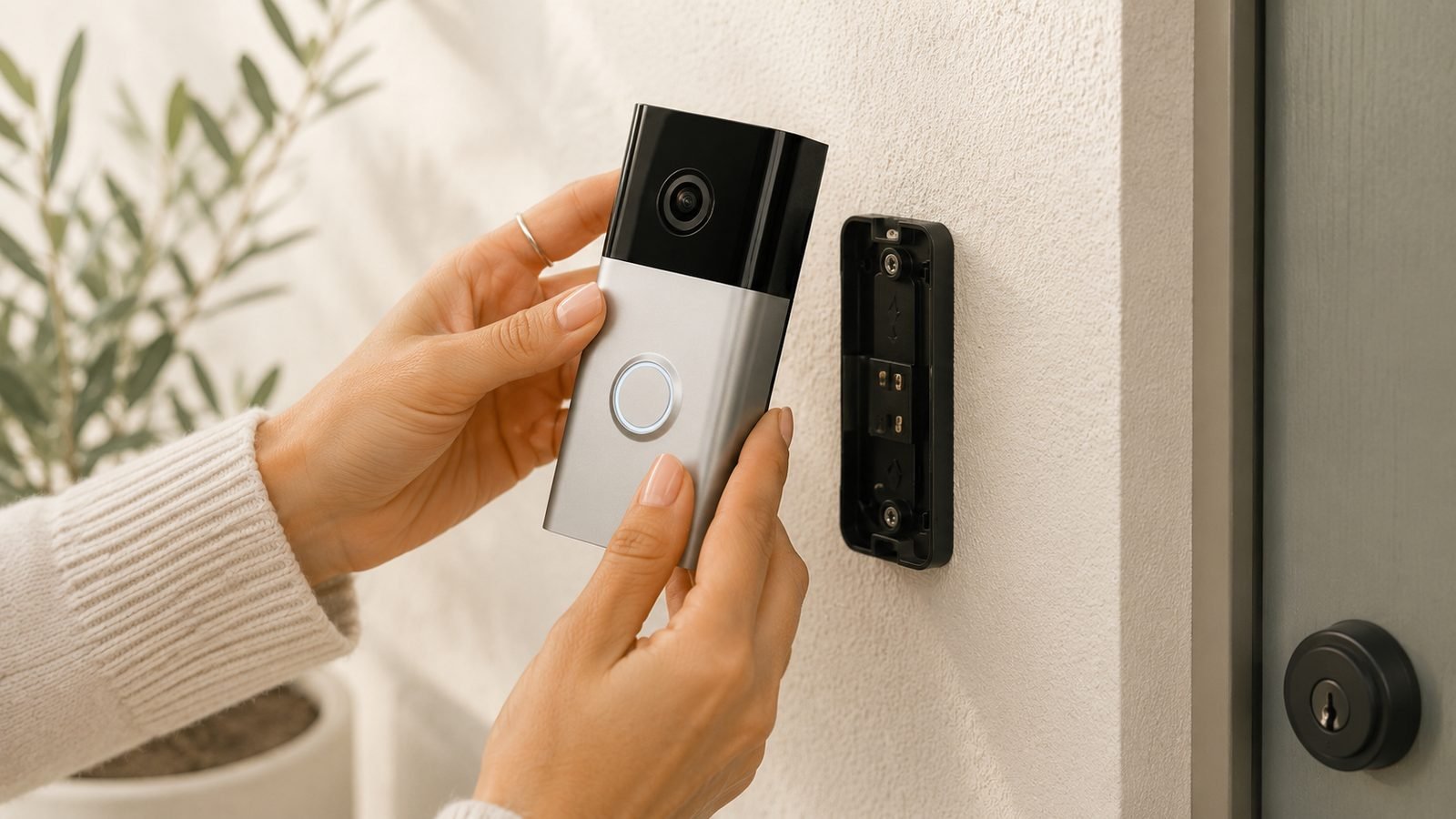
- Remove the doorbell from its mount to reach the setup button.
- Hold the setup button for 20–30 seconds (model-dependent), then release and wait a minute for the front light to finish flashing.
- In the Ring app, remove the old device entry (Settings → General Settings → Remove This Device), then run Set Up a Device from scratch.
A reset clears corrupted network settings and firmware states. If a freshly reset doorbell with good power and RSSI better than -60 still drops offline within days, the hardware is likely faulty — see the warranty section.
Why Your Ring Doorbell Keeps Going Offline (Recurring Causes)
An occasional drop is normal; a weekly Ring doorbell offline pattern is not. The usual suspects, in rough order of frequency from owner reports:
- Marginal RSSI (-65 or worse) — fine on quiet days, drops when the network is busy. The #1 recurring cause.
- Undersized transformer or UK bell-wire power — voltage sags during recording; the device brownouts and reboots.
- Router DHCP churn — reserving a static IP for the doorbell is a proven stabiliser.
- Band steering — routers shoving devices between 2.4GHz and 5GHz confuse single-band Ring models. Split the SSIDs.
- Cold snaps — battery models offline every winter morning are a temperature story, not a network one.
When to Contact Ring Support or Claim Warranty
If you’ve verified good power, an RSSI above -60, and done a factory reset, stop troubleshooting and escalate. Ring’s warranty runs one year in both the US and UK (longer with Ring Protect Plus/Pro plans), and UK buyers have Consumer Rights Act protection via the retailer beyond that.
Before calling, note your RSSI reading, voltage status and the resets you’ve done — otherwise support walks you through the same script. Persistent offline behaviour on healthy power and strong signal is a recognised replacement scenario, and owner reports suggest Ring replaces faulty in-warranty units readily.
FAQ
Why does my Ring doorbell say offline when my Wi-Fi is working?
Usually one of three things: the doorbell has lost power (dead battery or weak transformer), its signal is too weak at the front door even though Wi-Fi works elsewhere, or your router changed something — password, firmware, or channel. Check Device Health in the Ring app first: it shows power status and RSSI, which identifies the culprit in seconds.
How do I get my Ring doorbell back online?
Reboot your router, then open the Ring app → Devices → Device Health → Reconnect to Wi-Fi. Press the setup button briefly when prompted and follow the app’s steps. If the doorbell won’t enter setup mode at all, charge the battery or check the wiring — a device with no power can’t reconnect to anything.
What is a good RSSI for a Ring doorbell?
RSSI is a negative number where closer to zero is stronger. Between -40 and -60 is good; -61 to -70 works but may drop under congestion; -71 or below is too weak for reliable video and is almost certainly why the device goes offline. Find it under Device Health → Network in the Ring app.
Why is my Ring doorbell not charging?
Use a 2.1A wall charger rather than a laptop USB port, clean the charging contacts, and allow 5–10 hours for a full charge. Lithium batteries also refuse to charge near freezing temperatures. If a known-good cable in warm conditions still produces no charge after several hours, the battery has likely failed — replacements are cheap for removable-pack models.
Does a Ring doorbell work without Wi-Fi?
No. Without a connection, a Ring doorbell won’t send alerts, record video, or show live view. The button still physically presses, and a hardwired model may still trigger an existing mechanical chime, but that’s it — Ring has no local storage fallback, which matters if your broadband is unreliable.
If You’re Done With Ring: Reliable Alternatives
Some readers reach this point having fixed nothing, tired of a doorbell that demands a subscription and babysitting. The strongest switch-away pick in our research is the Eufy Video Doorbell E340 (around $179 / £159): dual cameras (face plus a downward package-cam), 8GB of local storage, and no monthly fee for recording. It runs on battery or existing wiring, and its 2K footage compares well with Ring’s mid-range. Trade-offs: shallower Alexa integration and a less polished app. But for owners paying Ring Protect for a device that keeps dropping offline, it’s the obvious exit.
Check price: Eufy Video Doorbell E340 Check price: Eufy Video Doorbell E340
For subscription-free options, see our guide to the best video doorbells without a subscription Best Video Doorbells With No Subscription (2026). Weighing Ring against Google instead? Read our head-to-head Ring vs Nest Doorbell (2026): Which Should You Buy?. Staying and upgrading? Our Wired Doorbell Pro 4K review covers whether the flagship fixes the reliability complaints Ring Wired Doorbell Pro (3rd Gen) Review: Is 4K Worth It?. More guides live in our smart home hub Smart Home.
Zen Tech Hub may earn a commission from links on this page, at no extra cost to you.