One earbud not working is the single most common wireless audio complaint we see, and here’s the good news: in our research across hundreds of owner reports and support threads, most “dead” earbuds aren’t dead at all. They’re dirty, out of sync with their partner, or stuck in a corrupted pairing — all fixable in under ten minutes with zero tools.
Work through these fixes in order, sequenced from most likely culprit to least, and stop as soon as sound comes back. Everything applies whether it’s a left earbud not working, a right AirPod not working, or a budget pair from Amazon — with brand-specific reset steps further down.
Why Is One Earbud Not Working? Quick Diagnosis
Thirty seconds of diagnosis — dirt, charge, or sync — saves you unnecessary fixes:
- Silent but shows as connected? Almost always earwax blocking the driver mesh, or an audio balance setting. Fixes 1 and 5.
- One wireless earbud quieter than the other? Classic wax build-up. Go straight to Fix 1.
- Won’t power on, no charge light? Dirty charging contacts or a case problem. Fixes 1 and 2.
- Both power on but only one plays, or they appear as two separate devices? Your earbuds won’t sync together — a TWS pairing fault. Fixes 3 and 4.
- Cuts out only at high volume or on certain tracks? Likely a firmware bug. Fix 6.
Fix 1: Clean the Earbud and Charging Contacts Properly
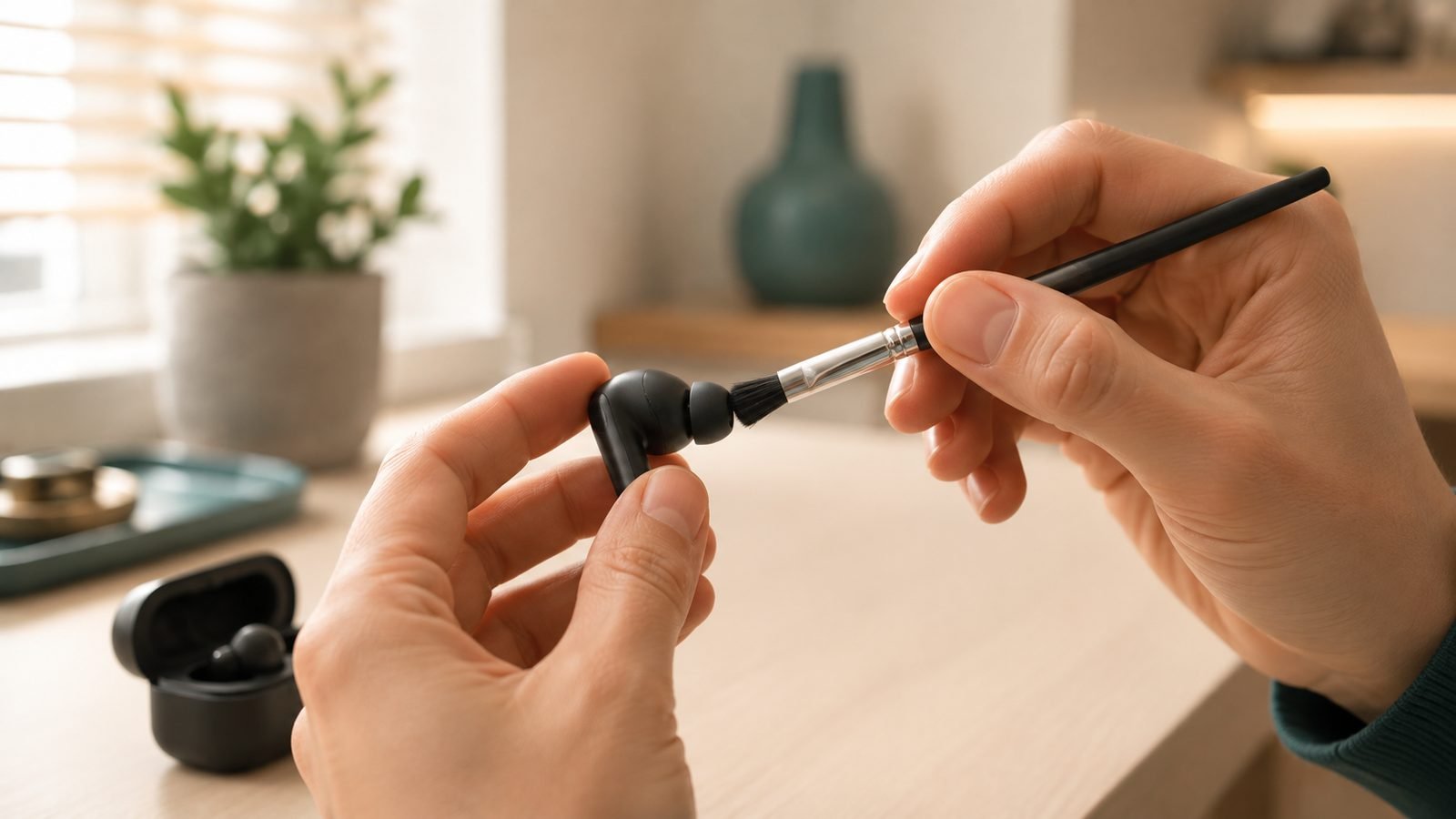
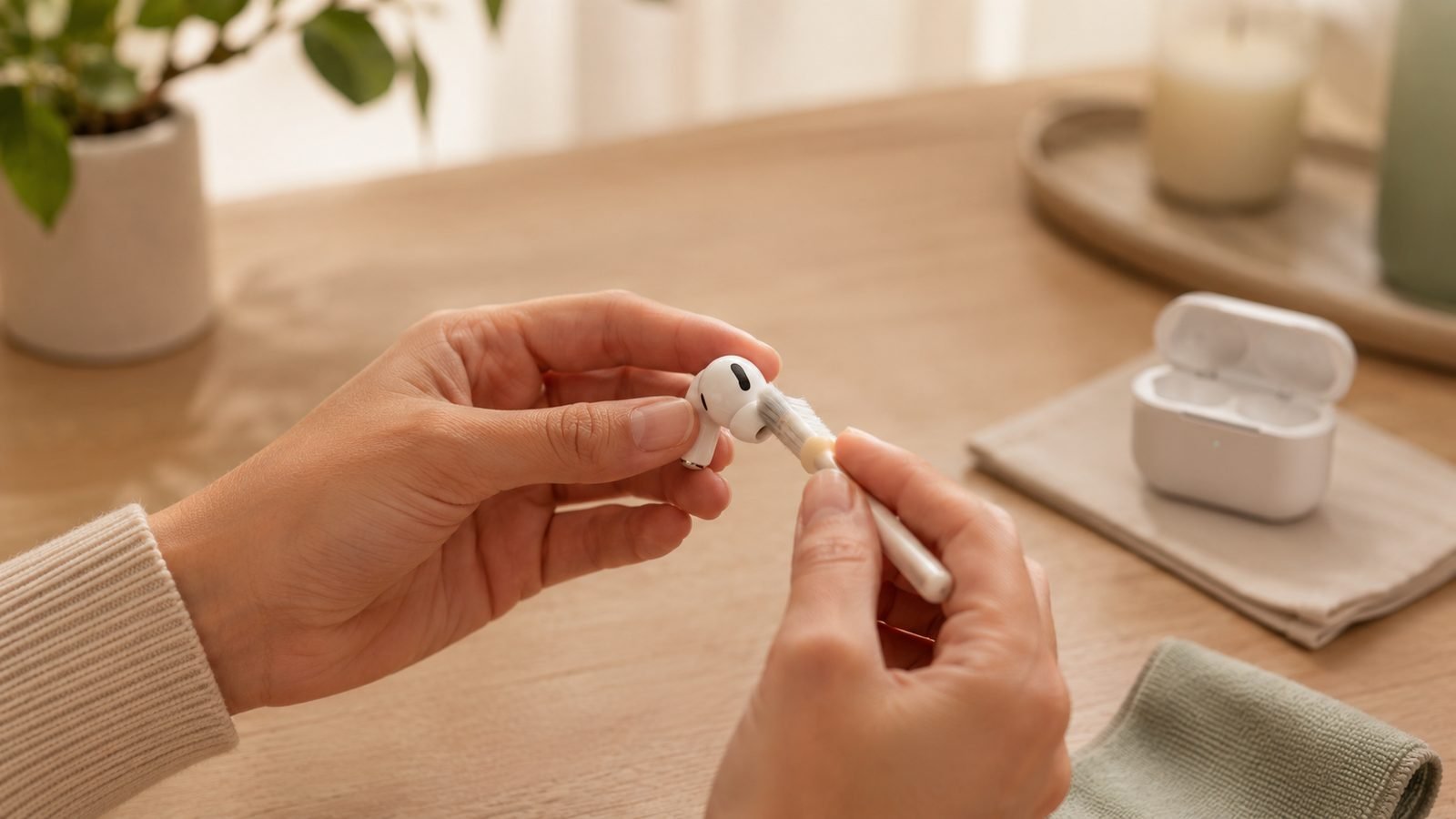
If one earbud is quieter than the other or silent while showing as connected, learn how to clean earbuds properly before assuming hardware failure. Earwax compacts into the speaker mesh and can cut output dramatically on one side.
- Remove the silicone ear tip and wash it separately in warm soapy water. Dry fully before refitting.
- Brush the metal speaker mesh gently with a dry soft toothbrush or the brush end of a cleaning kit. Never push inward.
- Press cleaning putty (or blu-tack in a pinch) onto the mesh and peel it away — it lifts compacted wax that brushing misses.
- Wipe the charging contacts on the earbud stem/base and inside the case with a dry cotton swab. A tiny dab of isopropyl alcohol (70%+) on the swab is fine; never pour liquid in.
- Check the case’s charging pins spring back freely — pocket lint jams them surprisingly often.
A cleaning kit with putty, swabs and a brush costs around $8 / £7 and, based on owner feedback, resolves more “one earbud not working” cases than any other step.
Check price: Electronics cleaning putty/swab kit
Fix 2: Check Case Charging and Battery Health
If one earbud won’t turn on at all, the case may not be charging it — a scenario owners often describe as “AirPods one side not charging,” though it hits every brand.
- Place both earbuds in the case and watch for the charging indicator on each (LED, or the pop-up card on iPhone/Galaxy).
- If one side shows no charging status, reseat it firmly — misalignment is common, especially with foam or third-party tips that sit taller than stock.
- Remove thick aftermarket case covers; if the lid can’t close fully, many models won’t charge.
- Charge the case itself for 30 minutes, then try again. A near-dead case sometimes charges only one bud.
- Compare per-bud battery percentages in your Bluetooth menu or companion app. One side draining far faster is an early warning of a failing cell — note it for a warranty claim (see the final section).
Fix 3: Re-Sync the Earbuds to Each Other (TWS Reset)
True wireless earbuds pair to each other first, then to your phone. When that internal link breaks, your earbuds won’t sync together — one plays while the other sits silent. The cure is a TWS reset, which fixes an enormous share of one-side failures.
- Put both earbuds in the case and turn off Bluetooth on your phone (so it can’t grab them mid-reset).
- Perform your model’s reset — usually holding the case button, or touch-holding both earbuds, for 10–15 seconds (exact combos in the brand section below).
- Wait for the confirmation: LEDs flashing red/white or purple, or an alternating flash on both buds.
- Take both buds out together so they re-link to each other, then re-enable Bluetooth and pair fresh.
If you only ever see one earbud’s name in your Bluetooth list, or audio swaps sides randomly, this reset is almost certainly your fix.
Fix 4: Forget and Re-Pair in Bluetooth Settings
A corrupted pairing record on the phone side causes one-sided audio surprisingly often. This is the fastest left earbud not working fix when the hardware itself is fine:
- Open Bluetooth settings, tap the info icon next to your earbuds, and choose Forget This Device (iOS) / Unpair (Android).
- Do the same on every other paired device — tablet, laptop, watch. Multipoint earbuds will sneakily reconnect to a forgotten laptop and split the stream.
- Restart your phone. This clears the Bluetooth stack cache — skipping it is why this fix “doesn’t work” for many people.
- Re-pair from scratch with both earbuds out of the case.
Fix 5: Check Audio Balance and Mono Settings
No hardware fault required — your phone can silence one side all by itself:
- iPhone: Settings → Accessibility → Audio/Visual. Centre the L/R balance slider and make sure Mono Audio is off.
- Android: Settings → Accessibility → Hearing enhancements (naming varies). Centre the balance, disable mono audio.
- Windows/Mac: Check the output device’s balance in Sound settings — a classic culprit after conferencing apps fiddle with devices.
- Test with a different app and source file. A badly mixed YouTube video can convincingly fake a right AirPod not working.
In our research, balance sliders nudged off-centre by accessibility shortcuts account for a surprising slice of “broken” earbuds.
Fix 6: Update Firmware in the Companion App
One-sided dropouts and sync drift are frequently firmware bugs — Soundcore, Sony and Samsung have all shipped updates specifically fixing single-bud disconnects.
- Install the companion app: Soundcore, Sony Sound Connect, Galaxy Wearable, or JBL Headphones. (AirPods update automatically near a charging iPhone.)
- Connect with both earbuds in your ears, then check for firmware updates.
- Keep the buds within a metre of your phone until the flash completes.
- Afterwards, do one more forget-and-re-pair cycle for a clean slate.
If a Soundcore earbud is not connecting to the app at all, do the TWS reset from Fix 3 first — the app can only see buds that are properly synced to each other.
Brand-Specific Resets: AirPods, Sony, Soundcore, JBL, Samsung
Every brand hides its reset behind a different ritual. Here’s how to reset wireless earbuds from the big five:
How to Reset AirPods (All Models, Including AirPods Pro)
Put both AirPods in the case, lid open. On AirPods Pro 3 and current models, double-tap the front of the case twice (two sets of two taps) and follow the flashing amber status light; on older models, hold the setup button ~15 seconds until the light flashes amber then white. Forget the AirPods on your iPhone first for a clean start. If a right AirPod not working survives a reset and a contact clean, it’s a hardware fault — Apple support can test individual buds. See our AirPods Pro 3 Long-Term Review: 9 Months Later (2026) for model-specific quirks.
How to Reset Sony Earbuds (WF-1000XM5 and Similar)
Restart first: buds in case, lid open, hold the touch sensors ~10 seconds. For a full factory reset on the WF-1000XM5, keep the buds in the open case and hold until the indicator flashes, then re-pair. Sony buds are notorious for clinging to old multipoint connections, so forget them on every device.
How to Reset Soundcore Earbuds (Liberty, Space, P-Series)
For most models: both buds in the case, lid open, hold the case button (or touch-hold both buds) about 10 seconds until the LEDs flash red or alternate. Per aggregated owner reports, that resolves the vast majority of Soundcore earbud not connecting complaints. Newer models like the Liberty 4 NC also have a reset flow inside the Soundcore app.
How to Reset JBL Earbuds
With most JBL Tune, Live and Wave models paired but idle, touch-and-hold both earbuds (triple-tap-and-hold on some models) for ~10 seconds until they power off and the LEDs flash. Some models reset via the JBL Headphones app instead — the safer first stop.
How to Reset Samsung Galaxy Buds
Galaxy Buds reset through software: Galaxy Wearable app → your buds → General → Reset. No app access? Leave both buds in the case for 30+ seconds while it charges — this forces a soft reboot that clears many one-side dropouts.
When It’s Dead: Warranty Claims and When to Replace
If you’ve cleaned, reset, re-paired and updated and one side stays silent, the driver or battery has genuinely failed. (If a replacement is on the cards and the budget is tight, our best budget earbuds guide starts at $25.)
Try warranty first. Most earbuds carry a 12-month warranty (24 months of statutory coverage in the UK/EU). Apple, Samsung and Sony will often replace a single earbud; Soundcore’s support is, based on widespread owner feedback, unusually generous with full replacements. Have your proof of purchase and the case’s serial number ready.
Out of warranty? Single-bud replacements often cost 40–60% of a new pair, which is why most people upgrade instead. Two picks we recommend:
Soundcore Liberty 4 NC — around $99.99 / £89.99, routinely discounted to around $65 / £55. Excellent ANC for the money, strong app support, and that forgiving warranty service matters when you’ve just been burned by a dead earbud. Trade-offs: a bulkier case than premium rivals and out-of-box tuning that wants a quick EQ tweak. The best value replacement for most people — full breakdown in our Soundcore Liberty 4 NC Review: Still the Budget ANC King?.
Check price: Soundcore Liberty 4 NC
EarFun Air Pro 4+ — around $99.99 / £79.99. The fresher 2026 feature set: newer Bluetooth with Auracast, adaptive ANC and huge battery life. Trade-off: a thinner app ecosystem and less proven long-term reliability than Soundcore. Pick it for the newest connectivity at the same money.
Check price: EarFun Air Pro 4+
For the wider field, our Best Wireless Earbuds Under $100 (£80) in 2026: Ranked guide covers every budget alternative we rate, and the Audio has reviews across every price bracket.
FAQ
Why is only one of my earbuds working?
The most common causes, in order: earwax blocking the speaker mesh, dirty charging contacts leaving one bud flat, a broken sync between the two earbuds, a corrupted Bluetooth pairing, or an off-centre audio balance setting. Genuine hardware failure is the least likely. Clean, TWS-reset and re-pair before assuming the earbud is dead.
How do I resync my earbuds to each other?
Place both earbuds in the case, turn off your phone’s Bluetooth, then perform your model’s reset — typically holding the case button or both touch sensors 10–15 seconds until the LEDs flash. Remove both buds together so they re-link, then re-pair with your phone from scratch.
Why is one earbud quieter than the other?
Nine times out of ten it’s compacted earwax in the speaker mesh — clean it with a dry brush and cleaning putty, never liquids. If cleaning doesn’t help, check your phone’s left/right audio balance slider in accessibility settings, then update firmware. A driver that stays quiet after all three is a warranty case.
Can I replace just one earbud?
Often, yes. Apple, Samsung, Sony and Soundcore all supply single replacement earbuds, and a replacement bud pairs with your existing set after a factory reset. Out of warranty, expect to pay 40–60% of a full pair — which is why many owners put that money toward a new set instead.
Why won’t my earbud charge in the case?
Usually dirty or blocked charging contacts — clean the pins in the case and the pads on the earbud with a dry swab. Also check the bud seats fully (aftermarket tips can hold it off the contacts), the lid closes completely, and the case itself has charge. If one bud still won’t charge after that, its battery has likely failed.
Do I lose my settings when I reset wireless earbuds?
A factory reset wipes pairing records and usually returns EQ, touch controls and ANC preferences to defaults — you’ll set those up again in the companion app. Your app account and saved profiles typically survive, and most apps push your saved EQ back once you reconnect. It’s a five-minute cost for what is often the fix.
Zen Tech Hub may earn a commission from links on this page, at no extra cost to you.