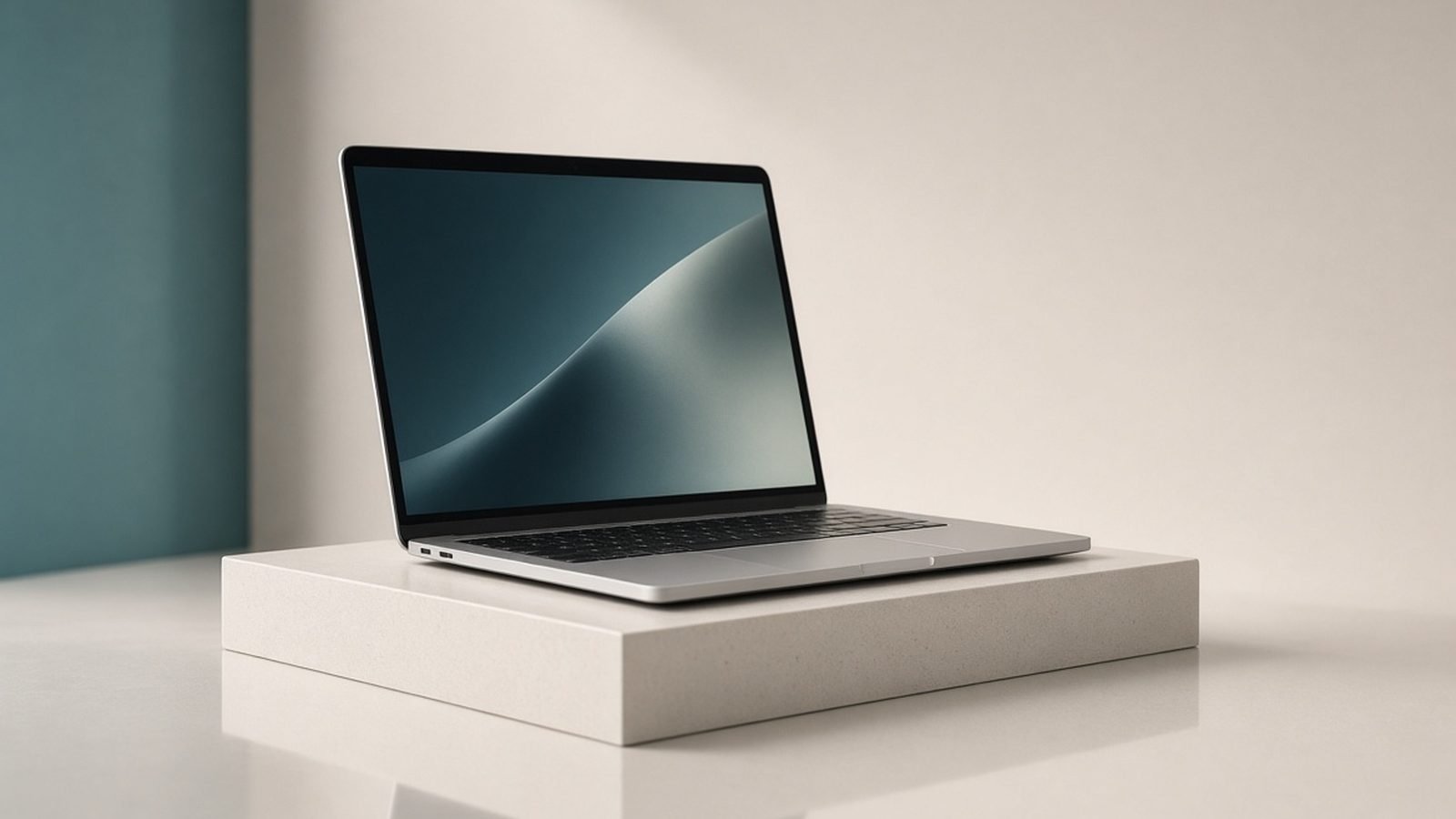
The best laptop for programming in 2026 is the Apple MacBook Pro M5 Pro (14-inch) at around $1,999 / £2,099: it compiles fast, runs Docker and virtual machines quietly, lasts all day on battery, and its Unix-based macOS is the smoothest fit for most web, mobile, and backend work. If you prefer Windows or Linux, need machine-learning GPU power, or want maximum repairability, the picks below cover those cases, all chosen with a developer’s daily workflow in mind.
This guide leads with what actually matters when you code for a living: sustained CPU performance, enough RAM for containers and virtual machines, a keyboard you can type on for hours, and battery that survives a day away from the desk. We pair published specs and current US and UK pricing with aggregated developer feedback, and we are clear about method below.
Best programming laptops 2026 at a glance
| Pick | Laptop | Best for | Price (US / UK) |
|---|---|---|---|
| Best overall | MacBook Pro M5 Pro (14in) | Most developers | ~$1,999 / £2,099 |
| Best value | MacBook Air M5 | Web and app dev on a budget | ~$1,099 / £1,099 |
| Best Windows/Linux | ThinkPad X1 Carbon Gen 13 | Typists, Linux, travel | ~$1,699 / £1,599 |
| Best for repairability | Framework Laptop 13 | Upgraders, tinkerers | ~$1,399 / £1,349 |
| Best for ML/AI work | Lenovo Legion Pro 7i (RTX 5080) | Local model training | ~$2,699 / £2,599 |
| Best premium Windows | Dell XPS 16 (2026) | Big-screen Windows devs | ~$1,999 / £1,999 |
Prices move with RAM costs and promotions, so treat these as mid-2026 reference points.
How we picked
Our picks come from manufacturer specs, current US and UK pricing, and aggregated developer feedback from forums, reviews, and long-term threads. When we describe compile performance, thermals, or Linux compatibility, we are summarizing published patterns, not benchmarks we ran ourselves. We do not invent numbers.
For coding we weighted sustained multi-core CPU performance (compiles and test suites hammer all cores), RAM capacity and the option to reach 32GB+ for containers and virtual machines, keyboard quality for all-day typing, and battery life. We also weighted Unix/Linux friendliness, since most server-side development targets Linux, and a machine that mirrors that environment saves friction daily.
Best overall: MacBook Pro M5 Pro (14-inch)
M5 Pro chip, 24-48GB unified memory, 14.2in 120Hz XDR, active cooling. Around $1,999 / £2,099.
The 14-inch MacBook Pro is the default developer laptop for good reason. The M5 Pro chews through compiles, test suites, and multiple containers, and because it is actively cooled it holds those clocks through long builds rather than throttling like the fanless Air. Unified memory up to 48GB handles heavy Docker stacks, local databases, and several virtual machines at once.
macOS is the real draw: a Unix foundation, first-class terminal, Homebrew, and native support across web, iOS, Android, and backend toolchains, so most tools “just work.” Battery life is exceptional for the power, often 15+ hours of real use, and the 120Hz XDR screen is superb for long reading of code. Ports are generous: three Thunderbolt, HDMI, SD, and MagSafe.
The downsides: the base storage is stingy for the price, so configure up, and it is expensive. It is also the wrong tool if you specifically need CUDA for machine learning, since that is NVIDIA territory. For the daily developer who wants one machine to do everything quietly, it is the best there is. See the Apple range in Best MacBook 2026: Which Mac Laptop Should You Buy?.
Pros:
- Fast, sustained compile performance
- Up to 48GB memory for containers/VMs
- Superb battery and 120Hz screen
Cons:
- Expensive, stingy base storage
- No CUDA for ML training
- Overkill for light scripting
Who it’s for: Professional web, mobile, and backend developers who want power, quiet, and all-day battery.
Best value: MacBook Air M5
M5 chip, 16-24GB unified memory, 13.6in Liquid Retina, fanless. Around $1,099 / £1,099.
For a huge share of developers, front-end, full-stack web, scripting, and app work, the MacBook Air M5 is all the machine you need, at nearly half the Pro’s price. The M5 is quick, the 16GB base memory (configurable to 24GB) handles a typical web stack, editor, browser, and a container or two, and because it is fanless it is utterly silent while you work.
You get the same macOS Unix environment and toolchain support as the Pro, plus Apple’s class-leading battery life, so it happily runs a full day of coding on a coffee-shop table. It is thin, light, and the best value in professional development laptops.
The limits appear under sustained heavy load: without a fan, long, punishing compiles will throttle it, and 24GB is the memory ceiling, so very heavy multi-VM work wants the Pro. Only two ports, too, so budget for a hub (see Best USB-C Hubs & Docks 2026: For Laptops & Desks). For most coding, though, it is plenty; full details in MacBook Air M5 Review 2026: The Laptop for Most People.
Pros:
- Excellent value for real dev work
- Silent, fanless, all-day battery
- Full macOS toolchain
Cons:
- Throttles under sustained heavy loads
- 24GB memory ceiling
- Only two ports
Who it’s for: Web, full-stack, and app developers who want a capable Mac without paying Pro prices.
Best Windows/Linux: ThinkPad X1 Carbon Gen 13
Core Ultra vPro, 14in OLED or IPS, 16-64GB RAM, ~1.09kg. Around $1,699 / £1,599.
If your world is Windows, WSL2, or native Linux, the X1 Carbon is the developer’s classic. Its keyboard is the best on any laptop, which matters when you type for eight hours, and the light, durable carbon-fiber chassis is built for travel. Crucially, Linux support is excellent, ThinkPads are among the most reliably Linux-compatible laptops you can buy, so a native Ubuntu or Fedora install runs cleanly.
You can configure up to 64GB of RAM on some models for heavy containers and virtual machines, and WSL2 gives Windows users a genuine Linux environment for server-side work. Battery life is strong, and the low-power OLED option is easy on the eyes for long code sessions.
It is expensive at list price (though business discounts are common), the speakers are weak, and it is not for GPU-heavy machine learning. For the developer who wants Linux or Windows with the best keyboard and great manageability, it is the pick. The macbook vs thinkpad for programming choice really comes down to which OS your stack targets.
Pros:
- Best-in-class keyboard
- Excellent Linux compatibility, up to 64GB RAM
- Light, durable, great for travel
Cons:
- High list price
- Weak speakers
- No strong GPU for ML
Who it’s for: Windows and Linux developers who prioritize typing comfort, Linux support, and portability.
Best for repairability: Framework Laptop 13
Core Ultra or Ryzen AI, 13.5in, upgradeable RAM/SSD, swappable ports. Around $1,399 / £1,349.
The Framework Laptop 13 is the developer machine you can actually open, upgrade, and fix. RAM and storage are user-replaceable, the ports are swappable modules you choose (want two USB-A and an Ethernet jack? done), and Framework sells the parts openly, so a mainboard upgrade years from now beats buying a whole new laptop. For tinkerers and long-term owners, that ethos is the whole appeal.
It runs Windows well and has strong, officially supported Linux compatibility, making it a favorite for developers who want to control their environment top to bottom. Performance from the latest chips is solid for general coding, and you can load it with as much RAM as your work demands.
The trade-offs: build quality is good but not quite ThinkPad- or MacBook-tier, battery life is fair rather than exceptional, and the modular approach costs a small premium. For developers who value repairability, upgradeability, and open hardware, none of that outweighs the benefits.
Pros:
- User-upgradeable RAM, SSD, and ports
- Excellent Linux support
- Long-term upgrade path
Cons:
- Build slightly behind the best
- Only average battery life
- Small modularity premium
Who it’s for: Developers who want to upgrade, repair, and customize their laptop for the long haul.
Best for ML/AI work: Lenovo Legion Pro 7i (RTX 5080)
Core Ultra, RTX 5080, 32-64GB RAM, 16in 240Hz, strong cooling. Around $2,699 / £2,599.
Machine-learning and AI developers who need a local NVIDIA GPU should look at a powerful gaming laptop, and the Legion Pro 7i is among the best value options. Its RTX 5080 with substantial VRAM handles CUDA workloads, local model fine-tuning, and inference that Apple silicon cannot run natively, and Lenovo’s high power limit and strong cooling let it sustain those loads.
You can configure 32-64GB of RAM for large datasets and virtual environments, and the fast storage keeps data pipelines moving. For anyone who trains or runs models locally rather than always renting cloud GPUs, it pays for itself.
The catches are portability and battery: it is heavy and lasts only a few hours off the charger under load, and it runs hot and loud when the GPU is busy. But no ultraportable or MacBook can match its local CUDA muscle. Pure gamers and hybrid users should also see Best Gaming Laptops 2026: RTX 50-Series Picks Ranked.
Pros:
- RTX 5080 with CUDA for local ML
- 32-64GB RAM, strong cooling
- Good value for the GPU power
Cons:
- Heavy, short battery under load
- Hot and loud when training
- Overkill for non-ML coding
Who it’s for: ML/AI developers who need a local NVIDIA GPU for training and inference.
Best premium Windows: Dell XPS 16 (2026)
Core Ultra, optional RTX 5060/5070, 16.3in OLED, 16-64GB RAM. Around $1,999 / £1,999.
Developers who want a big, beautiful Windows screen without a bulky gaming chassis should consider the XPS 16. Its 16.3-inch OLED is superb for reading code, keeping several files side by side, and previewing UI work, and the machined-aluminum build is one of the most premium in Windows laptops. You can spec an optional RTX GPU for light ML or GPU-accelerated tasks.
With up to 64GB of RAM and strong Core Ultra performance, it handles containers, virtual machines, and large projects comfortably, and WSL2 provides a solid Linux environment for server-side work. It is a genuine desktop-replacement-class ultrabook.
The XPS keyboard, with its capacitive function row and seamless layout, divides developers, so try it first, and battery life is only fair for the size. The OLED-plus-GPU configs also get expensive. But for a premium big-screen Windows dev machine, few rivals match its polish. It also features in our Best Laptops 2026: Top Picks for Every Need roundup.
Pros:
- Large, gorgeous 16in OLED
- Up to 64GB RAM, optional GPU
- Premium build
Cons:
- Divisive capacitive keyboard
- Only fair battery for its size
- Pricey with OLED and GPU
Who it’s for: Windows developers who want a big premium screen and desktop-class performance in one machine.
How to choose a programming laptop in 2026
Pick the OS your stack targets. macOS suits web, mobile, and backend work with its Unix base; Windows with WSL2 or native Linux suits .NET, Windows-specific, or Linux-first development. Match the laptop to where your code runs.
Get enough RAM for your workload. 16GB is fine for front-end and light work; 32GB is the sweet spot for containers, virtual machines, and larger projects; 64GB for very heavy multi-VM or data work. Configure it at purchase if the RAM is soldered.
Prioritize sustained CPU performance. Compiles and test suites hit every core for minutes at a time. An actively cooled laptop that holds its clocks beats a thin one that throttles.
Do not overlook the keyboard. You will type on it for thousands of hours. The ThinkPad and MacBook lead here; try any laptop’s keyboard before committing if you can.
Only buy an NVIDIA GPU if you need CUDA. For machine-learning training and inference locally, it is essential; for everything else, it adds weight, heat, and cost you will not use.
FAQ
What is the best laptop for programming in 2026?
For most developers, the 14-inch MacBook Pro with the M5 Pro at around $1,999 / £2,099. It compiles quickly, runs Docker and virtual machines quietly, lasts all day on battery, and its Unix-based macOS fits most web, mobile, and backend toolchains cleanly. If you need Windows or Linux, the ThinkPad X1 Carbon is the pick; for local ML training, a gaming laptop with an NVIDIA GPU.
How much RAM do I need for a programming laptop?
16GB is the minimum for comfortable coding and light containers. 32GB is the sweet spot for running multiple Docker containers, virtual machines, and larger projects at once, and it is what we recommend most professional developers target. Step up to 64GB only for very heavy multi-VM work or large datasets. If the RAM is soldered, buy enough at purchase, since you cannot upgrade later.
Mac or Windows for programming?
Match the machine to your stack. macOS, with its Unix base and excellent battery, is the smoothest fit for web, iOS, Android, and most backend work, which is why so many developers choose it. Windows with WSL2, or native Linux, is better for .NET, Windows-specific software, or when you want a machine you can fully customize and repair. Both are excellent; the deciding factor is where your code runs.
Do I need a laptop with an NVIDIA GPU for coding?
Only for machine-learning and AI work that needs CUDA, local model training, fine-tuning, or GPU-accelerated inference. For that, a gaming laptop with an RTX 50-series GPU is the right tool. For web, mobile, backend, and general software development, the GPU sits idle, so you are better off with an efficient laptop that has a great CPU, more RAM, and longer battery life.
Is the MacBook Air powerful enough for development?
For a large share of developers, yes. The MacBook Air M5 handles front-end, full-stack web, scripting, and app development comfortably, with the full macOS toolchain and all-day battery. Its limits are sustained heavy compiles, where the fanless design throttles, and a 24GB memory ceiling. If your work involves long, punishing builds or many virtual machines, step up to the actively cooled MacBook Pro.
Which laptop is best for Linux development?
The ThinkPad X1 Carbon and the Framework Laptop 13 are the standouts, both with excellent, officially supported Linux compatibility, so a native install runs cleanly with working drivers. ThinkPads have a long track record of Linux reliability, while Framework adds full repairability and upgradeability. On Windows machines, WSL2 also provides a strong Linux environment without leaving Windows, which suits many server-side workflows.
Zen Tech Hub may earn a commission from links on this page, at no extra cost to you.