Learning how to set up a soundbar takes about ten minutes when you know which port to use — and a frustrating evening when you don’t. The decision that matters most is the connection: HDMI eARC, HDMI ARC, or optical. Get that right and everything else — placement, TV settings, remote control, Dolby Atmos — falls into place.
This guide covers the whole process step by step, explains HDMI ARC vs optical in plain English, and fixes the three problems behind most support threads: no sound, lip-sync delay, and dropouts. It applies to any brand, because the underlying HDMI standards are identical.
What You Need to Set Up a Soundbar: The 60-Second Checklist
Before you unbox anything, confirm you have:
- Your TV’s port labels checked. Look for an HDMI port labelled ARC or eARC — usually HDMI 2 or HDMI 3, with the label printed next to the socket.
- An HDMI cable that can carry the signal. For eARC and lossless Dolby Atmos, use an Ultra High Speed (48Gbps) HDMI 2.1 cable. A certified generic one costs around $12 / £10 — there’s zero audio benefit to spending more.
- An optical (Toslink) cable only if your TV has no HDMI ARC port (common before ~2013).
- Power outlets for the soundbar and any subwoofer.
- Both remotes for the initial settings pass.
Check price: High-speed HDMI 2.1 cable (48Gbps)
That’s it — no AV receiver, no speaker wire, no tools unless you’re wall-mounting.
Step 1: Pick the Right Connection — HDMI ARC vs eARC vs Optical Explained
Read this section even if you skip everything else:
| HDMI eARC | HDMI ARC | Optical (Toslink) | |
|---|---|---|---|
| Audio bandwidth | Up to 37Mbps | ~1Mbps | ~0.4Mbps |
| Dolby Atmos | Yes — lossless (TrueHD) and lossy (DD+) | Yes, but compressed only (Dolby Digital Plus) | No |
| Lossless audio (TrueHD, DTS-HD MA) | Yes | No | No |
| 5.1 surround | Yes | Yes (compressed) | Yes (compressed) |
| TV remote controls soundbar (CEC) | Yes | Yes | No — separate remote or IR learning |
| Automatic lip-sync correction | Yes (mandatory in spec) | Sometimes | No |
| Typical TVs | ~2019 onwards | 2013–present | Almost everything since ~2005 |
Use HDMI eARC if your TV has it. So what is HDMI eARC? Enhanced Audio Return Channel is part of the HDMI 2.1 spec: the same physical port as ARC, but with roughly 37 times the bandwidth and mandatory lip-sync correction. It’s the only connection that passes lossless Dolby Atmos from Blu-rays and full-fat DTS soundtracks.
Use HDMI ARC if that’s what your TV offers. You still get Dolby Atmos from streaming apps (they all use compressed Dolby Digital Plus, which fits through ARC fine), plus CEC remote control. If you stream everything, the real-world gap between ARC and eARC is smaller than the spec sheet suggests.
Use optical only as a last resort. The HDMI ARC vs optical decision is simple: optical caps out at compressed 5.1, carries no Atmos, and can’t let your TV remote control the soundbar. It works — but pick it only when HDMI isn’t an option (see the older TVs section below).
Do I need eARC for Dolby Atmos? No. Regular ARC passes the compressed Atmos every major streaming service uses anyway. You only need eARC for lossless Atmos (Dolby TrueHD) from 4K Blu-ray discs or high-bitrate media files.
Step 2: Soundbar Placement Tips (Under the TV, Wall Mount, and Atmos Clearance)
Soundbar placement is forgiving, but three rules matter:
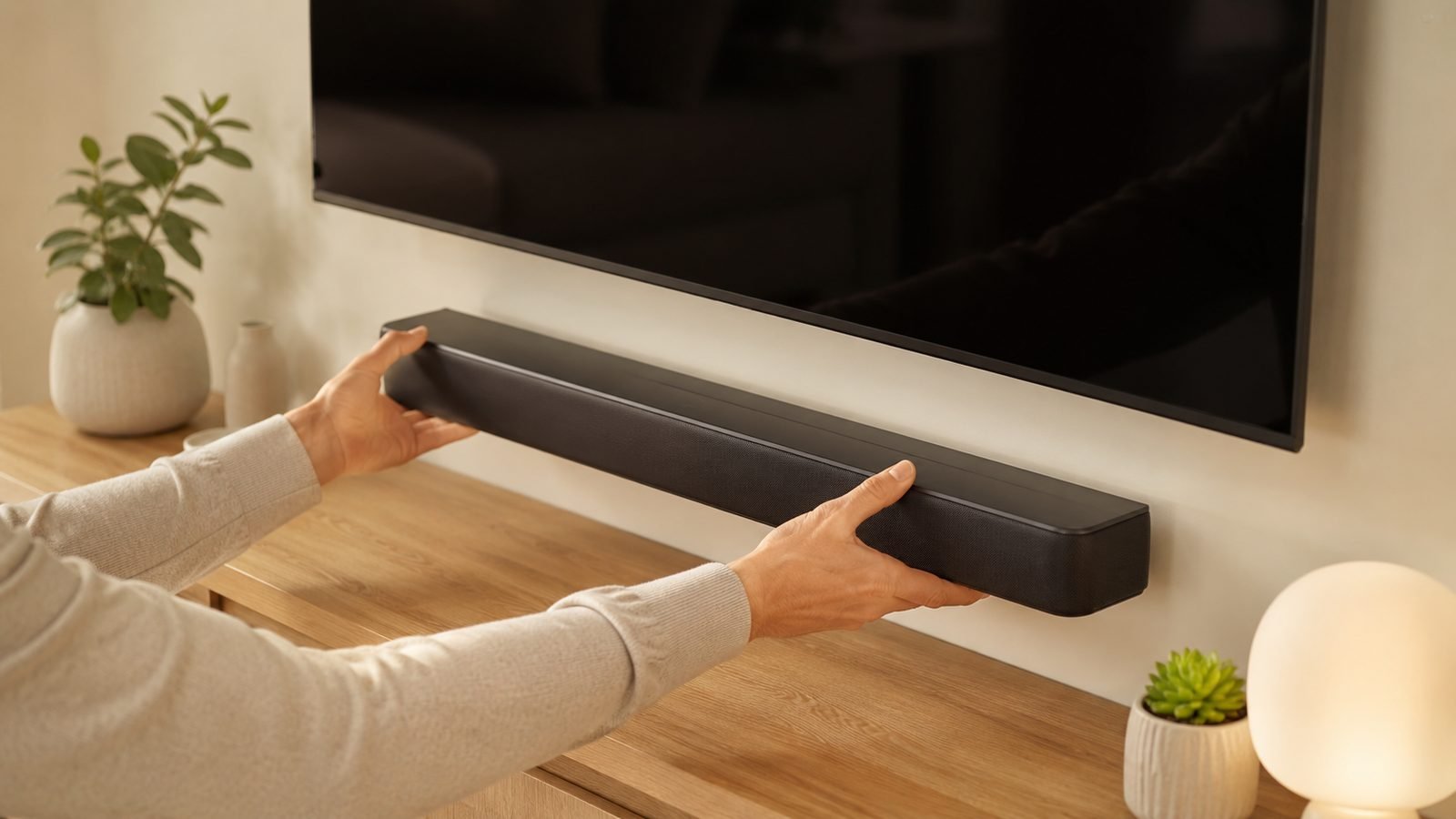
- Centre the bar under the TV, drivers unobstructed. It should sit directly below the screen, front edge flush with or slightly ahead of the stand’s edge. Don’t recess it in a cabinet shelf — a soundbar firing into cabinet walls sounds boxy and muffled.
- Don’t block the screen or the TV’s IR receiver. If the bar blocks the picture or the remote stops working, raise the TV on low-profile risers or wall-mount the bar just below the screen.
- Give up-firing Atmos drivers a ceiling to bounce off. Height effects work by reflection: you want a flat ceiling roughly 2.3–3.5m high and no shelf above the bar. Vaulted or acoustic-tile ceilings blunt the effect badly — in those rooms, a virtual-Atmos bar loses less than you’d think.
Wall-mounting? Use the brand’s bracket or the rear keyhole mounts, keep the bar within about 10cm of the TV’s bottom edge, and route the HDMI cable before tightening screws. Place any subwoofer on the floor near the bar, a foot or two out from the corner — corners boost bass but make it boomy.
Step 3: Connect the Soundbar to Your TV and Configure Audio Settings
Here’s how to connect a soundbar to a TV in the correct order:
- Power everything off.
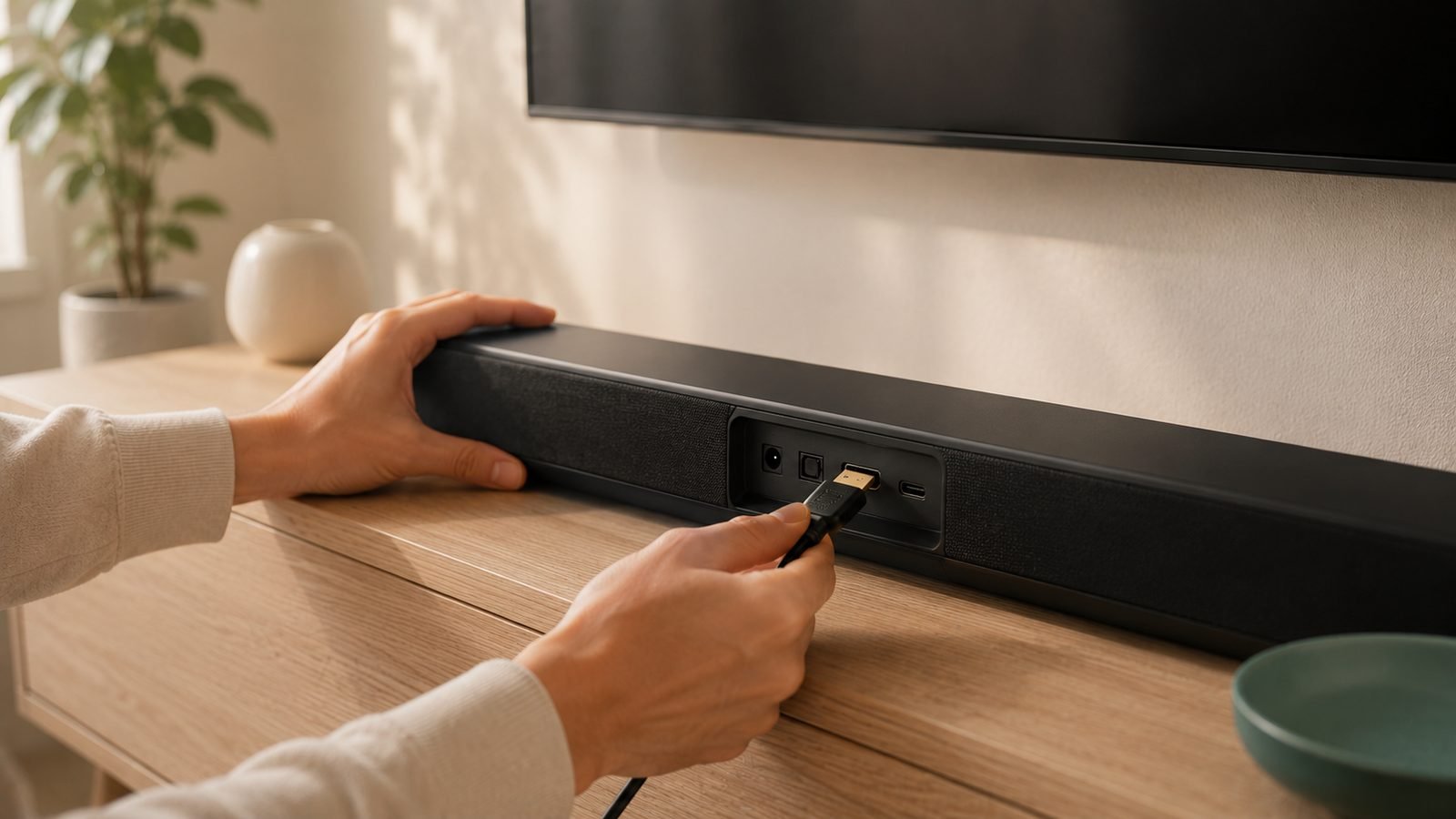
- Plug the HDMI cable into the soundbar’s port labelled “HDMI OUT (TV ARC/eARC)” — not one of its HDMI inputs.
- Plug the other end into the TV’s ARC/eARC-labelled HDMI port. Any other port won’t send TV audio back to the bar. This one mistake causes more “no sound” complaints than everything else combined.
- Power on the TV, then the soundbar. Most TVs auto-detect the bar and ask if you want to use it as the audio output. Say yes.
- In the TV’s sound menu, select the soundbar as the output, then set the digital output format: Auto/Pass-through for eARC, Dolby Digital Plus for ARC, Dolby Digital (never PCM) for optical.
- Turn off the TV’s internal speakers if the TV didn’t do it automatically. If there’s an “eARC mode” toggle buried in the expert audio settings (Samsung and LG hide one), set it to Auto/On.
Still choosing hardware? The Sony HT-S2000 (around $299 / £279, often discounted to roughly $248 / £219) makes this step painless — single eARC connection, sensible auto-setup, and virtual Atmos that doesn’t depend on your ceiling. In our research it’s the most consistently recommended starter bar in owner communities. Full budget roundup: Best Soundbars Under $300 (£300) in 2026: Big TV Sound, Small Price.
Step 4: Get Your TV Remote Controlling the Soundbar (HDMI-CEC)
HDMI-CEC (Consumer Electronics Control) lets your TV remote control soundbar volume and power over the same HDMI cable you already connected — but every manufacturer hides it behind its own brand name:
- Samsung: Anynet+
- LG: Simplink
- Sony: Bravia Sync
- Philips: EasyLink
- Hisense/TCL/others: usually just “HDMI-CEC” or “CEC”
Enable it in the TV’s settings (usually General → External Device Manager, or System → HDMI settings), and on the soundbar too if it has a toggle — most ship with it on. Power the TV off and on once, and the TV remote’s volume keys should drive the bar.
If CEC refuses to hand over volume control, unplug both devices from mains power for 60 seconds — a cold restart clears stuck handshakes more often than any menu setting.
Using optical? CEC doesn’t exist over Toslink. Check whether your soundbar can learn your TV remote’s IR codes (many Vizio, Bose and older Samsung bars can), or accept two remotes.
Step 5: Enable Dolby Atmos and Confirm It’s Actually Working
Plenty of soundbars play plain stereo for years because one setting is wrong. To verify Atmos:
- Check the source app. The title page should show an Atmos badge; Netflix needs the Premium tier, and availability can differ between a TV’s built-in app and an external streamer.
- Play known Atmos content and check the soundbar’s display or companion app. You want to see “Dolby Atmos”, not “PCM” or “Dolby Digital”.
- If it says PCM, your TV is decoding audio before passing it on. Change the TV’s digital audio output to Auto/Pass-through/Bitstream.
- If Atmos shows only on some apps, that’s normal — broadcast TV and many catalogue titles simply aren’t mixed in Atmos.
This is also where premium hardware earns its price. A flagship like the Sonos Arc Ultra (around $999 / £899) uses eARC plus a large driver array to render height effects budget bars only hint at — based on aggregated owner reports, that jump is among the most audible upgrades in home audio. Weighing it against Samsung’s flagship? We’ve compared them in Sonos Arc Ultra vs Samsung HW-Q990F: Premium Soundbar Battle.
Troubleshooting: No Sound, Lip-Sync Delay, and Dropouts
Even when you set up a soundbar exactly by the book, HDMI handshakes occasionally misbehave. Work through these in order.
Soundbar no sound fix:
- Confirm the cable is in the TV’s ARC/eARC port and the soundbar’s HDMI OUT, not an input.
- Set the soundbar’s input to “TV ARC” or “D.IN” (Samsung’s label for it).
- In the TV menu, re-select the soundbar as the audio output device.
- Toggle CEC off and on, then power-cycle both devices at the wall for 60 seconds.
- Swap the HDMI cable — cheap unlabelled cables that carry video fine routinely fail the eARC handshake.
- Still silent? Check for TV and soundbar firmware updates; ARC handshake bugs are heavily patched.
Lip-sync delay: Set the TV’s digital output to Auto rather than PCM first, since TV-side decoding adds latency. Then use the soundbar’s audio-delay (AV sync) adjustment — most bars offer 0–300ms in the app or remote menu. On eARC, enable auto lip-sync on the TV if the option exists.
Dropouts: Nearly always the cable or CEC. Replace the cable with a certified Ultra High Speed one and disable the TV’s “HDMI power sync”-type features one at a time. If a wireless subwoofer is what’s dropping out, it’s usually fighting congested Wi-Fi — changing the router channel or moving the sub a metre often cures it.
Check price: High-speed HDMI 2.1 cable (48Gbps)
Older TVs: How to Connect a Soundbar to a TV Without HDMI
No ARC port? You can still connect a soundbar to a TV without HDMI:
- Optical (best non-HDMI option). Nearly every flat-panel TV since the mid-2000s has a Toslink output, giving clean digital audio up to compressed 5.1. Set the TV’s optical output to Dolby Digital and turn off the TV speakers.
- 3.5mm / RCA analogue out. Stereo only; set the TV output to “variable” so its remote controls volume. Fine for sitcoms, underwhelming for films.
- Bluetooth. Latency causes visible lip-sync error, so treat it as a music input, not a movie connection. (The reverse trick — TV audio to headphones — works brilliantly; see How to Connect Bluetooth Headphones to Any TV (2026 Guide).)
- HDMI audio extractor. Around $25 / £20, this pulls audio from your source devices before the TV. Fiddly, but the only way to get surround from a genuinely HDMI-less setup.
Recommended Soundbars If You’re Still Shopping
Landed here before buying? Three pointers from our research across spec sheets and hundreds of owner reports — either bar takes minutes to set up using the steps above:
- Best value: Sony HT-S2000 — around $299 / £279, regularly $248 / £219 on sale. eARC, virtual Atmos that works in awkward rooms, painless setup. The bar we’d point most first-time buyers at. Check price: Sony HT-S2000
- Best premium single bar: Sonos Arc Ultra — around $999 / £899. Genuine height effects, room tuning, and it anchors a future surround system with add-on speakers. Check price: Sonos Arc Ultra
- Whatever you buy, budget ~$12 / £10 for a certified Ultra High Speed HDMI cable so the connection never becomes the bottleneck. Check price: High-speed HDMI 2.1 cable (48Gbps)
For the full field, our buying guides live in the audio hub — Audio — starting with Best Soundbars Under $300 (£300) in 2026: Big TV Sound, Small Price.
FAQ
Which HDMI port do I use for a soundbar?
Use the TV port labelled ARC or eARC — usually HDMI 2 or HDMI 3 — connected to the soundbar’s HDMI OUT (TV) port. Other HDMI ports carry video into the TV but can’t send audio back out, which is why a soundbar on the wrong port powers up yet stays silent.
Is HDMI ARC better than optical for a soundbar?
Yes, in almost every case. HDMI ARC carries compressed Dolby Atmos, supports CEC so your TV remote controls the soundbar, and handles lip-sync correction on many TVs. Optical is limited to compressed 5.1 with no Atmos and no remote integration. Choose optical only when your TV lacks an ARC port.
Do I need eARC for Dolby Atmos?
No. Streaming services deliver Atmos as compressed Dolby Digital Plus, which regular HDMI ARC passes without issue. You only need eARC for lossless Dolby TrueHD Atmos from 4K Blu-ray players or media servers. If you stream everything, ARC delivers the same Atmos the apps actually transmit.
Why does my soundbar have no sound after setup?
The top causes when you set up a soundbar: cable plugged into a non-ARC HDMI port, the bar set to the wrong input, the TV still outputting to its internal speakers, or a stuck CEC handshake. Re-check the port labels, select the TV/ARC input on the bar, and power-cycle both devices at the wall for 60 seconds.
Can my TV remote control the soundbar volume?
Yes, if you’re connected over HDMI ARC or eARC with HDMI-CEC enabled on both devices. Find it under its brand name — Anynet+ (Samsung), Simplink (LG), Bravia Sync (Sony) — in the TV settings. Over optical, CEC doesn’t work; use a soundbar with IR learning or keep two remotes.
Does an expensive HDMI cable improve soundbar audio quality?
No. HDMI is digital — audio either arrives intact or it doesn’t. What matters is certification: an Ultra High Speed (48Gbps) cable guarantees enough bandwidth for eARC and lossless Atmos. A certified cable at around $12 / £10 performs identically to a $100 boutique one.
Zen Tech Hub may earn a commission from links on this page, at no extra cost to you.