If your character walks on its own or your camera creeps when your thumb is off the stick, you are dealing with drift. This guide is a practical switch 2 joy-con drift fix you can work through in about 15 minutes, followed by the repair, warranty and replacement routes that actually matter once software tricks stop working. We have pulled together the calibration steps, the honest hardware picture, and the consumer-rights angle for both US and UK owners.
Does the Switch 2 still drift? The honest answer
Yes, it can. The uncomfortable truth is that the Joy-Con 2 does not use drift-resistant Hall-effect sticks. Nintendo redesigned the sticks and made them larger and smoother, but a company VP confirmed before launch that they are not Hall-effect units, and iFixit’s teardown found conventional potentiometer-style sticks inside. So the question “does switch 2 have hall effect sticks” has a clear answer: no.
That does not mean every unit will drift. The redesigned mechanism appears more durable than the original Switch, and based on owner reports in our research, early joy-con 2 drift complaints are far less common than the wave that hit Switch 1. But because the underlying tech is the same category that caused the original drift epidemic, it is smart to know the fixes before you need them.
Work through the steps below in order. They go from zero-risk software fixes to physical cleaning to full repair.
Step 1: Recalibrate sticks in system settings
The first move is always to recalibrate switch 2 joy-con sticks, because a bad calibration profile mimics real drift.
Open System Settings from the Home menu.
Scroll to Controllers and Sensors.
Select Calibrate Control Sticks.
Follow the prompt for the affected Joy-Con 2. Do not touch the stick, then confirm the neutral centre. If the on-screen crosshair is already off-centre while your hands are clear, the console has confirmed the drift for you.
Push the stick fully in each direction to reset the range, then test.
If recalibration steadies the stick, you may only have needed a fresh centre point. If the crosshair drifts again within minutes, move on.
Step 2: Update firmware and re-pair
Outdated firmware and a confused Bluetooth pairing can both surface as switch 2 controller drift.
Go to System Settings > System > System Update and install anything pending.
Then update the Joy-Con 2 controllers themselves: Controllers and Sensors > Update Controllers.
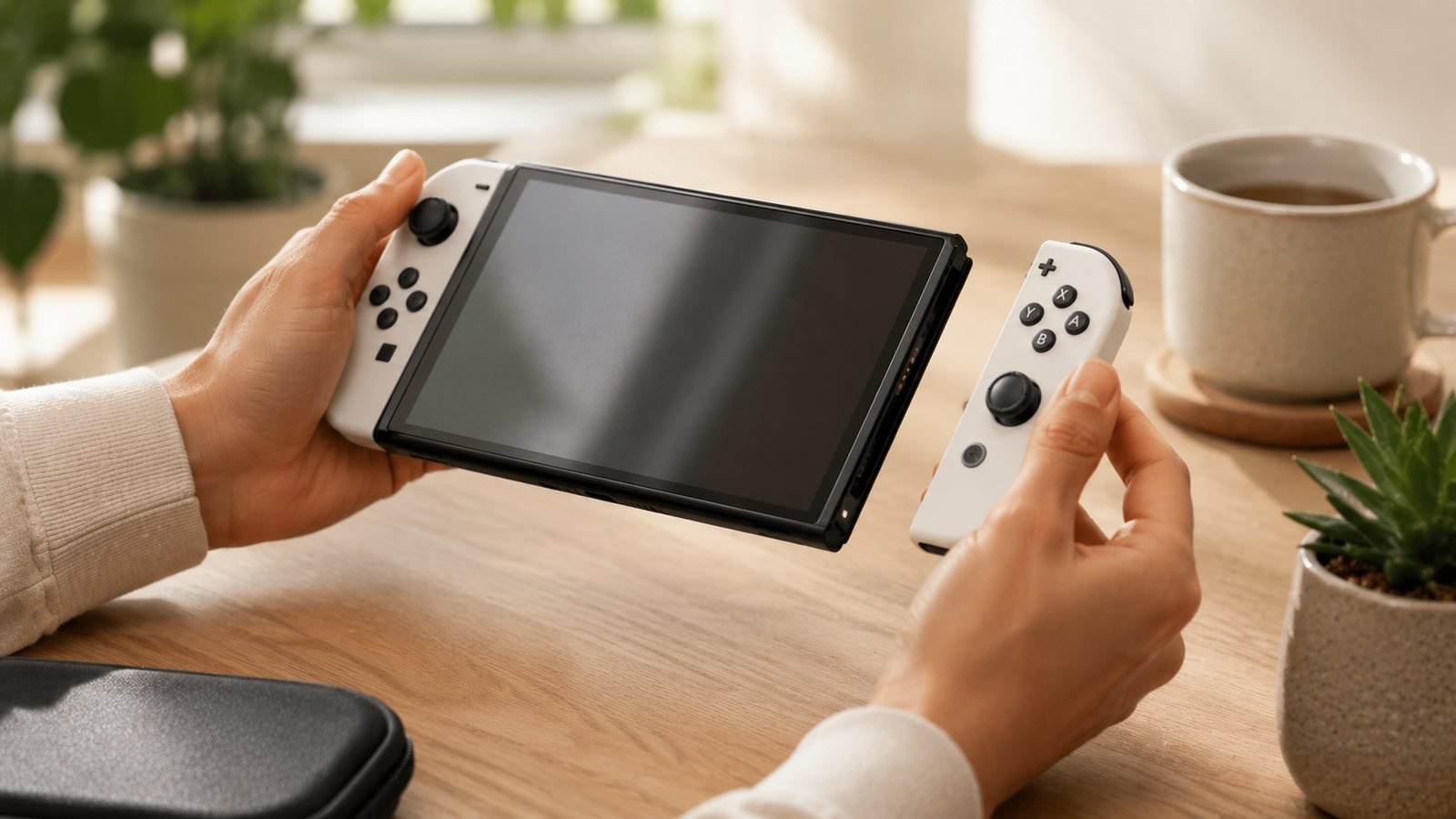
Fully re-pair by detaching the Joy-Con 2, sliding it back on until it clicks, and letting the console re-register it. For a wireless connection, remove it from paired controllers and add it again.
Firmware updates have historically included stick behaviour tweaks, so this step is worth doing even if you keep your console online.
Step 3: Clean around the stick safely
Dust and grit under the stick collar are a classic cause. Here is how to clean joy-con 2 stick hardware without wrecking it.
Power down or fully detach the Joy-Con 2 first.
Use a can of compressed air with the straw, aimed at the base of the stick from a shallow angle. Short bursts only.
Optionally, apply a tiny amount of electronics-safe isopropyl alcohol (99%) to the base with a cotton swab, then work the stick in full circles a dozen times to spread it.
Let it dry a minute before reconnecting.
Avoid soaking the module, prying the rubber boot, or using household cleaners. If cleaning buys you a few days then drift returns, the sensor itself is likely worn and no amount of air will fix it.
Step 4: Nintendo repair and warranty options (US and UK)
Once you have exhausted the software and cleaning steps, treat it as a hardware fault and pursue a switch 2 stick drift warranty claim.
United States. The Switch 2 carries a 12-month limited hardware warranty. Start a repair request through Nintendo’s official support site; Joy-Con drift has historically been repaired at no charge even outside the standard terms, and it is worth asking directly if you are just past 12 months.
United Kingdom. UK buyers have stronger footing thanks to the Consumer Rights Act 2015, which holds goods to a durability standard beyond any manufacturer warranty. Your contract is with the retailer, not Nintendo, so a drifting Joy-Con 2 bought from Currys, Argos or Amazon can be taken back to that seller for a repair, replacement or refund. Keep your receipt and reference the Act explicitly.
If you rely on your console daily and cannot wait out a repair window, a spare controller bridges the gap.
Prevention: grips, storage and habits
You cannot make a potentiometer stick immortal, but you can slow wear.
Ease off the death-grip. Slamming the stick to full deflection in fighting games accelerates contact wear.
Store the console in a case rather than loose in a bag where pocket lint and grit migrate into the collar.
Blow out the sticks with compressed air every few weeks if you game in dusty rooms or eat at the couch.
Avoid stick-mounted rubber caps that trap debris underneath.
None of this is a cure, but clean, gently-used sticks last meaningfully longer.
Drift-proof alternatives with Hall/TMR sticks
If you are tired of the drift lottery, the real fix is a controller with modern magnetic sensors. Here are the two we would point owners toward.
Nintendo Switch 2 Pro Controller
The official Pro Controller is the natural replacement for docked play if a Joy-Con 2 fails. It is comfortable, fully featured with mappable back buttons and a built-in mic, and it “just works” with every Switch 2 feature including GameChat. The catch: like the Joy-Con 2, it does not use Hall-effect sticks, so it is a comfort-and-compatibility upgrade rather than a guaranteed drift cure.
Around $84.99 / £74.99.
Pros: Flawless compatibility, great ergonomics, all Switch 2 features supported. Cons: Premium price; conventional (non-Hall) sticks.
Best for: players who want the no-compromise first-party option for TV play.
Check price: Switch 2 Pro Controller
8BitDo Ultimate 2 Bluetooth
This is the value pick for anyone who specifically wants anti-drift hardware. The Ultimate 2 Bluetooth ships with TMR (tunnelling magnetoresistance) joysticks, a contactless magnetic tech in the same drift-resistant family as Hall effect, plus switchable Hall/tactile triggers and a charging dock. It works with Switch 2 and PC, so it doubles as a desk controller.
Around $49.99 / £44.99.
Pros: Drift-resistant TMR sticks, charging dock, excellent price, PC compatibility. Cons: Third-party, so a few Switch 2 niceties (like full motion in every title) can be inconsistent.
Best for: budget-conscious players who want genuine drift resistance over first-party polish.
Check price: Ultimate 2 Bluetooth
Verdict
Start free: recalibrate, update, then clean. Those three steps resolve a surprising share of joy-con 2 drift reports because not every wobble is dead hardware. When drift survives all three, claim your warranty or UK consumer rights before spending a penny. And if you simply want to stop worrying about it, the 8BitDo Ultimate 2 Bluetooth is the cheapest route to genuinely drift-resistant sticks, while the official Pro Controller remains the safest first-party companion for docked play.
FAQ
Can I fix Joy-Con 2 drift myself for free? Often, yes. Recalibrating the sticks in System Settings, installing firmware updates, re-pairing the controller, and blowing compressed air around the stick base resolve many early cases. These cost nothing and take about 15 minutes. If drift returns within days of cleaning, the sensor is worn and you should pursue a warranty repair instead.
Does the Switch 2 have Hall-effect sticks? No. Nintendo confirmed the Joy-Con 2 does not use Hall-effect sticks, and teardowns found conventional potentiometer-style modules. The sticks were redesigned and feel more robust than the original Switch, but they use the same category of technology, so drift remains possible over time.
Is Joy-Con 2 drift covered under warranty? In the US, the Switch 2 has a 12-month limited warranty and Nintendo has historically repaired drift free of charge. In the UK, the Consumer Rights Act 2015 lets you claim a repair, replacement or refund from the retailer (Currys, Argos, Amazon) well beyond the first year. Keep your receipt.
Will a Pro Controller stop drift? Not guaranteed. The official Switch 2 Pro Controller uses conventional sticks like the Joy-Con 2, so it is not inherently drift-proof. For true drift resistance, choose a controller with Hall-effect or TMR sticks, such as the 8BitDo Ultimate 2 Bluetooth.
Related reading
Switch 2 Pro Controller Review: Worth $85 Over the Joy-Cons? Best Nintendo Switch 2 Accessories 2026: What’s Worth Buying Best PC Controllers 2026: Wired, Wireless and Pro Picks Gaming
Zen Tech Hub may earn a commission from links on this page, at no extra cost to you.