Mesh Wi-Fi vs a single router comes down to one question: is your problem speed or reach? If Wi-Fi is fast where you sit but dead in the far bedroom, that’s a reach problem and mesh is the answer. If coverage is fine everywhere but everything feels slow, that’s a speed (or broadband) problem and one good router — not three mediocre nodes — is the smarter buy.
Most people over-buy here. A powerful single router covers a flat or small house beautifully and costs less than a mesh kit. Mesh earns its price in large, multi-storey or thick-walled homes where physics stops a single point ever reaching the edges. Below we settle it by home size and budget, explain where each wins, and cover the wired-backhaul trick that quietly changes the whole calculation.
Mesh vs router at a glance
| Your home | Best choice | Typical cost | Why |
|---|---|---|---|
| Flat / 1–2 bed apartment | Single router | around $100 / £90 | One point easily covers it; mesh is overkill |
| Small-medium house, 1 dead zone | Router (+ extender if needed) | around $130 / £120 | Cheaper to patch one room than replace the network |
| Semi / townhouse, 2+ dead zones, multi-floor | Mesh (2–3 nodes) | around $200 / £190 | A coverage problem only mesh solves cleanly |
| Large / detached / thick walls | Premium mesh | around $350 / £350 | Whole-home reach with seamless roaming |
| Any home where you can run Ethernet | Either, with wired backhaul | varies | A wire beats a pricier box every time |
One-line verdict: router for speed and small spaces, mesh for reach across big or awkward homes — and if you can run a cable, that beats both upgrades.
How each one works
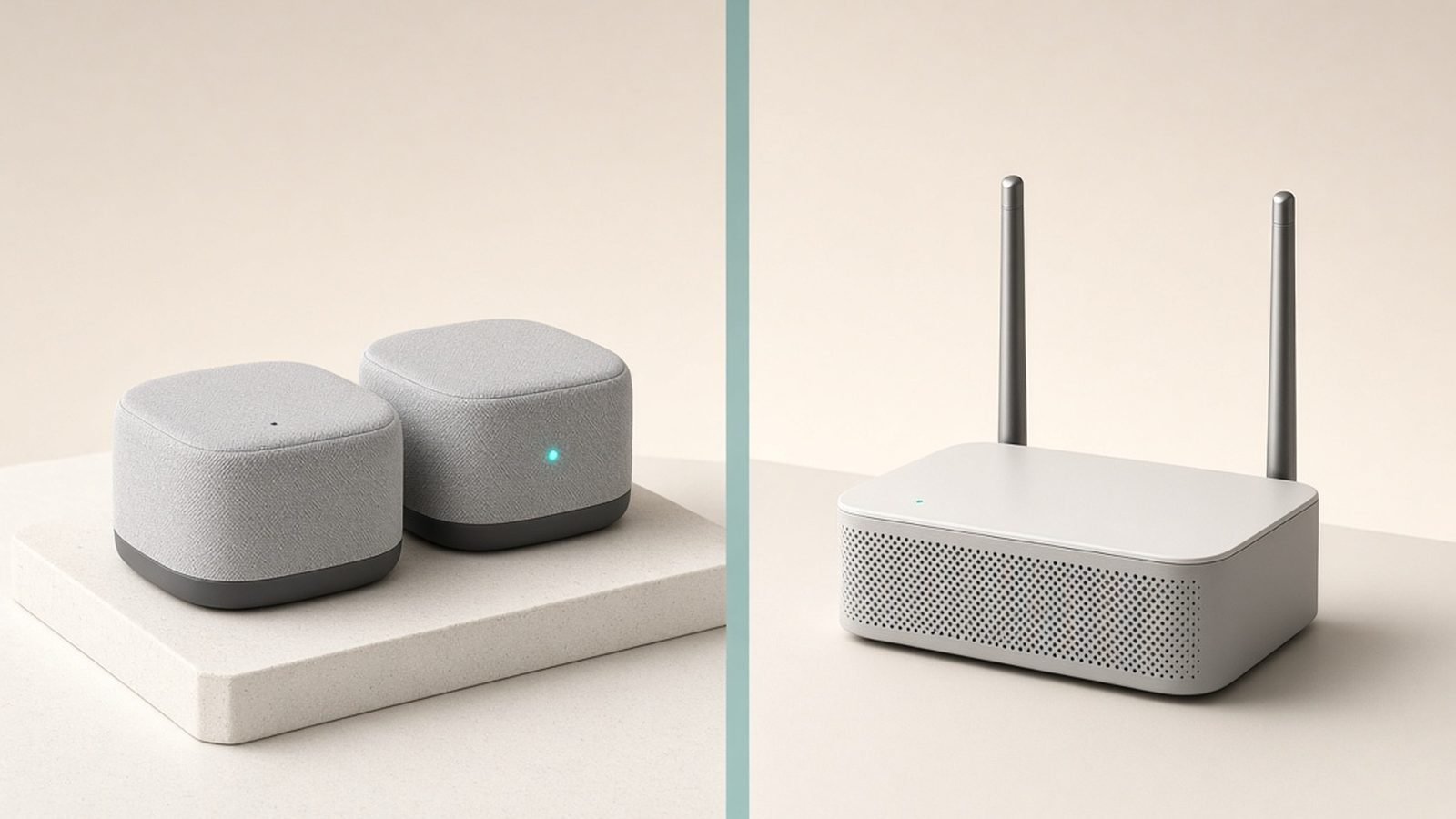
A single router is one device doing two jobs: connecting to your modem and broadcasting all your Wi-Fi from one spot. Signal is strongest beside it and weakens with distance, walls and floors. A better router buys more speed and a bit more range, but it can’t defeat distance — one point can only reach so far.
A mesh system spreads Wi-Fi across multiple nodes placed around the home. They form one network with one name, and your devices roam between nodes automatically as you move. Mesh doesn’t push signal further from one spot; it puts more spots closer to you. We break down the internals — nodes, roaming, backhaul — in Mesh Wi-Fi Explained: How It Works and Who Needs It.
The distinction matters because it tells you what you’re actually buying: a router upgrade buys power, a mesh upgrade buys placement. Diagnose which you’re short on before spending.
Coverage: the deciding factor
This is where most decisions are made. A modern flagship router (think a Wi-Fi 7 model with high-gain antennas) can blanket roughly 1,500–2,000 sq ft of open-plan space. Add interior brick walls, foil-backed insulation, a couple of floors or a detached garden office, and effective range collapses.
Mesh sidesteps distance by design. Two or three nodes turn a 3,000 sq ft, three-floor house from “great downstairs, dead upstairs” into consistent coverage everywhere, with seamless handoff as you walk around. No single router, however expensive, matches that in a large or broken-up home.
So the coverage rule is blunt: if you have more than one dead zone, or dead zones on a different floor from the router, mesh wins. One dead room in an otherwise-covered home doesn’t justify a whole mesh system — an extender or powerline adapter fixes it far cheaper, as we cover in How to Extend Wi-Fi Range: 8 Fixes That Work.
Speed: where a single router can win
Here’s the honest counterpoint to the mesh hype. Up close, a high-end single router often posts higher peak speeds than a mesh node, because a mesh satellite on wireless backhaul shares its radios between talking to your device and talking to the main node. That sharing costs throughput — a far node might deliver half the main node’s speed.
If your home is small enough that one router already covers it, a router gives you more speed for less money and no backhaul penalty. Spending mesh money here buys you nothing but extra boxes.
The caveat: tri-band mesh with a dedicated backhaul band, or any mesh with wired backhaul, closes the speed gap to near nothing. So “router is faster” is only reliably true for shared dual-band mesh in a space a single router could have covered anyway.
Roaming and reliability
A single-router home has no roaming to do — there’s one signal, and as you move away it simply weakens. Mesh actively hands your device between nodes using fast-roaming standards, so a video call survives the walk from lounge to bedroom instead of dropping.
On reliability, both are solid when matched to the right home. The failure mode for a single router is the edge of coverage: marginal rooms where the connection is technically present but unusable. The failure mode for mesh is a poorly placed or wireless-only backhaul node that becomes a slow bottleneck. Both are avoidable — one with an extender, the other with sensible placement or a cable.
Cost: what you actually pay
| Path | Example | Price |
|---|---|---|
| Solid single router | Wi-Fi 6/7 mid-range | around $100–$150 / £90–£140 |
| Router + one extender | patch a single room | around $130–$180 / £120–£170 |
| Budget mesh (3-pack) | dual-band Wi-Fi 6 | around $150–$200 / £140–£190 |
| Premium mesh (3-pack) | tri-band Wi-Fi 7 | around $350–$500 / £350–£480 |
The trap is buying mesh to fix a problem a $30 extender would have solved, or buying a premium router to fix a coverage problem it physically can’t. Match spend to the type of problem. If you’d need more than one extender, mesh is the better value; if one extender covers your only weak room, mesh is money wasted. For complete systems worth the outlay, see Best Mesh Wi-Fi Systems 2026: Wi-Fi 6 & Wi-Fi 7 Compared; for the best single boxes, Best Wi-Fi 7 Routers 2026: Top Picks for Every Budget.
The wired-backhaul trick that changes everything
Before you spend on either upgrade, check whether you can run an Ethernet cable — or use powerline or MoCA — between where your router lives and your problem area.
If you can, wired backhaul is the cheapest, most effective upgrade in networking. Feed a second router (as an access point) or a mesh node over a wire and it delivers full speed with none of the wireless-backhaul penalty. A modest wired mesh routinely beats an expensive all-wireless one. Many homes already have a spare Ethernet run, a coax line for MoCA, or a straightforward path for a flat cable — worth ten minutes checking before spending hundreds.
Which should you buy?
Buy a single router if: you live in a flat or small-to-medium house that one point can cover, you care most about peak speed, or you have just one dead zone you can patch with an extender or powerline. It’s cheaper, simpler, and often faster where it counts.
Buy mesh if: your home is large, multi-storey or thick-walled, you have two or more dead zones, you want seamless roaming for devices that move with you, or you simply want a system that “just works” and updates itself. Choose tri-band or plan for wired backhaul if you have many devices or multi-gig broadband.
For most readers the deciding line is simple: one covered floor, single router; multiple floors or multiple dead zones, mesh. When in doubt, try the free fixes and a single extender first — you can always step up to mesh later.
FAQ
Is mesh Wi-Fi better than a single router?
Only for the right home. Mesh is better for large, multi-storey or thick-walled properties and anywhere you have multiple dead zones — it gives consistent coverage and seamless roaming. For a flat or small house, a single good router is cheaper and often faster. Better means “better matched to your coverage problem,” not “better in every case.”
Do I need mesh if I have a fast router but poor coverage?
Probably yes, if the coverage gaps are in multiple rooms or on another floor. A fast router can’t overcome distance and walls — that’s a reach problem, and mesh (or wired backhaul) solves it where more router power can’t. For a single weak room, try repositioning the router and adding one extender first.
Can I replace my ISP router with mesh?
Yes. Put the ISP box into “bridge” or “modem-only” mode and let the mesh handle all Wi-Fi and routing — this avoids two networks fighting. If bridge mode isn’t available, plug the main mesh node into the ISP router and turn the router’s Wi-Fi off. Either way, only one device should broadcast Wi-Fi.
Is a single router enough for a two-storey house?
Often, if it’s a small-to-medium two-storey home and you place the router centrally on the upper part of the ground floor. It becomes marginal in larger houses, thick-walled builds, or when the router is stuck in a corner by the front door. If a whole floor is weak after repositioning, step up to mesh.
Will mesh or a new router fix slow internet?
Neither, if the bottleneck is your broadband plan — both only distribute the speed your ISP delivers. They fix slow Wi-Fi: weak signal, congestion, or an ageing router capping speeds. Run a wired speed test at the router first; if that’s slow too, the problem is upstream and hardware won’t help.
Does wired backhaul make mesh better than a router?
For coverage, yes — wired mesh gives whole-home reach at full speed, outperforming a single router in any home too large for one point. For a small space one router could already cover, wired backhaul is unnecessary. The trick’s value is turning affordable mesh into premium-grade performance in bigger homes.
Zen Tech Hub may earn a commission from links on this page, at no extra cost to you.