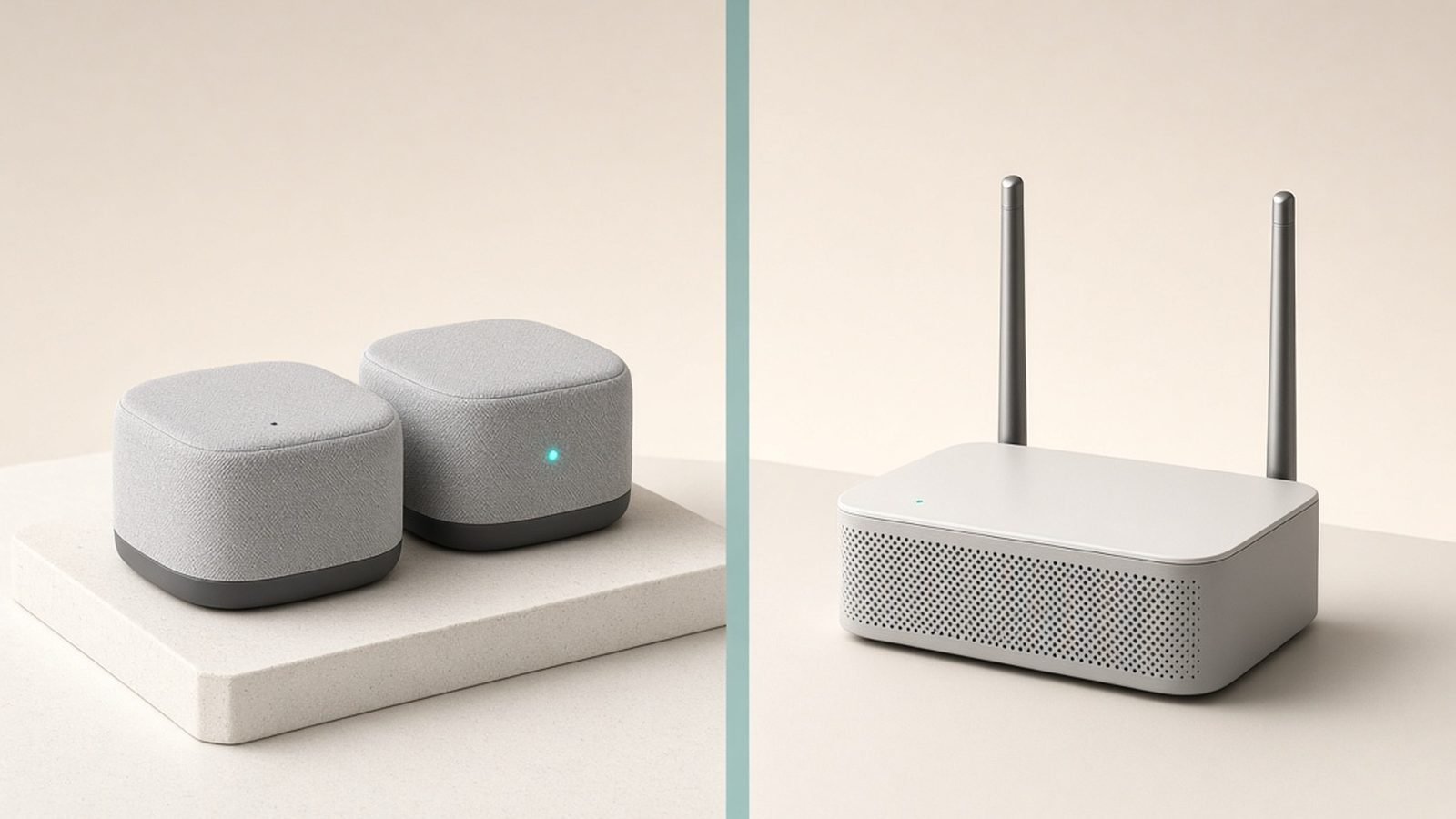
A traditional home network asks one router in one corner to push signal through every wall and floor in the house — and past a certain distance, it simply loses. Mesh Wi-Fi answers with geometry instead of power: two or more devices, called nodes, spread through the home and working together as a single wireless network, so coverage comes from being near a node rather than from one box shouting across the building. Your phone hands off between nodes automatically as you move, under one network name and one password, with no dead zones. The idea is simple; the details — how that handoff works, why “backhaul” decides your real-world speed, and whether your dead zone actually needs mesh or a $30 gadget — are where this explainer goes next.
That’s the short version. Below we unpack how the handoff actually works, what “backhaul” means and why it decides your real-world speed, how mesh differs from a plain extender, and — the part most articles skip — who genuinely needs mesh and who’s about to overspend fixing a problem a $30 gadget would solve.
What mesh Wi-Fi actually is
A traditional setup has one router doing everything: it’s your gateway to the internet and the single source of Wi-Fi. Signal is strongest beside it and weakens with every wall and floor. Past a certain distance you get the dreaded dead zone.
A mesh system splits that job across multiple units. One node connects to your modem (this is the “main” or “gateway” node); the others — “satellites” — plug into power around the home and extend coverage wirelessly. Crucially, they don’t create separate networks. The system presents them as one unified network, and it actively manages which node each device uses.
Think of a single router as one loud speaker in the lounge: fine up close, muffled three rooms away. Mesh is a set of smaller speakers in every room, all playing in sync — you hear the same thing at the same volume wherever you stand.
Most home mesh systems ship as two- or three-packs (eero, TP-Link Deco, Netgear Orbi, ASUS ZenWiFi are the big names), and nearly all are managed through a phone app rather than the intimidating admin pages of old routers.
How does mesh Wi-Fi work?
Three mechanisms make mesh feel seamless. Understanding them tells you what to look for when buying.
Nodes and a single SSID
Every node broadcasts the same network name (SSID) and password. Your laptop sees “HomeWiFi” once, not “HomeWiFi”, “HomeWiFi_5G” and “HomeWiFi_EXT”. Behind the scenes the system decides which node serves you — you never pick.
Seamless roaming (band steering and fast handoff)
As you walk through the house, mesh systems use fast-roaming standards (802.11k, v and r) to move your device to the nearest, strongest node before the current one fades. A well-behaved mesh does this quickly enough that a video call or a song doesn’t stutter during the handoff. This is the single biggest day-to-day advantage over a basic extender, where your phone clings to a dying signal until it drops.
Backhaul: the link between nodes
Backhaul is how the satellite nodes carry your data back to the main node. It’s the most important concept in mesh, and the one that separates a good system from a frustrating one.
- Wireless backhaul (shared): cheaper dual-band systems use the same radio bands for both your devices and node-to-node traffic. That sharing costs speed — a far node might deliver half of what the main node does.
- Dedicated backhaul (tri-band): pricier systems reserve a whole radio band (often 6 GHz on Wi-Fi 6E/7) purely for node-to-node traffic, so your devices aren’t fighting the backhaul for airtime. Speeds stay high across the house.
- Wired backhaul (the best of all): if you can run an Ethernet cable between nodes — or use powerline/MoCA — the nodes talk over the wire and free the airwaves entirely. This is the single biggest upgrade you can make to any mesh system, and it’s often overlooked.
If you learn one thing from this guide, make it this: wired backhaul beats a more expensive router. A modest mesh with Ethernet between nodes usually outperforms a premium mesh running everything wirelessly.
Mesh vs a traditional router
A modern high-end single router can be fast and cover a small-to-medium flat perfectly well. Where it loses is reach: physics caps how far one point can push a clean signal, especially through brick, stone or multiple floors. You can’t buy your way out of distance with a single box.
Mesh trades a little peak speed (on shared-backhaul models) for consistent coverage everywhere. In a large or awkwardly shaped home, “slightly slower but works in every room” beats “blazing fast in the lounge, unusable in the garden office” every time.
We compare the two head-to-head — with specific homes and budgets — in Mesh Wi-Fi vs a Single Router: Which Do You Need?. If your issue is one weak room rather than whole-home coverage, read that first before spending mesh money.
Mesh vs a Wi-Fi extender
This is the comparison that saves people the most money. An extender (or “booster” or “repeater”) grabs your router’s existing signal and rebroadcasts it, usually creating a second network name and, on cheap single-band models, halving throughput in the process. It’s a patch for one dead zone.
Mesh replaces your router’s Wi-Fi wholesale and coordinates the whole home. The rule of thumb: one weak room, buy an extender; two or more weak rooms (or a device that follows you around the house), buy mesh. We go deep on that decision in Mesh Wi-Fi vs Extender: Which Fixes Your Dead Zones?, and if you just want the cheapest fix, How to Extend Wi-Fi Range: 8 Fixes That Work covers the free steps to try first.
Who actually needs mesh Wi-Fi?
Mesh is the right answer if you recognise your home here:
- Large or multi-storey homes — roughly 2,000 sq ft and up, or anything over two floors, where one router can’t reach the edges.
- Thick-walled properties — Victorian brick, stone cottages, homes with foil-backed insulation or a chimney breast between router and bedrooms.
- Homes with a dead zone the router-moving trick won’t fix — you’ve already centralised the router and elevated it, and a room is still bad.
- Heavy multi-device households — dozens of smart-home gadgets, several people streaming and video-calling at once; mesh spreads that load across nodes.
- You want it to just work — systems like eero are genuinely family-proof, with app setup in minutes and automatic updates.
And who doesn’t need it:
- Small flats and one- or two-bed apartments — a single good router (or a $30 extender for one weak corner) is almost always enough. Mesh here is overkill.
- One isolated dead zone — an extender or a powerline adapter fixes it for a fraction of the price.
- Renters unwilling to place multiple boxes — a well-positioned router first; free beats $300.
Before buying anything, try the free fixes: move the router central and off the floor, away from the TV and metal, and reboot it. Many “coverage problems” are placement problems.
What to look for when buying mesh
If you’ve decided mesh is right, four things matter more than headline speed numbers:
- Backhaul type. Dedicated (tri-band) or wired backhaul if you have many devices or a large home; shared dual-band is fine for smaller spaces on a budget.
- Ethernet ports per node. You want them for wired backhaul and for plugging in a TV, console or NAS.
- Wi-Fi standard. Wi-Fi 6 is the value sweet spot in 2026; Wi-Fi 7 adds headroom and features like Multi-Link Operation if your budget stretches. See What Is Wi-Fi 7? The New Standard Explained for whether it’s worth it.
- App and ecosystem. Some systems lock useful features (parental controls, security) behind subscriptions — factor that into the true cost.
Our researched round-up of complete systems is Best Mesh Wi-Fi Systems 2026: Wi-Fi 6 & Wi-Fi 7 Compared, and if you’d rather buy one powerful router than a multi-node kit, start with Best Wi-Fi 7 Routers 2026: Top Picks for Every Budget.
The limits and downsides of mesh
Mesh isn’t magic. Honest trade-offs:
- Cost. A good three-node system runs $150–$400 / £140–£400. That’s real money for a coverage problem an extender might have solved.
- Wireless backhaul speed loss. On dual-band systems, far nodes are slower — sometimes a lot slower — unless you wire them.
- Another box (or three). Nodes need power outlets and a sensible spot; they’re not invisible.
- Subscription creep. Some brands paywall security and controls you might expect for free.
- It won’t fix slow broadband. Mesh distributes the speed you have; it can’t create bandwidth your ISP doesn’t deliver.
FAQ
How many mesh nodes do I need?
Most homes are well served by two or three. As a rough guide: one main node plus one satellite per additional floor or per major dead zone. Manufacturers quote coverage per node (e.g. 1,500–2,000 sq ft), but walls cut that hard — buy a three-pack if your home is large or thick-walled, and you can usually add nodes later.
Is mesh Wi-Fi faster than a single router?
Not necessarily at peak — a high-end single router can post higher top speeds close up. Mesh wins on consistency: usable speed in every room instead of a fast lounge and a dead bedroom. Tri-band or wired-backhaul mesh narrows the peak-speed gap to near nothing.
Can I use mesh with my existing router?
Yes, in two ways. Put your ISP router into “bridge” or “modem-only” mode and let mesh do the Wi-Fi (best results), or plug the main mesh node into the router and disable the router’s Wi-Fi. Running two competing Wi-Fi networks at once causes conflicts, so switch one off.
Does mesh Wi-Fi work without the internet?
The local network keeps working — nodes still talk to each other, so file sharing between devices and some smart-home gear on the same network functions. Anything needing the internet (streaming, cloud cameras, most voice assistants) won’t work until your broadband is back, because mesh distributes your connection rather than providing it.
What’s the difference between mesh and a Wi-Fi extender?
An extender rebroadcasts your existing router’s signal as a bolt-on, usually with a separate network name and a speed penalty — a patch for one dead room. Mesh replaces the router’s Wi-Fi with a coordinated multi-node network that roams seamlessly. Use an extender for one weak room, mesh for whole-home coverage. Full breakdown in Mesh Wi-Fi vs Extender: Which Fixes Your Dead Zones?.
Is Wi-Fi 7 mesh worth it in 2026?
If you’re buying new and can afford it, Wi-Fi 7 mesh future-proofs you and adds Multi-Link Operation for steadier connections. But most homes won’t notice the difference over good Wi-Fi 6 mesh unless they have multi-gig broadband. Decide with What Is Wi-Fi 7? The New Standard Explained.
Zen Tech Hub may earn a commission from links on this page, at no extra cost to you.