Picking the best tablet for kids 2026 is less about specs and more about matching the device to your child’s age. A 4-year-old smashing a screen against the sofa needs something very different from a 10-year-old who wants YouTube, Roblox and homework apps. Most buying guides rank kids tablets by price. We’ve organised this one by age group instead, because that’s how the real decision gets made — and it’s why a £170 Fire can beat a £300 iPad for a toddler, and lose badly for a tween.
Below you’ll find our picks for ages 3–12 and beyond, a warranty comparison table, a parental-controls breakdown, and a blunt “what breaks first” section based on aggregated owner reports. Whether you want the best kids tablet UK buyers can grab in a sale or a premium slate that lasts five years, start with the quick picks.
Quick picks by age group
| Age group | Best pick | Price (approx) | Why |
|---|---|---|---|
| 3–7 | Amazon Fire HD 10 Kids | around $150 / £170 | Chunky bumper, 2-year replace-it-no-questions guarantee |
| 6–12 | Fire HD 10 Kids Pro | around $190 / £170 | Slimmer case, more grown-up browsing, same guarantee |
| Budget | Fire HD 8 Kids Pro | around $100 / £90 | Cheapest sane option; video and games only |
| Best Android | Galaxy Tab A9+ Kids Edition | around $140 / £179 | Real Google Play when kids outgrow Fire OS |
| Premium / older | iPad 11-inch (A16) | around $329 / £329 | Best apps and longevity; add a rugged case |
| Young readers | Kindle Kids | around $130 / £105 | Distraction-free reading, not a tablet at all |
Prices swing hard around Prime Day, Black Friday and back-to-school. The Fire and Samsung tablets in particular are almost never worth buying at full RRP.
Best for ages 3–7: Amazon Fire HD 10 Kids
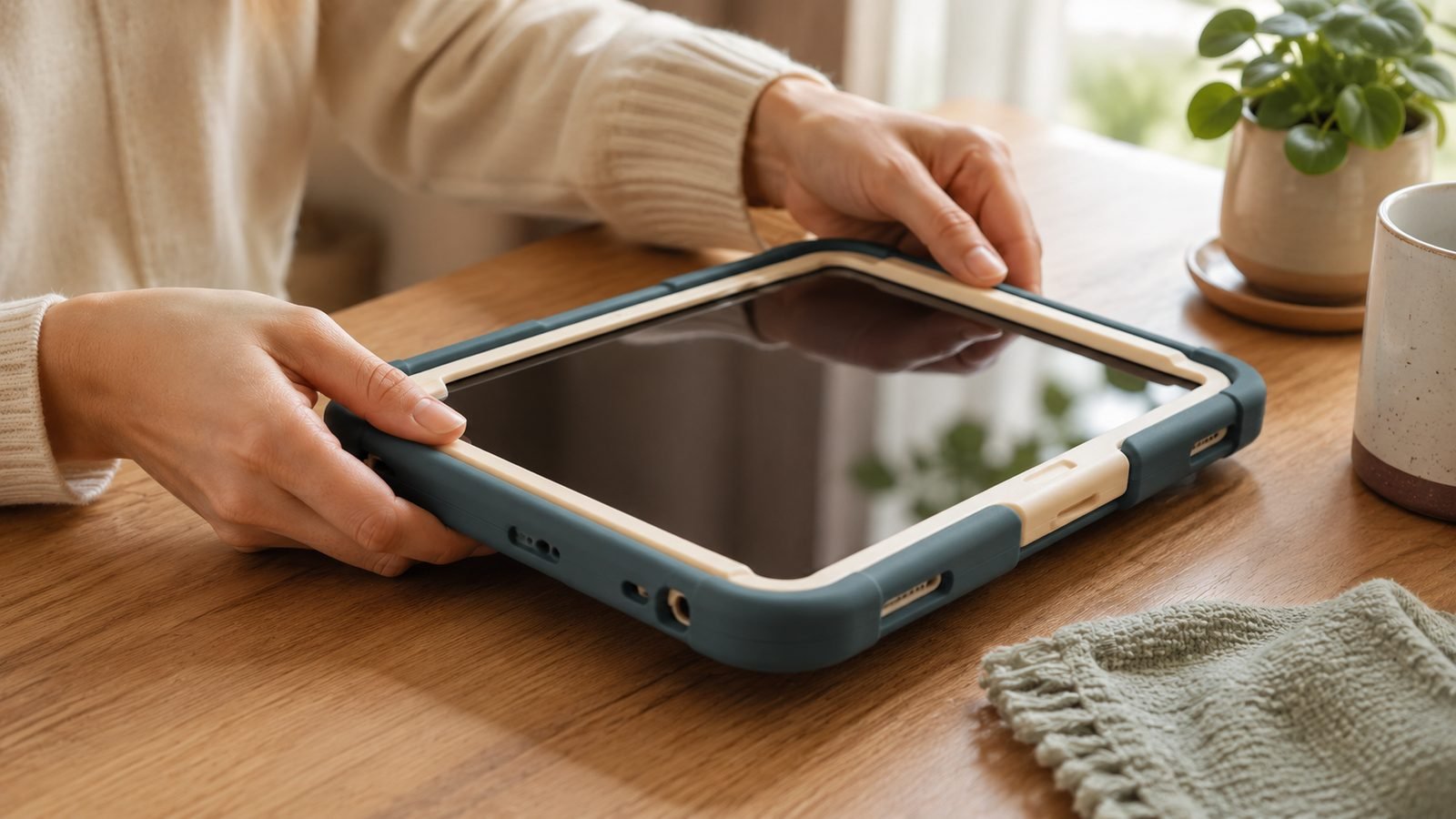
For pre-schoolers and early primary kids, the Fire HD 10 Kids is the default answer — and deservedly so. This is the version with the thick foam bumper that turns the tablet into something closer to a brick with a screen. It’s the answer to “what’s the best tablet for a 5 year old” for most families: cheap enough not to panic about, tough enough to survive, and locked down by default.
The headline feature is Amazon’s 2-year worry-free guarantee. If your child breaks it, Amazon replaces it, no argument. One year of Amazon Kids+ (books, games, videos, apps) is bundled in. Setup drops you straight into a walled garden — you approve every app and site.
The trade-offs are real. Fire OS uses Amazon’s Appstore, not Google Play, so the app selection is thinner — no official YouTube Kids app in the usual sense, and some popular titles are missing. You’ll also see nudges to renew Kids+ once the free year lapses.
Pros - Best-in-class 2-year replacement guarantee - Genuinely toddler-proof bumper case - 1 year of Kids+ content included - 10.1” screen big enough for shared video
Cons - Limited Fire OS app catalogue - Ads/prompts to renew Kids+ - Middling performance for heavier games
Who it’s for: Parents of 3–7s who want maximum durability and minimum setup for the lowest sensible price.
Check price: Fire HD 10 Kids (2023)
Best for ages 6–12: Fire HD 10 Kids Pro
The fire hd 10 kids vs kids pro question comes down to one thing: how grown-up your child feels. Same 10.1” tablet, same guarantee, same free year of Kids+ — but the Kids Pro ships with a slimmer, less babyish case and a more open browsing experience aimed at 6–12s. Kids who’d be embarrassed by the toddler bumper get something that looks closer to a “real” tablet.
The Pro adds a curated web browser and messaging, plus a digital store where older kids can request apps that you approve. It’s still Fire OS, so there’s still no Google Play and no native Google apps — the biggest reason families eventually jump to Samsung or Apple.
If you’re weighing the best tablet for a 10 year old and want to stay in Amazon’s ecosystem, this is the one. Just know that a tech-forward tween may outgrow the Fire app limits within a year or two.
Pros - Slimmer, more mature case - More open, age-appropriate browsing - Same 2-year guarantee and Kids+ year
Cons - No Google apps or Play Store - Performance unchanged from standard model - Older kids may hit Fire OS limits fast
Who it’s for: Confident 6–12s who want more freedom without you giving up parental control.
Check price: Fire HD 10 Kids Pro
Best cheap option: Fire HD 8 Kids Pro & Fire 7 Kids
If the budget is tight, the Fire HD 8 Kids Pro is the cheapest tablet we’d actually recommend. It regularly drops under $100 in the US and to around £75–£90 in UK sales. You get the same worry-free guarantee and Kids+ year, just on a smaller 8” screen with a slower chip and weaker display than the HD 10.
For young kids who mostly watch cartoons and tap through simple games, that’s fine. For anything demanding — bigger games, split-screen, lots of open tabs — it stutters. The even cheaper Fire 7 Kids exists, but its screen is small and dim enough that we’d only pick it as a knock-about second device.
Pros - Frequently under $100 / £90 on sale - Full guarantee and Kids+ year included - Light and easy for small hands
Cons - Noticeably slower than HD 10 - Lower-resolution screen - Fire 7 is a step too far down
Who it’s for: Budget-focused parents of young kids who need video and casual games, nothing more.
Check price: Fire HD 8 Kids Pro
Best Android: Galaxy Tab A9+ Kids Edition
When kids outgrow Fire OS, the Samsung kids tablet is the natural next step. The Galaxy Tab A9+ Kids Edition is a genuine Android tablet with full Google Play access, wrapped in an included puffy bumper case and Samsung Kids mode. That means real YouTube Kids, real Google apps, and the same educational titles other kids use at school.
It’s the pick when you want a device that grows with your child — Kids mode for now, standard Android later. Based on owner reports, the main friction is setup: Samsung Kids plus Google Family Link takes more configuration than Amazon’s plug-and-play walled garden, and the two control systems can overlap confusingly.
List price hovers around $220 / £179, but it drops toward $140 in US sales regularly, which is where it becomes a genuine bargain against a Fire.
Pros - Full Google Play Store and Google apps - Included bumper case and Kids mode - Grows into a normal Android tablet
Cons - Parental controls need more setup - No worry-free breakage replacement - Full RRP is poor value — wait for a sale
Who it’s for: Families who want real Android and app freedom without jumping to iPad money.
Check price: Galaxy Tab A9+ Kids Edition
Best premium / older kids: iPad 11-inch (A16)
For older kids and teens — and for parents who want a tablet that’s still supported in five years — the iPad 11-inch (A16) is the best long-term buy. Nothing else matches Apple’s app library, performance or software longevity, and Screen Time is the most robust parental control system here once you set it up. Choosing an iPad for kids is really a decision about longevity: it outlasts every Fire two or three times over.
The catch is money. It starts around $329 / £329, and iPads have no kid-proof case in the box or worry-free guarantee. Budget roughly $30 / £30 for a rugged case, because an out-of-warranty screen repair costs a large chunk of the tablet’s price. This is the highest breakage cost on the list, so the case is non-negotiable.
Pros - Best app library and years of updates - Powerful enough for demanding games and creative apps - Screen Time is comprehensive and reliable
Cons - Highest upfront and repair cost - No included case or breakage guarantee - Overkill for young children
Who it’s for: Tweens, teens, and families who’d rather buy once and keep it for years.
Check price: iPad 11-inch (A16)
Best for young readers: Kindle Kids
Not every child needs a tablet. If yours is a bookworm — or you want to steer them away from screens and games — the Kindle Kids (2024) is the anti-tablet tablet. It’s an e-ink reader, so there’s no video, no browser and no games to fight over: just books. It ships with a case, a 2-year worry-free guarantee, and a year of Amazon Kids+ reading content.
Owner feedback is consistently positive on one point: kids read more when the device can’t do anything else. It’s also the lightest, longest-battery-life option here by far.
Pros - Zero distractions — reading only - Case, guarantee and Kids+ year included - Weeks of battery, glare-free screen
Cons - No apps, video or games at all - E-ink is poor for anything but text - Not a substitute for a real tablet
Who it’s for: Reluctant or voracious readers whose parents want books without the screen fight.
Check price: Kindle Kids (2024)
Parental controls compared (Amazon Kids+ vs Google Kids Space vs Screen Time)
The three ecosystems handle control very differently:
Amazon Kids+ (Fire, Kindle): The easiest by a mile. It’s a walled garden out of the box — you approve apps, set time limits and content ages with almost no setup. The downside is the closed app catalogue.
Google Kids Space + Family Link (Samsung): The most flexible, and the most work. You get real Play Store apps with granular per-app time limits, but the Samsung Kids and Family Link layers take patience to configure well.
Screen Time (iPad): The most powerful for older kids — downtime schedules, app limits, content filters and purchase approvals all built in — but it assumes you’ll invest time up front, and a determined teen will test its edges.
For a deeper walkthrough of locking down a Fire, see our guide to Amazon Fire Kids Tablet Parental Controls: Full Setup Guide.
Cheap no-name kids tablets: why to avoid them
Marketplaces are flooded with £50 “kids tablets” from brands you’ve never heard of, often bundling a case and headphones. Avoid them. Based on aggregated owner reports, the pattern is grimly consistent: dim low-resolution screens, sluggish outdated Android versions that stop getting security updates, tiny storage, and pre-loaded skins that are hard to trust. There’s no worry-free guarantee, so when it breaks you’re buying another.
A Fire HD 8 Kids Pro on sale costs about the same and is a vastly better, safer device with a real guarantee behind it. The most durable kids tablet is the one backed by a manufacturer who’ll replace it — not the cheapest box on the shelf.
Verdict: which kids tablet should you buy?
Ages 3–7: Fire HD 10 Kids — durability and the worry-free guarantee win.
Ages 6–12: Fire HD 10 Kids Pro — same protection, more grown-up feel.
Tight budget: Fire HD 8 Kids Pro on sale.
Want real Android: Galaxy Tab A9+ Kids Edition.
Longevity and older kids: iPad 11-inch (A16), plus a rugged case.
Readers: Kindle Kids.
Buy the Fire while they’re small and hard on hardware; move up to Samsung or iPad once they need real apps. For more options as they get older, see our Best Tablets Under $500 in 2026: 7 Picks for US & UK Buyers roundup, or browse everything in the Tablets & E-Readers.
FAQ
What’s the best tablet for a 5 year old? The Fire HD 10 Kids. At this age durability and simplicity matter far more than app selection or power. The thick bumper survives drops, the 2-year worry-free guarantee covers breakage, and the walled-garden setup means you approve everything before your child sees it. Save the iPad money for when they’re older.
Fire HD 10 Kids vs Kids Pro — which should I get? Same tablet, same guarantee. Choose Kids (thick bumper, more locked down) for ages 3–7, and Kids Pro (slimmer case, more open browsing) for ages 6–12. If your child would find the chunky toddler case embarrassing, the Pro is worth it. Neither adds Google Play.
Is an iPad worth it for kids? For older kids and teens, yes. It has the best app library, the longest software support, and the strongest parental controls once configured. For under-7s it’s overkill and the breakage cost is painful — a Fire makes far more sense. If you do buy one, add a rugged case immediately.
What’s the most durable kids tablet? The Fire tablets, thanks to Amazon’s 2-year worry-free guarantee — if it breaks, they replace it. The bumper cases are genuinely tough, but the guarantee is what makes them the safest bet. Any tablet without manufacturer breakage cover, especially cheap no-name models, is a false economy.
Which is better for kids: Fire or Samsung? Fire for younger children — cheaper, tougher, easier to lock down, guaranteed against breakage. Samsung’s Galaxy Tab A9+ Kids Edition is better once kids need real Google Play apps and a device that grows with them, at the cost of more setup and no breakage guarantee.
Zen Tech Hub may earn a commission from links on this page, at no extra cost to you.