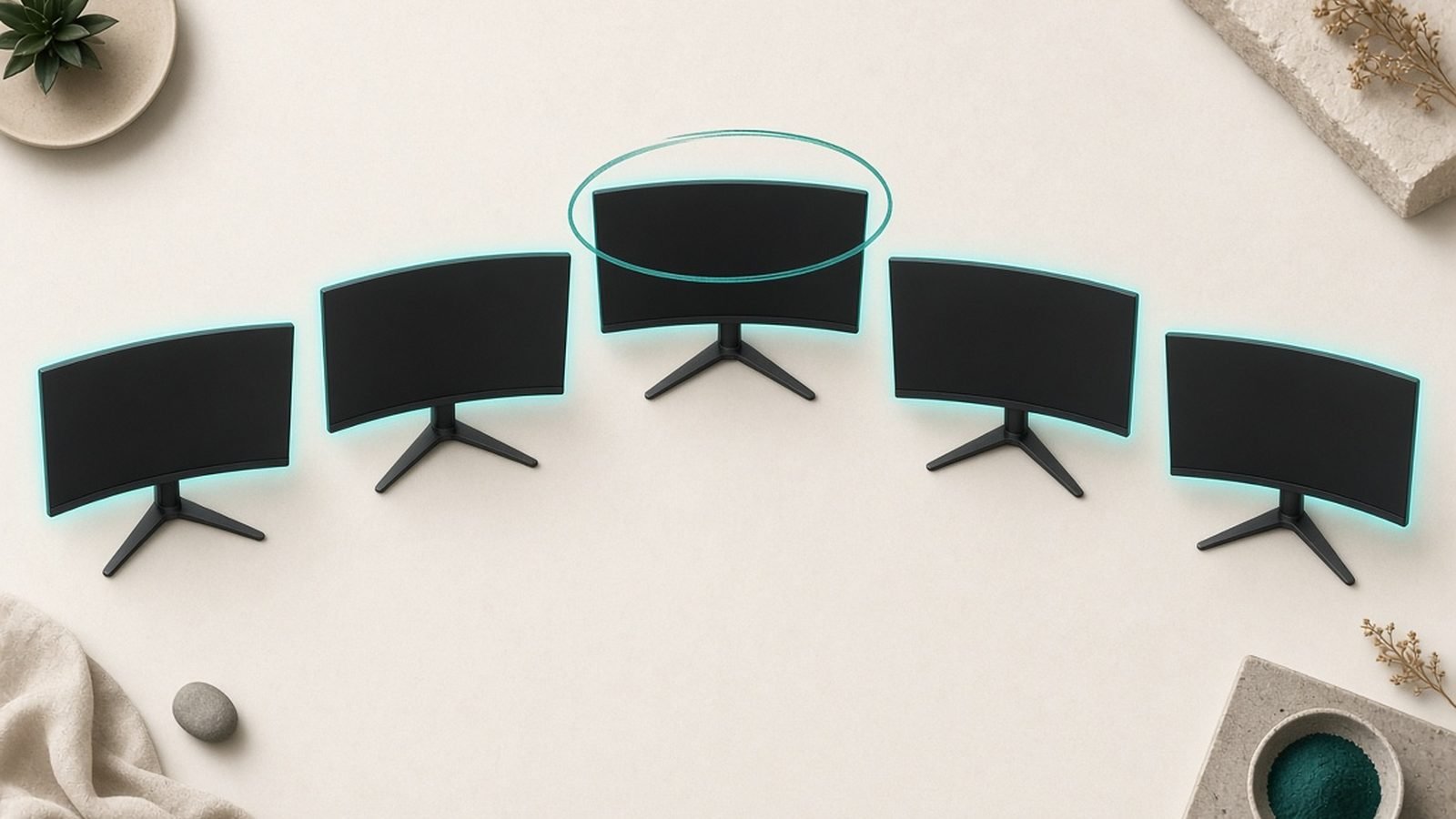
Finding the best gaming monitor under $300 used to mean settling: a fuzzy 1080p panel, a wobbly stand, and HDR that existed only on the box. That is over. In 2026, $300 buys genuine 1440p resolution, 180Hz refresh rates, and — in one standout case — real mini-LED HDR that would have cost $700 two years ago.
We have pulled together the strongest picks across four categories: overall value, budget ultrawide, all-round 1440p, and pure esports speed. Every monitor here is priced to leave change from three hundred bucks (roughly £300 in the UK), and we flag the one OLED worth stretching your budget for. If you want the short version: the AOC Q27G3XMN is the best gaming monitor under $300 for most people, full stop.
What $300 Buys in 2026 (Spoiler: Mini-LED and 180Hz)
A few years ago, “budget” meant 1080p at 144Hz. Today, the baseline has moved hard. At this price you should now expect:
1440p (2560x1440) resolution on a 27-inch panel — the sweet spot for sharpness without murdering your GPU.
180Hz refresh, not 144Hz. The jump is modest but real, and it is now free.
Adaptive Sync (FreeSync / G-Sync Compatible) as standard.
Occasionally, mini-LED backlighting for HDR that actually gets bright.
On the 144Hz vs 180Hz budget monitor debate: 180Hz is the new default and there is no reason to pay the same money for less. The difference in feel is small, but you are not sacrificing anything to get it. The bigger question is panel type — VA for contrast, IPS for viewing angles and motion — and that is where these picks split.
How We Picked and Ranked
We do not run a lab. What we do is aggregate the measurements that matter — from established review outlets like RTINGS, TechSpot, and Displayninja — and cross-reference them against hundreds of owner reports on Reddit, Amazon, and retailer pages. In our research we weighted three things heavily: real-world motion clarity, out-of-box color accuracy, and how often owners report panel defects (dead pixels, backlight bleed, coil whine) after a few months.
Prices shift weekly at this tier, so treat every figure below as a “street price” snapshot for mid-2026. We note where a monitor frequently dips lower on sale.
Best Overall: AOC Q27G3XMN (Mini-LED HDR)
Around $249 / £259 · 27-inch · 1440p · 180Hz · VA mini-LED
This is the one that broke the category. The AOC Q27G3XMN pairs a 1440p 180Hz VA panel with a genuine mini-LED backlight (336 local dimming zones) that pushes past 1,000 nits in HDR highlights. Nothing else near this price gets close to that HDR punch — this is a mini-LED gaming monitor on a budget that embarrasses panels costing twice as much.
Any AOC Q27G3XMN review worth reading lands on the same conclusion: for HDR movies and moody single-player games, the contrast and brightness are spectacular for the money. VA’s deep native blacks plus local dimming means starfields and neon-lit streets look the part.
The trade-offs are honest ones. VA viewing angles are mediocre, so colors shift if you sit off-axis or use it in portrait. The stand is basic (tilt and height only, no swivel). And like all zone-dimming panels, you will occasionally spot blooming around bright objects on dark backgrounds. Based on owner reports, coil whine affects a small minority of units.
Who it is for: anyone who wants the most visual impact per dollar and mostly plays solo, story-driven games or watches HDR content.
Pros - Class-leading HDR brightness (1,000+ nits) via mini-LED - Excellent native contrast, deep blacks - 180Hz and 1440p at a genuinely low price
Cons - Weak off-axis viewing angles (VA) - Basic stand, some blooming in HDR - Occasional coil whine on a minority of units
Check price: AOC Q27G3XMN (27-inch)
Verdict: The best gaming monitor under $300 for HDR and contrast lovers. Unmatched value if you can live with VA angles.
Best Ultrawide on a Budget: Gigabyte GS34WQC
Around $269 / £249 · 34-inch · 3440x1440 · 144Hz · VA ultrawide
Yes, you can get a curved 34-inch ultrawide for under $300 now. The Gigabyte GS34WQC delivers 3440x1440 at 144Hz on a 1500R curved VA panel, and the extra horizontal real estate transforms racing sims, RPGs, and flight games — plus it doubles as a superb productivity canvas.
VA contrast again does the heavy lifting: dark scenes look rich and immersive wrapped around your field of view. For the money, the immersion-per-dollar is hard to beat.
Where it gives ground is HDR and brightness. This is an edge-lit panel with no meaningful local dimming, so HDR is “supported” rather than impressive, and peak brightness is modest — it can feel dim in a sunlit room. Motion is fine at 144Hz but VA’s slower pixels mean some dark-scene smearing in fast games. There is no USB hub, and the stand is functional rather than fancy.
Who it is for: immersion-first players who want ultrawide scale and contrast, and do not care much about HDR or competitive esports.
Pros - True 34-inch 3440x1440 ultrawide under $300 - Strong contrast and immersion - Great for sim, RPG, and multitasking
Cons - Weak HDR, modest peak brightness - Some dark-scene smearing (VA) - No USB hub, basic stand
Check price: Gigabyte GS34WQC (34-inch ultrawide)
Verdict: The budget ultrawide to buy in 2026 — immersion on the cheap, as long as you skip the HDR hype.
Best 1440p All-Rounder: Dell G2725D
Around $229 / £219 · 27-inch · 1440p · 180Hz · IPS
If the AOC is the specialist, the Dell G2725D is the sensible generalist and arguably the best 1440p monitor under 300 for people who want zero drama. It is a clean, understated 27-inch 1440p 180Hz IPS panel that does everything competently and nothing badly.
IPS means wide viewing angles and consistent, accurate color out of the box — better for mixed use (gaming plus work, photos, browsing) than either VA pick. Motion handling is solid for a fast IPS, and the stand offers proper ergonomics: height, tilt, swivel, and pivot. Dell’s warranty and support are a real differentiator at this price, including their dead-pixel coverage.
The catch is the one every affordable IPS shares: contrast. Blacks look gray in a dark room compared to the VA panels above, and HDR is unremarkable — take it or leave it. There is no flashy RGB or mini-LED here; this is a tool, not a showpiece.
Who it is for: the buyer who wants a reliable, no-compromise 27-inch daily driver for gaming and productivity, backed by Dell’s support.
Pros - Accurate IPS color, wide viewing angles - Full ergonomic stand, clean design - Strong Dell warranty and dead-pixel policy
Cons - Low contrast / gray blacks in dark rooms - Forgettable HDR - Plain looks, no frills
Check price: Dell G2725D (27-inch)
Verdict: The safest all-rounder here. If you want one monitor to do everything well, this is it — and the CJ/Dell route often beats Amazon on price.
Best for Esports: LG UltraGear 27GS75Q
Around $229 / £229 · 27-inch · 1440p · 180Hz+ · Fast IPS
For competitive players, response time and motion clarity beat everything else, and the LG UltraGear 27GS75Q is tuned exactly for that. It is a fast 1440p IPS panel with excellent pixel response and low input lag, so fast-flick shooters and fighting games stay crisp with minimal smearing.
LG’s overdrive tuning is dialed in well, avoiding the inverse-ghosting artifacts that plague cheaper panels. Add a good on-screen crosshair and black-stabilizer suite and it earns its esports billing among cheap 27-inch gaming monitors.
The weakness is the familiar IPS story: low contrast. In a dark room, blacks look washed out and HDR is a checkbox rather than a feature. Owner reports occasionally mention backlight bleed, as with most IPS panels — usually mild. If you want cinematic contrast, look at the AOC instead.
Who it is for: ranked players and anyone who prioritizes clean, fast motion over deep blacks and HDR flair.
Pros - Excellent motion clarity and low input lag - Well-tuned overdrive, strong gaming OSD - Reliable IPS color
Cons - Low contrast, washed dark scenes - HDR is nominal - Possible mild backlight bleed
Check price: LG UltraGear 27GS75Q (27-inch)
Verdict: The pick for competitive clarity. Fast and precise, provided you are not chasing HDR contrast.
Spec Comparison Table
| Monitor | Price (US / UK) | Size | Panel | Res / Refresh | HDR | Best for |
|---|---|---|---|---|---|---|
| AOC Q27G3XMN | $249 / £259 | 27” | VA mini-LED | 1440p / 180Hz | Excellent (1000+ nits) | Overall value, HDR |
| Gigabyte GS34WQC | $269 / £249 | 34” | VA curved | 3440x1440 / 144Hz | Weak | Budget ultrawide |
| Dell G2725D | $229 / £219 | 27” | IPS | 1440p / 180Hz | Basic | All-round daily driver |
| LG 27GS75Q | $229 / £229 | 27” | Fast IPS | 1440p / 180Hz | Basic | Esports / motion |
| Alienware AW2726DM | $349 / £399 | 27” | QD-OLED | 1440p / 240Hz | Very good | Stretch pick (OLED) |
OLED Under $350? When to Stretch to the Alienware AW2726DM
Around $349 / £399 · 27-inch · 1440p · 240Hz · QD-OLED
This one breaks the $300 rule for a reason. The Alienware AW2726DM is, at launch, the cheapest 1440p 240Hz QD-OLED monitor ever made — a price that seemed impossible a year ago. If your budget can flex to roughly $350, this changes the calculation entirely.
QD-OLED gives you per-pixel lighting: perfect blacks, infinite contrast, vivid color volume, and instant response times that leave every LCD here behind for motion. For a mix of competitive and cinematic gaming, nothing on this list looks or feels as good.
The compromises are OLED’s usual ones. Peak brightness is limited compared to pricier OLEDs, so it is less dazzling in bright rooms and for HDR highlights. There is the ever-present (if now low) risk of burn-in with static UI elements over years of use, though Alienware includes a 3-year burn-in warranty. And it is still $50-plus over budget.
Who it is for: buyers who value image quality above all and can stretch. If you are firmly capped at $300, the AOC is your answer; if not, this is the upgrade worth making.
Pros - Cheapest 1440p 240Hz QD-OLED to date - Perfect blacks, elite motion, gorgeous color - 3-year burn-in warranty
Cons - Over the $300 budget - Limited brightness vs pricier OLEDs - Long-term burn-in risk (mitigated, not zero)
Check price: Alienware AW2726DM (27-inch)
Verdict: The stretch pick that is worth stretching for. OLED image quality at an LCD-adjacent price.
If you want to go deeper on OLED value, our Alienware AW3423DWF Review: Still Worth It in 2026? breaks down the ultrawide sibling that started this trend.
What to Avoid at This Price
A few traps still lurk in the budget aisle:
1080p 27-inch panels. At 27 inches, 1080p looks soft. If you are buying a 27-incher in 2026, insist on 1440p.
“HDR400” without local dimming. This is HDR in name only — it adds nothing over SDR and can look worse. Real HDR needs mini-LED or OLED.
No-name Amazon panels with thin warranties. A rock-bottom price means nothing if a dead pixel is not covered. Stick to brands with clear dead-pixel policies.
Fake refresh-rate claims. Some cheap panels advertise a number the panel cannot cleanly hit. If you are unsure how refresh rate actually affects gameplay, see Monitor Refresh Rate Explained: Is 144Hz or 240Hz Worth It?.
Verdict: Which Should You Buy?
Best gaming monitor under $300 overall: AOC Q27G3XMN — unbeatable HDR and contrast for the money.
Best budget ultrawide: Gigabyte GS34WQC — 34-inch immersion under $300.
Best all-rounder: Dell G2725D — reliable, accurate, superb support.
Best for esports: LG UltraGear 27GS75Q — fastest, cleanest motion.
Worth stretching for: Alienware AW2726DM — OLED image quality just above budget.
For most people, the AOC is the easy call. Competitive players lean LG, do-everything buyers lean Dell, and immersion-seekers grab the Gigabyte.
FAQ
Is a 1440p monitor too demanding for a budget GPU? Not anymore. Modern mid-range cards (RTX 4060 / 5060 class or equivalent) handle 1440p comfortably in most titles, especially with upscaling like DLSS or FSR. On lighter esports games you will easily saturate 180Hz. If your GPU is older, drop settings or resolution scaling rather than buying a 1080p panel you will outgrow.
144Hz vs 180Hz on a budget monitor — does it matter? Barely, but 180Hz is now the same price, so take it. The perceived difference between 144Hz and 180Hz is small and mostly noticeable to sensitive competitive players. What matters far more is panel response time and overdrive tuning, which is why our esports pick prioritizes motion clarity over raw refresh numbers.
VA or IPS for cheap gaming monitors? VA (the AOC, Gigabyte) gives deeper blacks and better contrast, ideal for dark, cinematic games and HDR — at the cost of viewing angles and some motion smear. IPS (Dell, LG) offers wider angles, more accurate color, and faster motion, but weaker contrast. Pick VA for immersion, IPS for competitive play and mixed desktop work.
Are these monitors good for a second display or dual setup? Yes — the 27-inch 1440p picks pair well side by side for gaming plus productivity. If Windows fails to recognize a newly added panel, our guide on Second Monitor Not Detected in Windows 11: 10 Fixes walks through the fixes before you assume the monitor is faulty.
For more picks across sizes and price points, browse the full TVs & Displays, or if you want screen space for work too, see Best Ultrawide Monitors for Productivity 2026.
Zen Tech Hub may earn a commission from links on this page, at no extra cost to you.