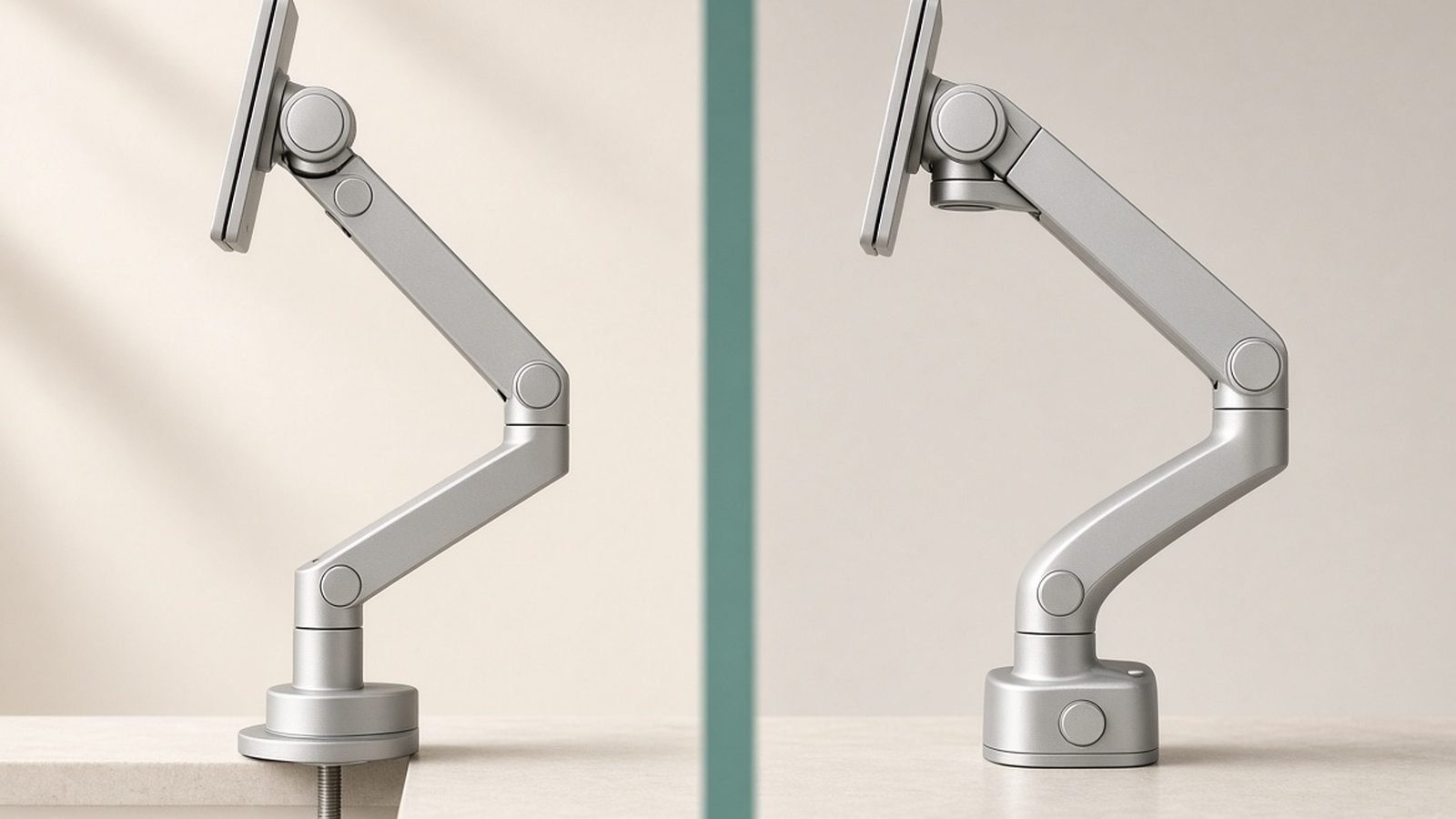
The Amazon Basics monitor arm vs Ergotron LX debate has one of the best-kept “secrets” in desk gear — except it isn’t a secret at all. The Amazon Basics Premium Single Monitor Arm is manufactured by Ergotron, and it’s mechanically a near-clone of the LX. So when the Ergotron LX costs $60–$100 more depending on the day, the obvious question is whether you’re paying for engineering or for a logo.
Short answer: you’re mostly paying for the warranty and the finish options. Whether that’s worth it depends on how long you plan to keep the arm and how heavy your monitor is. Here’s the full breakdown.
Quick Answer
Buy the Amazon Basics Premium Single Monitor Arm if you want LX-grade motion quality at the lowest price and you’re comfortable with a 1-year warranty. It’s the best value in monitor arms, full stop.
Buy the Ergotron LX if you’re mounting an expensive or heavy monitor (27–34 inches, especially ultrawides), want the 10-year warranty, need white or polished aluminum to match your setup, or want the tall-pole variant for high stacking.
Buy the HUANUO if your monitor is under 24 inches and light, you rarely reposition it, and you’d rather spend the savings elsewhere.
| Amazon Basics Premium Arm | Ergotron LX | HUANUO Single Arm | |
|---|---|---|---|
| Typical price | around $110 / £100 | around $165–$224 / £160 | around $36 / £30 |
| Manufactured by | Ergotron (OEM) | Ergotron | HUANUO |
| Mechanism | Constant-force (gas-spring style) | Constant-force | Gas spring |
| Weight capacity | 3.2–11.3 kg (7–25 lb) | 3.2–11.3 kg (7–25 lb) | 2–6.5 kg (4.4–14.3 lb) |
| Warranty | 1 year | 10 years | 3 years (registration) |
| Finishes | Black only | Matte black, white, polished aluminum | Black |
| Tall-pole option | No | Yes | No |
| Best for | Value hunters | Long-haul setups, heavy monitors | Light monitors, tight budgets |
The Worst-Kept Secret: Who Makes the Amazon Basics Arm
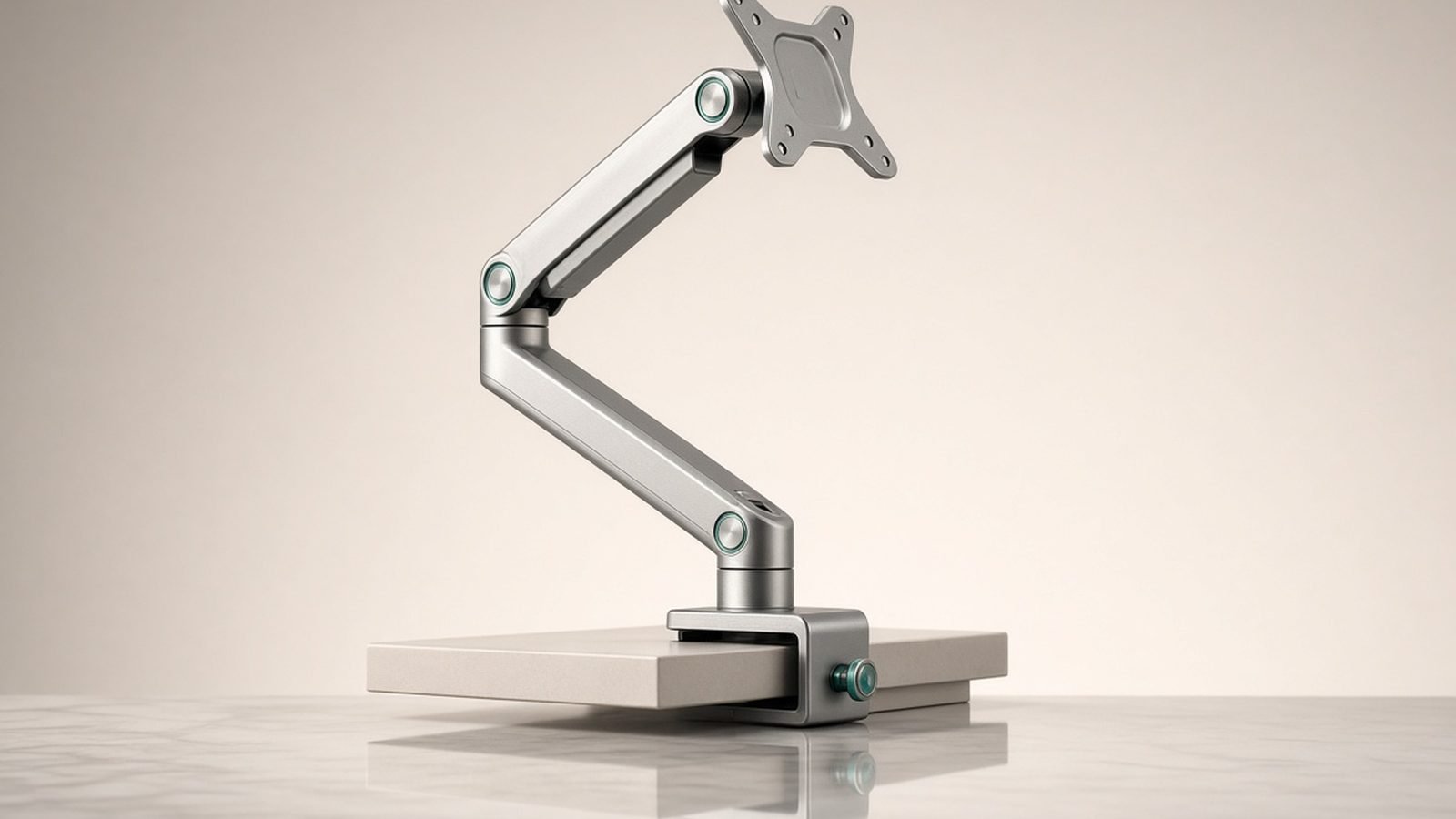
Amazon doesn’t manufacture monitor arms. Like most Amazon Basics hardware, the Premium Single Monitor Arm is built by an established OEM — and in this case, that OEM is Ergotron. This isn’t internet folklore: the resemblance to the LX is total, from the constant-force lift mechanism to the pole-and-clamp design, the cable channel routing, and even the tension adjustment points.
In our research across hundreds of owner reports, people who have owned both consistently describe the motion as indistinguishable. The arm floats a monitor the same way, holds position without drift, and adjusts with the same fingertip effort. That matters, because the LX’s patented constant-force mechanism is exactly what you’re paying a premium for elsewhere — and it’s the thing cheap arms get wrong.
There are small differences. The Amazon Basics version comes in black only, the end caps and branding differ, and the paperwork in the box says Amazon, not Ergotron — a point that matters for warranty, as we’ll see. For the deep dive on the original, see our Ergotron LX Review: Is the Classic Monitor Arm Worth It?.
Amazon Basics Monitor Arm vs Ergotron LX: the 2026 Price Gap (US and UK)
Here’s where the decision gets real. Current typical pricing:
- Amazon Basics Premium Single Monitor Arm: around $110 / £100
- Ergotron LX Single Monitor Arm: $224 list, but street pricing is usually around $165 / £160
- HUANUO Single Monitor Arm: around $36 / £30
So the practical gap is usually $55–$70 in the US and about £60 in the UK — though at the LX’s full list price, it balloons past $100. The LX does dip during sales events, sometimes to within $30 of the Amazon Basics arm; at that spread, the LX’s warranty makes it the easy pick. The Basics arm rarely gets deep discounts because it is the discount — if you’re watching for a deal, watch the LX.
Check price: Amazon Basics Premium Single Monitor Arm Check price: Ergotron LX Single Monitor Arm
Build, Finish and Motion Quality Compared
This is the shortest section of any cheap vs expensive monitor arm comparison you’ll ever read, because the two arms are mechanically the same product.
Both use Ergotron’s constant-force mechanism rather than a basic gas spring: smooth, even resistance through the entire range of motion, precise position holding, and calibration that lasts years. Budget gas springs tend to be stiff at one end of their travel, loose at the other, and prone to slow sag.
Both arms handle 3.2–11.3 kg (7–25 lb), which covers everything from a 24-inch office panel to a 34-inch ultrawide, with roughly 33 cm of height adjustment, 64 cm of extension, full tilt/pan/rotation, and easy portrait pivot.
Where the LX pulls ahead:
- Finish options. The LX comes in matte black, white, and polished aluminum. The Amazon Basics arm is black only. If you’re building a white or silver setup, that alone decides it.
- Tall pole variant. Ergotron sells the LX with a taller pole, which matters if you’re stacking a monitor above a laptop stand, mounting high for standing-desk use, or adding a second arm to one pole later.
- Ecosystem. LX accessories — extensions, dual conversions, replacement parts — are easy to buy for years. Amazon Basics spare parts support is effectively nonexistent.
Where they tie: motion quality, stability, weight capacity, desk clamp and grommet mounting, and build materials. Based on aggregated owner feedback, long-term sag complaints are rare and roughly equally rare for both.
Warranty: 10 Years vs 1 Year — Does It Matter?
This is the genuine, non-cosmetic difference: Ergotron backs the LX for 10 years. Amazon backs the Basics arm for 1.
Ergotron’s warranty reputation is excellent. Owner reports over many years describe the company shipping replacement parts — or whole arms — well into the warranty period, often with minimal friction. A 10-year warranty on a mechanical device you adjust daily is meaningful, not marketing.
Is Ergotron worth it for the warranty alone? Run the math. The $60-ish premium buys nine extra years of coverage — roughly $7 per year. If your arm is holding a $150 monitor you’ll replace in three years anyway, that insurance is overpriced. If it’s holding a $900 ultrawide or a studio display you intend to keep for a decade, $7 a year is cheap peace of mind.
One honest counterpoint: constant-force arms of this design rarely fail. The most common failure mode in budget arms — gas spring fatigue and sag — is largely engineered out here, and many Amazon Basics arm owners are past five years with no issues. You’re insuring against an event that, in our research, is uncommon.
Installation and Cable Management
Both arms install identically: a C-clamp for desk edges up to about 6 cm thick, or a grommet mount. One person can do it in 15–20 minutes. The VESA plate (75x75 and 100x100 mm) attaches to the monitor first, then slots onto the arm — no holding a monitor mid-air while fumbling with screws, a real advantage over many budget arms.
Cable management is functional but not luxurious on both: channel covers under the arm and a clip on the pole. They’ll swallow a DisplayPort cable and a power lead cleanly; a dock’s worth of cables needs supplementary velcro. The HUANUO’s clip-on covers are fiddlier and more prone to popping open, per owner reports.
Tension adjustment on the Ergotron-built arms is a single hex screw — set it once and forget it. Planning a full desk overhaul? Our Ergonomic Desk Setup Guide: Fix Your Posture in a Day guide covers monitor positioning once the arm is on.
When the Cheaper HUANUO Is Actually Enough
The huanuo vs ergotron question is really “do I need constant-force at all?” For a lot of people, honestly, no.
The HUANUO Single Monitor Arm is a conventional gas-spring design rated for 2–6.5 kg. In our research, owners with 24-inch and lighter 27-inch monitors are broadly happy: it holds position, offers the same essential range of motion, and costs about a third of the Amazon Basics arm.
The compromises show up at the edges. Very light monitors can be hard to tension correctly, heavier panels near the top of the rating can slowly sag over a couple of years, and the motion is noticeably less fluid — fine if you set your monitor once and leave it, annoying if you reposition daily.
Choose the HUANUO if: your monitor is a standard 24–27-inch panel under 6 kg, you adjust rarely, and $36 / £30 sounds like what a monitor arm should cost. Skip it if: you have an ultrawide, a heavy panel, or you move your screen around every day.
Check price: HUANUO Single Monitor Arm
Which Should You Buy?
Amazon Basics Premium Single Monitor Arm — best for most people
Pros
- Genuine Ergotron mechanism and motion quality at around $110 / £100
- Same 11.3 kg capacity and range of motion as the LX
- Rock-solid stability; no drift or wobble in aggregated owner reports
- Simple one-person install, clamp or grommet
Cons
- 1-year warranty vs Ergotron’s 10
- Black only
- No tall-pole variant, no spare-parts ecosystem
If you searched for an ergotron lx alternative, this is the answer — it’s the LX with a shorter warranty and a lower price. Any amazon basics premium monitor arm review that says otherwise is overthinking it. For most desks, most monitors, and most budgets, this is the arm to buy.
Ergotron LX Single Monitor Arm — best for heavy monitors and long-haul setups
Pros
- 10-year warranty with a strong service reputation
- White and polished aluminum finishes available
- Tall-pole variant for stacking and standing desks
- Accessories and replacement parts available for years
Cons
- Typically $55–$70 / ~£60 more for the same mechanism
- List price ($224) is poor value — only buy at street price
Is Ergotron worth it? Yes, in three cases: an expensive monitor you’ll keep for years, a non-black setup, or a configuration that needs the tall pole. Otherwise the premium buys you a logo and a longer safety net you’ll probably never use.
HUANUO Single Monitor Arm — best on a tight budget
Pros
- Around $36 / £30 — genuinely cheap
- Fine for 24–27-inch monitors under 6 kg
- Same core ergonomics: height, tilt, pivot, rotation
Cons
- 6.5 kg cap rules out most ultrawides
- Less fluid motion; sag possible near the weight limit over time
- Fiddlier cable covers and tensioning
Still comparing across brands and dual-monitor options? Our full Best Monitor Arms 2026: Single, Dual & Ultrawide Ranked monitor arm buying guide ranks everything we recommend.
FAQ
Is the Amazon Basics monitor arm really made by Ergotron?
Yes. The Amazon Basics Premium Single Monitor Arm is manufactured by Ergotron and shares the LX’s constant-force mechanism, weight capacity, and range of motion. The differences are cosmetic (black only, Amazon branding) and contractual (1-year warranty instead of 10). Note this applies to the Premium arm — Amazon’s cheaper non-Premium arms are different products from different OEMs.
Which Amazon Basics arm is the Ergotron one?
Look specifically for the “Amazon Basics Premium Single Monitor Arm” (or its dual version) at around $110 / £100. Amazon sells several cheaper arms under the Basics label in the $30–$60 range; those are conventional gas-spring designs, not Ergotron-built, and don’t share the LX’s mechanism or longevity.
Can the Ergotron LX or Amazon Basics arm hold a 34-inch ultrawide?
Usually, yes. Both are rated to 11.3 kg (25 lb), and most 34-inch ultrawides weigh 6–9 kg without their stands. Check your monitor’s panel-only weight in its spec sheet, set the arm’s tension near maximum, and you’re fine. The HUANUO’s 6.5 kg limit rules out most ultrawides.
Does the Ergotron 10-year warranty apply to the Amazon Basics version?
No. Even though Ergotron builds the arm, the Amazon Basics version is warrantied by Amazon for one year. Ergotron will not service it. That warranty gap is the single biggest real difference between the two arms, so factor it in if you plan to keep your setup for many years.
Do monitor arms sag over time?
Cheap gas-spring arms can, especially loaded near their weight limit — owners typically report slow droop after one to three years. Constant-force designs like the Ergotron LX and the Amazon Basics Premium arm hold calibration far better; sag reports for either are rare even after five-plus years of daily use.
Is a monitor arm better than a monitor stand?
For ergonomics, almost always. An arm lets you set exact height, depth, and tilt — most factory stands sit too low, which drives neck strain — and it reclaims a chunk of desk space. Even the budget HUANUO beats a fixed stand; the question is only how smooth and durable you need the adjustment to be.
Verdict
The amazon basics monitor arm vs ergotron comparison ends in a rare place: both products are excellent, because they’re the same product. The Amazon Basics Premium arm wins for most people — identical motion and capacity, around $60 / £60 saved. The LX wins when you need white or aluminum finishes, the tall pole, or the 10-year warranty. If your monitor is light and your budget lighter, the HUANUO covers the ergonomic basics for a third of the price.
Save the $60 unless the warranty or the finish is doing real work for you. Either way, you end up with Ergotron engineering on your desk.
Zen Tech Hub may earn a commission from links on this page, at no extra cost to you.