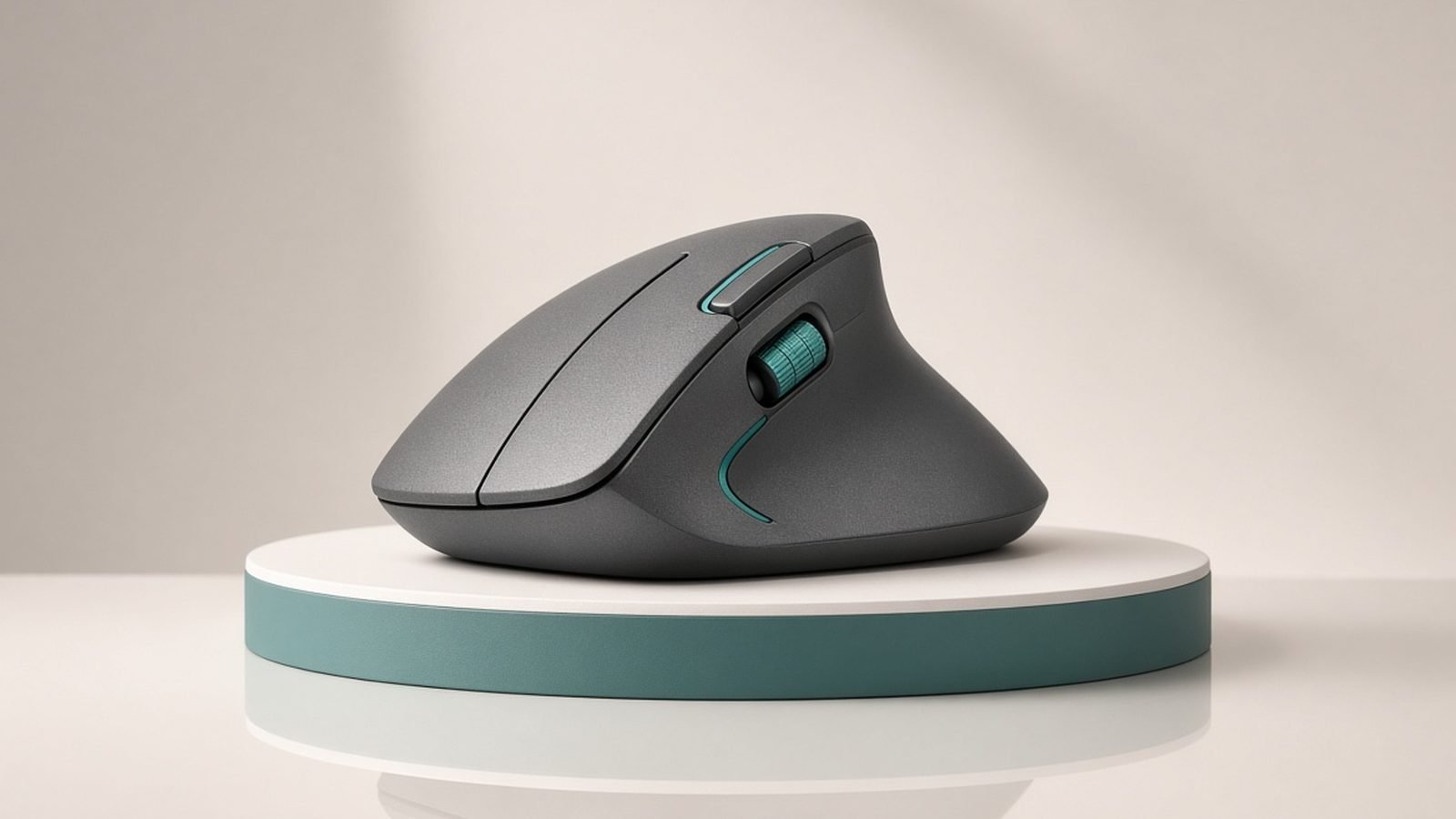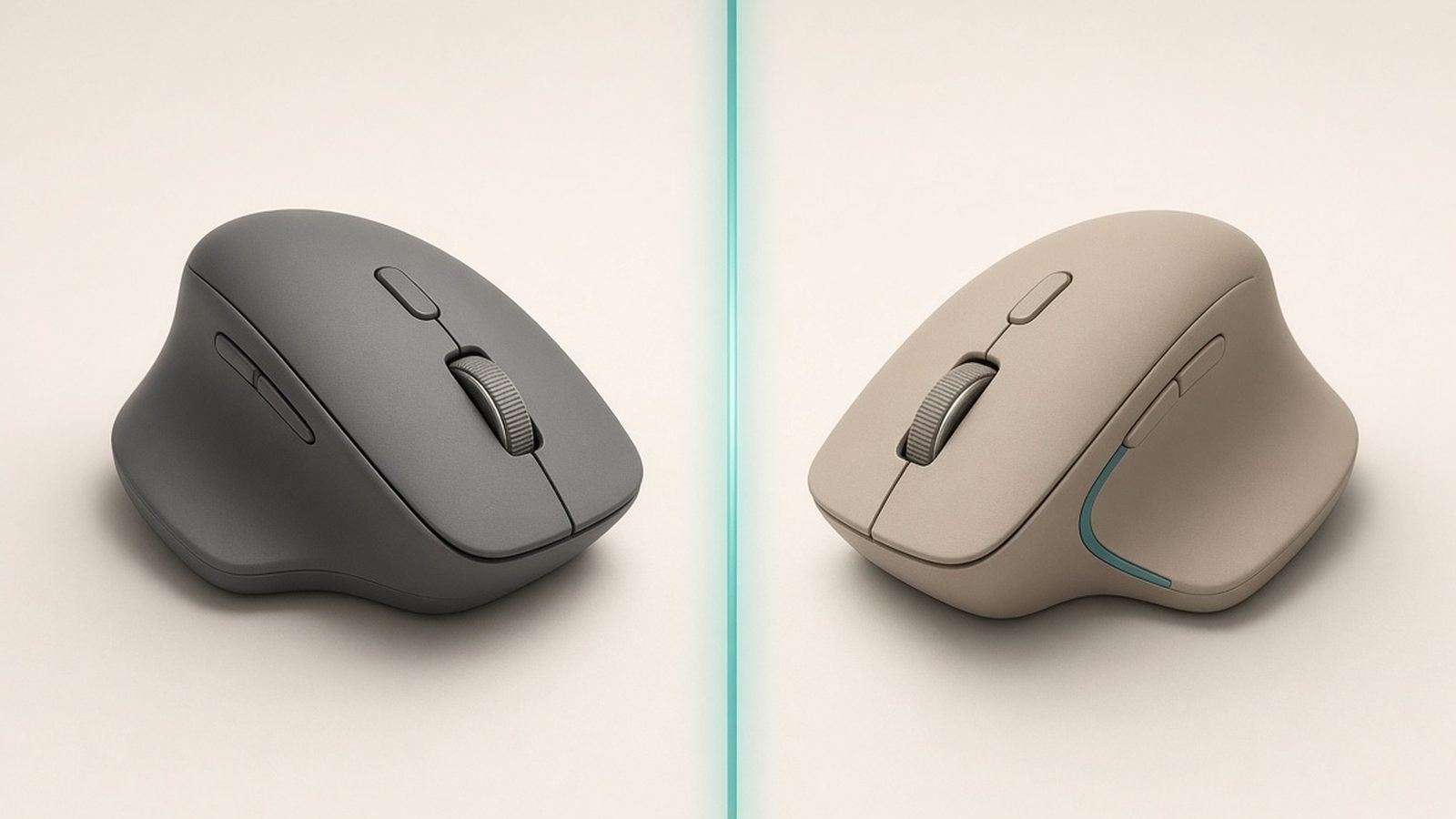
The MX Master 4 vs MX Master 3S question comes down to one honest calculation: is a haptic thumb pad and a radial shortcut menu worth roughly $40 / £30 more than a mouse that is still, by almost every measure, excellent? Logitech didn’t reinvent its flagship in this generation. The sensor family is the same, the MagSpeed wheel is the same, and the silhouette is close enough that most people couldn’t tell them apart across a desk.
That makes this a genuinely close call — and in our research across spec sheets, launch coverage, and hundreds of owner reports from both camps, the right answer depends almost entirely on what you’re upgrading from and what the 3S costs on the day you’re shopping. Here’s the full breakdown.
Quick Answer: Upgrade or Save Your Money
Already own an MX Master 3S? Don’t upgrade. The MX Master 4’s headline additions — the haptic Actions Ring, a grippier shell, quieter-still clicks — are refinements, not revolutions. Nothing about your 3S got worse the day the 4 launched.
Buying your first premium productivity mouse? Get the MX Master 4. The price gap at full retail is modest, the haptics are genuinely useful once configured, and you’re buying the model Logitech will support with software features for years.
Shopping on a budget or on a deal day? The MX Master 3S at its regular street price of around $79 / £75 is one of the best value propositions in peripherals. At 30%+ below the 4, it wins on pure price-to-performance.
| MX Master 4 | MX Master 3S | |
|---|---|---|
| Launch price | $119.99 / £119.99 | $99.99 / £89.99 |
| Typical 2026 street price | ~$110 / ~£107 | ~$79 / ~£75 |
| Sensor | 8,000 DPI, works on glass | 8,000 DPI, works on glass |
| Scroll wheel | MagSpeed electromagnetic | MagSpeed electromagnetic |
| Haptic feedback | Yes — thumb-side haptic engine | No |
| Actions Ring shortcut menu | Yes | No |
| Clicks | Quiet, further dampened | Quiet (90% quieter than MX Master 3) |
| Battery (rated) | Up to 70 days | Up to 70 days |
| Quick charge | ~3 min for a full day | 1 min for ~3 hours |
| Receiver in box | USB-C receiver included | USB-A Bolt (varies by SKU) |
| Weight | ~150 g | ~141 g |
| Connectivity | Bluetooth LE + receiver, 3 devices | Bluetooth LE + Bolt, 3 devices |
Price Difference in 2026 (US and UK)
Pricing is where this comparison gets decided for most buyers, so let’s be precise.
The MX Master 4 launched in late 2025 at $119.99 / £119.99 and has held close to that. Discounts exist in 2026 but they’re shallow — expect around $110 in the US and roughly £107 street in the UK. Logitech rarely slashes a current flagship.
The MX Master 3S is a different story. Its list price is $99.99 / £89.99, but the mx master 3s price in 2026 is routinely far below that: around $79 / £75 is the normal street price, and on Prime Day or Black Friday it has dipped further. Because Logitech is keeping the 3S in the lineup rather than discontinuing it, those discounts are structural, not clearance panic.
So the real-world gap isn’t $20 — it’s usually $30–$40 / £30 or more. That’s the number to weigh the new features against.
What’s New: Haptic Actions Ring, Shell, and Grip
The mx master 4 differences over the 3S cluster into three areas.
The haptic engine and Actions Ring
This is the generation’s defining feature. The MX Master 4 embeds a haptic module under the thumb rest, and pressing the thumb-side button summons the Actions Ring — an on-screen radial menu of customizable shortcuts that changes per application. Pick a slice, feel a subtle tactile pulse, done.
On the mx master 4 haptics vs 3s question specifically: the 3S has zero haptic feedback of any kind, so this isn’t an improvement to an existing feature — it’s a new input layer. In our research, owner sentiment splits predictably. People who invest twenty minutes configuring per-app shortcuts (paste-as-plain-text in docs, timeline zoom in editing apps, mute in calls) describe it as the feature they’d miss most. People who never open Logi Options+ report forgetting it exists within a week. The haptics also confirm gestures and app switches, which some owners find satisfying and a minority disable outright.
Shell, grip, and materials
The 4 reshapes the shell subtly and swaps the 3S’s soft-touch coating for a grippier textured finish. This matters more than it sounds: a well-documented complaint from long-term 3S (and MX Master 3) owners is the rubberized coating getting shiny or tacky after two to three years. Based on hundreds of owner reports so far, the 4’s texture appears more durable, though it hasn’t existed long enough for a true multi-year verdict. The 4 is also built with a higher share of recycled plastics and is slightly heavier at around 150 g.
Clicks and connectivity
The 3S already made clicks 90% quieter than the old MX Master 3; the 4 dampens them slightly further and, per owner reports, sounds a touch softer and more “solid.” The 4 also ships with a USB-C receiver in the box — a small but genuinely useful change now that many laptops have dropped USB-A, where the 3S’s Bolt receiver requires a legacy port or an adapter.
What’s Identical: Sensor, Scrolling, Shape Fundamentals
Here’s why upgrading from a 3S is hard to justify: everything that made the 3S the default recommendation carried over unchanged.
- Sensor: Both use the same 8,000 DPI Darkfield-class sensor that tracks on glass. Pointer performance is indistinguishable in normal productivity use.
- MagSpeed scrolling: The electromagnetic wheel with automatic ratchet-to-freespin shifting is the same hardware on both. It remains the best scroll wheel in any productivity mouse, full stop.
- Thumbwheel: Both have the horizontal side wheel for timeline and spreadsheet scrubbing.
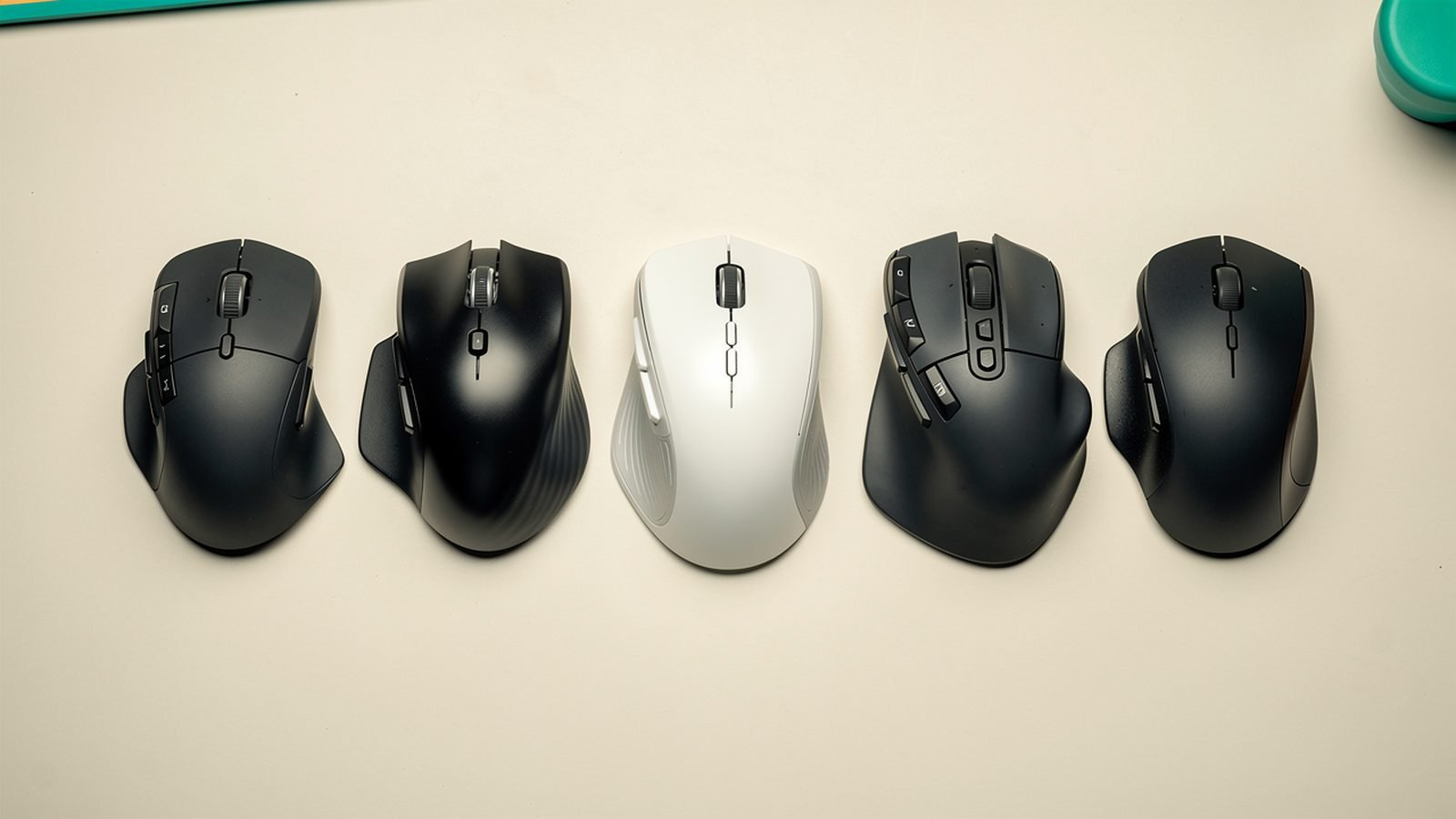
- Shape: The 4’s shell is refined, not redesigned. It’s still a large, right-handed, palm-grip sculpt. If the 3S fits your hand, the 4 will; if the 3S is too big for you, the 4 won’t fix that.
- Multi-device: Both pair with three devices and support Logitech Flow for cross-computer control.
Neither mouse is a gaming mouse — polling rates and click latency are tuned for battery life, not esports — and neither is left-handed. If desk comfort is your real problem, a mouse swap is only part of the answer; see our guide to building an Ergonomic Desk Setup Guide: Fix Your Posture in a Day.
Battery and Charging Compared
Both mice are rated for up to 70 days per charge, and real-world owner reports put both in the 4–8 week range depending on usage. This category is effectively a tie, with two footnotes.
First, quick charging: the 3S gets about three hours of use from one minute plugged in, while the 4 claims a full day from roughly three minutes. Different framing, same practical outcome — either mouse recovers from a dead battery during a coffee break over USB-C.
Second, heavy Actions Ring and haptics use on the 4 can trim its real-world endurance slightly below the 3S’s, according to aggregated owner feedback. Neither supports Qi wireless charging, and both charge over USB-C while in use.
Software and Workflow Features
Both run through Logi Options+ on Windows and macOS: per-app button profiles, gesture controls, Flow, and Smart Actions macro sequences all work on both mice.
The gap is direction of travel. The Actions Ring is exclusive to the MX Master 4, and Logitech has been building its newer software investments — including its AI-assist launcher integrations — around the 4’s haptic hardware. The 3S still gets updates and will for years, but new headline features are landing on the 4 first, and some will never come backward.
For a deeper look at how the Actions Ring holds up in day-to-day work, our full Logitech MX Master 4 Review: Still the Best Work Mouse? covers the software experience in detail.
Which One for Which User
MX Master 4 — best for first-time buyers and shortcut power users
Around $119.99 / £119.99 (street ~£107)
Pros
- Haptic Actions Ring adds a genuinely fast per-app shortcut layer
- Grippier textured shell should age better than the 3S’s coating
- USB-C receiver included in the box
- Quietest clicks in the lineup
- The model Logitech’s future software features target
Cons
- $30–40 / £30 premium over the 3S street price
- Core tracking and scrolling no better than the 3S
- Slightly heavier; haptics do nothing if you skip software setup
The 4 is the right buy if you’re coming from a basic mouse, an older MX Master 2S/3, or nothing at all. You get the whole package at its current best, and the price delta over the 3S is easy to justify when you’re keeping the mouse for four or five years. It’s our pick for best Logitech mouse in 2026 at full retail.
Check price: Logitech MX Master 4
MX Master 3S — best value while it’s on deal
List $99.99 / £89.99, street around $79 / £75
Pros
- Regularly ~30% cheaper than the 4 on street price
- Identical 8K sensor, MagSpeed wheel, and 70-day battery
- Proven, mature product with years of owner feedback
- Marginally lighter
Cons
- No haptics or Actions Ring, and won’t get them
- Soft-touch coating known to degrade after years of heavy use
- USB-A receiver is awkward on modern USB-C-only laptops
- No longer the platform for Logitech’s newest software features
The 3S is the value play — and a strong one. At around $79 / £75 it delivers roughly 90% of the flagship experience for two-thirds of the money. Buy it if the Actions Ring doesn’t excite you, if you’re outfitting multiple desks, or if you simply refuse to pay flagship pricing for incremental features. It pairs beautifully with a good board from our Best Mechanical Keyboards for Programming in 2026 guide.
Check price: Logitech MX Master 3S
FAQ
Is the MX Master 4 worth the upgrade from the 3S?
For most current 3S owners, no. The sensor, MagSpeed scroll wheel, battery life, and shape are effectively identical, so you’d be paying full flagship price for the haptic Actions Ring, a grippier shell, and a USB-C receiver. Upgrade only if per-app shortcut menus genuinely fit your workflow, or if your 3S’s coating or buttons are wearing out anyway.
What are the main MX Master 4 differences vs the 3S?
Three things: a haptic engine in the thumb rest that powers the customizable Actions Ring shortcut menu, a reshaped shell with a more durable textured grip in place of the 3S’s soft-touch coating, and a USB-C receiver in the box. Clicks are slightly quieter and the 4 is about 9 g heavier. Sensor, scrolling, battery rating, and multi-device pairing are unchanged.
Is the MX Master 3S still worth buying in 2026?
Yes — arguably more than ever. Logitech kept it in the lineup at a lower tier, and its street price of around $79 / £75 undercuts the MX Master 4 by 30% or more while matching it on tracking, scrolling, and battery. If you don’t care about haptics, it remains one of the best productivity mice you can buy.
Do the MX Master 4 and 3S feel different in hand?
Slightly. Both use the same large, right-handed, palm-grip sculpt, so hand fit is essentially the same. The 4’s textured finish feels grippier and less prone to getting slick, and it carries a bit more weight. Owner reports describe the 4’s clicks as marginally softer and more damped than the already-quiet 3S.
Can the MX Master 3S get the Actions Ring through a software update?
No. The Actions Ring is tied to the MX Master 4’s haptic hardware, and Logitech has confirmed it’s exclusive to the new mouse. The 3S continues to receive Logi Options+ support — per-app profiles, gestures, Flow, and Smart Actions all still work — but the radial haptic menu will not be backported.
Which is the best Logitech mouse in 2026 overall?
The MX Master 4 is the best Logitech mouse in 2026 on features, and the 3S is the best on value. At full retail the 4’s extra $20 is easy to justify; against the 3S’s typical sale price the gap widens to $40 / £30, which is where budget buyers should take the 3S without hesitation.
Verdict
The MX Master 4 vs MX Master 3S decision splits cleanly. First-time buyer or upgrading from an older mouse: buy the MX Master 4 — it’s the better product, the price premium at retail is small, and it’s the platform Logitech is building on. Already on a 3S, or shopping any time the 3S is near $79 / £75: keep your money or buy the 3S — the features that matter every single hour of the workday are identical.
Either way, you end up with the best scroll wheel and one of the most comfortable productivity mice on the market. That’s a rare comparison where there’s no wrong answer — only a wrong price.
Zen Tech Hub may earn a commission from links on this page, at no extra cost to you.