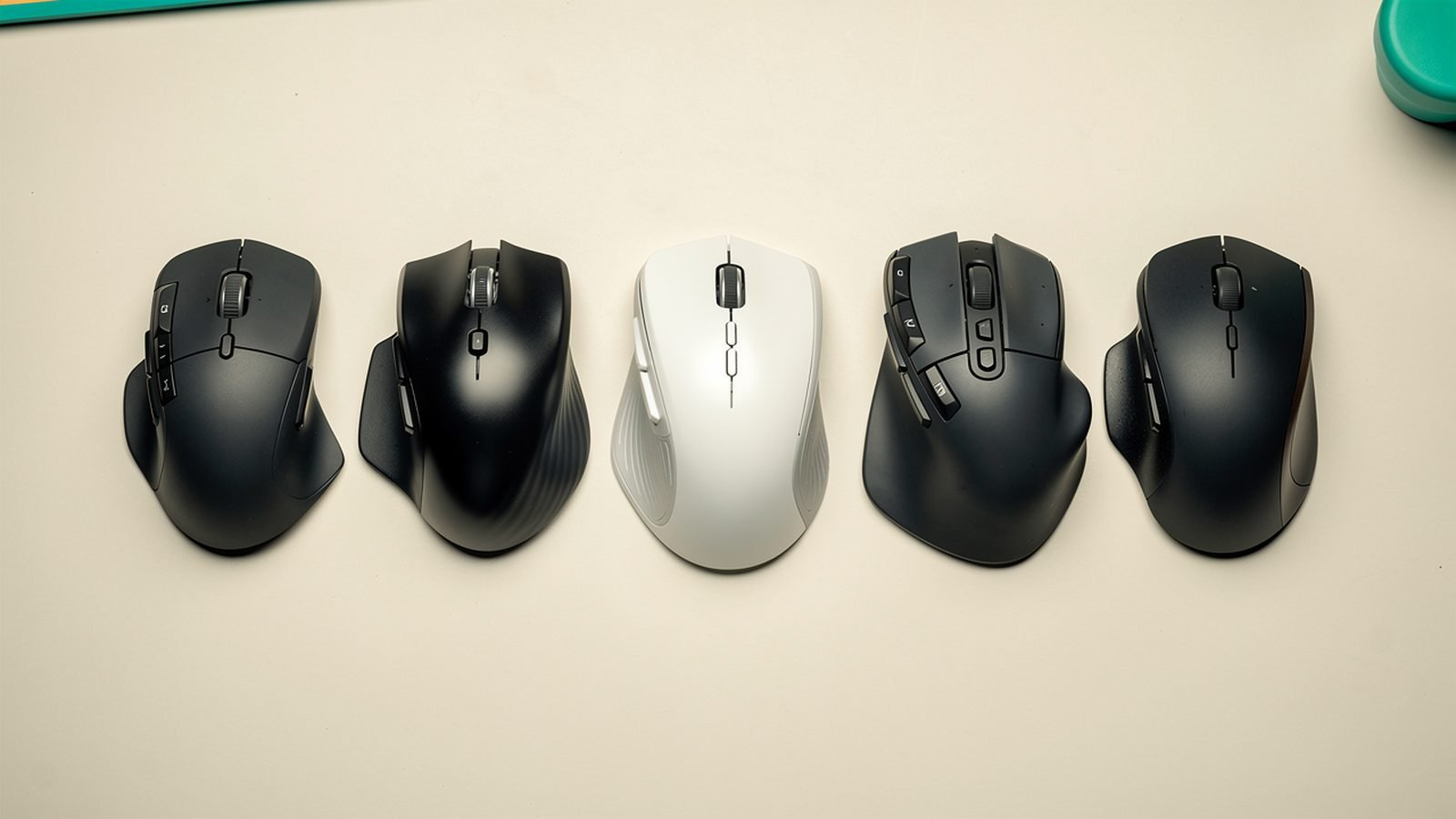
The best ergonomic mouse for most people is the Logitech MX Master 4 — a sculpted, right-hand shape that supports the palm, cuts wrist strain versus a flat mouse, and stays productive with its excellent scroll wheel and thumb controls. If you already have wrist or forearm pain, step up to the Logitech MX Vertical, whose near-vertical “handshake” grip takes the twist out of your forearm entirely.
“Ergonomic” isn’t one shape — it’s a spectrum from mildly sculpted mice to fully vertical designs and trackballs that don’t move at all. The right pick depends on how much discomfort you already have and how much you’re willing to relearn. Below are six options across that range, judged on published specs, ergonomic design principles and aggregated owner feedback, never invented clinical results. Each names who it’s for and the trade-off.
Best ergonomic mouse at a glance
| Pick | Product | Best for | Price (US / UK) |
|---|---|---|---|
| Best overall | Logitech MX Master 4 | Comfort + productivity | around $119 / £119 |
| Best vertical | Logitech MX Vertical | Existing wrist pain | around $99 / £89 |
| Best trackball | Logitech MX Ergo S | No arm movement at all | around $99 / £99 |
| Best budget vertical | Anker 2.4G Vertical Mouse | Cheap RSI relief | around $29 / £27 |
| Best compact | Logitech Lift Vertical | Smaller hands, travel | around $69 / £64 |
| Best for lefties | Logitech Lift (left-handed) | Left-hand ergonomics | around $69 / £64 |
How we picked
Zen Tech Hub rankings come from spec and design analysis plus aggregated real-world evidence — not lab tests or clinical claims we’re not qualified to make. For this guide we compared shapes, grip angles, weights, sensor specs and button layouts against established ergonomic principles, then read hundreds of verified owner reviews across US and UK retailers, paying special attention to reports from people who bought a mouse specifically to relieve wrist, thumb or forearm pain. Where owners with RSI describe what helped, we weight that heavily.
One honesty note up front: no mouse cures RSI, and we’re not medical professionals. An ergonomic mouse reduces strain and can prevent problems from worsening, but persistent pain needs a doctor or physiotherapist, not just new hardware.
Best overall: Logitech MX Master 4
Sculpted right-hand · 8K sensor · haptic thumb · multi-device · around $119 / £119
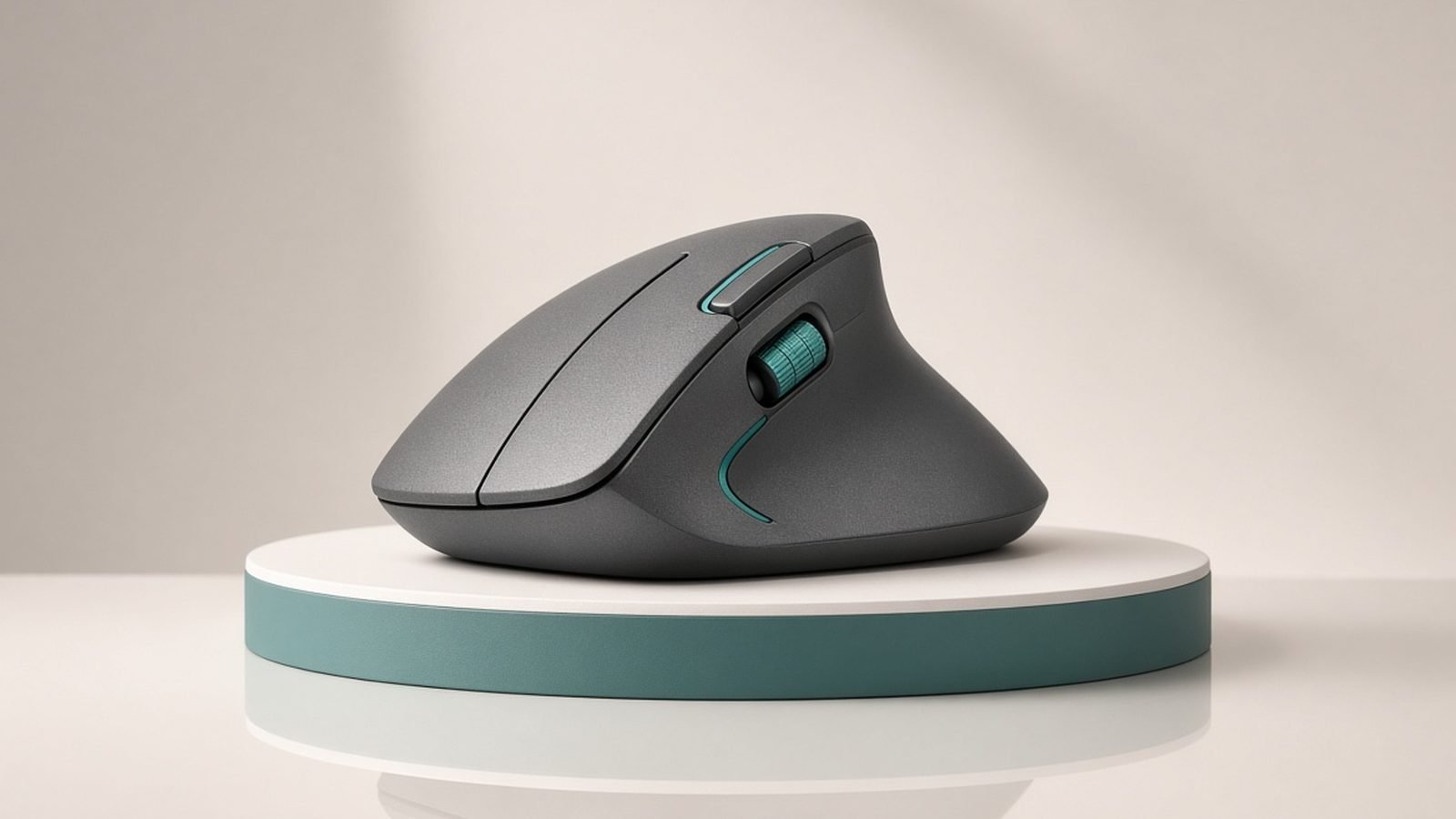
The mx master 4 ergonomic shape is the sweet spot between comfort and productivity, which is why it’s the mouse we recommend to most people. It’s not fully vertical, so there’s almost no learning curve, but the tall, sculpted body fills the palm and lets your hand relax in a natural half-arch rather than pressing flat against the desk. Add the near-frictionless MagSpeed scroll wheel, a thumb wheel, customisable buttons and three-device switching, and it’s as much a productivity tool as an ergonomic one.
The 2026 model adds refined haptic feedback on the thumb area and a better sensor, but the trade-offs are unchanged: it’s strictly right-handed, it’s heavy (a deliberate, planted feel some dislike), and Logi Options+ software is heavier than it needs to be. If your wrist pain is significant, a partial-sculpt mouse may not go far enough — a true vertical will. For a detailed look at what changed this generation, see our dedicated review. Logitech MX Master 4 Review: Still the Best Work Mouse?
Pros:
- Comfortable sculpted shape with near-zero learning curve
- Superb MagSpeed scroll wheel and thumb controls
- Three-device switching; excellent for productivity
- Refined haptics and sensor in the 2026 model
Cons:
- Right-handed only
- Heavy; not for a light, twitchy grip
- Not as strain-relieving as a full vertical for existing pain
Who it’s for: People who want a real comfort upgrade over a flat mouse without relearning how to click, and who value productivity features. Pair it with a comfortable keyboard for a complete setup. Best Wireless Keyboards 2026: Top Boards for Work
Check price: Logitech MX Master 4 Wireless Mouse
Best vertical: Logitech MX Vertical
57° vertical grip · 4K sensor · multi-device · around $99 / £89
When you already feel wrist or forearm strain, the logitech mx vertical review consensus is clear: this is the mouse that helps. Its 57-degree angle puts your hand in a natural “handshake” position, so your forearm doesn’t twist to keep the palm flat — the motion that aggravates many repetitive-strain problems. It’s the best vertical mouse for the money, with a proper sculpted thumb rest, decent sensor and three-device switching.
Expect an adjustment period. For the first few days a vertical mouse feels alien and precise cursor work is harder; most people acclimatise within a week. It’s also large — small hands may struggle — and, like all verticals, it trades some fine-pointing precision for comfort, so it’s not ideal for pixel-perfect photo retouching. But for daily office work with sore wrists, it’s transformative for many owners.
Pros:
- 57° angle genuinely reduces forearm twist
- The go-to recommendation for existing wrist pain
- Sculpted thumb rest and three-device switching
- Well-built and widely praised by RSI sufferers
Cons:
- Real adjustment period of several days
- Large — awkward for small hands
- Less precise than a flat mouse for fine work
Who it’s for: Anyone with existing wrist or forearm discomfort who wants the biggest strain reduction from a mouse you still slide around normally.
Check price: Logitech MX Vertical Ergonomic Mouse
Best trackball: Logitech MX Ergo S
Thumb trackball · adjustable tilt · multi-device · around $99 / £99
If moving the mouse at all is the problem — a small desk, shoulder strain, or pain that flares when you drag your whole arm — a trackball changes the equation. With the MX Ergo S your hand stays still and your thumb rolls the ball to move the cursor, eliminating arm motion entirely. The adjustable 0–20° tilt plate lets you dial in a more natural wrist angle, and it switches across two devices.
The trackball vs vertical mouse question comes down to the source of your pain: verticals fix forearm twist, trackballs fix arm movement. Trackballs demand the steepest relearning of anything here — expect a week or two before your thumb feels accurate — and precision tasks like design work take practice. The ball also needs occasional cleaning. But for the right person, no other mouse is as restful.
Pros:
- Zero arm movement — ideal for small desks and shoulder strain
- Adjustable tilt for a more natural wrist angle
- Stationary, so it never runs out of desk
- Long battery life and multi-device switching
Cons:
- Steepest learning curve here (one to two weeks)
- Thumb precision takes practice for fine work
- Ball needs periodic cleaning
Who it’s for: People with shoulder or arm strain, cramped desks, or anyone intrigued enough to invest a week relearning for a genuinely different kind of comfort.
Check price: Logitech MX Ergo S Wireless Trackball
Best budget vertical: Anker 2.4G Vertical Mouse
58° vertical grip · 2.4GHz USB · around $29 / £27
You don’t have to spend a hundred dollars to try a vertical mouse, and the Anker 2.4G vertical is the smart way to test the concept. It delivers the same core benefit as the MX Vertical — a near-vertical grip that stops your forearm twisting — for under thirty dollars or pounds. Owner feedback is remarkably positive for the price, and it’s a low-risk way to find out whether vertical suits you before committing to premium hardware.
The savings show up in the details. It’s 2.4GHz dongle only (no Bluetooth or multi-device), the build is plastic and lighter, the sensor is basic, and there’s no rechargeable battery on some variants. But as an entry point to ergonomic mice, or a cheap RSI-relief tool for a second machine, it punches far above its price.
Pros:
- Real vertical ergonomics for a budget price
- Low-risk way to test if vertical works for you
- Surprisingly positive owner feedback
- Simple plug-and-play dongle
Cons:
- 2.4GHz only — no Bluetooth or multi-device
- Plasticky build and basic sensor
- Fewer buttons and features than premium picks
Who it’s for: Budget buyers and the vertical-curious who want to try the ergonomic grip cheaply before investing in an MX Vertical.
Check price: Anker 2.4G Wireless Vertical Ergonomic Mouse
Best compact: Logitech Lift Vertical
57° vertical grip · compact body · multi-device · around $69 / £64
The MX Vertical’s biggest flaw is its size, and the Logitech Lift fixes it. It offers the same 57-degree handshake angle in a smaller body designed for small-to-medium hands, making it the best vertical mouse for anyone who found the MX Vertical too large. It keeps the good stuff — quiet clicks, three-device Bluetooth switching, long battery life on a single AA — in a more travel-friendly package.
The compromises versus the MX Vertical are a lower-resolution sensor and slightly less premium materials, so demanding users on big high-resolution monitors may prefer the flagship. And it’s still a vertical, so the same few-day adjustment applies. But for most people with average or smaller hands, the Lift is arguably the better everyday buy — cheaper, comfier to grip, and easier to travel with.
Pros:
- Vertical ergonomics sized for small-to-medium hands
- Quiet clicks and three-device switching
- Long battery from a single AA
- More travel-friendly than the MX Vertical
Cons:
- Lower-resolution sensor than the flagship
- Same vertical learning curve
- Not ideal for very large hands
Who it’s for: Anyone with average or smaller hands who wants vertical comfort, and travellers who want a compact ergonomic mouse.
Check price: Logitech Lift Vertical Ergonomic Mouse
Best for lefties: Logitech Lift (left-handed)
57° vertical grip · left-hand shape · multi-device · around $69 / £64
Left-handed users are chronically underserved by ergonomic mice — most sculpted and vertical designs are right-hand only, forcing lefties onto flat ambidextrous mice that offer no real strain relief. The left-handed Logitech Lift is the standout exception: a proper mirror-image vertical shape built for the left hand, with the same 57-degree angle, quiet clicks and multi-device switching as the right-handed version.
It carries the same modest trade-offs as the standard Lift — mid-range sensor, sized best for small-to-medium hands, and a vertical adjustment period. But the fact that it exists at all makes it the obvious recommendation for left-handed users seeking genuine ergonomics rather than a compromise. There’s simply very little competition.
Pros:
- A true left-handed vertical, which is rare
- Same 57° comfort as the right-hand Lift
- Quiet clicks and three-device switching
- Long single-AA battery life
Cons:
- Mid-range sensor
- Best for small-to-medium hands
- Vertical learning curve applies
Who it’s for: Left-handed users who want real vertical ergonomics instead of settling for a flat ambidextrous mouse.
Check price: Logitech Lift Vertical Mouse (Left-Handed)
How to choose
Match the mouse to where your discomfort comes from — that’s the whole game.
- No pain yet, want comfort and features? A sculpted mouse like the MX Master 4 upgrades comfort with zero relearning and adds productivity extras.
- Wrist or forearm pain from twisting? Go vertical (MX Vertical, or Lift for smaller hands). The angle removes the forearm rotation that aggravates strain.
- Shoulder or whole-arm strain, or a tiny desk? A trackball (MX Ergo S) keeps your arm still entirely. Accept the learning curve.
- Hand size matters. The MX Vertical suits large hands; the Lift suits small-to-medium. A mouse that doesn’t fit your hand can create new problems.
- Left-handed? Options are scarce — the left-handed Lift is the clear pick.
Remember that a mouse is one part of a comfortable posture. Desk height, monitor position and a keyboard that doesn’t push your mouse too far right all matter too. Best Desk Setup Accessories 2026: Upgrade Your Workspace
FAQ
What’s the best ergonomic mouse for wrist pain?
For existing wrist or forearm pain, the Logitech MX Vertical (or the smaller Lift) is the standard recommendation — its 57-degree angle stops your forearm twisting, which is the motion that aggravates many strain injuries. If you want comfort without relearning, the sculpted MX Master 4 helps too, just less dramatically.
Is a vertical mouse or trackball better for RSI?
They solve different problems. A vertical mouse fixes forearm twist but you still move your arm to move the cursor. A trackball keeps your arm completely still, which helps shoulder and whole-arm strain, but demands a longer learning curve. Choose based on where your pain originates.
Do ergonomic mice really help, or is it marketing?
They genuinely reduce strain by putting your hand and forearm in more neutral positions, and many owners with early wrist discomfort report real relief. But no mouse is a cure — it’s prevention and reduction. Persistent pain needs a doctor or physiotherapist, not just new hardware. We’re not medical professionals.
How long does it take to get used to a vertical mouse?
Most people adjust within a few days to a week. The first day or two feels awkward and precise cursor work is harder, then it clicks. Trackballs take longer — often one to two weeks before your thumb feels accurate. Give any ergonomic switch at least a week before judging it.
Are ergonomic mice good for gaming?
Generally no. Vertical mice and trackballs prioritise comfort over the fast, precise flicks competitive gaming needs. A lightly sculpted mouse like the MX Master 4 is fine for slower games, but dedicated gamers should look at purpose-built gaming mice instead.
What’s the best ergonomic mouse for left-handed users?
The left-handed Logitech Lift is the clear choice — most vertical and sculpted mice are right-hand only, so a true mirror-image left-handed vertical is rare. It offers the same 57-degree comfort as the right-hand version.
Verdict: which ergonomic mouse should you buy?
For most people the Logitech MX Master 4 at around $119 / £119 is the best balance of comfort and capability, with no learning curve. If you already have wrist pain, the MX Vertical (or the compact Lift for smaller hands) delivers the real strain relief.
Struggling with shoulder strain or a small desk? The MX Ergo S trackball keeps your arm still. Want to test vertical cheaply? The Anker 2.4G costs under thirty. And left-handed users finally have a proper option in the left-handed Lift. Whichever you choose, pair it with a well-placed keyboard and a good desk setup, and your hands will thank you over the years. Best Wireless Keyboards 2026: Top Boards for Work
Zen Tech Hub may earn a commission from links on this page, at no extra cost to you.