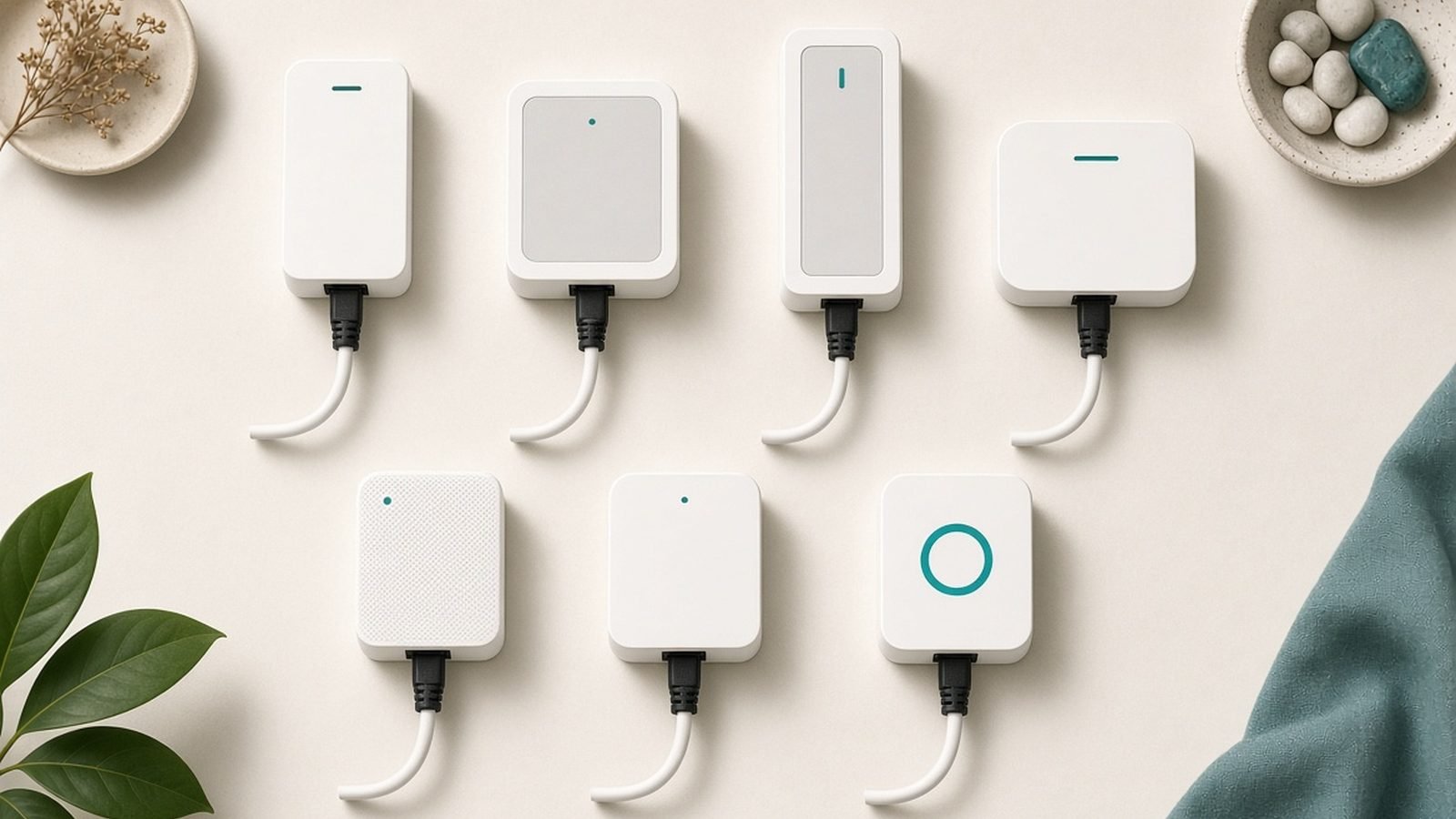
If Wi-Fi refuses to reach your office, games room, or the TV at the far end of the house, the best powerline adapter is often the cheapest fix that actually works. These plug-in boxes push your network signal through the electrical wiring already inside your walls, giving you an Ethernet port anywhere you have a power socket — no drilling, no cable runs, no landlord arguments.
Here’s the part most reviews skip: the number on the box is fiction. “AV2000” adapters do not deliver 2,000Mbps. In our research across spec sheets, independent lab reviews, and hundreds of owner reports, real-world throughput typically lands between 60 and 200Mbps depending on your wiring. That’s still plenty for 4K streaming, video calls, and stable low-latency gaming — you just need to buy the right kit with honest expectations.
We compared the current field across five criteria: real-world throughput (not box claims), range over house wiring, passthrough sockets, port count, and price on both sides of the Atlantic. These five kits are the ones worth your money in 2026.
Update, 16 October 2026: prices and availability were re-read on this date, and the UK side of this guide had moved most. Netgear’s US site still lists the PLP2000 — now the only kit in its powerline range, sold through retailers and Amazon with no price shown — but Netgear UK lists no powerline products at all, Currys does not stock it, and Amazon UK’s only offers were third-party sellers at £162.32, so the £110 figure is withdrawn. The TP-Link TL-PA9020P KIT was £87.97 at Amazon UK and from £87.96 on PriceSpy, and is absent from TP-Link’s own UK store and from Currys; the TL-PA7017P KIT was £59.99 at TP-Link UK, £58.99 at Currys and £50.97 at Amazon UK (from £49.95 on PriceSpy), not £45. Devolo’s UK range now carries the Wi-Fi 6 kit as the Magic 2 WiFi 6 next (G.hn 2400, Wi-Fi 6 rated to 3,000 Mbps, two Gigabit ports) at £249.99 from Devolo, Currys and Amazon UK; the £170 kit this guide assessed is no longer among Devolo UK’s listed products. The Trendnet TPL-423E2K remains on TRENDnet’s site with its three-year warranty, but no UK listing was found (Amazon UK had only the non-passthrough TPL-422E2K at £94.01), so its pound figure is withdrawn. No US price could be re-read for any of the five kits — Netgear and TP-Link point US buyers to Amazon, which this check cannot read — so every dollar figure below is the July 2026 check. Picks and rankings are unchanged pending a fuller re-assessment, and TP-Link’s G.hn-based PG2400P KIT, listed on Amazon UK but temporarily out of stock, was not assessed. For the plug-in alternative, our guide to the best Wi-Fi extenders for gaming and streaming was re-read on 5 October.
Best Powerline Adapters 2026 at a Glance
| Kit | Rated speed | Typical real-world speed* | Passthrough | Ethernet ports | Price (approx.) |
|---|---|---|---|---|---|
| Netgear PLP2000 (best overall) | 2,000Mbps | ~100Mbps+, best in class | Yes | 2 per adapter | around $120 (July 2026 check) / no Netgear UK listing; £162.32 third-party on Amazon UK, 16 Oct 2026 |
| TP-Link TL-PA9020P (best range) | 2,000Mbps | 60–90Mbps, holds up over distance | Yes | 2 per adapter | around $100 (July 2026 check) / £87.97 Amazon UK, 16 Oct 2026 |
| TP-Link TL-PA7017P KIT (best budget) | 1,000Mbps | 50–80Mbps | Yes | 1 per adapter | around $60 (July 2026 check) / £50.97–£59.99 Amazon UK, Currys, TP-Link UK, 16 Oct 2026 |
| Devolo Magic 2 WiFi 6 (best with Wi-Fi) | 2,400Mbps (G.hn) | 100–200Mbps + Wi-Fi 6 hotspot | Yes | 2 on Wi-Fi unit | around $200 (July 2026 check) / £249.99 as the Magic 2 WiFi 6 next, 16 Oct 2026 |
| Trendnet TPL-423E2K (cheap passthrough) | 1,300Mbps | 40–70Mbps | Yes | 1 per adapter | around $78 (July 2026 check) / no UK listing found, 16 Oct 2026 |
*Aggregated from independent testing and owner reports on typical home wiring. Your electrical circuits will move these numbers up or down — more on that below.
How Powerline Networking Works (and Why Real Speeds Differ From Box Claims)
A powerline kit contains two (or more) adapters. One plugs into a wall socket near your router and connects to it with an Ethernet cable. The second plugs in wherever you need internet and gives you an Ethernet port — and sometimes a Wi-Fi hotspot. Data travels between them over your home’s electrical wiring at high frequencies that don’t interfere with your power.
So do powerline adapters work? Yes — genuinely, and often dramatically better than a Wi-Fi extender in a large or brick-walled home. But three things kill the marketing numbers:
- Rated speeds are theoretical link rates, combined across directions and measured in lab conditions no house replicates. An “AV2000” kit hitting 100Mbps in the real world is performing well.
- Your wiring is the network. Old wiring, long cable runs, and adapters on different circuits or ring mains all cut throughput.
- Electrical noise matters. Microwaves, phone chargers, and cheap surge strips inject interference into the line.
The honest pitch: powerline gets you a stable 50–200Mbps wired connection through walls Wi-Fi can’t penetrate. For most streaming and gaming, that’s transformative. If you need a full gigabit, run Ethernet or look at MoCA — we cover that comparison further down.
Best Powerline Adapter Overall: Netgear PLP2000
Around $120 (July 2026 check) / no UK listing from Netgear (16 Oct 2026) | AV2000 | Passthrough | 2 Gigabit Ethernet ports per adapter
The Netgear PLP2000 has been the throughput king of HomePlug AV2 adapters for years, and nothing in 2026 has dethroned it. Independent testing has consistently clocked it around the 100Mbps mark in real homes — roughly double what many rivals with identical “2000” branding manage. Based on hundreds of owner reports, it’s also unusually consistent: fewer dropouts, fewer re-pairing rituals.
You get two gigabit Ethernet ports on each adapter, which quietly solves the classic living-room problem — TV and console wired from one plug, no switch required. The passthrough socket means you don’t sacrifice the outlet, and the built-in noise filtering on that socket can actually clean up interference from whatever you plug into it.
The trade-off is physical. This is a chunky unit that dominates a UK double socket and can crowd the second outlet on a US duplex. It’s also the priciest non-Wi-Fi option here. But if you want the most speed powerline can realistically deliver, this is the kit.
Price and stock, 16 October 2026: Netgear US lists the PLP2000 as the only kit in its powerline range, with “Find a Retailer” and “Buy at Amazon” buttons and no price; Newegg had it at $119.99 but out of stock on 5 October and could not be read on 16 October, so the $120 figure is the July 2026 check. In the UK, Netgear’s own site lists no powerline products, Currys does not stock it, and Amazon UK’s only offers were third-party sellers at £162.32 with delivery quoted for early November — well above the £110 this guide carried, which is withdrawn. UK buyers who want the two-port, passthrough layout get it from the TP-Link TL-PA9020P KIT below.
Who it’s for: Anyone wiring up a media centre, home office, or gaming setup who wants maximum real-world speed and two ports at the far end.
Pros:
- Class-leading real-world throughput (~100Mbps+ in typical homes)
- Two gigabit Ethernet ports on each adapter
- Passthrough socket with noise filtering
- Strong reliability record in owner feedback
Cons:
- Bulky — crowds adjacent sockets
- Costs nearly double the budget picks
- Still nowhere near the “2000Mbps” on the box (nothing is)
Verdict: The best powerline adapter for most people who care about speed. Pay the premium once, stop thinking about it.
Best for Range: TP-Link TL-PA9020P
Around $100 (July 2026 check) / £87.97 at Amazon UK (16 Oct 2026) | AV2000 | Passthrough | 2 Gigabit Ethernet ports per adapter
Raw speed isn’t everything — in a big or awkwardly wired house, what matters is whether the link survives the distance. The TL-PA9020P is the TP-Link powerline adapter to buy when the far room is far: TP-Link rates it across 1,000 feet-plus of electrical wiring, and in our research it degrades more gracefully over long, messy circuits than most rivals, including some faster ones.
Its mid-pack raw throughput (typically 60–90Mbps in real homes) is the honest trade. Where the PLP2000 wins a same-floor drag race, the TL-PA9020P is likelier to still be delivering a usable, stable connection three floors and two consumer units away. You also get the same practical extras as the Netgear: passthrough socket, two gigabit ports per adapter, and one-button encryption pairing.
TP-Link’s tpPLC app and utility are basic but functional for firmware updates and link diagnostics — useful when you’re troubleshooting which sockets give the best link rate.
Price and stock, 16 October 2026: Amazon UK listed the TL-PA9020P KIT at £87.97 and PriceSpy from £87.96; TP-Link’s own UK store does not sell it and Currys does not list it, while TP-Link’s UK page points to Amazon, Scan, Ebuyer, John Lewis, Box and CCL. TP-Link’s US page links only to Amazon, so the $100 figure is the July 2026 check.
Who it’s for: Large homes, three-storey UK townhouses, garden-adjacent garages on the same consumer unit, and anyone whose previous powerline kit “worked, but barely.”
Pros:
- Excellent range over long or complicated wiring
- Passthrough plus two gigabit ports per adapter
- Usually cheaper than the Netgear
- Utility app helps you find the best sockets
Cons:
- Mid-pack top speed when adapters are close together
- Large plug footprint, like most AV2000 units
Verdict: If distance is your enemy, buy this over the Netgear. A slightly slower link that stays up beats a fast one that doesn’t reach.
Check price: TP-Link TL-PA9020P
Best Budget Kit: TP-Link TL-PA7017P KIT
Around $60 (July 2026 check) / £50.97–£59.99 (16 Oct 2026) | AV1000 | Passthrough | 1 Gigabit Ethernet port per adapter
Most people don’t need the fastest powerline kit — they need one room fixed for the least money. The TL-PA7017P KIT is the default answer, and in the UK at £50.97 from Amazon UK on 16 October 2026 (£58.99 at Currys, £59.99 at TP-Link’s own store, from £49.95 on PriceSpy) it is still the cheapest kit here — though the £45 this guide originally quoted was not matched by any seller read on that date. It’s an AV1000 kit, which sounds like a downgrade, but here’s the honest maths: on typical home wiring, real-world speeds of 50–80Mbps are common, which is often within shouting distance of AV2000 kits costing twice as much. Wiring, not the badge, is usually the bottleneck.
You still get a passthrough socket on each adapter — rare at this price — so you don’t lose the outlet. The compromises: a single gigabit Ethernet port per adapter (add a cheap switch if you need more), and a slimmer margin of headroom if your wiring happens to be excellent.
Based on aggregated owner feedback, setup is genuinely plug-and-play: pair button, done, no app required. For a smart TV, a desk PC, or a console in a stubborn back bedroom, this is the sensible first thing to try before spending more.
Who it’s for: Anyone fixing one device in one room on a budget — the classic “the PS5 keeps lagging in the back bedroom” purchase.
Pros:
- Excellent value, especially in the UK
- Passthrough socket at a budget price
- Real-world speeds close to pricier kits on average wiring
- Dead-simple setup
Cons:
- Only one Ethernet port per adapter
- Less headroom if your wiring is unusually good
Verdict: The best powerline adapter per pound or dollar spent. Start here; upgrade only if it leaves speed on the table.
Check price: TP-Link TL-PA7017P KIT
Check price: TP-Link TL-PA7017P KIT
Best Powerline Adapter With Wi-Fi (UK Favourite): Devolo Magic 2 WiFi 6
Around $200 (July 2026 check) / £249.99 as the Magic 2 WiFi 6 next (16 Oct 2026) | G.hn 2,400Mbps | Passthrough | Wi-Fi 6 hotspot + 2 Ethernet ports on the Wi-Fi unit
If you searched “powerline adapter with wifi,” this is the one to buy — and if you’re in the UK, it’s arguably the best powerline adapter full stop. The Devolo Magic 2 WiFi 6 uses G.hn rather than the older HomePlug AV2 standard, and G.hn measurably outperforms HomePlug on the same wiring in independent testing — real-world figures of 100–200Mbps come up repeatedly in reviews and owner reports.
The killer feature is the far end: instead of just an Ethernet port, you get a full Wi-Fi 6 access point broadcasting your network name. For the brick-and-plaster homes common across the UK and Europe — where mesh Wi-Fi nodes can’t hear each other through the walls — this is the cheat code. The backhaul travels through your electrics, then fans out as fresh, fast Wi-Fi exactly where you need it. Add more units and Devolo handles roaming between them like a mesh system.
Downsides: it’s the priciest kit here, availability and support are thinner in the US than in Europe, and G.hn won’t pair with any HomePlug adapters you already own. It’s an ecosystem decision.
Line-up and price, 16 October 2026: Devolo’s UK site now lists this product as the Magic 2 WiFi 6 next — Starter Kit £249.99 (one Wi-Fi 6 adapter plus one LAN adapter), add-on adapter £189.99, and a Multiroom Kit — with the same G.hn 2400 backbone, Wi-Fi 6 rated to 3,000 Mbps and two Gigabit ports on the Wi-Fi unit. Currys and Amazon UK both had the Starter Kit at £249.99, Amazon with other sellers from £192. The £170 kit this guide assessed is no longer among Devolo UK’s listed products, and the next-generation kit has not been separately assessed; the older Wi-Fi 5 Magic 2 WiFi next was from £125 on PriceSpy. Devolo’s US pricing could not be read from here. If whole-home wireless is the real need, compare our mesh Wi-Fi system picks before spending this much.
Who it’s for: UK and European homes with thick walls; anyone who needs both wired and wireless coverage at the far end; households where a Wi-Fi mesh has already failed. If pure mesh might still work for your layout, read our comparison first: Mesh Wi-Fi vs Extender: Which Fixes Your Dead Zones?.
Pros:
- G.hn delivers the fastest real-world powerline speeds we’ve seen reported
- Built-in Wi-Fi 6 hotspot with mesh-style roaming
- Passthrough socket; two Ethernet ports on the Wi-Fi unit
- Expandable into a whole-home system
Cons:
- Expensive
- Not cross-compatible with HomePlug adapters
- Weaker availability and support in the US
Verdict: The premium pick, and the UK favourite for good reason. If dead zones plus dead Wi-Fi are your problem, this solves both in one box.
Check price: Devolo Magic 2 WiFi 6
Check price: Devolo Magic 2 WiFi 6
Best Cheap Kit With Passthrough: Trendnet TPL-423E2K
Around $78 (July 2026 check) / no UK listing found (16 Oct 2026) | AV1300 | Passthrough | 1 Gigabit Ethernet port per adapter
The Trendnet TPL-423E2K is the quiet-achiever pick, mostly for US buyers. It’s an AV1300 kit with passthrough sockets, MIMO support for better performance on wiring that supports it, and — unusually at this price — a three-year warranty, which beats the two years most rivals offer.
The honest caveat: in aggregated testing and owner reports, it posts the slowest real-world throughput of our five picks, typically in the 40–70Mbps band. That’s still comfortably enough for 4K streaming (which needs about 25Mbps) and lag-free gaming, but if the TP-Link TL-PA7017P is the same price or cheaper where you live, buy the TP-Link. The Trendnet earns its slot when it’s on sale, when the TP-Link is out of stock, or when that longer warranty matters to you.
Availability, 16 October 2026: TRENDnet’s site still lists the TPL-423E2K — it is not on the company’s discontinued-products list — with its three-year warranty but no price; Amazon UK returned only the non-passthrough TPL-422E2K at £94.01, so the £70 UK figure is withdrawn and the weak-UK-availability caveat stands. The $78 US figure is the July 2026 check.
Who it’s for: US bargain hunters who want passthrough and a longer warranty, and aren’t chasing peak numbers.
Pros:
- Passthrough socket at a low price
- Three-year warranty
- MIMO support helps on compatible wiring
Cons:
- Slowest real-world speeds of our picks
- Often undercut by the TP-Link budget kit
- Weak UK availability
Verdict: A solid budget alternative, best bought on discount.
Check price: Trendnet TPL-423E2K
Powerline vs Wi-Fi Extender vs MoCA vs Running Ethernet
Powerline vs Wi-Fi extender is the fight most buyers are actually deciding. A Wi-Fi extender rebroadcasts an already-weak signal, typically halving throughput and adding latency; a powerline adapter sidesteps the airwaves entirely. Through brick, concrete, or three floors, powerline usually wins on stability and latency — which is why it’s the better powerline adapter for gaming choice too. Extenders win only when your wiring is hostile and the dead zone has some signal to amplify. Our extender picks are here if that’s your situation: Best Wi-Fi Extenders 2026: Kill Dead Zones for Less.
MoCA runs your network over coaxial TV cable and reliably delivers near-gigabit speeds — far faster than powerline. If your home has coax sockets in the right rooms (common in the US, less so in the UK), MoCA is worth the extra cost and setup fuss.
Running Ethernet remains the gold standard: full speed, zero interference, one-time effort. If you own your home and can face the drilling, do it. Powerline is for everyone else.
For the full decision tree — including when mesh is the right call — see our guide to fixing dead zones: How to Fix Wi-Fi Dead Zones: 9 Proven Ways (2026), and browse everything else in our networking hub: Networking & Wi-Fi.
Why Your House Wiring Matters (Circuits, Surge Strips, Old Homes)
Two identical kits can deliver 150Mbps in one house and 30Mbps in the one next door. Before you blame the adapter:
- Plug directly into the wall. Surge protectors and extension strips filter exactly the frequencies powerline uses. This is the number one cause of “powerline adapters don’t work” complaints — the passthrough socket on our picks exists so you never need the strip.
- Stay on the same circuit if you can. Signals crossing between circuits via the breaker panel or consumer unit lose strength. Same ring main (UK) or same breaker leg (US) gives the best link.
- Old wiring hurts. Pre-1980s wiring, aluminium runs, and long-degraded connections all reduce speed. Powerline still usually works — just slower.
- Noise sources matter. Microwaves, motors, cheap USB chargers, and dimmer switches inject interference. If speeds dip when the tumble dryer runs, that’s why.
- Test sockets before you settle. Moving an adapter one socket over can double your speed. The TP-Link and Devolo utilities show live link rates — use them.
FAQ: Powerline Adapters
Do powerline adapters work in old houses?
Usually, yes — but slower. Powerline signals travel over any mains wiring, and age degrades throughput rather than breaking the link outright. In our research, owners in pre-war UK homes commonly report 30–60Mbps where modern homes see double that. Try adapters on sockets from the same circuit, avoid extension strips, and expect workable rather than spectacular speeds.
Are powerline adapters good for gaming?
Yes — often better than Wi-Fi. Gaming needs low, stable latency more than raw bandwidth, and a powerline link typically adds only a few milliseconds while eliminating the jitter and packet loss of a weak wireless signal. A 50Mbps powerline connection with steady ping beats 200Mbps of unstable Wi-Fi for online play. The Netgear PLP2000 is our pick for gaming setups.
Why is my powerline adapter so slow?
The usual suspects: an adapter plugged into a surge strip instead of the wall, adapters on different electrical circuits, old or noisy wiring, or interference from appliances. Rated speeds like “AV2000” are theoretical, so 60–100Mbps is normal, not a fault. Move each adapter directly into a wall socket and test different outlets before assuming the hardware is bad.
Powerline adapter or Wi-Fi extender — which is better?
For rooms with little or no signal, powerline. An extender must receive Wi-Fi to rebroadcast it, so it inherits and worsens a weak connection; powerline bypasses walls entirely via your electrics. Extenders make sense only when the dead zone has moderate signal and your wiring is unsuitable. In brick-heavy UK homes, powerline — or the Devolo Magic 2 with built-in Wi-Fi — wins almost every time.
Can I mix powerline adapter brands?
Mostly yes, within the same standard. HomePlug AV2 adapters from TP-Link, Netgear, and Trendnet will generally pair with each other, though you’ll be limited to the slower unit’s speed and may lose brand-specific features. The exception is Devolo’s Magic range: it uses G.hn, a different standard that won’t talk to HomePlug adapters at all.
How many powerline adapters can I use in one home?
Most HomePlug systems support 8–16 adapters on one network, and Devolo’s Magic system officially supports eight. In practice, every active adapter shares the same backbone bandwidth, so performance dips as you add more. Two to four adapters is the sweet spot for most homes; beyond that, consider mesh Wi-Fi or running Ethernet to the busiest rooms.
Which Powerline Adapter Should You Buy?
Keep it simple. Fixing one room cheaply? The TP-Link TL-PA7017P KIT at around $60 / £51–£60 (16 October 2026) is the answer for most people. Want the fastest wired link powerline can give? The Netgear PLP2000. Big house, long distances? The TP-Link TL-PA9020P holds the link where others drop it. Need Wi-Fi at the far end — especially in a brick-walled UK home? Spend up on the Devolo Magic 2 WiFi 6 (now sold as the Magic 2 WiFi 6 next at £249.99); it’s the best powerline adapter UK buyers can get and doubles as a mesh substitute. And in the US, watch for the Trendnet TPL-423E2K on sale as the value passthrough play.
Whichever you pick, plug it straight into the wall, test a few sockets, and judge it against real-world expectations — not the number on the box.
Zen Tech Hub may earn a commission from links on this page, at no extra cost to you.