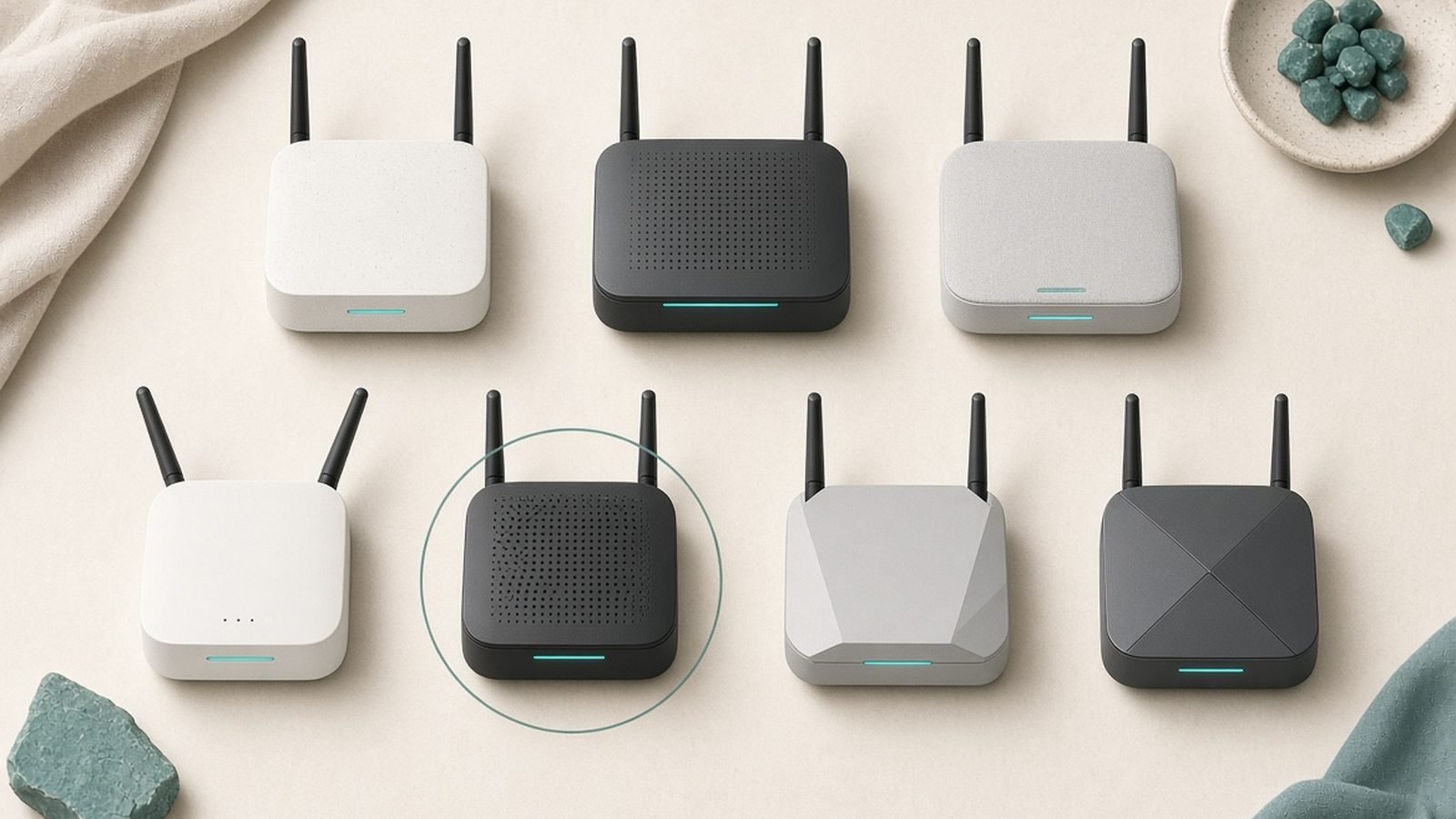
The mesh wifi vs extender debate has a simple answer: it depends on how many dead zones you have. One weak room? A $30 extender fixes it and you move on with your life. Two or more weak rooms, or video calls that drop when you walk to the kitchen? That’s a coverage problem — and only mesh solves coverage problems properly.
This guide covers how each technology works, why extenders halve your throughput (and when that genuinely doesn’t matter), what each path costs in the US and UK, and the third option — powerline — that most comparisons skip. Every path ends with a specific product pick.
Quick Answer by Home Size and Budget
| Your situation | Best fix | Typical cost | Our pick |
|---|---|---|---|
| Flat/apartment, one weak room | Wi-Fi extender | around $30 / £28 | TP-Link RE315 |
| Semi or townhouse, 2+ weak rooms | Budget mesh | around $150 / £140 | TP-Link Deco X55 (3-pack) |
| Large detached home, whole-home coverage | Premium mesh | around $350 / £350 | Amazon eero 7 (3-pack) |
| Wi-Fi 7 router, one distant room | Premium extender | $199.99 Best Buy / UK “Coming Soon” at TP-Link, £288.70 Amazon UK (16 Oct 2026) | TP-Link RE655BE |
| Thick walls, one fixed device (TV, console) | Powerline adapter | around $60 (July 2026 check) / £50.97–£59.99 (16 Oct 2026) | TP-Link TL-PA7017P KIT |
The one-sentence verdict: an extender patches a single hole; mesh replaces the whole leaky roof.
How Each Works: One Network vs a Repeated One
A Wi-Fi extender (also sold as a “booster” or “repeater” — in the wifi booster vs mesh conversation, they’re the same device) grabs your router’s existing signal and rebroadcasts it. You usually end up with a second network name like HomeWiFi_EXT, and your devices decide — often badly — when to switch between the two.
A mesh system replaces your router’s Wi-Fi entirely. Two or three nodes work as a single coordinated network with one name and one password, and the system actively steers your devices to whichever node offers the best connection.
That coordination is the fundamental difference. An extender is a passive relay bolted onto your network’s edge; mesh blankets the whole home by design. It’s why “is mesh wifi better than an extender” is the wrong question — they’re different tools for different-sized problems.
Speed: Why Extenders Halve Throughput (and When That’s Fine)
Here’s the physics nobody puts on the box. A basic extender uses one radio to receive from your router and retransmit to your device. It can’t do both at once, so throughput drops by up to half: receive 80 Mbps, deliver maybe 40.
Before you panic: 40 Mbps streams 4K Netflix with room to spare. For a bedroom that just needs Instagram, email, and iPlayer, the halving penalty is academic. This is precisely when to use a wifi extender — one room, modest demands, tight budget.
The penalty bites when you’re gaming, moving big files, or sharing the connection between several people. It also compounds: the extender halves whatever it receives, and it usually sits where signal is already weak.
Two ways around it:
- Dual-band and tri-band extenders soften the hit by using one band for the router link and another for your devices. The Wi-Fi 7 TP-Link RE655BE takes this furthest, and in our research owners report far smaller real-world losses than with single-band budget models.
- Mesh with a dedicated backhaul sidesteps the problem entirely by reserving a whole radio band for node-to-node traffic.
Budget dual-band mesh (like the Deco X55) shares bandwidth too — but it manages the sharing intelligently across the system, and based on hundreds of owner reports it holds up noticeably better under multi-device load than an equivalently priced extender.
Roaming: The Walk-Around-the-House Test
This is where the wifi extender vs mesh gap stops being about numbers and becomes daily annoyance.
Start a video call in the living room, then walk to the far bedroom. With an extender setup, your phone typically clings to the router’s fading signal long past the point of usefulness — the “sticky client” problem — then drops and rejoins on the extender’s network. Your call stutters or dies in the handover.
Mesh systems handle this with fast-roaming standards (802.11k/v/r), nudging your phone from node to node before the signal degrades — quickly enough that a Zoom call survives it. In aggregated owner feedback, seamless roaming is the most-cited reason extender-to-mesh switchers say they’d never go back.
If your weak-signal devices never move — a smart TV, a desktop, a console — roaming is irrelevant and an extender loses nothing here. If the device in your pocket is the problem, mesh wins outright.
Cost Comparison: The $30 Fix vs the $300 Overhaul
Real numbers, US and UK:
| Path | Product | Price |
|---|---|---|
| Cheapest fix | TP-Link RE315 extender | around $30 / £28 |
| Powerline alternative | TP-Link TL-PA7017P KIT | around $60 (July 2026 check) / £50.97–£59.99 (16 Oct 2026) |
| Budget mesh | TP-Link Deco X55 (3-pack) | around $150 (July 2026 check) / £209.99 TP-Link UK store (16 Oct 2026) |
| Premium extender | TP-Link RE655BE | $199.99 Best Buy / £288.70 Amazon UK, UK “Coming Soon” at TP-Link (16 Oct 2026) |
| Premium mesh | Amazon eero 7 (3-pack) | around $350 / £350 |
The cheapest way to extend wifi is unambiguously a budget extender — nothing else touches $30 / £28. But cheap-per-unit isn’t cheap-per-problem. Two extenders to patch two dead zones costs $60 and buys you three network names, two halving penalties, and roaming chaos. At that point the Deco X55 3-pack is only $90 more and actually solves the problem.
So is mesh wifi worth it? Our rule: if you’d need more than one extender, yes, every time. If one extender covers your only dead zone, mesh is overkill — don’t let anyone upsell you a $350 system to fix a single weak bedroom.
The Third Option Nobody Mentions: Powerline and MoCA
The mesh vs extender vs powerline decision has a third branch most guides ignore, and for certain homes it beats both wireless options.
Powerline adapters send your network through your home’s electrical wiring: one adapter near the router, another in the dead-zone room, and you’ve got an Ethernet port where Wi-Fi couldn’t reach. Thick brick or stone walls — the classic UK problem — don’t affect powerline at all. The TP-Link TL-PA7017P KIT adds a passthrough socket so you don’t sacrifice the plug.
The catch, honestly stated: performance depends heavily on your wiring quality and whether both adapters share a circuit. In our research, real-world speeds vary from excellent to disappointing house by house, so buy from a retailer with easy returns and test promptly.
MoCA adapters do the same trick over coaxial TV cable at higher, more consistent speeds — great in cable-wired US homes, largely irrelevant in most UK ones.
The killer combo: use powerline or MoCA as a wired backhaul for a mesh node in a distant room — mesh’s single-network convenience with none of the wireless-backhaul speed loss. Best Powerline Adapters 2026: Wired Speed, No New Cables
Decision Flowchart: Flat, Semi, Townhouse, Large Detached
Work through this in order — it’s the same logic as our dead-zone troubleshooting guide. How to Fix Wi-Fi Dead Zones: 9 Proven Ways (2026)
- Flat or small apartment (1 weak room): Reposition your router first — it’s free. Still weak? Extender. RE315, done.
- Semi-detached or townhouse (2+ weak rooms, multiple floors): That’s a coverage problem. Budget mesh — the Deco X55 3-pack, with headroom to spare through walls and floors.
- Large detached home (many devices): Premium mesh. Eero 7 3-pack; add a fourth node later if the garden office needs it.
- Thick masonry walls, fixed device suffering: Powerline to that room, or powerline feeding a mesh node.
- Already own a Wi-Fi 7 router you love: A Wi-Fi 7 extender like the RE655BE extends it without downgrading your main network.
Browse all our networking coverage here. Networking & Wi-Fi
Best Products for Each Path
TP-Link RE315 — the cheap single-room fix
The RE315 is the answer when the problem is small and the budget is smaller. It’s a dual-band AC1200 extender that, based on hundreds of owner reports, reliably pushes usable signal one room past where your router gives up — and OneMesh support means it roams like budget mesh with a compatible TP-Link router.
Pros:
- Around $30 / £28 — the cheapest legitimate dead-zone fix
- Signal-strength LED takes the guesswork out of placement
- OneMesh gives single-network roaming with TP-Link routers
- Ethernet port doubles as a wired drop for a TV or console
Cons:
- Wi-Fi 5 only — don’t expect more than ~100–200 Mbps in practice
- Full throughput-halving penalty on the same band
- Separate
_EXTnetwork (unless using OneMesh) confuses devices
Who it’s for: renters, students, anyone with exactly one weak room and no appetite for a network overhaul.
TP-Link RE655BE — the premium extender for Wi-Fi 7 homes
Most extender advice assumes cheap hardware, but the RE655BE is a different animal: Wi-Fi 7, tri-band with 6 GHz, and Multi-Link Operation. In our research it comes closest to erasing the traditional halving penalty, because 6 GHz can serve as a clean, dedicated link back to a Wi-Fi 7 router.
Pros:
- Wi-Fi 7 with 6 GHz — the fastest extender path available
- MLO dramatically reduces the classic repeater speed loss
- 2.5G Ethernet port for a wired device in the far room
- EasyMesh support for single-network roaming
Cons:
- $199.99 at Best Buy and £288.70 on Amazon UK (16 October 2026; still “Coming Soon” on TP-Link’s UK site) — budget mesh 3-packs cost less
- Needs a Wi-Fi 7 router to justify itself
- 6 GHz range is short; placement matters more than ever
Who it’s for: Wi-Fi 7 router owners with one distant room to reach — not a mesh substitute for multi-room dead zones.
TP-Link Deco X55 (3-pack) — budget whole-home mesh
The Deco X55 is the pick that makes the mesh wifi vs extender maths swing decisively toward mesh: around $150 / £140 buys three Wi-Fi 6 AX3000 nodes, each with two gigabit Ethernet ports, managed from a genuinely simple app. Based on aggregated owner feedback, it’s among the most consistently recommended budget mesh systems on both sides of the Atlantic.
Pros:
- Whole-home coverage for barely more than a premium extender
- One network name, proper roaming, no
_EXTnonsense - Ethernet ports on every node enable wired backhaul
- Handles 100+ devices — smart-home friendly
Cons:
- Dual-band: no dedicated backhaul, so far nodes lose some speed
- App-only management frustrates tinkerers
- Some advanced features push you toward a paid subscription
Who it’s for: the semi, townhouse, or mid-size detached home with multiple dead zones — the best-value fix in this guide.
Check price: TP-Link Deco X55 (3-pack)
Amazon eero 7 (3-pack) — the easiest mesh for non-technical readers
If the person fixing the Wi-Fi doesn’t want to think about Wi-Fi, eero is the answer. The eero 7 3-pack brings dual-band Wi-Fi 7, a setup process owners consistently describe as the easiest in networking, automatic updates, and a built-in smart-home hub (Zigbee, Thread, Matter).
Pros:
- Setup measured in minutes; genuinely family-proof
- Wi-Fi 7 speeds with 2.5G Ethernet on every node
- Excellent roaming — the walk-around-the-house test champion
- Doubles as a Matter/Thread smart-home controller
Cons:
- Around $350 / £350 — more than double the Deco X55
- No 6 GHz band at this tier
- Best features (and some settings) sit behind the eero Plus subscription
Who it’s for: larger homes, Alexa households, anyone buying for parents — the “set up once, never hear about it again” option.
Check price: Amazon eero 7 (3-pack)
TP-Link TL-PA7017P KIT — the powerline third option
For around $60 / £45, this powerline kit puts a gigabit-class Ethernet port in a room Wi-Fi can’t reach, using wiring your house already has — and the passthrough socket means you don’t lose the plug.
Pros:
- Immune to thick walls that defeat wireless entirely
- Passthrough socket keeps the outlet usable
- Perfect wired backhaul for a mesh node or smart TV
- Plug-and-play; no configuration at all
Cons:
- Speed depends entirely on your home’s wiring — results vary
- Struggles across separate electrical circuits
- No Wi-Fi of its own (pair with a node or access point for that)
Who it’s for: stone-wall cottages, garage offices, and anyone with one fixed device that just needs a reliable wire.
Check price: TP-Link TL-PA7017P KIT
For deeper dives, see our round-ups of the best Wi-Fi extenders Best Wi-Fi Extenders 2026: Kill Dead Zones for Less and best mesh Wi-Fi systems. Best Mesh Wi-Fi Systems 2026: Wi-Fi 6 & Wi-Fi 7 Compared
Common Mistakes When Extending Wi-Fi
- Placing the extender in the dead zone. It repeats what it receives, so put it halfway between router and dead zone, where signal is still strong.
- Buying a slower extender than your broadband. A Wi-Fi 5 extender on a 500 Mbps line throws away speed you’re paying for.
- Daisy-chaining extenders. Each hop halves throughput again. This is where mesh stops being optional.
- Ignoring free fixes first. Elevate the router, move it away from the TV, change the channel. Many “dead zones” are placement problems.
- Forgetting wired backhaul. If Ethernet or powerline can reach a mesh node, use it — the single biggest upgrade in any mesh setup.
FAQ: Mesh vs Extender
Is mesh wifi better than an extender?
For whole-home coverage, yes — mesh gives you one network, seamless roaming, and no repeater speed penalty on tri-band or wired-backhaul systems. For a single dead room, an extender is better value: it fixes the problem for around $30 / £28 instead of $150+. Match the tool to the number of dead zones, not to the marketing.
Can I use a wifi extender with a mesh system?
You can, but you usually shouldn’t. A generic extender bolted onto mesh reintroduces the separate-network and roaming problems mesh exists to solve. If your mesh has a coverage gap, add another node from the same ecosystem — Deco and eero both let you expand one node at a time.
What’s the cheapest way to extend wifi?
A budget extender like the TP-Link RE315 at around $30 / £28 is the cheapest hardware fix. Before spending anything, try repositioning your router centrally and off the floor — it’s free and often recovers a marginal room. For a fixed device, an entry powerline kit is the next-cheapest reliable option.
Do wifi extenders really cut your speed in half?
Single-band extenders can, because one radio must receive and retransmit in turns. Dual-band models soften the penalty, and Wi-Fi 7 extenders with 6 GHz and MLO, like the RE655BE, largely sidestep it. For streaming and browsing, even a halved connection is usually plenty — the penalty matters most for gaming and large transfers.
Is mesh wifi worth it for a small flat?
Usually not. A one- or two-bedroom flat rarely has coverage problems a well-placed router or single $30 extender can’t fix. Mesh earns its cost from roughly 1,500 sq ft upward, across multiple floors, or behind signal-killing walls. Spend the savings on faster broadband instead.
Should I choose powerline instead of mesh or an extender?
Choose powerline when thick walls defeat wireless, or when one fixed device (TV, console, desktop) needs a stable connection. It’s also the secret weapon for feeding a mesh node via wired backhaul. Its weakness: performance varies with your home’s wiring, so buy where returns are easy.
The Verdict
For most readers with more than one dead zone, the TP-Link Deco X55 3-pack at around $150 / £140 is the answer to the mesh wifi vs extender question — barely more than a premium extender, and it solves the whole problem instead of a corner of it. One weak room on a budget? The RE315 remains the smartest $30 / £28 in networking. If the walls are the enemy, powerline quietly beats them both.
Zen Tech Hub may earn a commission from links on this page, at no extra cost to you.