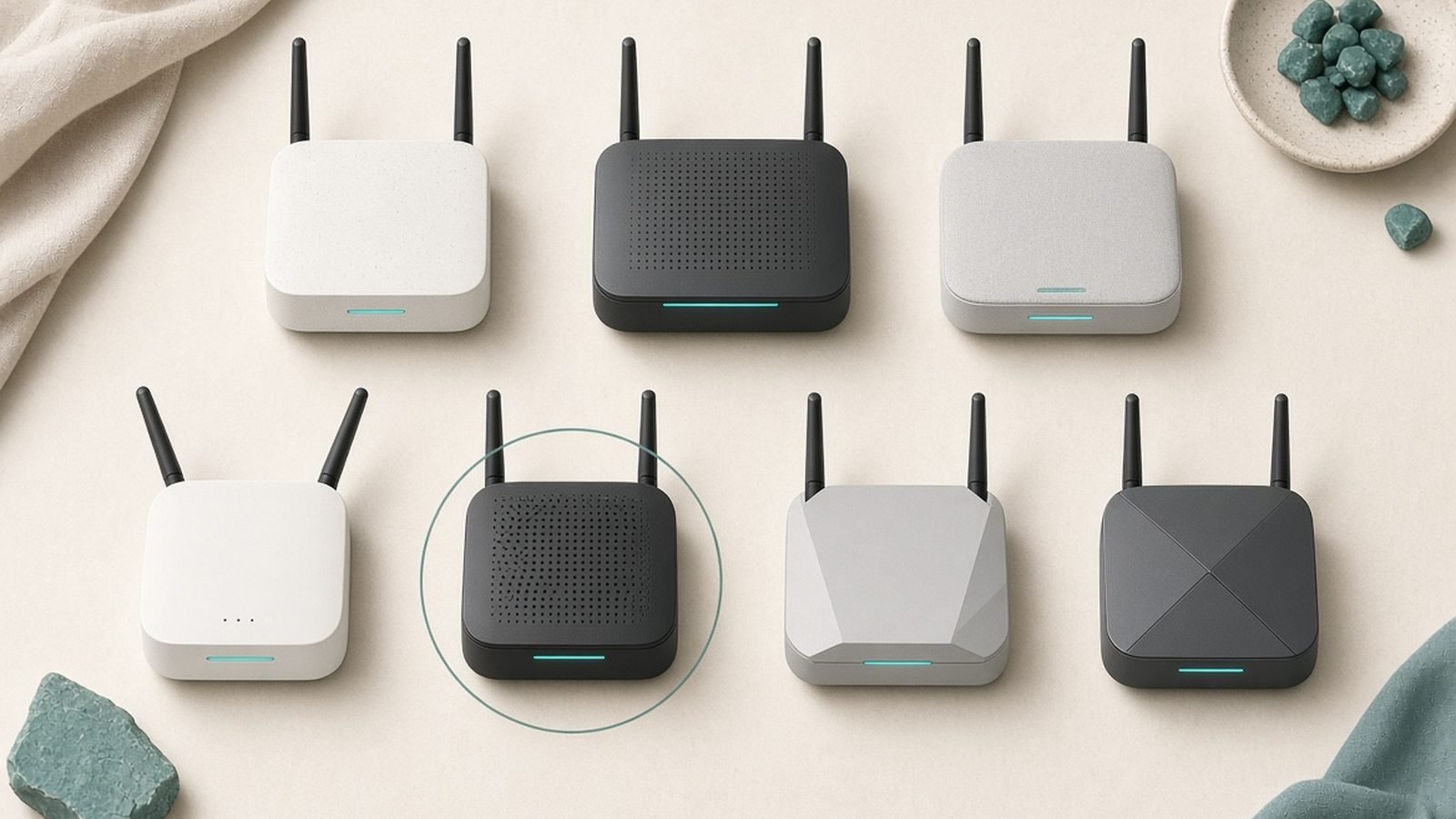
The best wifi extender for most people costs less than a takeaway for four and fixes the one room where your signal dies. That’s the whole pitch. You don’t need to replace your router, rewire your house, or spend $400 on a mesh system to get Netflix working in the back bedroom.
But here’s what most buying guides won’t tell you: an extender is the right fix for one or two dead zones, not for a whole house of patchy coverage. So this guide picks the five extenders actually worth your money in 2026 — based on spec research, aggregated owner reports, and published third-party test data — and tells you plainly when to skip an extender and go mesh or powerline instead.
Our top pick overall is the TP-Link RE655BE, the first Wi-Fi 7 range extender that ordinary people can actually buy. Our best-value pick, and the one most readers should buy, is the Netgear EAX17. And if you just need one stubborn room fixed for around $30 / £28, the TP-Link RE315 remains the bestselling cheap answer for a reason.
Update, 16 October 2026: prices and stock were re-read on this date. The Netgear EAX17 turned out to be an AX3000 extender rather than the AX1800 this guide described (Netgear’s AX1800 model is the EAX15, $99.99 at Netgear US), and it was in stock at $129.99 from Netgear US and £69.99 from Netgear UK, while Currys listed it at £99.99 but out of stock. The TP-Link RE655BE was $199.99 at Best Buy, the only retailer TP-Link’s US page links to; TP-Link’s UK page still marked it “Coming Soon”, and Amazon UK listed it at £288.70 against a £299.99 RRP with other sellers from £199.99. The Asus RP-AX58 was £64.99 at Amazon UK and absent from Currys; Asus’s US page shows no price. Linksys’s own site returned no product page for the RE7350 and neither Currys nor Amazon UK listed it, so its pound figure is withdrawn and its dollar figure stays as the July 2026 check. Newer listings not assessed here: TP-Link’s RE225BE (BE3600, £89.99 at TP-Link UK) and RE405BE (BE6500, £189.99 at TP-Link UK, $169.99 at Best Buy), Netgear’s EXS27 Wi-Fi 7 extender, and Asus’s RP-BE58 (£79.99 at Amazon UK). The picks, headings and verdicts below have not been re-ranked; the same three TP-Link and Netgear products were re-read on 5 October for our guide to the best Wi-Fi extenders for gaming and streaming.
At a glance: 2026’s best Wi-Fi extenders compared
| Extender | Wi-Fi standard | Rated speed | Ethernet | Typical range | Price (US / UK) |
|---|---|---|---|---|---|
| TP-Link RE655BE — Best overall | Wi-Fi 7 (BE11000) | Up to 11 Gbps combined | 1x 2.5G | Large homes | $199.99 Best Buy / £288.70 Amazon UK (TP-Link UK: “Coming Soon”), 16 Oct 2026 |
| Netgear EAX17 — Best value | Wi-Fi 6 (AX3000) | Up to 3 Gbps | 1x Gigabit | Medium homes | $129.99 Netgear US / £69.99 Netgear UK, in stock 16 Oct 2026 |
| TP-Link RE315 — Best budget | Wi-Fi 5 (AC1200) | Up to 1.2 Gbps | 1x Fast Ethernet | One room | $22.99 TP-Link US store (unavailable there) / £28.99 Currys, 16 Oct 2026 |
| Asus RP-AX58 — Best range | Wi-Fi 6 (AX3000) | Up to 3 Gbps | 1x Gigabit | ~115 ft in published tests | around $55 (July 2026 check) / £64.99 Amazon UK, 16 Oct 2026 |
| Linksys RE7350 — Best cheap with app controls | Wi-Fi 6 (AX1800) | Up to 1.8 Gbps | 1x Gigabit | Medium homes | around $70 (July 2026 check) / no UK listing found, 16 Oct 2026 |
Extenders are discounted more often than almost any other networking gear on Amazon in both the US and UK, so check live prices before assuming list price.
Extender, booster, repeater: what these words actually mean
Marketing has made a mess of this, so let’s be blunt: Wi-Fi extender, Wi-Fi booster, and Wi-Fi repeater all describe the same device. It’s a small box that receives your router’s wireless signal and rebroadcasts it further into your home. If you searched for the best wifi booster 2026 or the best wifi repeater, congratulations — you’re in the right place, and every product below qualifies.
The only distinctions that genuinely matter are technical, not naming:
- Single-band repeating (old, avoid): the extender receives and retransmits on the same radio, halving your bandwidth. Nothing in this guide does this.
- Dual-band and tri-band extending (what to buy): one band talks to your router while another serves your devices, so the speed penalty is far smaller.
- Mesh-compatible extenders (the sweet spot in 2026): units supporting TP-Link OneMesh/EasyMesh, Netgear’s seamless roaming, or Asus AiMesh keep a single network name, so your phone hands off automatically instead of clinging to a weak signal. Every pick below supports some form of this.
One more term: a powerline adapter is not an extender. It sends data through your electrical wiring instead of the air, and it’s often the better tool for thick-walled homes — more on that in Best Powerline Adapters 2026: Wired Speed, No New Cables.
Best Wi-Fi extender overall: TP-Link RE655BE (Wi-Fi 7)
$199.99 at Best Buy / £288.70 at Amazon UK (16 Oct 2026) | Wi-Fi 7, BE11000, 2.5G Ethernet port, EasyMesh/OneMesh
The RE655BE is the first wifi 7 range extender that has actually reached mainstream shelves in the US — in the UK, as of 16 October 2026, TP-Link’s own page still marks it “Coming Soon” and the only listing found was Amazon UK’s, at £288.70 — and it’s the pick if you’ve already upgraded to a Wi-Fi 7 router and refuse to let a dead zone bottleneck it. This tp-link range extender carries tri-band BE11000 ratings — combined theoretical throughput around 11 Gbps across 6 GHz, 5 GHz, and 2.4 GHz — plus Multi-Link Operation, which lets it talk to your router on multiple bands simultaneously for a steadier backhaul.
In our research, that MLO backhaul is the real story. The historic weakness of every extender is the wireless hop back to the router; Wi-Fi 7 attacks exactly that problem. Owner reports consistently describe the RE655BE holding usable multi-hundred-megabit speeds in rooms where older AX extenders dropped to double digits. The 2.5G Ethernet port also turns it into a proper wired bridge for a TV cabinet or desktop setup.
The honest trade-off: at $199.99 in the US (Best Buy, 16 October 2026) — and £288.70 on Amazon UK’s listing, far above the dollar price — it costs as much as a genuinely good standalone router — and within sniffing distance of a budget mesh kit. If you’re on a Wi-Fi 5 or basic Wi-Fi 6 router, this is overkill; the extender can’t be faster than the router feeding it, and our guide to whether Wi-Fi 7 is worth it yet covers when the router upgrade itself pays.
Pros:
- Wi-Fi 7 with MLO tackles the classic extender speed penalty head-on
- 2.5G Ethernet port for wired devices in the dead zone
- EasyMesh/OneMesh support means one network name and smooth roaming
- Future-proof for the router you’ll own in three years
Cons:
- Costs as much as a good router, and more than some mesh two-packs
- Wasted money if your router is Wi-Fi 5 or entry-level Wi-Fi 6
- Physically large for a plug-in unit
Who it’s for: Wi-Fi 7 router owners with a stubborn dead zone, and anyone wiring a home office or media unit through that 2.5G port.
Verdict: The best wifi extender you can buy in 2026 — provided your router deserves it.
Best value: Netgear EAX17
$129.99 at Netgear US / £69.99 at Netgear UK (16 Oct 2026) | Wi-Fi 6, AX3000, Gigabit Ethernet, seamless roaming
For most households, this is the one. The EAX17 is a dual-band AX3000 unit (Netgear’s figures: 2.4 Gbps on 5 GHz plus 0.6 Gbps on 2.4 GHz; this guide previously called it AX1800, which is Netgear’s cheaper EAX15) that nails the three things that actually determine whether people are happy with an extender: painless setup, a single network name with seamless roaming, and stability measured in months rather than days.
Based on hundreds of owner reports across US and UK retail listings, the EAX17’s standout trait is that people stop thinking about it. Netgear’s setup flow — WPS button or app — gets it running in under ten minutes, and the extended network inherits your existing SSID so phones and laptops roam without a manual switch. That roaming behaviour is what separates a good 2026 extender from the frustrating repeaters of five years ago.
Raw speed is mid-pack, and we won’t pretend otherwise. A dual-band Wi-Fi 6 extender through a wireless hop typically delivers real-world throughput in the 100–400 Mbps range depending on placement — plenty for 4K streaming, video calls, and gaming in the formerly dead room, but not a number that wins spec-sheet arguments. For the best wifi extender for home use where “it just works” beats “it benchmarks well”, the EAX17 is our recommendation.
Price and stock, 16 October 2026: Netgear US listed the EAX17 at $129.99 with an add-to-cart button, and Netgear UK at £69.99, also in stock; Currys had it at £99.99 but out of stock. Netgear’s AX1800 extender, the EAX15, was $99.99 at Netgear US, and its newer Wi-Fi 7 extender, the EXS27, is listed but not assessed here.
Pros:
- Genuinely easy setup; one network name, automatic roaming
- Strong reliability record in aggregated owner feedback
- Gigabit Ethernet port for a console or smart TV
- Works with any brand of router
Cons:
- Mid-pack raw speed for the price
- No 6 GHz band; not the choice for Wi-Fi 6E/7 households
- Frequently undercut on price by the Asus below
Who it’s for: Anyone with a Wi-Fi 6 router and a medium-sized home who wants the fix that requires the least thought.
Check price: Netgear EAX17 Check price: Netgear EAX17
Verdict: The sensible default. Not the fastest, but the one we’d install for family.
Best budget: TP-Link RE315
Around $30 / £28.99 at Currys (16 Oct 2026) | Wi-Fi 5, AC1200, OneMesh support
The RE315 is the best cheap wifi extender on the market and has been for years — it’s routinely the bestselling networking product on Amazon in both countries, and the aggregate of tens of thousands of owner ratings says the obvious: for fixing one dead room on a budget, it simply works.
It’s an AC1200 dual-band unit, which means Wi-Fi 5 speeds — realistically 50–150 Mbps in the extended zone with decent placement. That sounds unimpressive until you remember what it’s for: the box room where video calls freeze, the garage, the loft conversion. For streaming, browsing, and smart-home gear, that’s ample. It also supports OneMesh, so paired with a compatible TP-Link router you still get single-SSID roaming.
Know its limits. There’s no Wi-Fi 6, the Ethernet port is 100 Mbps Fast Ethernet rather than gigabit, and if your internet plan is 500 Mbps+, this extender will be the slowest link in the chain. That’s the deal at around $30 / £28. Checked 16 October 2026: Currys listed it at £28.99 in stock; TP-Link’s US store showed $22.99 against a $29.99 list price but marked it unavailable, pointing US buyers to Amazon instead.
Pros:
- Absurdly cheap fix for a single dead zone
- OneMesh single-network roaming with TP-Link routers
- Massive, largely positive owner-feedback base
- Compact plug-in design that doesn’t block the second socket
Cons:
- Wi-Fi 5 speeds only — a bottleneck on fast broadband plans
- Fast Ethernet (100 Mbps) port, not gigabit
- Struggles if asked to cover more than one room
Who it’s for: Renters, students, and anyone whose entire problem is one room and whose entire budget is $30.
Verdict: The cheapest cure for a single dead zone that we’re comfortable recommending.
Best for range: Asus RP-AX58
Around $55 (July 2026 check) / £64.99 at Amazon UK (16 Oct 2026) | Wi-Fi 6, AX3000, AiMesh, Gigabit Ethernet
If your dead zone is far — end of a long garden-facing extension, detached office, third floor — the RP-AX58 is the pick. In published third-party testing, this Asus reached roughly 115 feet of usable range, among the best results recorded for any plug-in extender, and it does so at a price that undercuts the Netgear by a wide margin.
The spec is quietly excellent for the money: AX3000 Wi-Fi 6, a gigabit Ethernet port, and full AiMesh compatibility. That last point matters more than it sounds. Paired with an Asus router, the RP-AX58 doesn’t behave like an extender at all — it joins your network as a true mesh node with unified SSID, centralised app management, and self-healing backhaul. That’s mesh-system behaviour at around $55 in the US (the July 2026 check; Asus’s US page lists no price) and £64.99 at Amazon UK on 16 October 2026, where it carried an Amazon’s Choice badge with 14 left in stock and was absent from Currys. Asus now also lists a Wi-Fi 7 successor, the RP-BE58, at £79.99 on Amazon UK — not assessed here.
The compromise is physical. This is a chunky plug-in unit that dominates a double wall socket, and owner reports in the UK note it sits awkwardly on some vertical socket layouts. Non-Asus router owners also lose the AiMesh magic, though it still works fine as a standard extender.
Pros:
- Class-leading range in published testing (~115 ft)
- AX3000 speeds and gigabit Ethernet at a budget price
- AiMesh turns it into a genuine mesh node with Asus routers
- Frequently the best price-to-performance buy on this list
Cons:
- Chunky design hogs wall-socket space
- Best features locked to Asus router owners
- Asus app is more complex than Netgear’s for beginners
Who it’s for: Asus router owners, full stop — and anyone whose dead zone is at the far end of the property.
Check price: Asus RP-AX58 Check price: Asus RP-AX58
Verdict: The bargain of this list. If you own an Asus router, buy this and stop reading.
Best cheap extender with app controls: Linksys RE7350
Around $70 (July 2026 check) / no UK listing found (16 Oct 2026) | Wi-Fi 6, AX1800, Gigabit Ethernet
The RE7350 is for tinkerers on a budget. It’s a compact AX1800 unit — similar headline spec to the Netgear EAX17 at a lower price — with an unusually deep settings menu for a cheap extender. Crossband selection, per-band SSID control, spot-finder placement feedback, and scheduling are all adjustable, where budget rivals hide everything behind a single WPS button.
In our research, owner sentiment splits along exactly that line. People who like to tune things rate it highly; people who want zero-touch operation are better served by the Netgear, whose roaming is more polished out of the box. Real-world speeds are typical for AX1800 — comfortably enough for 4K streams and gaming — and the gigabit Ethernet port is a genuine step up over the RE315’s.
Don’t expect premium extras: no 160 MHz channels, no 2.5G port, no tri-band. It’s a well-priced, well-behaved mid-ranger, and that’s enough at this money.
Availability, 16 October 2026: Linksys’s own site returned no product page for the RE7350, and neither Currys nor Amazon UK listed it, so the £65 figure this guide carried is withdrawn; the $70 US figure is the July 2026 check and could not be re-read. If you cannot find one, the Netgear EAX17 at £69.99 from Netgear UK is the nearest equivalent among these picks.
Pros:
- Deep, customisable settings rare at this price
- Compact design that doesn’t smother the neighbouring socket
- Gigabit Ethernet port
- Often discounted below $60 in the US (July 2026 check)
Cons:
- No premium features — dual-band only, no multi-gig
- Roaming less seamless than Netgear’s implementation
- Linksys app setup draws mixed owner feedback
Who it’s for: Budget buyers who want control over their network, not just coverage.
Verdict: The enthusiast’s cheap extender. Pick the Netgear if you’d rather never see a settings page.
When an extender is the wrong fix
This is the section other guides skip, because it talks people out of a purchase. We’d rather you buy the right thing.
Buy a mesh system instead if you have dead zones in three or more rooms, a home over roughly 2,000 sq ft / 185 m², or you’re already annoyed by devices clinging to the wrong access point. An extender patches a hole; mesh replaces the whole coverage map with multiple coordinated nodes. Entry-level mesh two-packs now start around $150 / £140 (TP-Link’s US store listed Deco XE75 and Deco BE25 two-packs at $149.99 and $159.99 on 16 October 2026; the pound figure is the July 2026 check), uncomfortably close to our top extender pick — our mesh Wi-Fi system picks cover that route. The full wifi extender vs mesh decision — including when a cheap extender genuinely beats a cheap mesh kit — is covered in Mesh Wi-Fi vs Extender: Which Fixes Your Dead Zones?.
Buy powerline adapters instead if thick brick, stone, or foil-backed insulation is eating your signal. No extender can rebroadcast a signal it can’t receive, and UK readers in older solid-wall houses hit this constantly — it’s a big reason “best wifi extender uk” searches so often end in disappointed returns. Powerline sidesteps the walls entirely by using your electrical wiring; see Best Powerline Adapters 2026: Wired Speed, No New Cables.
Buy nothing yet if you haven’t tried moving your router. A shocking share of dead zones are self-inflicted: router in a cupboard, on the floor, or jammed behind the TV. Work through How to Fix Wi-Fi Dead Zones: 9 Proven Ways (2026) first — the free fixes solve more cases than the industry would like you to know.
Placement: the halfway rule (and why everyone gets it wrong)
The single most common reason people call their extender rubbish is placement, not hardware. Plugging it in the dead zone feels logical and is exactly wrong: the extender can only rebroadcast the signal quality it receives, so a weak input means a weak, unstable output.
Follow the halfway rule: place the extender roughly midway between your router and the dead zone, where it still receives a strong signal — ideally two bars or better on your phone. Then refine:
- Check the signal light. Every pick above has an LED (or app readout, like Linksys’ spot-finder) showing link quality to the router. Amber or red means move closer to the router, even if that feels further from your problem room.
- Favour line-of-sight and height. Hallways beat closed rooms; waist height or above beats skirting-board sockets.
- Avoid the enemies of 5 GHz. Fish tanks, mirrors, refrigerators, microwave ovens, and thick masonry all butcher signal. Route around them, not through them.
- Test, then commit. Run a speed test in the dead zone, move the extender one room, test again. Ten minutes of this often doubles your extended speeds.
Which Wi-Fi extender should you buy?
Keep it simple. Most people should buy the Netgear EAX17 — it’s the best wifi extender for home users who want a fit-and-forget fix with proper roaming. Asus router owners should buy the RP-AX58 without hesitation; AiMesh at around $55 / £65 embarrasses products at twice the price. If money is the constraint, the TP-Link RE315 at around $30 / £28 fixes one dead room and asks nothing more of your wallet. Tinkerers get more control from the Linksys RE7350. And if you’ve invested in a Wi-Fi 7 router, the TP-Link RE655BE is the only extender here that won’t bottleneck it — just be honest with yourself about whether a mesh kit at the same price serves you better.
More coverage-boosting guides, router reviews, and fixes live in our networking hub: Networking & Wi-Fi.
FAQ: Wi-Fi extenders
Do Wi-Fi extenders halve your internet speed?
Old single-band repeaters did, because one radio had to receive and retransmit in turns. Modern dual-band and tri-band extenders — including every pick in this guide — use separate bands for backhaul and devices, so the penalty is far smaller. Expect the extended zone to deliver roughly 40–70% of the speed the extender receives, which is usually still plenty for streaming and calls.
What’s the difference between a Wi-Fi extender and a booster?
Nothing. “Extender”, “booster”, and “repeater” are marketing names for the same product: a device that rebroadcasts your router’s signal further into your home. The distinctions worth checking on a spec sheet are dual-band versus single-band operation, the Wi-Fi standard (Wi-Fi 6 or 7 in 2026), and whether it supports single-network roaming such as EasyMesh, OneMesh, or AiMesh.
Is a Wi-Fi extender better than mesh?
For one or two dead zones, an extender is the smarter buy — a $30–130 fix versus $150+ for mesh. For whole-home coverage problems, three or more weak rooms, or larger properties, mesh wins clearly with coordinated nodes and better roaming. Our full wifi extender vs mesh comparison breaks down the crossover point where mesh becomes the better spend.
Where should I place my Wi-Fi extender?
Roughly halfway between your router and the dead zone — never inside the dead zone itself. The extender needs a strong incoming signal to rebroadcast anything useful. Use the unit’s signal LED or app placement tool to confirm a good link, keep it at waist height or above, and keep it away from microwaves, refrigerators, and thick masonry walls.
Do Wi-Fi extenders work with any router?
Yes — all five picks here work as standard extenders with any brand of router, from any ISP in the US or UK. The mesh-style extras are the exception: TP-Link OneMesh needs a compatible TP-Link router, and Asus AiMesh needs an Asus router. Without the matching brand, you may get a separate network name (for example “_EXT”) instead of seamless roaming.
Is a Wi-Fi 7 extender worth it in 2026?
Only if your router is already Wi-Fi 7, or you’re upgrading soon. A wifi 7 range extender like the RE655BE can’t be faster than the router feeding it, so pairing one with a Wi-Fi 5 or basic Wi-Fi 6 router wastes most of your money. Paired correctly, though, Multi-Link Operation meaningfully reduces the classic extender speed penalty. On 16 October 2026 the RE655BE was $199.99 at Best Buy and £288.70 at Amazon UK, with TP-Link’s UK page still showing it as “Coming Soon”.
Zen Tech Hub may earn a commission from links on this page, at no extra cost to you.