Learning how to apply thermal paste sounds fiddly but turns out to be trivial once you know the two things that actually matter: use the right amount, and mount the cooler evenly. The single biggest myth is that more paste means cooler temperatures. It doesn’t. A pea-sized blob does the job, and a thick layer can actually make your CPU run hotter while making a mess of your socket.
This guide covers what paste does, how much to use, and the exact steps for AMD Ryzen AM5 and Intel sockets.
What Thermal Paste Does and When to Reapply
Your CPU heatspreader and cooler baseplate both look flat, but microscopically they’re covered in tiny valleys that trap air, a terrible conductor of heat. Thermal paste fills those gaps so heat flows into the cooler. That’s the whole job. It is not glue, and a thicker layer is worse, because paste conducts heat far less efficiently than direct metal-to-metal contact.
You don’t need to touch it often — quality paste lasts years. Consider a reapply thermal paste CPU job if temperatures climb 10-15C above where they used to sit, if you’ve removed the cooler, or if the paste has dried and cracked. Otherwise, leave it alone.
How Much Thermal Paste to Use (Pea vs Spread Debate)
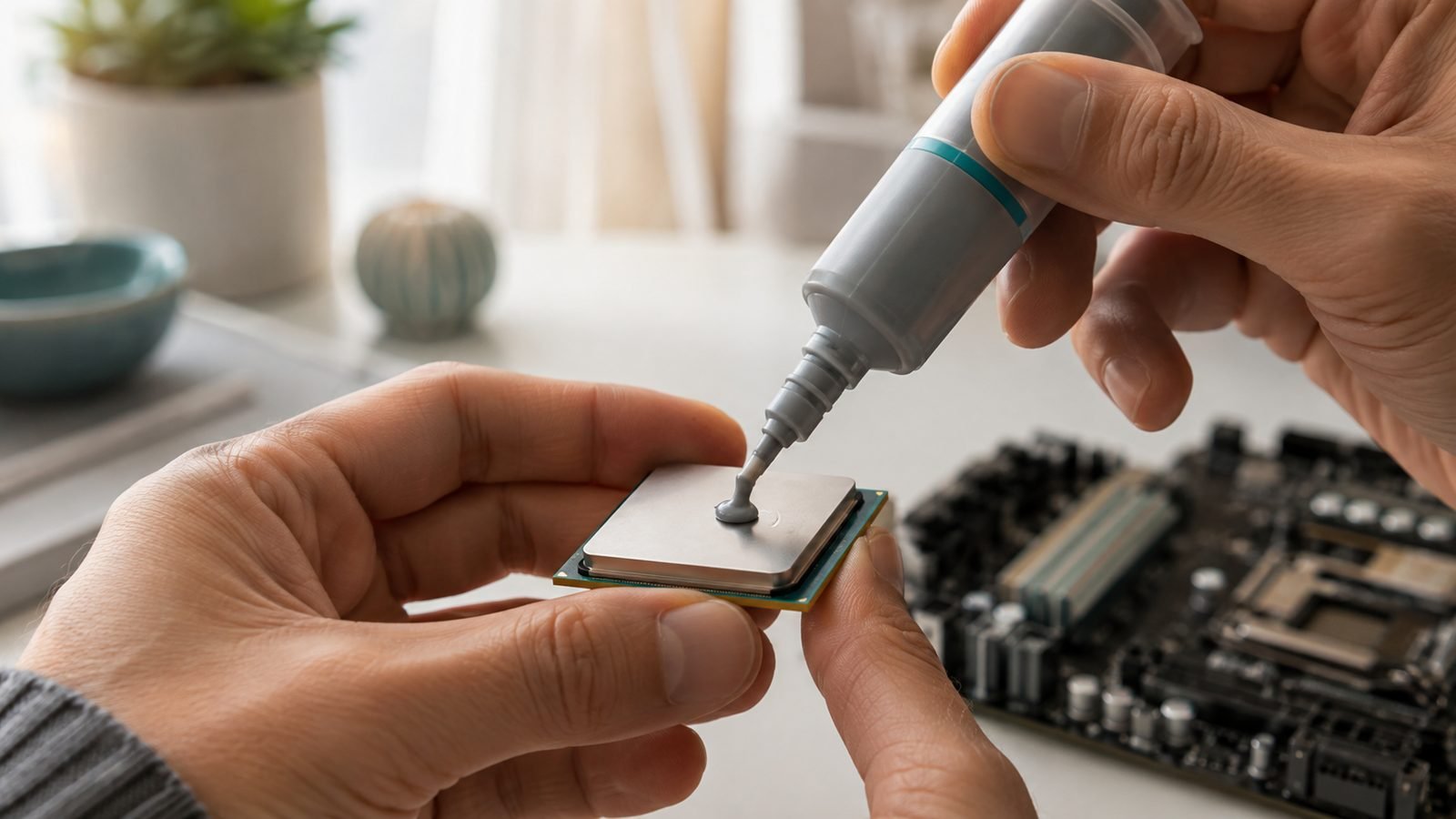
Here’s the answer to how much thermal paste to use: a single pea-sized dot, roughly 4mm across, in the centre of the CPU. When you mount the cooler, the pressure spreads it into a thin, even layer.
The thermal paste pea vs dot method argument is mostly people agreeing without realising it. The classic approaches:
Pea/single dot (recommended): One central blob. Reliable on nearly every CPU and the method most manufacturers now suggest.
Manual spread: Smearing a thin layer with a card. It works, but risks air bubbles and over-application.
Multiple dots or lines: A five-dot pattern or thin line on larger rectangular AM5 heatspreaders for better edge coverage.
For rectangular AMD chips, a slightly larger dot or short vertical line improves corner coverage, but a generous central pea still works fine. Skip the “cover the entire surface” advice — that’s how paste squeezes over the edges.
Step-by-Step: Apply Thermal Paste on Ryzen AM5 and Intel
The process to apply thermal paste Ryzen AM5 is identical to Intel LGA sockets — only the heatspreader shape differs.
Start clean. The CPU surface must be spotless and dry (see cleaning below).
Dispense the dot. Squeeze a pea-sized blob onto the centre, holding the tube vertically for control.
Do not spread it. Let cooler pressure do it.
Lower the cooler straight down. Set it flat over the mounting holes — no sliding, which creates air gaps.
Tighten evenly. Snug the screws in a diagonal cross pattern, a little at a time, until firm. Don’t crank down hard.
Building a full system for the first time? Our How to Build a Gaming PC: Step-by-Step for Beginners guide covers where this step fits.
Cleaning Off Old Paste Safely
Removing old paste before a reapply is simple. Grab a lint-free cloth or coffee filter and 90%+ isopropyl alcohol (99% is ideal).
Wipe the bulk of the old paste off with a dry cloth first.
Dampen the cloth with isopropyl and wipe until the surface is clean and shiny.
Never use water, and don’t let alcohol pool around the socket pins.
For stubborn paste, let a little isopropyl sit for 30 seconds to soften it.
Let everything dry fully before applying the new dot.
Mounting the Cooler Evenly
Uneven mounting undoes good paste work instantly. On air coolers like the Thermalright Peerless Assassin 120 SE, assemble the backplate and bracket first, then seat the heatsink over the spring-loaded screws and tighten diagonally in stages. The springs set the pressure — once they bottom out and resist, stop.
Check price: Thermalright Peerless Assassin 120 SE
For AIO liquid coolers the principle is the same: even, diagonal tightening. Weighing air versus liquid? Our Arctic Liquid Freezer III 360 Review: Best AIO Value? covers when a 360mm AIO is worth it.
Temperatures: What Good Looks Like
Based on aggregated owner reports, a well-pasted, well-mounted modern CPU idles in the 30s-40s C and holds under roughly 85C in a sustained all-core load. High-end chips like the Ryzen 7 9800X3D run cool and efficient — see our AMD Ryzen 7 9800X3D Review: Still the Gaming King? for the full thermal picture.
Pushing past 90C at stock? Suspect mounting pressure or too much paste before blaming the brand — in our research, reseating the cooler fixes far more thermal problems than switching compounds does.
Best Thermal Paste 2026: Our Pick
You don’t need boutique paste, but a good one lasts longer. In the best thermal paste 2026 conversation, Thermal Grizzly Kryonaut remains the safe, non-conductive default.
Thermal Grizzly Kryonaut — around $12 / £11
Pros: - Excellent, consistent thermal performance - Non-conductive, so a stray smear won’t fry anything - Thick enough to place precisely, doesn’t run - Long service life
Cons: - Premium price per gram - The 1g tube is small — fine for a build or two, not a workshop
Who it’s for: anyone who wants a reliable, forget-about-it paste for years. Most bundled coolers ship with decent paste, so this is an upgrade rather than a necessity.
Check price: Thermal Grizzly Kryonaut
More components to spec out? Browse the PC Hardware for guides and reviews.
FAQ
Do I need to spread thermal paste manually? No. A central pea-sized dot spreads itself evenly under cooler pressure. Manual spreading with a card works but risks trapping air bubbles and applying too much. Unless you have a specific reason, the dot method is simpler and more reliable for the vast majority of CPUs.
What are the most common thermal paste mistakes? The biggest thermal paste mistakes are using far too much, forgetting to peel the plastic film off a new cooler’s baseplate, mounting the cooler unevenly, and sliding it around while seating it. Any one of these raises temps more than choosing the “wrong” paste ever could.
Is more thermal paste better for cooling? No — this is the myth worth killing. Paste conducts heat worse than direct metal contact, so a thick layer insulates rather than helps, and it oozes over the edges into your socket. A thin, even film from a small dot is exactly what you want.
How often should I reapply thermal paste? For most users, only when temperatures noticeably rise, when you remove the cooler, or when the paste has dried and cracked — often years apart. Quality paste like Kryonaut holds up well, so there’s no need to reapply on a schedule if temps are healthy.
Zen Tech Hub may earn a commission from links on this page, at no extra cost to you.