Some products win on marketing. The Liquid Freezer III wins on physics and a spreadsheet. This Arctic Liquid Freezer III 360 review looks at the cooler that keeps landing at the top of value charts: a thick 360mm all-in-one that undercuts nearly every big-brand rival while matching or beating them on temperatures. At around $90 / £85, it’s the default answer to which 360 to buy in 2026 — earning it with an integrated VRM fan, a real contact frame in the box, and a six-year warranty most premium AIOs can’t touch.
The catch? It looks like a tool, not a trophy. If you want mirror-finish pump caps and a light show, this isn’t your cooler. If you want the best cooling per dollar, keep reading.
Liquid Freezer III 360 specs and price
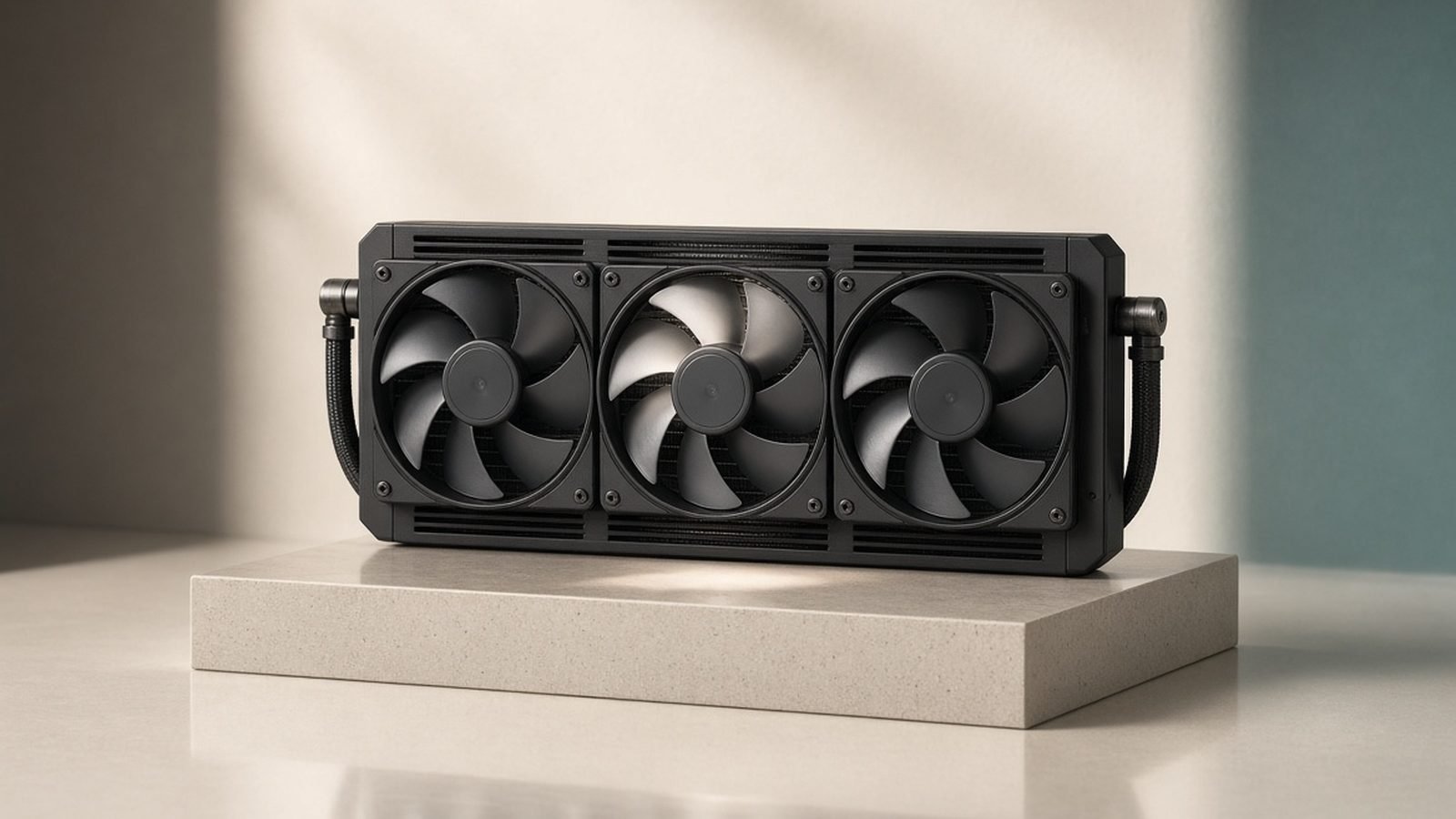
Arctic’s headline trick is radiator thickness. Where most 360mm AIOs use a 27mm rad, the Liquid Freezer III runs 38mm — more surface area to dump heat before the fans spin hard. Pair that with three P12 PWM pressure-optimised fans and you get a cooler that performs above its price bracket.
| Spec | Liquid Freezer III 360 |
|---|---|
| Radiator | 360mm, 38mm thick (aluminium) |
| Fans | 3x Arctic P12 PWM (200–2,000 RPM) |
| Pump | PWM-controlled, 800–2,800 RPM |
| Sockets | AM5, AM4, LGA1851, LGA1700 |
| Extra | Integrated 40mm VRM fan |
| Warranty | 6 years |
| Price | around $90 / £85 |
That $90 figure is the base black model. Arctic also sells A-RGB and PRO variants (the PRO uses a taller 53mm radiator), but the plain model is the value story and the one most buyers should start with.
Check price: Liquid Freezer III 360
Design: VRM fan, offset mount and contact frame
Three design choices separate this from a generic AIO.
The VRM fan. A small 40mm fan sits on the pump housing, blowing air across the socket area — VRMs, the M.2 slot and RAM. On hot AM5 boards where airflow around the socket is starved, owner reports consistently note lower VRM and SSD temperatures versus AIOs that leave that zone dead. It’s genuinely useful, not a gimmick.
The offset mount. On AM5, the hottest part of the die sits below centre. Arctic offsets the cold plate to line up with it, squeezing out a couple of extra degrees on Ryzen chips exactly where it counts.
The contact frame. Arctic includes an AM5 contact frame in the box. It flattens the CPU’s slight bow and improves cold-plate contact — rivals charge extra for this or don’t offer it at all.
The trade-off is aesthetics. Tubing is plain, the pump cap is matte plastic, and the base model has zero RGB.
Cooling benchmarks: 9950X3D and Core Ultra 9
Across aggregated third-party testing and owner reports, the Liquid Freezer III 360 lands at or near the top of 360mm charts, routinely beating coolers that cost 40–60% more.
On a Ryzen 9 9950X3D, the story is thermal headroom. X3D chips are cooling-sensitive because better temps let the boost algorithm hold higher clocks for longer. In our research, the thick radiator and offset mount make this one of the strongest picks as a best AIO for 9950X3D — full multi-core loads stay comfortably under throttling limits with fans at moderate speed, and the VRM fan keeps the socket area calmer during long renders.
On Intel’s Core Ultra 9, the picture is similar. These chips run cooler than the previous 14th-gen monsters, so the Liquid Freezer III has margin to spare — it holds sustained all-core workloads without the fans reaching full tilt. For Liquid Freezer III 360 benchmarks, the theme is that it doesn’t just win on price; it often wins outright on temperature.
The honest caveat: against the very best premium 360s, the raw gap at maximum load is often only a few degrees. What makes Arctic the standout is that it delivers those results while costing far less — and usually running quieter.
Before you mount anything, get the interface right. A bad paste job erases a good cooler’s advantage — see our guide on How to Apply Thermal Paste (and How Much to Use).
Noise and pump behaviour
Liquid Freezer III noise is a strong point, with one asterisk. The P12 fans are pressure-optimised and stay civil through most of their range; at idle and light loads the whole system is effectively silent, and even under sustained gaming it’s a soft background whoosh rather than a whine.
The asterisk is the pump. Out of the box, some owners report the pump ramping to full speed and producing an audible hum or, in a minority of units, a faint rattle. The fix is simple: cap the pump in BIOS or fan software to around 70–80% duty. It barely changes temperatures and removes the noise entirely. We’d call this a five-minute setup step rather than a flaw, but you should know to do it.
If your case fans are fighting the AIO instead of helping it, our walkthrough on How to Set Up Case Fans for the Best Airflow is worth ten minutes.
Installation notes: AM5 and LGA1851
Installation is straightforward but not the fastest on the market.
On AM5, you’ll (recommended) fit the contact frame first, which means removing the stock socket bracket — a two-minute job worth doing carefully. The offset backplate and standoffs are clearly labelled, and the cold plate arrives with paste pre-applied.
On LGA1851, mounting is conventional and the included hardware covers it. The main thing to check on any platform is radiator clearance: at 38mm thick plus 25mm fans, this is a chunky 360. In a top mount, confirm your case has roughly 63mm+ of clearance, or you’ll foul tall RAM. Most modern airflow cases handle it — if you’re still choosing a chassis, see Best Airflow PC Cases in 2026: Top Picks Compared.
Planning a full build around a hot X3D chip? Our AMD Ryzen 7 9800X3D Review: Still the Gaming King? covers what these coolers are actually feeding.
Value verdict vs other 360mm AIOs
As a best 360mm AIO 2026 pick, the Liquid Freezer III’s argument is brutally simple: flagship-tier cooling at a mid-range-minus price. Below, we stack it against a pricier, aesthetic-focused rival.
Arctic Liquid Freezer III 360
The value king. Buy it if you care about temperatures and warranty more than looks. The thick radiator, VRM fan, offset mount and included contact frame add up to a cooler that punches two price tiers above its cost. The only reasons to skip it are aesthetics and clearance.
Pros: Class-leading cooling per dollar; integrated VRM fan; six-year warranty; contact frame included. Cons: Utilitarian looks, no RGB on base model; thick radiator needs clearance; pump may need a BIOS tweak.
Best for: Anyone building a high-performance AM5 or LGA1851 system who wants maximum cooling and value over style.
Check price: Liquid Freezer III 360
Corsair Nautilus 360 RS
The Liquid Freezer III vs Corsair Nautilus debate comes down to what you’re paying for. At around $130 / £125, the Nautilus 360 RS is a well-built, better-looking AIO with cleaner RGB and Corsair’s ecosystem. It cools competently — but on a temps-per-dollar basis it trails the Arctic, and lacks the VRM fan and offset mount. Buy it if a coordinated RGB build matters and you’re already in Corsair’s software world.
Pros: Nicer aesthetics and RGB; solid build; strong software/ecosystem. Cons: Noticeably pricier; slightly worse temps per dollar; no VRM fan.
Best for: Builders prioritising a clean, lit aesthetic and Corsair ecosystem consistency.
So, is the Liquid Freezer III worth it? For the vast majority of buyers, yes — emphatically. Unless you specifically need RGB or a slimmer radiator, it’s the AIO that gives up the least and asks for the least in return.
Air cooler or AIO? Quick guidance
Here’s the uncomfortable truth for AIO fans: a good $40 air cooler handles most CPUs perfectly well. The Thermalright Peerless Assassin 120 SE, around $40 / £38, cools nearly every mainstream chip — including many X3D and Core Ultra parts at stock — for a fraction of an AIO’s price.
So when does a 360 like the Liquid Freezer III make sense?
You’re running a high-power chip (a 9950X3D, a Core Ultra 9, or anything you’ll push hard) where extra radiator area helps hold boost clocks.
Your case has poor top-down airflow, or tall RAM and a big air tower would collide.
You want the VRM/SSD cooling the pump fan provides, or a cleaner look above the socket.
If none of those apply, save the money. The Peerless Assassin is bulky and plain, but it’s astonishing value and won’t leak in five years.
Pros (Peerless Assassin 120 SE): Cools most chips for ~$40; near-silent; nothing to fail. Cons: Physically huge; can block tall RAM; not enough for the hottest overclocked loads.
Best for: Budget and mid-range builds that don’t need a 360, or anyone allergic to pump noise.
Check price: Peerless Assassin 120 SE
Verdict
The Liquid Freezer III 360 is the easiest AIO recommendation we can make. It cools like a flagship, costs like a mid-ranger, and backs it with a six-year warranty and thoughtful extras — the VRM fan and contact frame — that rivals skip. You trade RGB and a little radiator clearance for the best temperatures per dollar on the market. For a serious AM5 or Intel build, it’s the value AIO king.
For more cooling and component picks, visit our PC Hardware.
FAQ
Is the Arctic Liquid Freezer III 360 good for a 9950X3D? Yes — it’s one of the strongest value picks for it. The 38mm radiator and AM5 offset mount give X3D chips the headroom they need to hold boost clocks under sustained load, and the VRM fan keeps the socket area cool. It handles the 9950X3D comfortably without running its fans at full speed.
Does the Liquid Freezer III 360 have a noisy pump? The fans are quiet, but some owners report the pump running loud at 100% out of the box. The fix is easy: limit the pump to roughly 70–80% duty in BIOS or fan software. Temperatures barely change and the hum disappears — a quick setup step, not a defect.
Liquid Freezer III vs Corsair Nautilus — which should I buy? Buy the Arctic for cooling and value; buy the Nautilus 360 RS if RGB, looks and Corsair’s ecosystem matter more. The Arctic runs cooler per dollar and adds a VRM fan and contact frame, while the Corsair costs around $40 more for a nicer-looking, competent-but-not-class-leading cooler.
Do I need a 360mm AIO, or is a good air cooler enough? For most CPUs, a $40 air cooler like the Peerless Assassin 120 SE is plenty. Choose a 360 when you’re running a high-power chip, your case has weak top airflow, tall RAM blocks a big tower, or you want the extra VRM cooling.
Will the Liquid Freezer III 360 fit my case? Check clearance first. The radiator is 38mm thick — thicker than most 360s — so with 25mm fans you need roughly 63mm in a top mount, or tall RAM may foul it. Most airflow cases accommodate it, but verify your chassis’s stated radiator clearance before buying.
Zen Tech Hub may earn a commission from links on this page, at no extra cost to you.