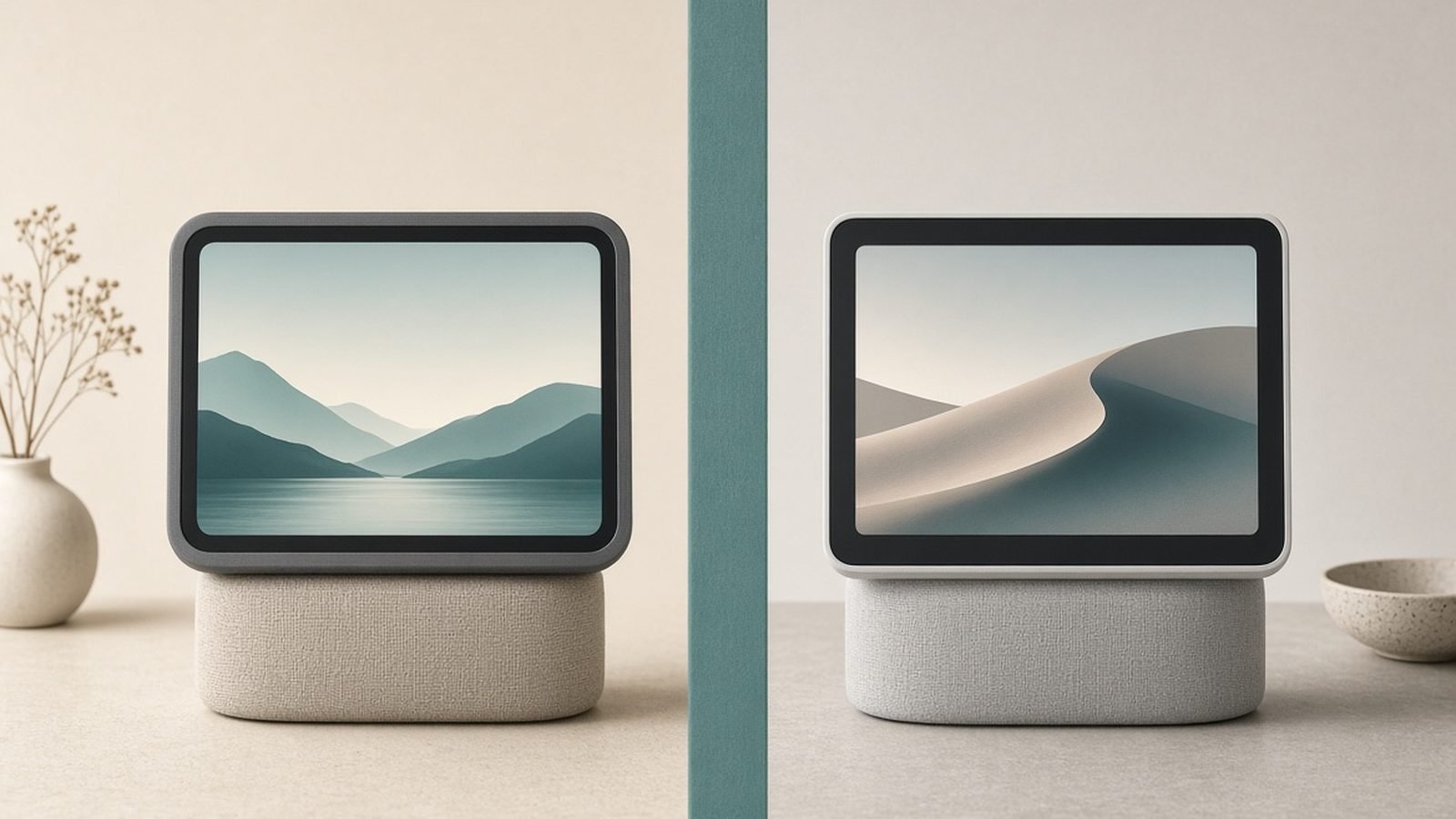
The best smart display for most people in 2026 is the Amazon Echo Show 8 (3rd gen) — the right screen size for a kitchen or desk, the best speaker in its class, and a spatial-audio-tuned design that makes it double as a genuinely good music device. If you live in Google’s world, the Google Nest Hub (2nd gen) is the natural pick, with clean Google Home control and camera-free sleep tracking for the bedroom. Below we rank five displays and match each to a room and an ecosystem.
One honest note up front: both Amazon and Google are mid-transition on their voice assistants in 2026, moving toward more capable AI (Alexa+ and Gemini respectively). Features are being added over the air, so exactly what your display can do will keep shifting. We’ve focused on hardware and core capabilities that are stable, and flagged where the assistant experience is still evolving.
Best smart display 2026 at a glance
| Pick | Product | Best for | Price (US / UK) |
|---|---|---|---|
| Best overall | Amazon Echo Show 8 (3rd gen) | Kitchen/desk all-rounder with great sound | around $150 / £150 |
| Best for Google homes | Google Nest Hub (2nd gen) | Google Home control + sleep sensing | around $100 / £90 |
| Best large screen | Amazon Echo Show 10 (3rd gen) | Motorized screen that follows you | around $250 / £250 |
| Best for video calls | Google Nest Hub Max | Big screen + camera with auto-framing | around $230 / £220 |
| Best control panel | Amazon Echo Hub | Wall-mounted whole-home dashboard | around $180 / £180 |
How we picked
We base this on published specifications, manufacturer documentation, and aggregated owner feedback from US and UK retailers — not our own lab. For smart displays we weighted the things that actually shape daily use: screen size and viewing angle for the room it lives in, speaker quality (these devices double as your kitchen or bedside speaker), camera presence and how it handles privacy, and how well the display controls the rest of your smart home.
Ecosystem is the deciding factor for most buyers. An Echo Show is best if your home runs on Alexa; a Nest Hub is best if you’re in Google. We’ve split our picks so there’s a clear answer either way, and noted where a device shows camera feeds — handy if you own gear from our Best Home Security Cameras 2026: Indoor & Outdoor Picks or Best Pet Cameras 2026: Watch & Treat Your Pets guides.
Best overall: Amazon Echo Show 8 (3rd gen)
Around $150 / £150 — 8-inch HD screen, spatial-audio speakers, 13MP centering camera
The Echo Show 8 hits the sweet spot the whole category is aiming for. At 8 inches it’s big enough to read a recipe across a kitchen or watch a quick video, but small enough to sit on a counter or desk without dominating it. What sets the 3rd gen apart is sound: Amazon retuned it with spatial audio processing and it’s comfortably the best-sounding display at this size, so it earns a spot as your kitchen music speaker too.
The 13MP camera auto-frames you during calls, keeping you centered as you move around the kitchen, and a physical shutter plus mic-off switch cover the privacy basics. As an Alexa hub it’s excellent for glanceable info — timers, weather, calendars, shopping lists — and it can pull up feeds from Alexa-compatible cameras and doorbells. Response feels snappier than earlier models thanks to a faster processor.
The trade-offs: it’s Amazon’s ecosystem, so Google Photos, YouTube and Google services are second-class or absent, and the screen is fine rather than sharp. Like all these devices, it shows recommendation and promotional cards on the home screen that you’ll want to trim in settings. And with Alexa+ rolling out, some of its smartest features are still arriving over time.
Pros:
- Best-in-class sound for its size
- Ideal 8-inch size for kitchen or desk
- Auto-framing camera with physical privacy shutter
- Strong Alexa smart-home hub and camera viewing
Cons:
- Locked into Amazon’s ecosystem
- Screen is decent, not sharp
- Home screen pushes promotional cards
Who it’s for: Alexa households wanting one device that handles the kitchen, music and smart-home control brilliantly.
Best for Google homes: Google Nest Hub (2nd gen)
Around $100 / £90 — 7-inch screen, no camera, Soli sleep sensing
If your smart home runs on Google, the Nest Hub is the obvious choice and a strong value. The 7-inch screen is well suited to a nightstand or a small kitchen, Google Home control is clean and reliable, and Google Assistant’s answers and follow-ups have traditionally been sharper than Alexa’s — with Gemini upgrades expanding that further over time.
Its signature feature is Sleep Sensing: a Soli radar chip tracks your breathing and movement to give sleep reports without any camera or wearable, which makes it a genuinely useful bedside device. Speaking of which — there’s no camera at all, so if a lens in the bedroom bothers you, this is the reassuring pick. It also shows Nest camera and doorbell feeds natively.
The compromises are size and sound. At 7 inches with a modest speaker, it’s less impressive for video and music than the Echo Show 8, and the no-camera design means no video calls on the device itself. Sleep Sensing has been a free perk but Google has signaled it may become a paid feature, so check current terms. And Google’s habit of changing or retiring features means some longevity uncertainty.
Pros:
- Clean, reliable Google Home control
- Camera-free — reassuring for bedrooms
- Soli sleep tracking without a wearable
- Great value
Cons:
- No camera, so no video calls
- Smaller screen and weaker speaker
- Sleep Sensing may move behind a paywall
Who it’s for: Google Home users who want an affordable bedside or kitchen display and value a camera-free design.
Best large screen: Amazon Echo Show 10 (3rd gen)
Around $250 / £250 — 10.1-inch screen on a motorized base that rotates to follow you
The Echo Show 10’s party trick is motion: the 10.1-inch screen sits on a motorized base that rotates to keep facing you as you move around the room, so a video call or recipe stays readable whether you’re at the hob or the sink. It’s genuinely useful in an open-plan kitchen, and the larger screen and beefier speakers make it the best Echo Show for watching and listening.
Because the camera can pan, it also works as a movable home-monitoring camera — you can remotely sweep the room to check on pets or a delivery. Add a strong stereo speaker setup and it becomes a capable main music device for a living space, not just a background helper. It’s the flagship Show for anyone who wants presence and sound.
The catches are size, price and the motor itself. It’s a big, heavy device that needs a solid surface with room to rotate, it costs noticeably more than the Show 8, and the moving base is one more mechanical part that some owners find gimmicky or occasionally noisy. If you don’t move around much while using it, the Show 8 gives you most of the value for less.
Pros:
- Screen rotates to follow you around the room
- Best Echo Show sound and largest screen
- Pannable camera doubles as room monitoring
- Great for open-plan kitchens
Cons:
- Large, heavy and needs clearance to rotate
- Pricey versus the Show 8
- Motor feels gimmicky to some
Who it’s for: open-plan kitchens and anyone who wants a large, movable display for calls, cooking and music.
Best for video calls: Google Nest Hub Max
Around $230 / £220 — 10-inch screen, wide-angle camera with auto-framing, Google Duo/Meet
The Nest Hub Max is Google’s big display and its best device for video calling. The 10-inch screen and a wide-angle camera with auto-framing keep you in shot as you move, and it doubles as a Nest indoor camera when you’re away, complete with alerts. For a family that video-calls often and lives in Google’s ecosystem, it’s the natural centerpiece.
The larger stereo speaker is a real step up from the standard Nest Hub, making it a credible kitchen or living-room music device, and Google Home control plus YouTube and Google Photos integration are all first-class here. Face Match can personalize the display to whoever’s looking at it, showing your calendar and messages rather than a housemate’s.
The honest downsides: it has a camera, so despite a physical off switch, camera-wary buyers will prefer the standard Nest Hub. It’s a Google-ecosystem device, so Alexa users should look at the Show 10 instead. And as with all Google hardware, the ongoing shift to Gemini and Google’s track record of changing features add some uncertainty about the long-term experience.
Pros:
- Excellent video calling with auto-framing camera
- Doubles as a Nest indoor security camera
- Strong stereo speaker for its class
- Face Match personalizes the display
Cons:
- Camera won’t suit privacy-focused bedrooms
- Google ecosystem only
- Feature direction shifting with Gemini transition
Who it’s for: Google families who video-call regularly and want a large display that also serves as an indoor camera.
Best control panel: Amazon Echo Hub
Around $180 / £180 — 8-inch wall-mountable touch panel built for whole-home control
The Echo Hub is a different beast: it’s not really a media display but a dedicated smart-home control panel, designed to mount on a wall by your door like a traditional home-automation touchscreen. Its whole purpose is a customizable dashboard of your lights, locks, thermostats, cameras and scenes, always on and one tap away — no “Alexa, turn off the lights” required.
It supports Matter, Thread and Zigbee, so it can act as a hub for a wide range of devices directly, and it shows camera and doorbell feeds at a glance. For someone with a lot of smart gear who’s tired of digging through an app, a wall panel by the front door to arm cameras, check locks and set a “leaving home” scene is genuinely transformative.
Its limits come from that focus. The speaker is weak — this isn’t a music or video device — and it’s really meant to be wall-mounted and powered permanently, which means a bit of installation planning (and possibly an in-wall power solution for a clean look). It shines only if you already have enough smart devices to justify a dedicated dashboard; for a couple of bulbs, it’s overkill.
Pros:
- Purpose-built whole-home control dashboard
- Matter, Thread and Zigbee hub built in
- Glanceable camera feeds, scenes and device tiles
- Wall-mountable for a fixed control point
Cons:
- Weak speaker — not for music or video
- Needs permanent power and mounting
- Only worth it with plenty of smart devices
Who it’s for: enthusiasts with a well-built smart home who want a fixed, app-free control panel by the door.
How to choose a smart display
Pick your ecosystem first. This is the decision that matters most. An Echo Show is best if your home, routines and shopping run through Alexa; a Nest Hub is best if you’re in Google with Nest cameras and Google Photos. Cross-ecosystem use is possible but clumsy, so match the display to the assistant you already use.
Size it to the room. A 5-inch display suits a bedside table, 7–8 inches is ideal for a kitchen counter or desk, and 10 inches earns its footprint in a living space or for frequent video calls. Bigger screens cost more and dominate small surfaces, so don’t over-buy.
Decide how you feel about a camera. Cameras enable video calls and let the display double as an indoor monitor, but not everyone wants a lens in the kitchen or bedroom. If that bothers you, the camera-free Nest Hub is the answer; if you value calls, the Show 10 or Nest Hub Max deliver.
Think about smart-home control. Every display can control compatible devices by voice and on-screen, but if control is your main goal, a dedicated panel like the Echo Hub beats a media-first display. Consider what you’ll actually control — lights from our Best Smart Light Bulbs 2026: Philips Hue & Alternatives guide, a Best Smart Locks 2026: Keyless Entry Compared & Ranked deadbolt, cameras — and pick accordingly.
FAQ
Echo Show 8 or Nest Hub — which is better?
It comes down to ecosystem. The Echo Show 8 has a bigger, better speaker and screen and is the stronger all-rounder if you use Alexa. The Nest Hub is cheaper, camera-free and cleaner for Google Home users, with sleep sensing for the bedroom. Buy the one that matches the assistant and services you already use daily.
Can a smart display show my security camera feeds?
Yes, as long as the camera is compatible with the display’s ecosystem. Echo Shows display feeds from Alexa-compatible cameras and doorbells; Nest Hubs show Nest cameras natively. You can pull up a live view by voice or tap. Check compatibility against your specific cameras — see our Best Home Security Cameras 2026: Indoor & Outdoor Picks guide for models that integrate cleanly.
Do smart displays work without a subscription?
The core features — voice assistant, timers, music from services you already pay for, smart-home control, on-device camera viewing — work with no subscription. Some extras, like continuous cloud recording for an attached camera or certain Google sleep-sensing features, may require a paid plan. The display itself doesn’t need a subscription to be useful.
Are smart displays good for video calls?
The ones with cameras are very good. The Echo Show 8 and 10 and the Nest Hub Max all auto-frame you as you move and support their respective calling platforms. The standard Nest Hub has no camera, so it can’t make video calls. For a family that calls often, a camera model with auto-framing is the one to get.
Is my privacy protected on a smart display?
Reasonably, with sensible setup. Camera models include a physical shutter and a mic-off switch that electronically disconnect the hardware, and you can delete voice history and disable personalization. For maximum peace of mind in a bedroom, the camera-free Nest Hub removes the concern entirely. Always position and configure the device for the room it’s in.
Will the Gemini and Alexa+ upgrades change these displays?
Yes, over time. Both Amazon and Google are rolling more capable AI assistants onto existing hardware via updates, so your display should get smarter without new hardware. The flip side is that exact features are in flux during 2026. The hardware fundamentals we ranked on — screen, sound, camera, control — are stable regardless of which assistant version ships.
Verdict: which smart display should you buy?
For most people, the Amazon Echo Show 8 (3rd gen) is the best smart display of 2026 — the best size-to-sound balance and a strong Alexa hub. Google households should get the Nest Hub (2nd gen) for value and its camera-free bedside design. Step up to the Echo Show 10 for a motorized large screen, the Nest Hub Max for the best Google video calls, or the Echo Hub if you want a dedicated whole-home control panel. Whichever you choose, it becomes the command center for the rest of your setup — from Best Smart Light Bulbs 2026: Philips Hue & Alternatives to your Best Pet Cameras 2026: Watch & Treat Your Pets feed.
Zen Tech Hub may earn a commission from links on this page, at no extra cost to you.