You plugged the soundbar into the right port, the TV shows a picture, and there’s dead silence. If your HDMI ARC is not working, you’re not alone: it’s one of the most common home-cinema headaches, and it’s almost always fixable in minutes. The culprit is usually mundane: a wrong port, a stale handshake, or one buried menu setting. Below are nine fixes, ordered from most to least likely to solve it, plus how to tell when the fault is actually your soundbar.
What HDMI ARC (and eARC) is, in 30 seconds
ARC stands for Audio Return Channel. It lets a single HDMI cable send audio from the TV back to a soundbar or receiver, so your TV apps, aerial and consoles all play through better speakers. eARC (enhanced ARC) is the newer version with far more bandwidth, which matters for lossless Dolby Atmos and DTS:HD. Both rely on a “handshake” between devices and on HDMI-CEC, the control protocol that lets one remote wake both. When any part of that chain stumbles, you get silence.
Fix 1-3: the cable, the port and the power cycle
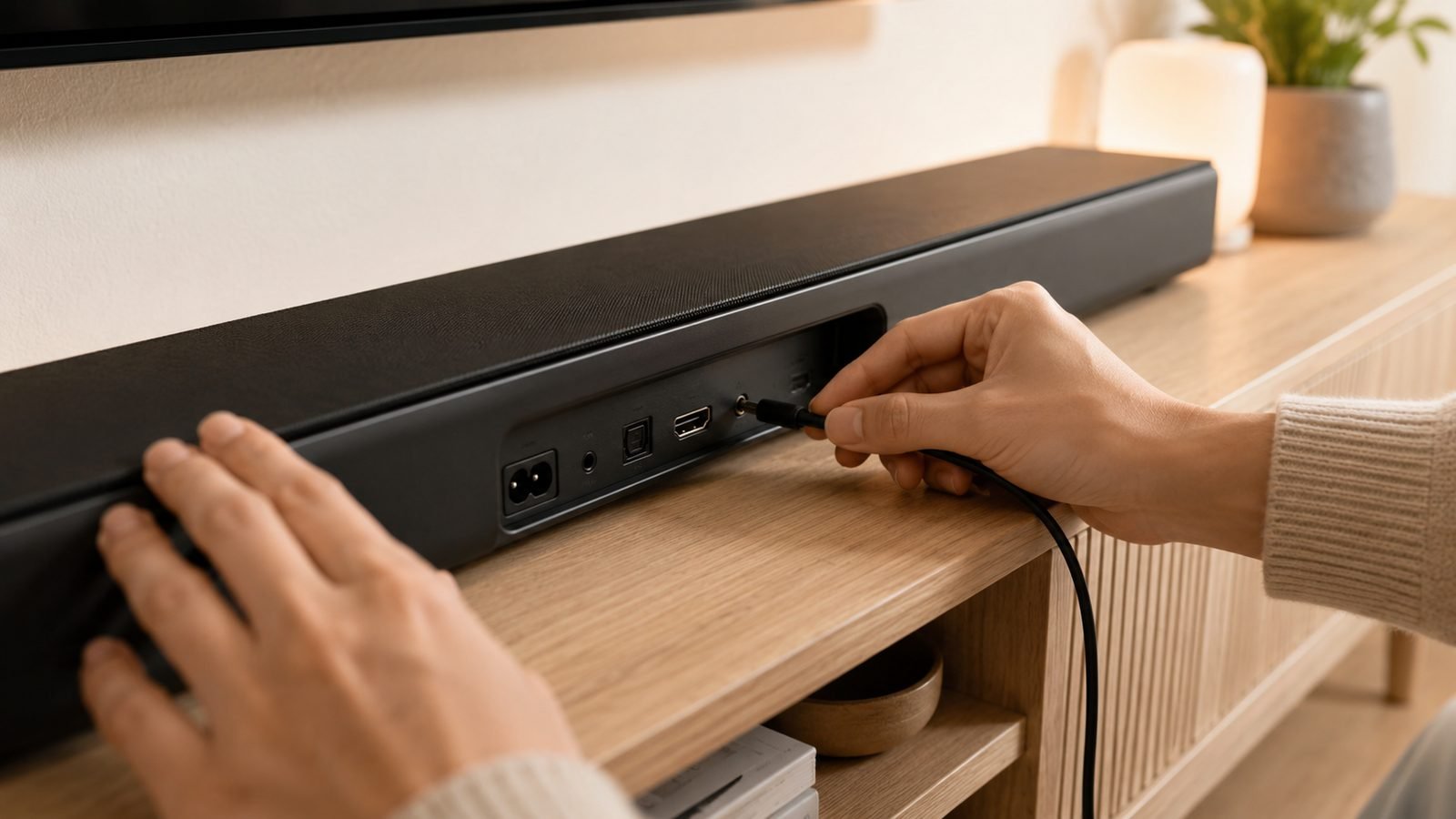
Fix 1 - Use the correct HDMI port. This is the single most common cause. ARC and eARC only work on one specific port on your TV, labelled “HDMI ARC” or “HDMI eARC.” Plug into any other port and you get video passthrough but no return audio. Check both ends: the soundbar also has a dedicated ARC/eARC port.
Fix 2 - Swap the cable. A cheap or old HDMI cable can pass 4K video fine yet fail the audio handshake, especially for eARC’s higher bandwidth. This is the classic hdmi earc no sound trap. We recommend a properly certified Ultra High Speed cable rather than a generic “8K” one, because certification is the only guarantee the cable meets the 48Gbps spec eARC leans on.
Check price: Zeskit Maxx 48Gbps HDMI 2.1 cable
The Zeskit Maxx (around $20 / £18) is a certified Ultra High Speed cable, and in our research resolving a marginal cable is the single most frequently reported eARC fix. If the port and cable are right, keep going.
Fix 3 - Full power cycle. Turn off the TV and soundbar, unplug both from the wall for 60 seconds, then plug the TV in first, wait for it to boot, then the soundbar. This clears the stale HDMI handshake that causes most intermittent dropouts. Do this before assuming anything is broken.
Fix 4-6: CEC settings by brand (LG, Samsung, Sony, Hisense, TCL)
ARC control rides on HDMI-CEC, and every brand renames it. If your tv is not sending audio to your soundbar, the CEC toggle is usually the reason. Fix 4 is simply: find and enable it.
LG: Settings > General > Devices > HDMI Settings > turn on SIMPLINK (HDMI-CEC) and eARC support.
Samsung: Settings > General > External Device Manager > Anynet+ (HDMI-CEC) > On.
Sony: Settings > Channels & Inputs > External Inputs > BRAVIA Sync control.
Hisense: Settings > System > HDMI-CEC (CEC Control) > On.
TCL: Settings > System > Inputs / Control other devices > CEC.
Fix 5 - Set the TV’s audio output to the soundbar. Enabling CEC isn’t enough if the TV is still playing through its internal speakers. Dive into the Sound / Audio Output menu and choose “HDMI (ARC),” “Receiver,” or “Audio System.” On Samsung this is Sound > Sound Output; on LG it’s Sound > Sound Out.
Fix 6 - Toggle CEC off and on both devices. If CEC is already enabled but nothing plays, turn it off on the TV and the soundbar, reboot both, then re-enable. Getting the cec settings on Samsung and LG back in sync clears most stubborn control failures. For picture and sound tuning after you’re up and running, see our Best TV Picture Settings 2026: Calibrate Any Brand guide.
Fix 7-9: audio format, firmware and the eARC toggle
Fix 7 - Change the audio output format. A surprising number of “no sound” cases are a format mismatch: the TV outputs Dolby Atmos or bitstream that an older soundbar can’t decode, so it stays mute. In the TV’s audio settings, switch “Digital Audio Out” or “Dolby” from Auto/Bitstream to PCM. If sound returns, you’ve confirmed a decoding issue rather than a wiring one.
Fix 8 - Update firmware on both devices. A genuine hdmi arc handshake problem is often a bug fixed in a later update. Check firmware on the TV and the soundbar; eARC compatibility has been patched into many 2023-2025 models after launch.
Fix 9 - Toggle the eARC setting itself. Many TVs have a separate “eARC Mode” or “eARC Support” switch, sometimes set to Auto. If you’re getting eARC dropouts, force it: set eARC to On for a capable soundbar, or drop back to standard ARC if your soundbar only supports ARC. Mismatched eARC negotiation is a leading cause of audio cutting in and out.
ARC vs eARC: when the difference causes silence
The hdmi arc vs earc distinction matters more than people expect. If your soundbar is ARC-only and your TV defaults to eARC (or vice versa), the handshake can fail outright. Standard ARC also can’t carry lossless Atmos, so a TV set to a high-bandwidth format over an ARC-only link may simply mute. Rule of thumb: match the lowest common capability. eARC needs an eARC port on both devices plus a certified cable, which loops back to Fix 2.
When it’s the soundbar’s fault, not the TV’s
If you’ve done all nine fixes and video still works but audio doesn’t, isolate the soundbar. Play a source directly into it over optical or Bluetooth; if that’s also silent, the bar or its ARC port is the problem, not the TV. A soundbar not working with the TV after a firmware update is common too, and a factory reset of the bar often clears it. Owner reports frequently point to the soundbar’s CEC implementation as the weak link, especially on budget models.
Prevention: settings that stop it recurring
Leave CEC enabled on both devices, keep both on the latest firmware, and use one certified cable you don’t keep swapping. If dropouts return only when you switch inputs, disable “quick start” / instant-on power saving on the TV, which sometimes drops the handshake on wake. For pairing ideas by TV, our Hisense U8QG Review: Flagship Brightness for $899 and TCL QM7K Review: The $499 Mini-LED Sweet Spot cover their brand’s audio menus, and the TVs & Displays hub rounds up more soundbar guides.
FAQ
Why does my HDMI ARC keep cutting out? Intermittent dropouts almost always trace to a marginal cable or a stale handshake. Swap in a certified Ultra High Speed cable, then fully power-cycle both devices. If it only happens on wake, disable the TV’s instant-on/quick start power setting, which can drop the eARC negotiation.
Do I need a special cable for eARC? Yes, in practice. eARC’s lossless Atmos and DTS:HD need a certified Ultra High Speed (48Gbps) HDMI cable. A generic “8K” cable may pass video but fail the audio handshake, which is why a bad cable is the most common eARC fix.
Why is there no sound over HDMI ARC even though CEC is on? CEC only handles control, not routing. Make sure the TV’s Sound Output menu is set to “HDMI (ARC)” rather than internal speakers, then switch the digital audio format to PCM to rule out a decoding mismatch on an older soundbar. Those two settings clear most CEC-on-but-silent cases.
Is ARC or eARC better? eARC is better when both devices and your cable support it, because it carries lossless Atmos and DTS:HD. But it’s only worth it with a compatible soundbar. If your bar is ARC-only, forcing eARC can cause silence, so match the lowest capability both devices share.
Can a firmware update break HDMI ARC? Yes. Updates occasionally change CEC behaviour and break a working link. If ARC failed right after an update, factory-reset the soundbar and re-pair, then check whether a newer patch already fixes it.
Zen Tech Hub may earn a commission from links on this page, at no extra cost to you.