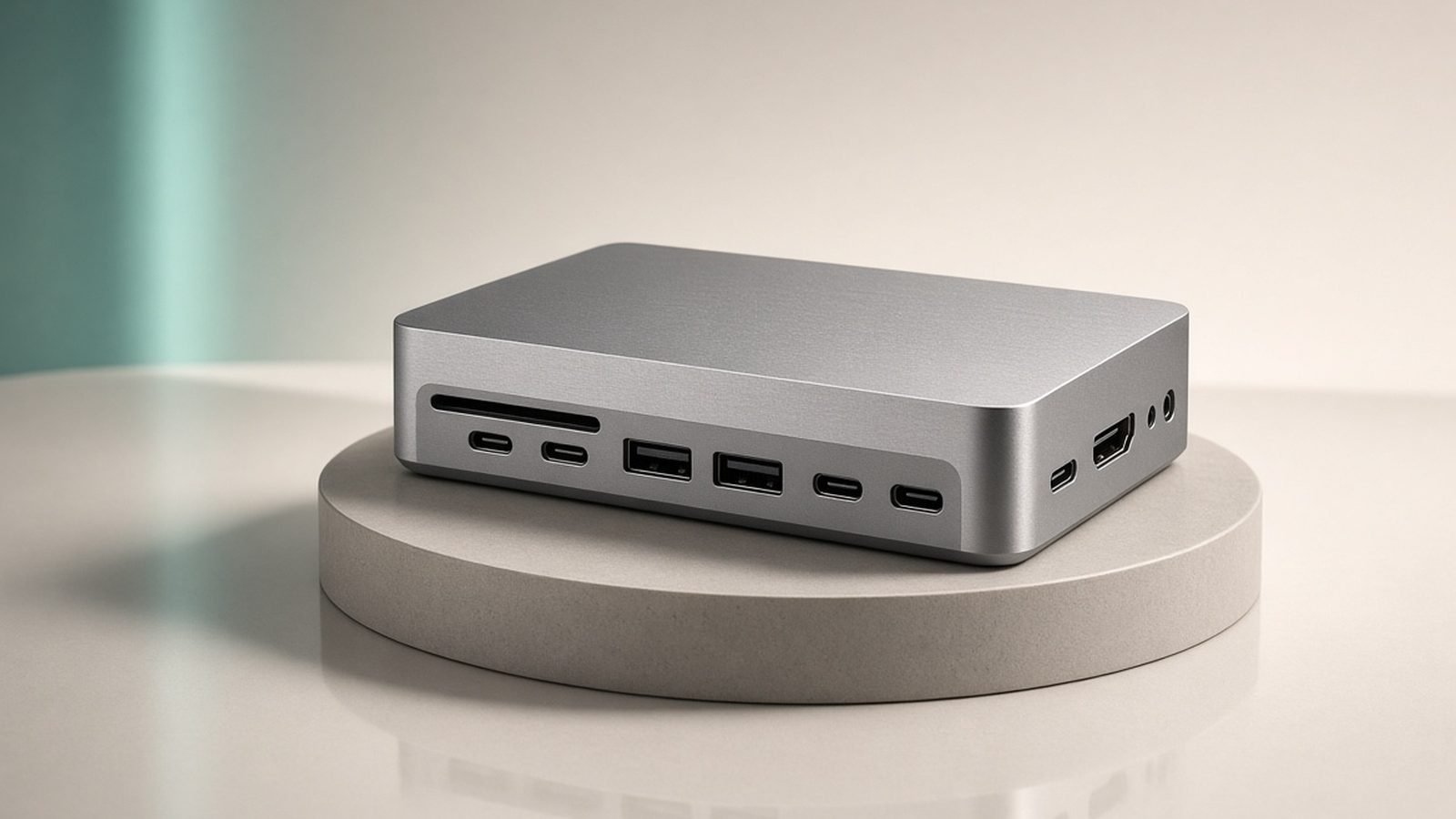
The CalDigit TS5 Plus is the most capable Thunderbolt dock you can buy in 2026, and for a specific buyer it’s worth every penny — but that buyer is narrower than the marketing suggests. If you run dual high-resolution monitors plus fast external SSDs from a Thunderbolt 5 laptop and want them all live from a single cable, this is the best dock on the market, full stop. If you use one monitor and charge a phone, you’re about to overspend by hundreds.
The essentials: the TS5 Plus offers Thunderbolt 5 (up to 80Gb/s, 120Gb/s bandwidth boost), around 20 ports, 10-gigabit Ethernet and 140W+ laptop charging, for about $399 / £389. The standard TS5 trims the spec — Thunderbolt 4, fewer ports, 2.5GbE — for around $249 / £239. Below we break down what you get, where it disappoints, and exactly who should buy which, based on published specs, CalDigit’s documentation and aggregated owner feedback rather than hands-on lab testing.
CalDigit TS5 at a glance
Pros:
- Thunderbolt 5 bandwidth (TS5 Plus) for dual displays plus fast storage at once
- 140W+ laptop charging feeds even a 16-inch MacBook Pro at full speed
- Around 20 ports including 10GbE, front SD and USB-C
- CalDigit’s strong reputation for reliability and firmware support
Cons:
- Expensive, and overkill for single-monitor users
- Full benefit needs a Thunderbolt 5 host laptop
- Large, heavy and firmly desk-bound
- Fan can be audible under sustained load in a quiet room
The TS5 Plus is the successor to the widely loved TS4, and it keeps that dock’s core promise: connect everything on your desk to one cable, close your laptop lid or dock it, and have it all wake up together. What’s new in 2026 is Thunderbolt 5, and whether that matters to you is the entire buying decision.
Design and build
CalDigit builds the TS5 like a piece of professional equipment, and it shows. The chassis is a dense, all-aluminium block that doubles as a heatsink, available in an upright or flat orientation to suit your desk. It feels engineered to sit untouched for a decade, which fits its role — this is not a dock you move around. At roughly the size of a hardback book stood on end, it’s noticeably larger and heavier than compact rivals, a deliberate trade for thermal headroom and port count.
Port placement is thoughtful. The front panel carries the ports you touch daily — an SD card slot, a USB-C and a USB-A — so plugging in a camera card or a thumb drive doesn’t mean reaching behind the desk. The rear hosts the permanent connections: the Thunderbolt host and downstream ports, 10-gigabit Ethernet, DisplayPort, more USB, and audio. It’s the most complete port array on any dock we’ve assessed.
The one caveat owners raise is the fan. CalDigit uses active cooling to sustain high loads without throttling, and while it’s quiet most of the time, in a silent room under heavy sustained draw some users notice it. It’s a reasonable price for keeping a 140W-charging, dual-display dock cool, but worth knowing if your workspace is library-quiet.
Performance and features
The headline is Thunderbolt 5. On the TS5 Plus, that means up to 80Gb/s of bidirectional bandwidth (with a 120Gb/s boost mode for displays), roughly double Thunderbolt 4. In practical terms, it’s what lets the dock drive two 4K/144Hz (or a single 8K) monitor while simultaneously moving data to a fast external SSD without either starving the other — the exact scenario where Thunderbolt 4 docks start rationing bandwidth. For video editors scrubbing 4K/8K timelines off external drives across two reference monitors, that headroom is the whole point.
Charging is the other star. The TS5 Plus supplies 140W+ over its host port, enough to charge a 16-inch MacBook Pro at full speed while it runs everything else — something many “pro” docks quietly cap at 96W or 100W. That single figure is why a lot of 16-inch MacBook Pro owners buy this dock specifically. The 10-gigabit Ethernet is another pro-grade touch, relevant if you move large files across a fast local network or NAS; most docks stop at 2.5GbE.
Display behaviour depends on your host, and this is where honesty matters. On Windows and on Thunderbolt 5 machines, dual independent high-refresh displays work as advertised. On Apple Silicon Macs, the number and configuration of external displays is limited by the Mac’s own Thunderbolt implementation, not the dock — an M-series MacBook’s display ceiling applies regardless of how many outputs the dock has. Check your specific Mac’s external-display limit before assuming the dock unlocks more screens than your laptop supports. For how docks and hubs handle Mac displays in general, our connectivity guide goes deeper. Best USB-C Hubs & Docks 2026: For Laptops & Desks
The full-speed experience also depends on the cable. Thunderbolt 5’s top bandwidth and 140W charging need a properly rated Thunderbolt 5 / 240W cable; use an older or under-rated cable and you’ll silently cap performance. CalDigit includes an appropriate cable, but if you extend or replace it, rating matters. Best USB-C Cables 2026: Fast Charging & Data Ranked
TS5 vs TS5 Plus: which one?
CalDigit sells two docks under this name, and the gap between them is real. The TS5 Plus is the Thunderbolt 5 flagship: ~80Gb/s bandwidth, ~20 ports, 10GbE, 140W+ charging, around $399 / £389. The standard TS5 steps down to Thunderbolt 4 (40Gb/s), fewer ports, 2.5GbE and lower peak charging, for around $249 / £239 — a significant saving.
The decision hinges on two questions. First, do you have a Thunderbolt 5 laptop? If not, the Plus’s headline bandwidth is capped by your host, and the standard TS5 delivers the same real-world experience for $150 less. Second, do you actually saturate Thunderbolt 4? Running one monitor and some peripherals doesn’t come close; running dual high-refresh 4K plus fast SSDs does. Buy the Plus only if you can answer yes to both — otherwise the TS5 (or a cheaper dock entirely) is the smarter spend.
Owners upgrading from the older TS4 should note the TS5 Plus is an incremental, not revolutionary, jump unless you specifically need Thunderbolt 5 bandwidth or 140W charging. A well-functioning TS4 is not urgently obsolete.
Value and alternatives
At $399 / £389 the TS5 Plus is a serious outlay, and value depends entirely on fit. For a professional running a dual-monitor, external-SSD, 10GbE workflow off a Thunderbolt 5 laptop, it consolidates hundreds of dollars of separate adapters and chargers into one reliable box — and CalDigit’s reputation for long-term firmware support and low failure rates makes the premium easier to justify. For that user it’s excellent value. For a single-monitor user, it’s poor value, plainly.
The alternatives depend on where you’re compromising. If you want Thunderbolt 5 in a smaller, cheaper package and can live with fewer ports and 2.5GbE, the Anker Prime Thunderbolt 5 dock (around $329 / £319) is the compact rival. If you don’t need Thunderbolt at all — one monitor, some USB devices — a good USB-C dock or hub does the job for a quarter of the price and is the honest recommendation for most people. And if a dock is one piece of a broader workspace refresh, our desk accessories guide covers the arm, lighting and cable management that go around it. Best Desk Setup Accessories 2026: Upgrade Your Workspace
It’s also worth pairing any dock this capable with the peripherals that make a docked desk pleasant to use — a comfortable keyboard and a low-strain mouse turn a powerful dock into a workspace you actually enjoy. Best Wireless Keyboards 2026: Top Boards for Work
Who should buy the CalDigit TS5 Plus?
Buy the TS5 Plus if you tick all three boxes: a Thunderbolt 5 laptop, a genuine dual-display-plus-fast-storage workflow, and the need for full-speed charging on a high-wattage machine. Video editors, photographers with 10GbE NAS setups, developers running multiple external drives, and 16-inch MacBook Pro power users are the core buyers. For them it’s the best dock available and the money is well spent.
Do not buy it if you run one monitor, charge a phone and a laptop, and plug in the odd USB device. You’ll pay for bandwidth and ports you never touch. Step down to the standard TS5, the compact Anker Prime, or a USB-C hub, and put the savings elsewhere.
Verdict
The CalDigit TS5 Plus earns the “ultimate dock” label on capability — Thunderbolt 5 bandwidth, ~20 ports, 10GbE and 140W+ charging make it the most complete docking solution of 2026, backed by CalDigit’s genuine reliability record. It is, without much argument, the best Thunderbolt dock you can buy right now.
The catch is that “best” and “right for you” aren’t the same. Its ideal buyer runs dual high-resolution displays plus fast external storage off a Thunderbolt 5 laptop; for them it’s a confident recommendation. Everyone else should honestly assess whether they’ll ever use that headroom, and if the answer is no, buy the cheaper TS5, a compact TB5 dock, or a USB-C hub instead. Match the dock to the workload and the TS5 Plus is superb; buy it on spec-sheet envy and it’s an expensive way to charge a phone.
Check price: CalDigit TS5 Plus Thunderbolt 5 Dock
FAQ
What’s the difference between the CalDigit TS5 and TS5 Plus?
The TS5 Plus has Thunderbolt 5 (up to 80Gb/s), around 20 ports, 10-gigabit Ethernet and 140W+ charging for about $399 / £389. The standard TS5 uses Thunderbolt 4 (40Gb/s), fewer ports, 2.5GbE and lower peak charging for around $249 / £239. Only buy the Plus if you have a Thunderbolt 5 laptop and a workflow that saturates Thunderbolt 4.
Is the CalDigit TS5 Plus worth it in 2026?
For professionals running dual high-resolution monitors plus fast external SSDs off a Thunderbolt 5 laptop, yes — it consolidates a desk of adapters into one reliable box and charges a 16-inch laptop at full speed. For single-monitor users, no; a cheaper USB-C dock or hub does the job for a fraction of the price.
Does the CalDigit TS5 work with MacBook Pro?
Yes, and it charges even the 16-inch MacBook Pro at full 140W. But the number of external displays you can run is limited by your Mac’s own Thunderbolt implementation, not the dock — an Apple Silicon MacBook’s display ceiling applies regardless of the dock’s outputs. Check your specific Mac’s external-display limit first.
Do I need a Thunderbolt 5 laptop for the TS5 Plus?
To get the full 80Gb/s bandwidth, yes. The dock works with Thunderbolt 4 and older USB-C laptops, but your host caps the speed — so on a non-TB5 machine you’re paying for headroom you can’t use, and the cheaper standard TS5 delivers the same real-world result for $150 less.
How many monitors can the CalDigit TS5 Plus drive?
On Windows and Thunderbolt 5 hosts it can drive dual high-resolution, high-refresh displays (or a single 8K). On Apple Silicon Macs the limit is set by the laptop, not the dock. Confirm your computer’s maximum external-display count before buying, since the dock can’t exceed it.
Is the CalDigit TS5 Plus better than the older TS4?
For most TS4 owners it’s an incremental upgrade, not a must-have — the main gains are Thunderbolt 5 bandwidth and 140W charging. If you need those specifically, the Plus is worth it. If your TS4 works well and you don’t saturate its bandwidth, there’s no urgency to upgrade.
Zen Tech Hub may earn a commission from links on this page, at no extra cost to you.