The best laptop docking station for most people in 2026 is the CalDigit TS4 — a Thunderbolt 4 dock with 18 ports, up to 98W laptop charging, and rock-solid reliability, at around $399 / £349. If you want the newest standard, the CalDigit TS5 Plus (Thunderbolt 5) future-proofs a high-end setup; the value pick is the UGREEN Revodok Pro; and business laptop owners should look at the Dell docks that match their machines.
A docking station turns a laptop into a desktop with one cable. Come home, plug in a single Thunderbolt or USB-C cable, and your laptop instantly connects to two monitors, keyboard, mouse, wired ethernet, external drives and power — then unplug that one cable to leave. For anyone who works at a desk and travels with a laptop, it’s the single biggest quality-of-life upgrade you can buy.
This guide ranks the docks genuinely worth buying, based on published specs, controller chips and aggregated owner feedback rather than marketing. It overlaps with simpler USB-C hubs — the difference is power, ports and reliability — so if you only need a couple of ports on the move, read our Best USB-C Hubs & Docks 2026: For Laptops & Desks guide instead. A true docking station is for a fixed desk.
Best laptop docking station at a glance
| Pick | Dock | Best for | Interface | Price (US / UK) |
|---|---|---|---|---|
| Best overall | CalDigit TS4 | Reliable single-cable desk | Thunderbolt 4 | around $399 / £349 |
| Best future-proof | CalDigit TS5 Plus | Newest laptops, top bandwidth | Thunderbolt 5 | around $429 / £399 |
| Best value | UGREEN Revodok Pro 313 | Affordable dual-monitor dock | USB-C / TB4 | around $199 / £179 |
| Best for business | Dell WD-series (WD25/WD26) | Dell/Windows fleets | USB-C / TB4 | around $269 / £249 |
| Best for MacBook | OWC Thunderbolt Dock | Mac-focused desks | Thunderbolt 4 | around $249 / £229 |
| Best compact | Anker 568 USB-C Dock (11-in-1) | Small desks, fewer ports | USB-C | around $249 / £229 |
How we picked
Zen Tech Hub dock rankings are built from spec analysis and aggregated real-world evidence, not brand claims. For this guide we compared the interface (Thunderbolt 4/5 vs USB-C), controller chips, port counts, charging wattage, display support (how many monitors at what resolution), and — most importantly — reliability, drawing on hundreds of verified owner and expert reviews across US and UK retailers. Docks live or die on stability, so we weighted long-term reliability and firmware quality heavily. No brand influences our rankings.
The key thing to understand: Thunderbolt and USB-C docks are not the same. A Thunderbolt 4 dock (like the CalDigit TS4) supports dual 4K monitors on any laptop and offers far more bandwidth; a USB-C dock is cheaper but may limit you to one external monitor on Macs and fewer simultaneous high-speed devices. Match the dock to your laptop’s port and your monitor needs.
Best overall: CalDigit TS4
Thunderbolt 4, 18 ports, up to 98W charging — around $399 / £349
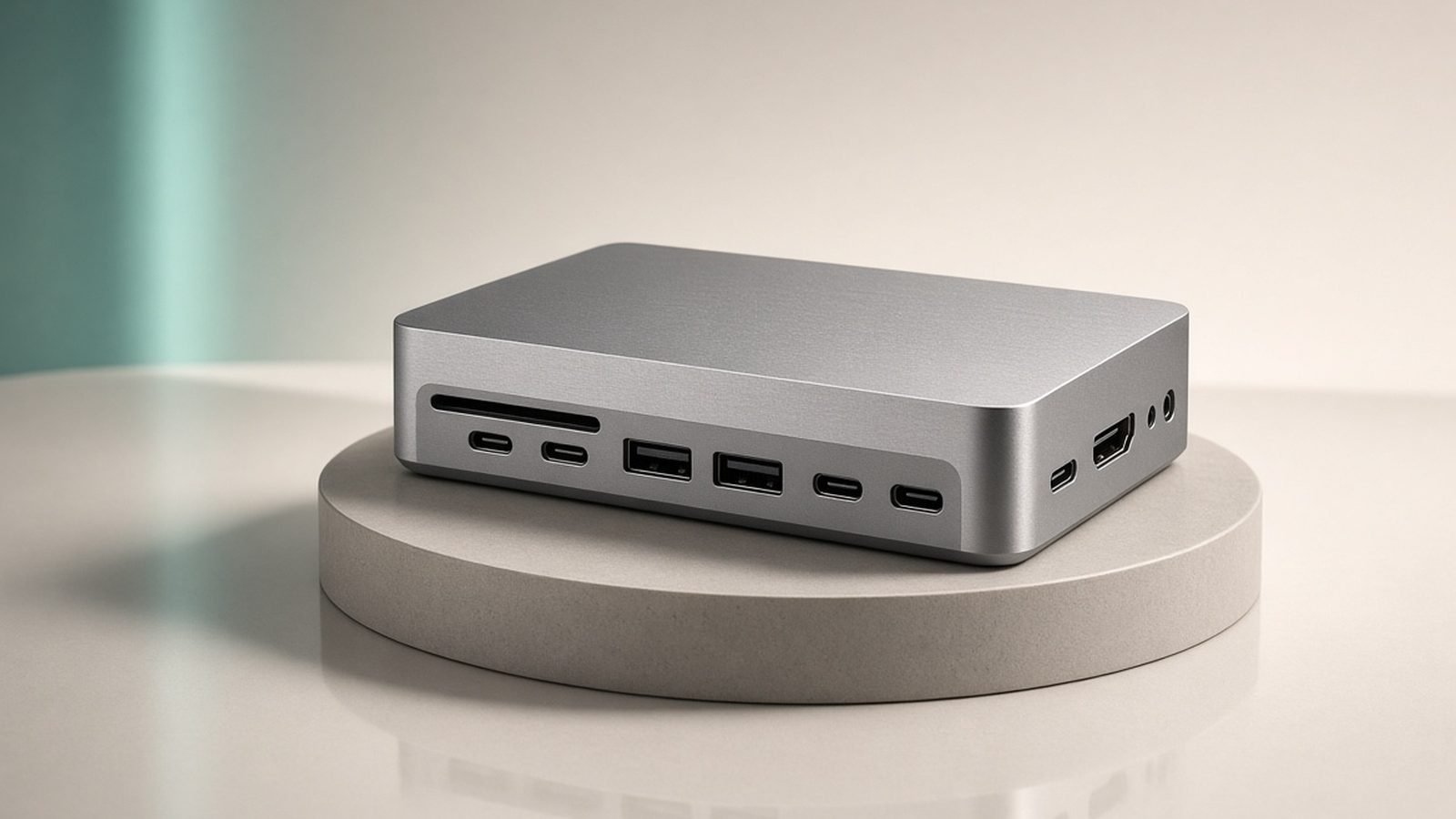
For the best laptop docking station overall, the CalDigit TS4 is the long-standing answer, and it earns it on the two things that matter most: ports and reliability. With 18 ports — including three downstream Thunderbolt 4, multiple USB-A and USB-C, 2.5Gb ethernet, SD/microSD readers and audio — it connects essentially everything on your desk from one cable, while delivering up to 98W to charge your laptop.
What sets the CalDigit TS4 apart is dependability. Docks are notorious for flaky monitor wake-ups, dropped ethernet and firmware headaches; the TS4 has the strongest reliability reputation in the category, with owner reports consistently praising its stability across both Mac and Windows. It drives dual 4K monitors (or a single 6K/8K) and simply works day after day, which is the entire point of a dock.
The trade-offs are price and size — it’s a premium, substantial aluminium unit — and 98W charging is a touch below the 100W+ some large laptops want (a 16-inch MacBook Pro will charge, just not at full 140W). But for a no-compromise, set-and-forget single-cable desk, nothing is more trusted. Pair it with a proper Thunderbolt cable from our Best USB-C Cables 2026: Fast Charging & Data Ranked guide.
Pros:
- 18 ports — connects an entire desk from one cable
- Best-in-class reliability across Mac and Windows
- Up to 98W laptop charging; dual 4K display support
- Solid aluminium build with front-facing quick ports
Cons:
- Premium price
- 98W is below the 140W the biggest laptops want
- Large footprint
Who it’s for: Anyone wanting the most reliable, port-rich single-cable desk for a Thunderbolt or USB-4 laptop.
Best future-proof: CalDigit TS5 Plus (Thunderbolt 5)
Thunderbolt 5, up to 140W charging — around $429 / £399
If you have a 2025-2026 laptop with Thunderbolt 5 — or plan to buy one — the CalDigit TS5 Plus is the future-proof pick. Thunderbolt 5 roughly triples the bandwidth of Thunderbolt 4 (up to 80Gbps, 120Gbps in boost), which unlocks multiple high-refresh or very high-resolution monitors and faster external SSD speeds. It also raises charging to up to 140W, enough to fully fast-charge even a 16-inch MacBook Pro.
This is the thunderbolt 5 dock to get for a high-end setup: gamers wanting high-refresh external displays, creators running fast external storage, and anyone who wants a dock that will still be current in several years. It keeps CalDigit’s reliability focus and a generous port array, so it’s a genuine TS4 successor, not just a spec bump.
The honest caveat is that Thunderbolt 5’s benefits only appear if your laptop supports it — plug a Thunderbolt 4 machine in and it runs at TB4 speeds (still excellent), meaning you’ve paid for headroom you can’t yet use. If your laptop is TB4 and you don’t need 140W, the TS4 saves money for the same daily experience. Buy the TS5 for future-proofing or if you have the hardware to use it now.
Pros:
- Thunderbolt 5 bandwidth — multiple high-refresh/high-res displays
- Up to 140W charging for the biggest laptops
- Future-proof for years; fast external SSD speeds
- CalDigit reliability and port array
Cons:
- TB5 benefits wasted unless your laptop supports it
- Pricier than the still-excellent TS4
- Overkill for basic dual-1080p setups
Who it’s for: Owners of Thunderbolt 5 laptops, and anyone future-proofing a high-end desk.
Best value: UGREEN Revodok Pro 313
USB-C / Thunderbolt-class, dual-monitor — around $199 / £179
You don’t need to spend $400 to get a great single-cable desk. The UGREEN Revodok Pro line delivers the core dock experience — dual-monitor support, plenty of USB ports, ethernet, card readers and strong laptop charging — for roughly half the price of the CalDigit. For most home and hybrid workers running a two-monitor setup, it’s all the dock they actually need.
UGREEN has become a genuinely reliable name in this space, and owner feedback on the Revodok Pro is broadly positive on stability and value. It charges a laptop at a healthy wattage, drives two external displays, and handles the everyday peripherals — keyboard, mouse, drive, ethernet — without fuss. The build is solid and the port selection sensible.
The trade-offs versus a premium Thunderbolt dock are fewer high-bandwidth Thunderbolt ports, slightly lower charging headroom, and a reliability record that’s good but not quite CalDigit’s gold standard. For a value-focused dual-monitor desk, though, it’s the smart buy. Confirm your laptop’s display capabilities first — on some Macs, USB-C docks limit external monitors; our Best USB-C Hubs for MacBook Pro & Air in 2026 guide covers the Mac specifics.
Pros:
- Dual-monitor single-cable desk at a mid price
- Plenty of USB ports, ethernet and card readers
- Healthy laptop charging
- Strong value and broadly reliable
Cons:
- Fewer high-bandwidth Thunderbolt ports
- Reliability good but not CalDigit-tier
- Mac dual-monitor support depends on your model
Who it’s for: Home and hybrid workers who want a solid dual-monitor dock without the premium price.
Best for business: Dell WD-series
USB-C / Thunderbolt 4, business-focused — around $269 / £249
If you use a Dell laptop, or manage a fleet of Windows business machines, a matching Dell docking station is often the right call. Dell’s WD-series docks are designed to pair with their laptops for guaranteed compatibility, firmware that IT departments can manage centrally, and features like Wake-on-LAN and MAC address pass-through that matter in a corporate environment. Reliability with the intended laptops is excellent.
The appeal is integration: buy the dock that matches your Dell laptop and you sidestep the compatibility guesswork that occasionally bites third-party docks. It charges the laptop over the same single cable, drives dual monitors, and offers the ethernet and USB ports a business desk needs. For IT-managed environments, the manageability alone justifies the choice.
The trade-offs: Dell docks are best with Dell hardware — they work with other USB-C/Thunderbolt laptops but you lose some of the tailored benefits — and they tend to be plainer and pricier than value picks for the raw port count. For consumers on non-Dell laptops, the CalDigit or UGREEN options are better value. But for Dell users and businesses, this is the natural, dependable choice.
Pros:
- Guaranteed compatibility with Dell laptops
- IT-manageable firmware; business features (Wake-on-LAN, etc.)
- Reliable single-cable charging and dual-monitor support
- Strong corporate support and availability
Cons:
- Best benefits require a Dell laptop
- Pricier per port than value docks
- Plain, business-oriented design
Who it’s for: Dell laptop owners and IT-managed business environments wanting guaranteed compatibility.
Best for MacBook: OWC Thunderbolt Dock
Thunderbolt 4, Mac-optimised — around $249 / £229
Mac users have specific needs — clean design, reliable sleep/wake, and dependable external-display behaviour — and OWC has built its reputation serving them. The OWC Thunderbolt Dock is a Mac-favourite: a compact Thunderbolt 4 dock with a sensible port selection, strong laptop charging, and the stability MacBook owners want, all in a design that sits happily next to Apple hardware.
For a docking station for MacBook Pro or MacBook Air use, it hits the essentials without the CalDigit’s size or price: enough Thunderbolt and USB ports for a typical Mac desk, ethernet, and single-cable charging. Owner feedback from Mac users is consistently positive on reliability, which is the trait that matters most for a dock you leave plugged in permanently.
The trade-offs: fewer total ports than the port-monster CalDigit TS4, and on Apple silicon MacBook Air, remember that macOS itself limits the base models to a single external display regardless of the dock (a MacBook Pro drives more). That’s a Mac limitation, not the dock’s. For most Mac desks, though, this is a clean, reliable, right-sized choice. See our How to Connect Two Monitors to a Laptop (USB-C Guide) guide for the Mac display specifics.
Pros:
- Mac-optimised reliability and clean design
- Right-sized port selection for a typical Mac desk
- Single-cable Thunderbolt 4 charging
- Compact footprint
Cons:
- Fewer ports than the CalDigit TS4
- Won’t override macOS single-display limits on base MacBook Air
- Mid-premium price
Who it’s for: MacBook owners who want a clean, reliable, appropriately sized Thunderbolt dock.
Best compact: Anker 568 USB-C Dock (11-in-1)
USB-C, 11 ports, compact — around $249 / £229
Not every desk needs 18 ports or a Thunderbolt price tag. The Anker 568 is an 11-in-1 USB-C dock that packs dual-monitor support, USB-A and USB-C ports, ethernet, card readers and laptop charging into a smaller, tidier unit. For a compact desk or anyone who wants a single-cable setup without a large dock dominating the space, it’s a well-judged pick.
Anker’s build quality and reliability are dependable, the port layout is practical (useful ports up front), and it charges a laptop while driving two external displays — covering the core dock job for most people. It’s a USB-C dock rather than full Thunderbolt, so it’s a step below the CalDigit in raw bandwidth, but for a typical dual-monitor productivity desk that’s rarely a limitation.
The trade-offs are the usual USB-C-versus-Thunderbolt ones: fewer high-speed lanes, and Mac dual-monitor behaviour depends on your model. But for a clean, capable, space-conscious dock from a trusted brand, it’s a strong choice. Feed it and your peripherals with quality cables — our Best USB-C Cables 2026: Fast Charging & Data Ranked guide covers what to use.
Pros:
- 11 ports in a compact, tidy unit
- Dual-monitor support and laptop charging
- Reliable Anker build; practical port layout
- Good fit for small desks
Cons:
- USB-C, not full Thunderbolt bandwidth
- Mac dual-monitor support depends on your model
- Fewer high-speed ports than premium docks
Who it’s for: Small desks and users who want a capable single-cable setup without a large dock.
How to choose a docking station
Five factors decide the right dock:
- Thunderbolt or USB-C? Thunderbolt 4/5 docks (CalDigit, OWC) give the most bandwidth and guaranteed dual-4K display support on any laptop, but cost more. USB-C docks (UGREEN, Anker) are cheaper and fine for most dual-monitor desks — just check display support, especially on Macs. Match to your laptop’s port.
- Charging wattage. The dock powers your laptop over the one cable, so its wattage must meet your laptop’s need. 90-100W suits most; 140W is needed to fully fast-charge a 16-inch MacBook Pro (only Thunderbolt 5 docks reach it). Under-powering means slow charging under load.
- Monitor support. Decide how many external displays and at what resolution/refresh, then confirm the dock (and your laptop) supports it. Base MacBook Air models are limited to one external display by macOS regardless of dock — a common surprise.
- Reliability over ports. A dock you leave plugged in permanently must wake monitors and hold ethernet reliably. Favour brands with strong stability records (CalDigit, OWC, Dell for their laptops) over a cheap dock with an impressive port list but flaky firmware.
- Hub vs dock. If you only need a couple of ports on the move, a simple hub is cheaper and pocketable — see our Best USB-C Hubs & Docks 2026: For Laptops & Desks guide. A docking station is for a fixed desk with power and multiple displays.
FAQ
What is the difference between a USB-C hub and a docking station?
A hub is small, portable, unpowered (or lightly powered) and adds a few ports on the move; a docking station is a larger, mains-powered desk device that charges your laptop and connects multiple monitors, drives and peripherals from one cable. Hubs are for travel; docks are for a fixed desk. See our Best USB-C Hubs & Docks 2026: For Laptops & Desks guide for the hub side.
Do I need Thunderbolt or is USB-C enough?
USB-C is enough for most dual-monitor productivity desks and saves money. Thunderbolt 4/5 is worth it if you need guaranteed dual-4K displays on any laptop, high-refresh or very high-resolution monitors, fast external SSDs, or the highest reliability. Check your laptop’s port too — a Thunderbolt dock still works on a USB-C laptop, but at USB-C speeds.
Can a docking station charge my laptop?
Yes — a proper docking station delivers power over the same single cable that carries your displays and data, so one cable both connects and charges. Match the dock’s wattage to your laptop: 90-100W suits most, but a 16-inch MacBook Pro wants up to 140W for full-speed charging, which currently only Thunderbolt 5 docks like the CalDigit TS5 provide.
Why won’t my dock drive two monitors on my MacBook Air?
Because macOS on base Apple silicon MacBook Air models limits you to one external display regardless of the dock — it’s an Apple software/hardware limit, not a fault in the dock. MacBook Pro models support more. Some docks use DisplayLink software to work around it, at a small performance cost. Our How to Connect Two Monitors to a Laptop (USB-C Guide) guide explains the Mac specifics.
Are expensive docking stations worth it?
For a dock you leave plugged in daily, reliability is worth paying for — cheap docks are notorious for monitors that won’t wake and ethernet that drops. Premium docks like the CalDigit TS4 earn their price on stability and port count. That said, mid-priced options like the UGREEN Revodok Pro are genuinely reliable now, so you don’t have to spend $400 for a dependable dual-monitor desk.
What cable do I need for a docking station?
Use the cable that comes with the dock, or a certified Thunderbolt/USB4 cable if replacing it — the cable must match the dock’s standard to deliver full bandwidth and charging. A cheap or wrong cable is a common cause of dropped displays and slow charging. Our Best USB-C Cables 2026: Fast Charging & Data Ranked guide covers which cables carry full Thunderbolt speed and 100W+ power.
Verdict: which docking station should you buy?
For most people, the CalDigit TS4 at around $399 / £349 is the best laptop docking station of 2026 — unmatched port count and, more importantly, the reliability that makes a single-cable desk actually enjoyable. If you have a Thunderbolt 5 laptop or want to future-proof, the CalDigit TS5 Plus adds bandwidth and 140W charging. On a budget, the UGREEN Revodok Pro delivers a solid dual-monitor desk for far less.
Dell and business users should buy the matching Dell dock, MacBook owners the OWC, and small desks the compact Anker 568. Whichever you choose, match the charging wattage and display support to your laptop, prioritise reliability over a long port list, and pair it with a certified cable. Do that and you’ll have a desk that comes alive with one plug.
Zen Tech Hub may earn a commission from links on this page, at no extra cost to you.