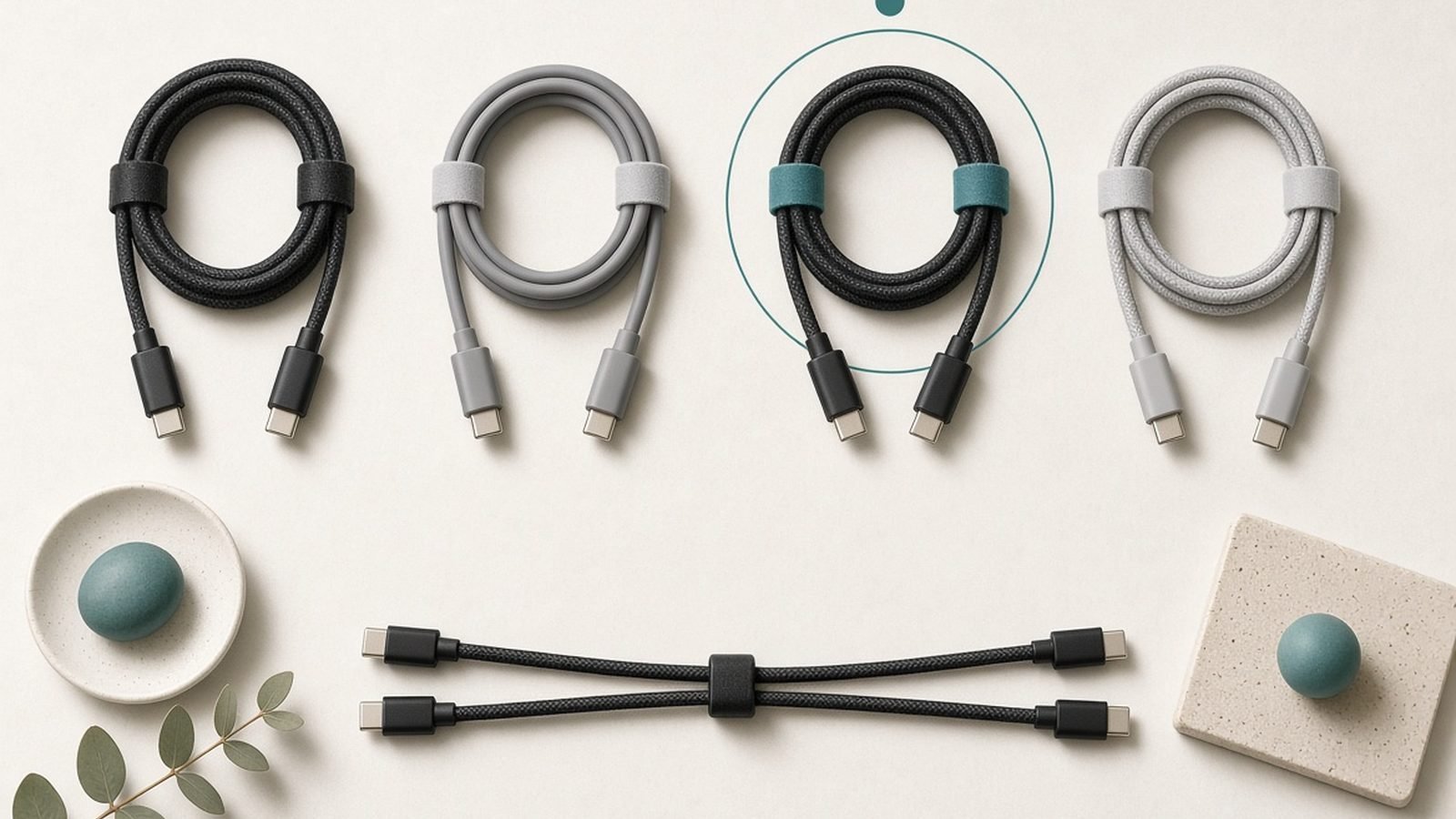
Three cables cover almost every reader of this guide, and which one is yours depends on the job. For charging a laptop and everyday transfers, the pick is the Anker 765 USB-C to USB-C (140W) at around $19.99 / £17.99, nylon-braided and e-marked. Its data rate is 480Mbps, though, so moving large files or driving a display calls for a USB4 cable such as the Cable Matters USB4 240W, which carries 40Gbps. And when the job is charging and nothing else, the UGREEN 100W silicone does it safely for about half the Anker’s price.
The trap with USB-C cables is that they all look identical and behave nothing alike. Two cables with the same connector can differ by a factor of four in power and a factor of eighty in data speed. A “USB-C cable” might carry 60W or 240W, and 480Mbps or 40Gbps — and the packaging often won’t tell you which.
This guide ranks the cables genuinely worth buying, based on published specs, USB-IF certification listings and aggregated owner feedback — not marketing wattage. We’ve grouped them by job (charging, data, or both) so you can buy the right one once instead of the wrong one three times. For the wall bricks that pair with these, see our Best GaN Chargers 2026: 30W to 160W Compared & Ranked guide.
Best USB-C cable at a glance
| Pick | Cable | Best for | Power / Data | Price (US / UK) |
|---|---|---|---|---|
| Best overall | Anker 765 USB-C to USB-C (140W) | Laptop charging + basic data | 140W / 480Mbps | around $19.99 / £17.99 |
| Best USB4 | Cable Matters USB4 240W (0.8m) | Charging + fast data + display | 240W / 40Gbps | around $24.99 / £22.99 |
| Best value charging | UGREEN 100W USB-C (silicone) | Cheap, safe charging | 100W / 480Mbps | around $9.99 / £8.99 |
| Best long cable | Anker 543 USB-C (100W, 3m) | Reach across a room | 100W / 480Mbps | around $15.99 / £14.99 |
| Best for iPhone/short | UGREEN 240W USB-C (0.5m) | Desk/power-bank pairing | 240W / 480Mbps | around $11.99 / £10.99 |
| Best premium data | Cable Matters Thunderbolt 5 (1m) | Docks, 8K, top transfer | 240W / 80Gbps | around $34.99 / £32.99 |
How we picked
Zen Tech Hub cable rankings are built from spec analysis and aggregated real-world evidence, not brand claims. For this guide we cross-referenced manufacturer specs against USB-IF and Thunderbolt certification listings, checked which cables carry an e-marker chip (required above 60W and 3A), and read hundreds of verified owner reviews across US and UK retailers — weighting durability, honest wattage, and whether the cable’s data speed matches what’s printed on the box. Where a cable’s real-world reputation contradicts its spec sheet, we say so. No brand influences our rankings.
The single most important thing to understand: power and data are separate ratings. A cheap 240W charging cable can still be limited to USB 2.0’s 480Mbps data. That’s fine for charging but useless for backing up a drive. Buy for the job.
Best overall: Anker 765 USB-C to USB-C (140W)
140W power / 480Mbps data — around $19.99 / £17.99
For the vast majority of people, this is the best usb-c cable to own. The Anker 765 is e-marked for a genuine 140W (28V/5A), which covers every laptop on the market including the 16-inch MacBook Pro, plus every phone and tablet. The double-braided nylon jacket is among the most durable in its price class, and Anker’s reputation for cables that survive years of bag abuse is well earned in owner reports.
The deliberate trade-off is data. This is a USB 2.0 cable at 480Mbps — plenty for charging and syncing a phone, but slow for moving large files. That’s not a flaw; it’s the right call for a charging cable, and it’s why Anker can make it thick, flexible and cheap. If you never plug a cable into an SSD or a monitor, you never need to pay for more.
At 6ft/1.8m it’s a sensible length for a desk or bedside, and the 140W rating gives you headroom so the cable is never the bottleneck. If your laptop charges slowly, it won’t be this cable’s fault.
Pros:
- Genuine e-marked 140W — enough for any laptop
- Exceptionally durable braided build with a strong reliability record
- Sensible 6ft length; great value
- Anker’s warranty and support are among the best in the category
Cons:
- USB 2.0 data only (480Mbps) — slow for large file transfers
- No display/video support at high resolution
- No shorter length option in this exact line
Who it’s for: Anyone who wants one reliable cable to charge a laptop and phone for years and doesn’t move big files over USB.
Best USB4: Cable Matters USB4 240W
240W power / 40Gbps data — around $24.99 / £22.99
If you want one cable that does everything, this is it. The Cable Matters USB4 cable pairs full 240W charging (USB PD 3.1) with 40Gbps USB4 data and DisplayPort video, so the same cable charges your laptop, backs up an external SSD at real speed, and can drive a monitor. That versatility is why it’s our pick for anyone who owns a dock or a fast external drive.
The catch with USB4 and its Thunderbolt cousins is length. To hit 40Gbps passively, the cable has to be short — this one is 0.8m, and that’s the physics, not a compromise Cable Matters chose. For a desk-to-dock or laptop-to-drive run it’s ideal; to reach across a room you’ll need a different (slower) cable or an active/optical one at much higher cost.
Owner feedback is strong on both the certification honesty and the build, though the stiffer, thicker jacket that comes with proper shielding is less floppy than a plain charging cable. For pairing with a dock, see our Best Laptop Docking Stations 2026: Single-Cable Desks guide — the right cable is half the battle with single-cable desks.
Pros:
- True 240W charging plus 40Gbps data and video in one cable
- USB4 certified — matches the spec on the box
- Ideal for external SSDs, docks and single-cable desk setups
- Backwards compatible with Thunderbolt 3/4 ports
Cons:
- Short (0.8m) by necessity — not a reach-across-the-room cable
- Stiffer than a plain charging cable
- Overkill (and pricier) if you only ever charge
Who it’s for: Laptop users with a dock, fast SSD, or monitor who want a single do-everything cable.
Best value charging: UGREEN 100W USB-C (silicone)
100W power / 480Mbps data — around $9.99 / £8.99
Not every cable needs to do everything. The best usb c cable for fast charging on a budget is this UGREEN 100W, an e-marked cable with a soft silicone jacket that stays tangle-free and flexible even in cold weather. One hundred watts covers every phone, tablet, and the large majority of laptops (anything up to 100W), which is most of them.
The silicone finish is the headline: it’s the least tangle-prone material going and feels premium for the money. UGREEN’s build quality at this price is a step above the petrol-station brands, and owner reports are broadly excellent on longevity. Data is USB 2.0 at 480Mbps, exactly as expected for a charging cable.
The only reason to spend more is if you own a 140W laptop (16-inch MacBook Pro) or you need fast data — in either case, step up. For everyone else charging a phone or a mainstream laptop, this is all the cable you need, often for under a tenner.
Pros:
- E-marked 100W covers phones, tablets and most laptops
- Silicone jacket resists tangles and stays flexible
- Excellent value; frequently under $10 / £9
- Strong owner reliability record
Cons:
- 100W won’t fully fast-charge a 140W laptop
- USB 2.0 data only
- No video/display support
Who it’s for: Anyone who wants a cheap, safe, reliable charging cable for a phone or mainstream laptop.
Best long cable: Anker 543 USB-C (100W, 3m)
100W power / 480Mbps data — around $15.99 / £14.99
Sometimes you need to reach a sofa, a bed frame, or the far side of a desk, and a 1m cable won’t do it. The Anker 543 is a 10ft/3m e-marked 100W cable with the same braided durability Anker is known for, and it’s the length pick because long cables are where cheap brands cut the most corners — thinner conductors that sag to 60W or overheat.
At 100W over 3m, this Anker holds its rating honestly, which matters: voltage drop over distance is real, and an under-built long cable will charge a laptop slowly or not at all. This one doesn’t. Data is USB 2.0, which is the norm for any long cable — high-speed data simply can’t travel 3m passively.
Use it where reach matters and speed doesn’t: bedside charging, a console controller, a desk where the brick lives far from the laptop. For fast data at the desk, keep a short USB4 cable as well.
Pros:
- Genuine 100W over a long 3m run
- Braided, durable Anker build
- Solves the “cable won’t reach” problem without dropping wattage
- Reasonable price for a quality long cable
Cons:
- USB 2.0 data only (unavoidable at this length)
- 100W, not 140W
- Long cables are more prone to tangling
Who it’s for: Anyone charging from a distant socket — bedside, sofa, or a desk where the charger sits far away.
Best short / high-power: UGREEN 240W USB-C (0.5m)
240W power / 480Mbps data — around $11.99 / £10.99
A short, high-wattage cable is the unsung hero of a tidy desk or a power-bank kit. This UGREEN 0.5m cable carries a full 240W — the current USB-C ceiling — so it will never bottleneck any charger or laptop, and its short length keeps power banks and desk chargers clutter-free. It’s the natural cable to pair with a laptop-capable power bank.
Because it’s a dedicated charging cable, data stays at USB 2.0. That’s the correct choice: at 240W you want thick power conductors, not thin data lines. The braided jacket and UGREEN’s build reputation make it a durable pocket companion, and the 240W rating future-proofs it for whatever laptop you buy next.
Pair it with a high-output bank and you’ve got a travel charging kit that refills everything at full speed. See our Best Power Banks for Laptops in 2026: 100W+ Picks Compared guide for banks that can actually push 100W+.
Pros:
- Full 240W — future-proof, never the bottleneck
- Short 0.5m length keeps desks and power-bank kits tidy
- Braided, durable build at a low price
- Ideal companion for laptop power banks
Cons:
- Too short for anything but desk/bank pairing
- USB 2.0 data only
- No video support
Who it’s for: Power-bank users and tidy-desk builders who want a no-compromise short charging cable.
Best premium data: Cable Matters Thunderbolt 5
240W power / 80Gbps data — around $34.99 / £32.99
For the small group who need the absolute most, the Cable Matters Thunderbolt 5 cable delivers 80Gbps of data (up to 120Gbps in bandwidth-boost mode for high-refresh displays), 240W charging, and support for multiple 4K/8K monitors through a single dock. If you own a 2025-2026 Thunderbolt 5 laptop and a matching dock, this is the cable that unlocks it.
This is genuinely overkill for anyone else, and the price reflects that. Thunderbolt 5 only matters if both your laptop and your dock support it; plug it into a Thunderbolt 4 or USB4 device and it simply runs at that lower spec (still excellent, just not what you paid for). Owner feedback praises the certification honesty and shielding quality.
Buy it only if you have the hardware to use it. For most people, the USB4 pick above does the same jobs for less. If you’re building a high-end single-cable desk, cross-reference our Best USB-C Hubs & Docks 2026: For Laptops & Desks guide.
Pros:
- Top-tier 80Gbps data and 240W power
- Drives multiple high-res displays through one dock
- Best-in-class shielding and certified spec
- Fully backwards compatible
Cons:
- Expensive; wasted unless both ends are Thunderbolt 5
- Short, stiff cable (as all high-speed cables must be)
- Genuine overkill for charging or basic data
Who it’s for: Owners of Thunderbolt 5 laptops and docks who want maximum bandwidth. Nobody else.
How to choose a USB-C cable
Four questions settle almost every purchase:
- What are you charging? Phone or tablet: 60-100W is plenty. Mainstream laptop: 100W. 16-inch MacBook Pro or workstation laptop: you need a 240w usb c cable (or 140W minimum). Above 60W the cable must be e-marked — a chip that tells the charger it can handle the current. No e-marker, no fast charge.
- Do you need data speed? Charging only: any e-marked cable is fine, and USB 2.0 (480Mbps) is standard and cheap. Moving files, driving a monitor, or using a dock: you need USB4 (40Gbps) or Thunderbolt. Don’t pay for data you won’t use — but don’t buy a charging cable expecting fast transfers.
- How long? High-speed data cables must be short (under ~1m passively). Long cables (2-3m) are charging-only by nature. Buy the length for the job.
- How to avoid junk cables? Buy from Anker, UGREEN, Cable Matters or another established brand, from the official storefront or Amazon directly. Look for stated wattage AND stated data speed on the listing — vague listings that hide the data rate usually mean USB 2.0. Avoid no-name cables claiming 100W+ for a couple of dollars; fake e-markers and inflated wattage are common and can charge slowly or run hot.
FAQ
What is the best USB-C cable for fast charging?
For a laptop, the Anker 765 (140W) or a 240W cable like the UGREEN 240W — both e-marked to carry high current. For a phone or mainstream laptop, the UGREEN 100W silicone is all you need. The key rule: any cable charging above 60W must be e-marked, or it will cap at 60W regardless of your charger.
Do more expensive USB-C cables charge faster?
Only up to the cable’s rated wattage — a 240W cable doesn’t charge a phone faster than a 100W cable, because the phone only draws what it accepts. Price mostly buys higher data speed and better durability, not faster charging beyond the wattage your device requests. Match the cable’s wattage to your biggest device and stop there.
What does e-marked mean on a USB-C cable?
An e-marker is a small chip in the connector that tells the charger the cable can safely carry more than 3A / 60W. It’s required for 100W, 140W and 240W charging. A cable without one is limited to 60W even if the wire could physically handle more. Every high-wattage cable in this guide is e-marked.
Why is my USB-C cable charging my laptop slowly?
Usually the cable, not the charger. Many bundled or cheap USB-C cables carry only 60W. If your laptop needs 100W or 140W, a 60W cable caps it — the laptop may hold its charge but gain it slowly. Swap in an e-marked 100W+ cable and check your Best GaN Chargers 2026: 30W to 160W Compared & Ranked can actually deliver the wattage too.
Can a USB-C charging cable also transfer data fast?
Not usually. Most high-wattage charging cables are USB 2.0 (480Mbps) because thick power conductors leave no room for fast data lines. For fast data you need a USB4 (40Gbps) or Thunderbolt cable, which are shorter and pricier. If you need both charging and fast data, buy a USB4 240W cable like the Cable Matters pick above.
Are cheap USB-C cables on Amazon safe?
Branded ones from Anker, UGREEN or Cable Matters are safe and cheap. Truly no-name cables are a gamble: fake e-marker chips and inflated wattage claims are common, and a badly built cable can run hot or charge unreliably. Stick to established brands from official storefronts and check the listing states both wattage and data speed.
Verdict: which USB-C cable should you buy?
For most people, the Anker 765 (140W) at around $19.99 / £17.99 is the best usb-c cable to own — durable, enough power for any laptop, and cheap enough to buy two. If you own a dock or fast SSD, add the Cable Matters USB4 240W for do-everything versatility. On a budget, the UGREEN 100W silicone charges a phone or mainstream laptop safely for under a tenner.
Buy the length and data speed the job actually needs, insist on an e-marker for anything over 60W, and stick to established brands from official storefronts. Do that and you’ll never blame the cable again.
Zen Tech Hub may earn a commission from links on this page, at no extra cost to you.