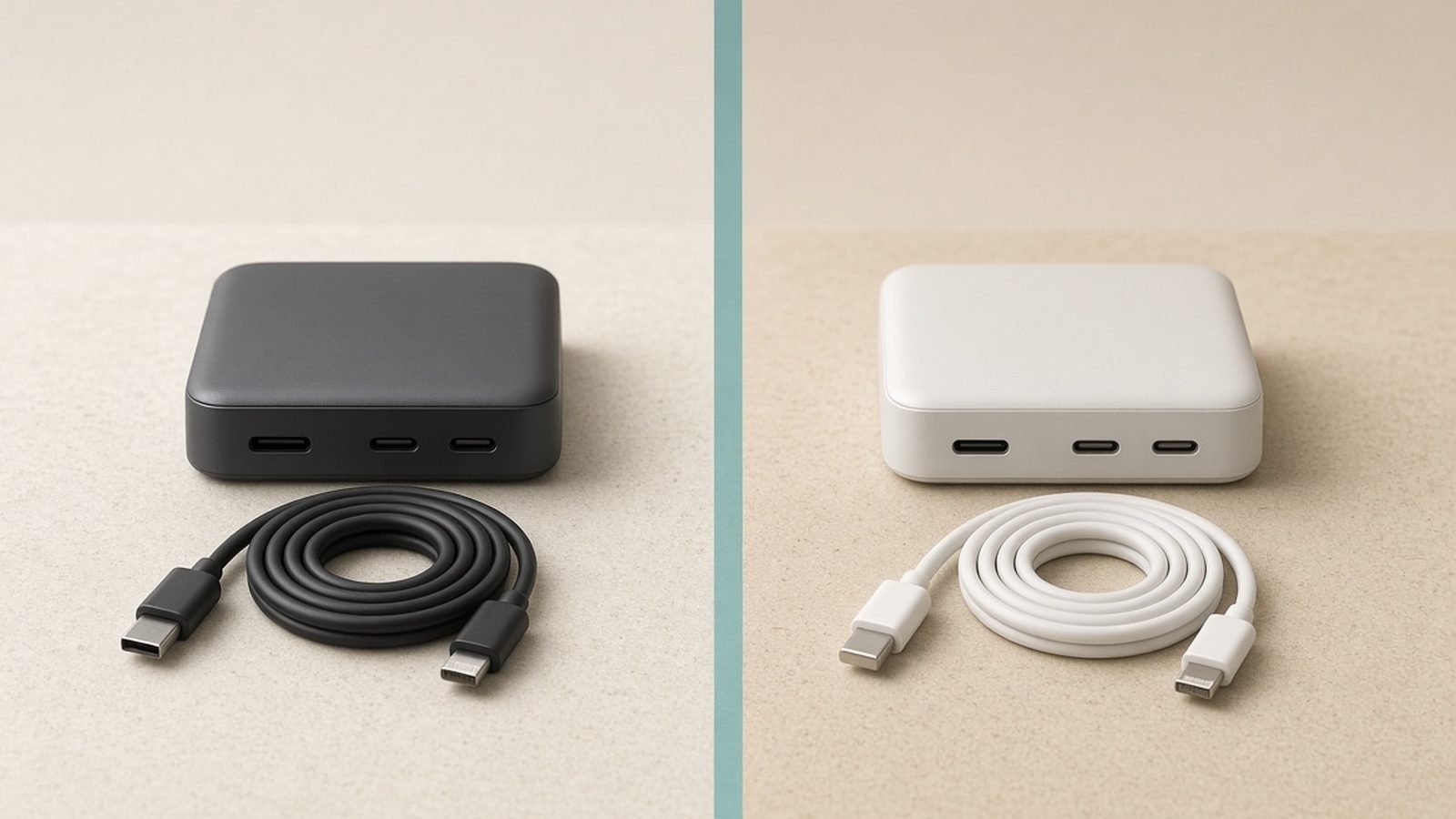
Count the chargers plugged in around your desk right now. If it’s more than two, you’re the exact person a multi-port station is built for. The best charging station for multiple devices replaces a tangle of wall warts with one plug, one footprint, and enough intelligently shared wattage to fast-charge a laptop, a phone, a tablet and a pair of earbuds at the same time.
We’ve spent years covering GaN chargers and desk setups, and for this guide we dug into official spec sheets, third-party teardowns and hundreds of owner reports to find the five stations genuinely worth your money in 2026 — whether you need a 6 port USB C charger for a creator desk, a family charging station for the kitchen counter, or a tidy Qi2 stand for the nightstand.
If you only need one or two ports, a compact wall charger is cheaper and better — see our guide to the best GaN chargers instead. Best GaN Chargers 2026: 30W to 160W Compared & Ranked
Top Picks at a Glance
| Model | Best for | Ports | Max output | Price |
|---|---|---|---|---|
| Anker Prime Charger (250W, 6 Ports) | Best overall desk station | 4× USB-C, 2× USB-A | 250W total, 140W single port | around $169.99 / £149.99 |
| Anker Nano 7-in-1 Charging Station (100W) | Best all-in-one | 2× retractable USB-C, 1× USB-C, 1× USB-A, 3× AC | 100W total | around $89.99 / £79.99 (often ~$60) |
| UGREEN Nexode 500W (6-Port) | Best max power | 5× USB-C, 1× USB-A | 500W total, 240W single port | around $249.99 / £229.99 |
| Anker MagGo 3-in-1 Cube (Qi2) | Best for Apple trios | Qi2 pad + Watch + AirPods | 15W wireless to iPhone | around $149.99 / £139.99 |
| Belkin BoostCharge Pro 3-in-1 (Qi2) | Best Qi2 stand | Qi2 stand + Watch + AirPods | 15W wireless to iPhone | around $129.99 / £119.99 |
Quick steer: most people with a laptop-plus-phone desk should buy the Anker Prime 250W. If your desk problem is cables rather than ports, get the Anker Nano 7-in-1. Apple-only households charging an iPhone, Apple Watch and AirPods should skip the bricks entirely and pick the MagGo Cube or Belkin stand.
Best Overall Desk Station: Anker Prime Charger (250W, 6 Ports)
The Anker Prime charging station is the benchmark every desk charging station gets compared against, and in 2026 it still earns that position. Six ports — four USB-C, two USB-A — share 250W of GaN-managed power, with up to 140W available on a single USB-C port. That’s enough to fast-charge a 16-inch MacBook Pro and a second laptop simultaneously, with headroom left for a phone, tablet and earbuds.
The party trick is the small display on the front, which shows real-time power draw per port. It sounds like a gimmick until you use it: you can see instantly that your phone has finished charging, or that a dodgy cable is throttling your laptop to 60W. Based on hundreds of owner reports, the power-allocation logic is also unusually well-behaved — plugging in a new device renegotiates the ports quickly without dropping your laptop’s charge mid-call, which cheaper multi-port bricks are notorious for.
Trade-offs? It’s an investment at around $169.99 / £149.99, and it’s a corded desktop unit, not a travel charger. The renegotiation blip when you hot-plug devices is brief but real, and there’s no wireless pad — you’re supplying your own cables. For cable choice, our USB-C cable explainer covers which ones actually carry 140W. USB-C Cable Types Explained: Speeds, Watts and Labels
Pros
- 250W total with 140W on a single port — genuinely charges two laptops
- Live per-port power readout on the display
- Smart, stable power reallocation when devices come and go
- Compact aluminium-accented design that sits flat or upright
Cons
- Expensive for a charger with no cables included
- USB-A ports feel vestigial in 2026
- Brief renegotiation pause when hot-plugging
Who it’s for: anyone running a laptop-centric desk with three or more devices who wants one plug to rule the whole setup. It’s the default answer to “which usb c charging station should I buy?”
Check price: Anker Prime Charger (250W, 6 Ports)
Best All-in-One: Anker Nano 7-in-1 Charging Station (100W)
The Anker Nano 7-in-1 attacks a different problem: not wattage, but clutter. Two retractable USB-C cables pull out of the unit itself (up to about 0.7m each), joined by a fixed USB-C port, a USB-A port and three AC outlets — so it’s a power strip and a usb c charging station in one compact block. Yank a cable out, charge your phone, let it zip back in. Your desk stays clean.
At 100W total it won’t fast-charge two laptops, but it will handle one ultrabook at ~65W plus a phone and earbuds — which, in our research, covers the real-world load of most home-office desks. The AC outlets are the sleeper feature: your monitor, lamp or laptop’s own brick can plug straight into the station, making this the closest thing to a true one-plug desk hub at this price. It’s frequently discounted well below list, often to around $60 in the US.
The honest caveat is the retraction mechanism. Aggregated owner feedback is largely positive, but moving parts are moving parts: a minority of long-term owners report a cable that eventually retracts lazily or snags. Anker warranties it for the usual 24 months, and the fixed ports keep working regardless — but if you’d rather have zero mechanical failure points, buy the Prime instead.
Pros
- Retractable cables eliminate desk cable clutter entirely
- AC outlets + USB in one unit — a genuine power-strip replacement
- Compact, and regularly discounted to impulse-buy territory
- Great fit for kitchen counters as a family charging station
Cons
- 100W shared is not enough for dual-laptop setups
- Retraction mechanism is a long-term wear point
- Retractable cables are short — fine for a desk, tight for a sofa
Who it’s for: minimalists, kitchen-counter family charging stations, and anyone whose desk problem is spaghetti rather than insufficient watts.
Check price: Anker Nano 7-in-1 Charging Station (100W)
Best Max Power: UGREEN Nexode 500W (6-Port)
The UGREEN Nexode 500W is comic overkill for most people, and exactly right for a specific few. Its headline spec: 240W from a single USB-C port — the full PD 3.1 ceiling — which means it can charge power-hungry machines like a Framework 16 or a Dell workstation at their maximum rate over USB-C. No other mainstream 6 port USB C charger delivers that.
The other five ports aren’t decoration. With 500W on tap, the Nexode can push serious wattage to several laptops at once — a video editor’s MacBook, an assistant’s ultrabook, a camera battery hub, an iPad and two phones, all from one wall socket. For creator studios, shared edit bays or a two-person home office, it consolidates what would otherwise be a power strip full of bricks.
The trade-offs are exactly what you’d expect. At around $249.99 / £229.99 it costs more than many laptops’ own chargers combined, it’s a hefty desktop slab with a captive-style power lead, and to actually get 240W you need a proper 240W-rated EPR cable — most USB-C cables in your drawer top out at 60W or 100W. Buy the cable at the same time or the headline spec is theoretical.
Pros
- 240W single-port output — full-speed charging for PD 3.1 laptops
- 500W total genuinely powers a multi-laptop desk
- Six ports with sensible high-wattage distribution
- Replaces an entire power strip of laptop bricks
Cons
- Expensive and physically large
- Requires 240W EPR cables to hit peak output
- Wildly overspecced for a phone-and-ultrabook household
Who it’s for: creator desks, engineering workstations and shared workspaces where multiple high-draw laptops charge at once. Everyone else should save $80 and buy the Anker Prime.
Check price: UGREEN Nexode 500W (6-Port)
Best for Apple Trios: Anker MagGo Wireless Charging Station (3-in-1 Cube, Qi2)
If your “multiple devices” are specifically an iPhone, an Apple Watch and AirPods, stop thinking in ports. The Anker MagGo 3-in-1 Cube is a palm-sized block that unfolds into a full charging station for iPhone, Apple Watch and AirPods: a Qi2 magnetic pad delivering 15W to the iPhone, a flip-up fast-charging Apple Watch puck, and a Qi pad for AirPods on the base.
Qi2’s magnetic alignment matters more than the wattage figure. Your phone snaps into the right spot every time, so you never wake up to a dead iPhone that spent the night millimetres off-centre — the classic flat-pad failure. The Watch puck supports fast charging (0 to 80% in about 45 minutes on recent models), and because the whole thing folds into a cube smaller than a stack of coasters, it’s the rare nightstand charging station that’s also a legitimately great travel charger.
Limitations are clear-cut: it’s Apple-ecosystem only in any meaningful sense, there are no spare USB ports for a Kindle or tablet, and at around $149.99 / £139.99 you’re paying a premium for the folding design. Android phones with Qi2 support will charge on the main pad, but the Watch puck is dead weight for them. If you travel with this and want matching portable power, pair it with a Qi2 power bank. Best MagSafe & Qi2 Power Banks 2026: Which One Wins?
Pros
- Charges the full Apple trio from one plug
- Qi2 magnetic alignment — reliable overnight charging
- Fast-charge Apple Watch puck
- Folds into a genuinely pocketable travel cube
Cons
- Pointless for non-Apple households
- No extra wired ports
- Premium price for 15W of throughput
Who it’s for: Apple users who want one tidy nightstand charging station at home and the same device in their carry-on.
Check price: Anker MagGo Wireless Charging Station (3-in-1 Cube, Qi2)
Best Qi2 Stand: Belkin BoostCharge Pro 3-in-1 with Qi2
The Belkin BoostCharge Pro 3-in-1 covers the same Apple trio as the MagGo Cube but in an upright, stay-at-home form. The iPhone floats on a magnetic Qi2 stand at 15W — at a height and angle that keeps StandBy mode readable from bed or across a desk — with a fast-charging Apple Watch module behind it and an AirPods pad in the base.
Belkin’s build quality is the draw here. The weighted base doesn’t slide when you grab your phone one-handed, the finish looks more like decor than gadget, and owner feedback over multiple generations of this design is consistently strong on reliability. The stand orientation also beats a flat cube for anyone who uses their iPhone as a bedside clock or takes video calls with the phone docked.
What you give up: desk space (the footprint is notably larger than the MagGo Cube), portability (it doesn’t fold), and expansion — there’s no spare USB-C port to top up an iPad, which stings slightly at around $129.99 / £119.99. It’s also, like the MagGo, a poor buy for mixed Apple/Android households.
Pros
- Elegant, stable Qi2 stand with 15W iPhone charging
- Fast-charging Apple Watch module
- StandBy-friendly viewing angle
- Proven multi-generation design with strong reliability record
Cons
- Larger footprint than cube-style rivals
- No spare USB-C port
- Home-only — not a travel option
Who it’s for: Apple users who want a permanent, handsome charging station for iPhone, Apple Watch and AirPods on a nightstand or desk — and who never plan to pack it.
Check price: Belkin BoostCharge Pro 3-in-1 with Qi2
Desktop Brick vs Wireless Stand vs Power Strip Hybrid
The best charging station for multiple devices depends on which of three categories actually fits your life, and most buyer’s remorse in this product class comes from picking the wrong one.
Desktop bricks (Anker Prime, UGREEN Nexode) deliver the most watts per pound/dollar and the most flexibility — any device with a USB port can charge. Their weakness is cables: you supply them, route them, and look at them. Buy this type when raw multi-device wattage is the goal.
Wireless stands and cubes (MagGo, Belkin) trade throughput for convenience. Fifteen watts is slow next to a cable, but for devices that charge overnight — phone, watch, earbuds — speed is irrelevant and drop-don’t-plug convenience wins. Buy this type when your devices are a fixed Apple trio.
Power strip hybrids (Anker Nano 7-in-1) are the pragmatic middle: AC outlets plus USB in one block, so your monitor and lamp share the plug with your phone. They rarely lead any spec category, but they solve the whole-desk problem for the least money. For UK buyers, this multi device charger category is especially appealing because it saves scarce wall sockets behind desks in older housing stock — check the UK-plug version ships with a fused lead.
Cable Management and Desk Placement Tips
A charging station only cleans up your desk if you place it deliberately. Three rules from years of desk-setup coverage:
Put the station where the devices live, not where the socket is. Mount or velcro the brick under the desk near your laptop’s edge, then run one tidy power lead to the wall. Short 0.5m USB-C cables to nearby devices look dramatically cleaner than 2m cables looping everywhere.
Match the cable to the port. A 240W port with a 60W cable is a 60W port. Label your high-wattage EPR cables or buy a visually distinct colour so they don’t wander off. USB-C Cable Types Explained: Speeds, Watts and Labels
Keep wireless stands at glance height. A nightstand charging station or Qi2 stand doubles as a clock and notification surface, so position it where you’d naturally look. For a full walkthrough of monitor, desk and accessory positioning, see our ergonomic desk setup guide. Ergonomic Desk Setup Guide: Fix Your Posture in a Day
How We Evaluate Multi-Device Chargers
Zen Tech Hub doesn’t run a hardware lab, and we won’t pretend otherwise. Our recommendations combine three inputs: official specifications and PD certification data; third-party teardown and measurement reports from sources that do bench-test power delivery (thermal behaviour, real per-port output under full load, renegotiation handling); and aggregated long-term owner feedback across US and UK retailers, weighted toward reports of failures, coil whine, and power-drop issues that only surface after months of use.
For multi-port stations specifically, we care most about behaviour when every port is loaded — a spec sheet’s total wattage means little if the charger drops your laptop’s connection every time a phone joins. All five picks here have strong records on exactly that. Browse all our charging coverage in the hub. Accessories & Charging
FAQ
How many watts do I need for a multi-device charging station?
Add up your devices’ maximum charge rates: a large laptop draws 90–140W, an ultrabook 60–65W, a tablet 20–30W, a phone 20–45W, earbuds under 5W. A 100W station covers one ultrabook plus accessories; 200–250W covers a big laptop plus everything else; 500W is only justified when multiple laptops charge simultaneously.
Is it safe to leave devices on a charging station overnight?
Yes, with any reputable station. Modern devices manage their own batteries and stop drawing meaningful power at 100%, and certified GaN chargers include over-voltage, over-current and thermal protection. The real risks are uncertified no-name chargers and damaged cables — buy from established brands like Anker, UGREEN and Belkin and overnight charging is a non-issue.
What’s the difference between a charging station and a USB hub?
A charging station delivers power only — its ports carry watts, not data. A USB hub (or dock) passes data, video and usually some power between your computer and peripherals. If you need to connect drives or monitors, you need a dock; if you just need to charge several devices from one plug, a charging station is cheaper and more powerful.
What’s the best charging station for iPhone, Apple Watch and AirPods?
A Qi2 3-in-1 station: the Anker MagGo Cube if you travel, the Belkin BoostCharge Pro 3-in-1 if it stays on the nightstand. Both charge the iPhone magnetically at 15W and fast-charge the Apple Watch. Wired stations charge an iPhone faster, but for overnight use the drop-and-go convenience of Qi2 wins.
Do multi-port chargers slow down when all ports are used?
Total output is shared, so yes — individual ports can step down as more devices connect. Good stations do this intelligently, prioritising high-draw devices and renegotiating quickly. The Anker Prime’s 250W budget rarely forces a compromise; cheap stations with 65W split six ways absolutely will. Check total wattage, not port count.
Are these charging stations suitable for UK plugs and voltage?
Yes. All five picks accept 100–240V, and UK retail versions ship with a UK three-pin lead or plug. Buy the UK SKU rather than importing a US unit: you get the correct fused plug, a valid UK warranty, and no adapter dangling off your multi device charger.
Verdict: Which Charging Station Should You Buy?
For most people, the Anker Prime Charger (250W, 6 Ports) is the best charging station for multiple devices in 2026 — enough shared power for a two-laptop desk, a genuinely useful display, and the most reliable port behaviour in its class at around $169.99 / £149.99.
Pick differently if your situation is specific. Desk drowning in cables, modest power needs: the Anker Nano 7-in-1, especially at its frequent ~$60 sale price. Multiple high-draw laptops: the UGREEN Nexode 500W is the only game in town. Apple trio on a nightstand: the Belkin BoostCharge Pro 3-in-1 at home, or the Anker MagGo Cube if it needs to fit in a carry-on.
Whichever you choose, spend the last five minutes of the decision on cables — the station is only as fast as the worst cable plugged into it.
Zen Tech Hub may earn a commission from links on this page, at no extra cost to you.