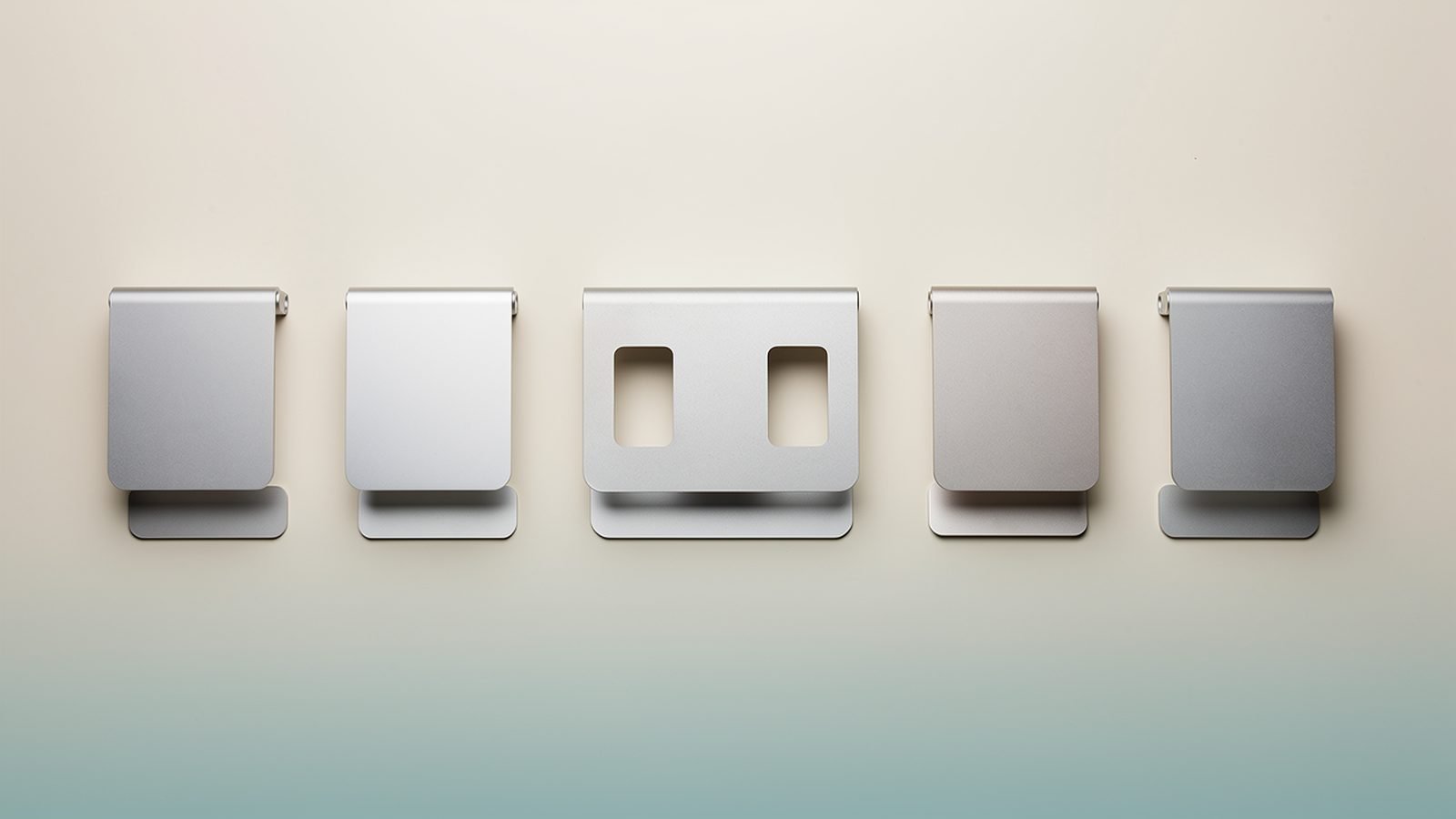
A laptop screen sits roughly 20cm too low for your spine. That’s the whole problem, and it’s why the best laptop stand is one of the highest-value upgrades you can make for under £60 — cheaper than a monitor, kinder to your neck than another year of hunching.
The catch: the market is flooded with near-identical aluminum risers, and the difference between a stand you’ll love and one that wobbles every time you type only shows up in the details — hinge quality, deck stiffness, rubber placement. In our research we compared spec sheets, checked manufacturers’ claims against hundreds of owner reports, and narrowed dozens of contenders to five stands worth your money, whether you work at a fixed desk in the US or the UK, or out of a backpack.
Here’s the short version, then the detail.
Top Picks at a Glance
| Stand | Type | Height range | Weight | Price | Best for |
|---|---|---|---|---|---|
| Rain Design mStand | Fixed | 15cm (5.9in) platform | 1.36kg | around $59.90 / £54.99 | Permanent desk setups, MacBooks |
| Twelve South Curve Flex | Adjustable | 5.6–56cm (up to 22in) | 0.54kg | around $79.99 / £69.99 | Standing/sitting flexibility |
| Nulaxy C3 | Adjustable | Up to ~50cm | 0.85kg | around $27.99 / £23.99 | Adjustability on a budget |
| Roost V3 | Folding/travel | 3 height settings, up to 29cm | 0.17kg | around $89.95 / £84.95 | Digital nomads, frequent flyers |
| SOUNDANCE Riser | Fixed | ~15cm platform | 0.68kg | around $23 / £18 | First stand, tight budgets |
Best Overall Fixed Stand: Rain Design mStand
Around $59.90 / £54.99 — the Rain Design mStand has been the default answer to “which laptop stand should I buy for my desk” for over a decade, and 2026 hasn’t changed that. It’s machined from a single piece of sandblasted aluminum, which is why it doesn’t flex, creak or wobble the way multi-part stands eventually do. Owner reports are remarkably consistent on this: people buy one, then buy another for the office.
The platform raises your screen about 15cm and tilts it toward you, with a cable-routing hole at the back and a cork-lined ledge that grips the laptop without scratching it. The silver anodized finish is a near-perfect match for a MacBook — this is the classic laptop stand for MacBook setups — but it holds any 12–17in machine, and Rain Design sells space gray and gold versions too.
The trade-off is in the name: fixed means fixed. If you’re taller than about 6ft, 15cm may still leave the screen below eye level, and there’s no adjustment to compensate. It’s also 1.36kg of solid metal — superb for stability, terrible for a backpack.
Pros
- Single-piece construction: zero wobble, no hinges to loosen
- Timeless design that genuinely matches MacBooks
- Cable hole and cork padding are small touches that age well
- Effectively lasts forever; strong resale value
Cons
- No height or angle adjustment
- Too heavy and bulky to travel with
- Tall users may need more lift than 15cm
Who it’s for: anyone building a permanent desk setup with an external keyboard and mouse who wants to buy once and never think about it again. Pair it with a good board — see our guide to the Best Mechanical Keyboards for Programming in 2026.
Check price: Rain Design mStand
Best Adjustable Laptop Stand: Twelve South Curve Flex
Around $79.99 / £69.99 — if the mStand is a sculpture, the Curve Flex is a tool. Twelve South took its popular Curve stand and added two stiff hinges, so you can set the deck anywhere from nearly flat to 22 inches high — tall enough to bring a laptop screen level with an external monitor, or to use it as an impromptu standing-desk riser.
Build quality is where the Curve Flex justifies the premium over the sea of $30 adjustable laptop stand clones. The aluminum arms are thick, the hinges hold position under typing pressure up to their rated load, and it folds completely flat into an included travel pouch at just over half a kilo. Based on hundreds of owner reports, the one recurring gripe is that the hinges need re-tightening with the bundled hex key every few months of heavy repositioning — a two-minute job, but worth knowing.
At full 22in extension you should type on an external keyboard; any adjustable stand gets bouncier the higher it goes, and the Curve Flex is no exception, just less so than most.
Pros
- Huge 22in height range covers seated, monitor-matching and standing use
- Folds flat, pouch included — desk stand that can travel
- Class-leading hinge stiffness for an adjustable design
- Black and white finishes look sharp next to any laptop
Cons
- Hinges need occasional re-tightening
- Pricey next to functional budget clones
- Some flex at maximum height, as with all tall stands
Who it’s for: people who change position through the day, share a desk, or want one stand for home and occasional travel. If your MacBook runs a docked setup, it slots neatly alongside the hubs in our Best USB-C Hubs for MacBook Pro & Air in 2026 guide.
Check price: Twelve South Curve Flex
Best Budget Adjustable: Nulaxy C3
Around $27.99 / £23.99 — the Nulaxy C3 delivers roughly 80% of the Curve Flex experience for about a third of the money, and for a lot of readers that’s the right maths. You get a dual-hinge aluminum design, height adjustment to around 50cm, folding legs, and silicone pads everywhere the laptop touches metal.
Where does the missing 20% go? Finish and stiffness. The anodizing is rougher, edges are less carefully chamfered, and the hinges — while adequately firm — show more bounce when you type directly on the raised laptop. The rated maximum load is lower too, so a 16in workstation laptop at full height is pushing it. In our research, owner feedback clusters exactly where you’d expect: delighted at the price, occasional complaints about hinge drift after a year of daily readjustment.
None of that is a dealbreaker at this price. It’s the best value adjustable laptop stand we’ve found, and an easy recommendation for a first ergonomic upgrade.
Pros
- Genuine height and angle adjustment for well under $30/£25
- Folds flat enough for a laptop bag
- Generous silicone padding, decent cable clearance
Cons
- Less refined finish than premium rivals
- Lower maximum load; bouncy with heavy laptops at full height
- Hinges can drift with hard daily use
Who it’s for: students, first-time buyers, and anyone furnishing a second workspace who wants adjustability without the Twelve South price.
Check price: Nulaxy C3 Adjustable Stand
Best Portable Laptop Stand for Travel: Roost V3
Around $89.95 / £84.95 — the Roost V3 weighs 170g. That’s less than most phone chargers, and it’s the entire reason this portable laptop stand has a near-religious following among digital nomads. It collapses to the size of a folded umbrella, clips onto your laptop’s front edge, and lifts the screen up to 29cm across three height settings.
The engineering is clever: because it grips the laptop’s base rather than supporting the whole deck, the carbon-reinforced plastic structure stays stable despite weighing almost nothing. Owner reports from people who’ve used one daily for years describe it outlasting multiple laptops.
Two honest caveats. First, you cannot type on the laptop while it’s in the Roost — the keyboard tilts away from you, so a compact external keyboard and mouse are mandatory. Second, $90/£85 for a folding plastic stand is objectively a lot; cheaper imitations exist, but their pivot joints and grips are consistently the failure points in owner feedback. With the Roost you’re paying for the one that doesn’t break in a bag.
Pros
- 170g and pocketable — the definitive travel stand
- Surprisingly rigid for the weight; three usable heights
- Proven long-term durability across years of owner reports
Cons
- Expensive for what it physically is
- External keyboard and mouse are non-negotiable
- No use as a laptop-typing platform
Who it’s for: anyone who works from cafés, co-working spaces, hotel desks or trains more than a couple of days a week. Frequent travelers should also grab a compact mouse — our Logitech MX Master 4 Review: Still the Best Work Mouse? covers our favorite.
Check price: Roost V3 Laptop Stand
Best Under $25/£20: SOUNDANCE Riser
Around $23 / £18 — if you just want your screen higher and your wallet closed, the SOUNDANCE riser is the budget fixed stand we’d point you to. It’s an aluminum Z-shaped platform that lifts the laptop about 15cm, ventilates the underside, and leaves room to slide your keyboard beneath it when the day ends.
It assembles from a few parts with a hex key, and that’s its main compromise against the one-piece mStand: joints. Assembled correctly and tightened well, owner reports describe it as stable for everyday typing weights; assembled loosely, it can develop a slight diagonal rock on hard desks. Five minutes with the included tool sorts it. The finish won’t fool anyone into thinking it cost $60, but at a third of the mStand’s price it doesn’t need to.
Pros
- Proper ergonomic lift for pocket money
- Keyboard slides underneath — great for small desks
- Light enough to shift between rooms
Cons
- Bolt-together build needs proper tightening to avoid rock
- No adjustment; utilitarian looks
- Padding is thinner than premium stands
Who it’s for: anyone testing whether a laptop stand improves their setup before spending more. Spoiler: it will.
Check price: SOUNDANCE Laptop Riser
Correct Screen Height: The 5-Minute Ergonomics Check
Laptop riser ergonomics come down to one rule: the top of your screen should sit at, or slightly below, eye level while you sit (or stand) with a neutral neck. Here’s the quick check:
- Sit as you normally work and look straight ahead. Your eyeline should hit the top bezel of the display.
- If you’re looking down more than about 10–15 degrees, raise the laptop until you’re not.
- Keep the screen roughly an arm’s length away — 50–70cm for most people.
- Once the screen is up, your laptop keyboard is now too high. Add an external keyboard and mouse at elbow height, with forearms parallel to the floor.
That last step matters more than the stand itself. A raised laptop with no external keyboard just moves the strain from your neck to your wrists. For the full picture — chair height, monitor pairing, lighting — see our complete Ergonomic Desk Setup Guide: Fix Your Posture in a Day guide.
Fixed vs Adjustable vs Foldable: Which Type Suits You?
Fixed stands (mStand, SOUNDANCE) are the most stable per pound spent because there are no joints to flex. Choose one if your desk, chair and body aren’t changing. They’re the best laptop stand for desk setups that never move.
Adjustable stands (Curve Flex, Nulaxy C3) trade a little stiffness for a lot of flexibility. Choose one if you’re tall, share a workspace, alternate sitting and standing, or want the screen matched to an external monitor. Expect to re-tighten hinges occasionally — it’s the tax on adjustability.
Foldable travel stands (Roost V3) prioritize weight above all. Choose one only if portability is the point; at a fixed desk, either of the other types will be more stable and better value.
UK buyers searching for the best laptop stand UK retailers stock will find every pick here available from Amazon UK; the Roost occasionally dips in and out of stock, so the Nulaxy C3 folded flat is the pragmatic fallback for travel.
Complete the Mobile Setup: Bags and Sleeves We Rate
A travel stand is only half of a mobile office — the other half is what carries it. Two bags come up constantly in our research as the ones laptop-first commuters actually keep.
Peak Design Everyday Backpack 30L (V2) — around $299.95 / £269.95. The MagLatch closure, configurable FlexFold dividers and a properly suspended laptop sleeve make it the gold standard for people carrying a laptop plus camera gear or tech accessories. It’s expensive, but it’s the rare bag with a lifetime warranty that owners report actually honoring.
Check price: Peak Design Everyday Backpack 30L (V2)
Bellroy Transit Workpack 20L — around $189.00 / £155.00. The slimmer, office-friendly alternative: a structured clamshell commuter bag with an excellent padded laptop compartment and a dedicated pocket that swallows a folded Roost or Nulaxy with room to spare. Better suited to laptop-plus-gym-kit days than full camera loadouts.
Check price: Bellroy Transit Workpack 20L
Either bag plus the Roost V3 and a compact keyboard gives you a sub-1kg ergonomic office that sets up in 60 seconds.
FAQ
Are laptop stands actually worth it?
Yes, if you use a laptop at a desk for more than a couple of hours a day. Raising the screen to eye level reduces the sustained neck flexion that drives “tech neck” discomfort, and physiotherapy guidance consistently recommends screen tops at eye level. The catch: you need an external keyboard and mouse too, or you simply trade neck strain for wrist strain.
Do laptop stands help with cooling?
Modestly. Elevating the chassis lets air circulate under the intake vents, and open-frame designs like the SOUNDANCE and Nulaxy help more than solid decks. Owner reports commonly note quieter fans on stands versus flat desks or laps. But a stand won’t fix a thermally throttling machine — it’s an ergonomics purchase first, with cooling as a side benefit.
What is the best laptop stand for a MacBook?
The Rain Design mStand is the classic pairing — its sandblasted silver aluminum matches Apple’s finish almost exactly, and the fixed cork ledge fits every current MacBook Air and Pro. If you want height adjustment, the Twelve South Curve Flex comes from a brand that designs exclusively around Apple hardware and holds a 16in MacBook Pro confidently.
Can I type on my laptop while it’s on a stand?
On low-rise fixed stands, yes, though the tilted deck isn’t ideal for long sessions. On anything raised to eye level — which is the whole point — no. The keyboard ends up too high and the structure bounces as you type. Treat an external keyboard and mouse as part of the cost of any stand you buy.
How high should a laptop stand raise my screen?
High enough that the top of the display sits at eye level with your head neutral — typically 12–20cm of lift for most seated adults, more if you’re tall. This is why adjustable models like the Curve Flex and Nulaxy C3 suit taller users better than fixed 15cm risers: you can keep raising until your eyeline is right.
Is a cheap laptop stand safe for an expensive laptop?
Generally yes, within the stand’s rated load. The budget risks are instability from poorly tightened joints and thin padding, not sudden failure. Check the weight rating against your laptop, tighten every bolt at assembly, and place it on a level surface. If you carry a 16in workstation-class machine, spend up for stiffer hardware like the Curve Flex or mStand.
Verdict: Which Laptop Stand Should You Buy?
For most people at a fixed desk, the Rain Design mStand is still the best laptop stand you can buy — one piece of metal, zero maintenance, a decade of owner satisfaction behind it. If you need height flexibility or you’re tall, spend the extra on the Twelve South Curve Flex; if the budget’s tight, the Nulaxy C3 gets you most of the way there for under $30/£25. Travelers should skip the debate entirely and buy the Roost V3 — nothing else at 170g comes close. And if you just want to try the ergonomic upside for the price of a takeaway, the SOUNDANCE riser is the no-regret starting point.
Whichever you choose, budget for an external keyboard and mouse — that’s what turns a raised screen into a genuinely healthy setup. More desk upgrades live in our Accessories & Charging hub.
Zen Tech Hub may earn a commission from links on this page, at no extra cost to you.