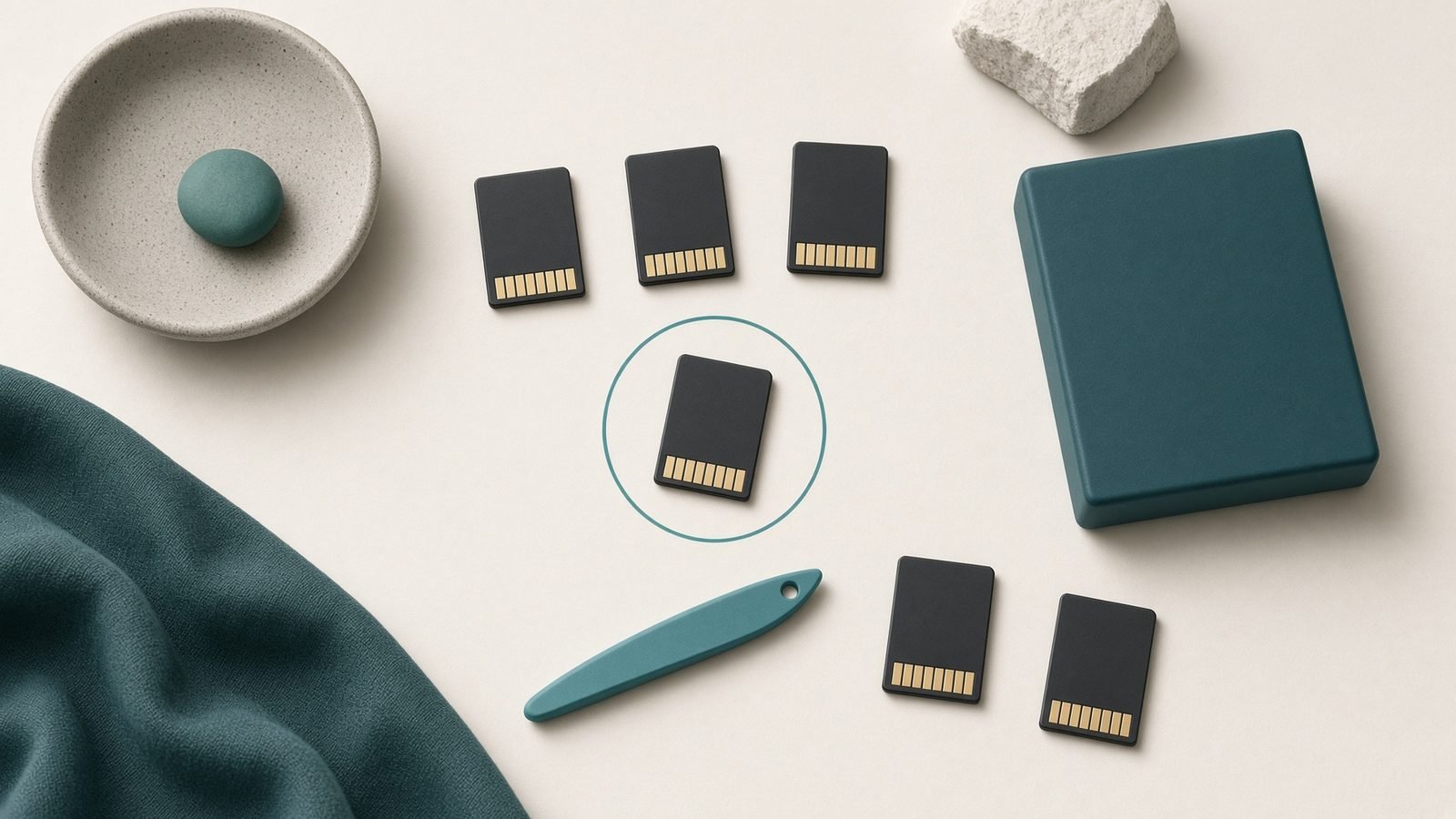
If you just bought a Switch 2 and reached for the microSD card from your old console, stop. It will not work. The best microSD Express card for Switch 2 is not the fast UHS-I card you already own, and that single fact catches out more new owners than anything else about the console. Nintendo’s second-generation handheld reads game data far quicker than the original, and it only accepts the newer microSD Express standard for storage expansion.
Every price below was re-checked on 2 October 2026. The 256GB cards still sit close to $60 in the US and a little over £40 in the UK, but the larger capacities cost more than the figures this guide carried in July, which changes the value argument. Below we rank the cards worth buying, do the capacity math with real 2026 game sizes, and lay out price-per-GB in both dollars and pounds so you can pick without overpaying.
Quick comparison: the best Switch 2 SD cards
| Card | Capacity | Price (USD / GBP) | Best for | Rated read |
|---|---|---|---|---|
| Samsung microSD Express | 256GB | $59.99 / from £41.99 | Best overall | ~800 MB/s |
| PNY microSD Express | 1TB | no US listing found / from £357.26 | Biggest libraries | ~890 MB/s |
| Lexar Play Pro | 512GB | $126.80 / from £82.99 | Best 512GB value | ~900 MB/s |
| SanDisk microSD Express | 256GB | $58.99 / from £44.95 | Brand trust | ~880 MB/s |
Where these figures come from: the Samsung dollar price is Nintendo’s own US store, the other dollar prices are the Amazon listings in Tom’s Hardware’s microSD Express tracker (updated 1 October 2026), and the pound prices are the lowest listed on PriceSpy UK, all read on 2 October 2026. Street prices move constantly: the Samsung card has sold for about $39 in earlier promotions, and Tom’s Hardware’s tracker still carries a note from one, but it was $59 at Amazon and Walmart on this check. Always look at the live listing before you commit.
Why the Switch 2 only accepts microSD Express
The original Switch used UHS-I microSD cards that top out around 100 MB/s. The Switch 2 loads far larger games and streams assets faster, so Nintendo moved to microSD Express, which piggybacks on the same PCIe/NVMe technology found in modern SSDs. Rated Express cards hit 800-900 MB/s reads — roughly eight to nine times faster than the old standard.
Here is the microSD express vs microSD takeaway that matters: a regular microSD card physically fits the Switch 2 slot, but the console will refuse to use it for game storage. Only cards printed with the “EX” Express logo qualify. If a card does not explicitly say microSD Express, it is the wrong card, no matter how fast its UHS rating sounds.
That is why picking the best microSD Express card for Switch 2 is really about choosing capacity and price. Every Express card here delivers near-identical in-game load times; the console, not the card brand, is usually the bottleneck.
Best overall: Samsung microSD Express 256GB
Samsung’s officially licensed Express card is the one we recommend to most people. It pairs dependable Express-class speeds with the best availability of any card on this list, and Samsung’s NAND reputation needs no introduction. For a first switch 2 storage upgrade, this is the safe, sensible default — and as the best 256GB microSD express option on the market, it was also the cheapest 256GB card in the UK listings we checked and level with SanDisk in the US.
The one caveat is that 256GB fills faster than you would think. Several Switch 2 flagships run 60GB or larger, so this is a two-or-three-big-games buffer rather than a forever card. For most owners who mix a couple of large titles with indies and downloads, it is exactly right.
Pros - Best availability and frequent price drops (about $39 in earlier sales; $59.99 on 2 October 2026) - Trusted Samsung NAND and officially licensed for Switch 2 - Excellent price-per-GB at 256GB
Cons - 256GB is modest for big all-digital libraries - No meaningful speed edge over rivals
Best for: the typical owner who wants a reliable, affordable first upgrade.
Check price: Samsung microSD Express 256GB
Best high capacity: PNY 1TB microSD Express
If you buy everything digitally and never want to think about storage again, the switch 2 1tb sd card from PNY is the answer. At 1TB it is the largest capacity in the listings we checked, rated around 890 MB/s, and based on owner reports it loads big titles at speeds indistinguishable from smaller cards. One terabyte comfortably holds a dozen-plus large games with room to spare.
The trade-off is cost, and it is much steeper than when this guide was written. On 2 October 2026 the lowest UK price for the PNY 1TB on PriceSpy was £357.26, and Tom’s Hardware’s US tracker listed PNY cards only at 128GB and 256GB. The cheapest 1TB card in either source was the Lexar Play Pro 1TB, at $349.99 in the US and from £232.99 in the UK. By this page’s own test — every Express card loads games at near-identical speed, so choose on capacity and price — the Lexar is the 1TB card to price first, and the PNY is worth buying only if you find it for less. Either way, 1TB carries the worst price-per-GB here; if your library is modest, a smaller card gives better value.
Pros - Massive 1TB capacity, ideal for all-digital collections - Fast ~890 MB/s rated reads - One card, no swapping
Cons - High upfront cost and worst price-per-GB - Overkill for casual libraries
Best for: heavy digital buyers who want maximum headroom.
Check price: PNY 1TB microSD Express
Best value 512GB: Lexar Play Pro
For owners who buy digitally, the Lexar Play Pro 512GB is the practical step up. It doubles the Samsung’s capacity, giving you room for several large Switch 2 games plus a healthy indie backlog without the terabyte tax. In our research it consistently earns strong owner feedback for reliability, and its rated speeds sit right at the top of the Express class.
Price is the catch. On 2 October 2026 it was $126.80 at Amazon, down from $149.99, and from £82.99 in UK listings — a little over double the Samsung in the US and a little under double in the UK. It no longer saves money per gigabyte in the US; what you are buying is twice the room on one card. It was still the cheapest 512GB card in both sources, under SanDisk’s 512GB ($129.99 / from £109.99) and Samsung’s P9 Express 512GB ($149 / from £119.99). Availability fluctuates more than Samsung’s, and the price swings with it.
Pros - Twice the Samsung’s capacity at roughly twice the price - Top-tier rated Express speeds (~900 MB/s) - 512GB suits mixed physical/digital libraries
Cons - Stock and pricing fluctuate - Less brand recognition than Samsung or SanDisk
Best for: the mostly-digital owner who wants breathing room without paying for 1TB.
Check price: Lexar Play Pro microSD Express 512GB
Also solid: SanDisk microSD Express 256GB
SanDisk is the name many people already trust from cameras and phones, and its 256GB Express card performs identically to Samsung’s in the Switch 2. If you have had good luck with SanDisk before and want that peace of mind, it is an easy pick.
Price decides it. On 2 October 2026 the two were a cent apart at Amazon in the US ($58.99 for the SanDisk, $59 for the Samsung), while UK listings started about £3 higher for the SanDisk (£44.95 against £41.99). Bought direct from SanDisk the card was $72.99, so check more than one retailer. Buy it when it is on par with or cheaper than Samsung; otherwise the Samsung is the better deal.
Pros - Trusted, widely stocked brand - Performs identically to Samsung in Switch 2 - Officially licensed Express card
Cons - Dearer than Samsung in the UK listings, and at SanDisk’s own store, for the same speed - Nothing it does that Samsung does not
Best for: buyers who prefer the SanDisk name and find it at parity pricing.
Check price: SanDisk microSD Express 256GB
Capacity guide: how many games fit?
Switch 2 game sizes vary wildly. A big first-party or third-party release can run 60GB or more, while indies and remasters often land between 2GB and 15GB. Using a rough blended average, here is what to expect. Real figures depend entirely on which games you install — a single AAA title can eat as much space as ten indies.
| Capacity | Big games (~60GB) | Mixed library (avg ~20GB) |
|---|---|---|
| 256GB | ~3-4 | ~11-12 |
| 512GB | ~7-8 | ~23-24 |
| 1TB | ~15-16 | ~47-48 |
The pattern is clear: if you buy physical carts and only download the occasional title, 256GB is plenty. If you go mostly digital, jump to 512GB. Reserve 1TB for genuinely large all-digital collections. Remember the console’s own internal storage handles some of this too, so treat these as the extra headroom the card adds.
Price-per-GB: which card really costs less?
Price-per-GB cuts through the sticker price and shows where your money works hardest. These figures use the prices checked on 2 October 2026 and will shift with sales.
| Card | Capacity | Price (USD / GBP) | Cost per GB (USD) |
|---|---|---|---|
| Samsung Express | 256GB | $59.99 / from £41.99 | ~$0.23 |
| SanDisk Express | 256GB | $58.99 / from £44.95 | ~$0.23 |
| Lexar Play Pro | 512GB | $126.80 / from £82.99 | ~$0.25 |
| Lexar Play Pro | 1TB | $349.99 / from £232.99 | ~$0.35 |
| PNY Express | 1TB | no US listing found / from £357.26 | — |
The picture has inverted since July, when this table had the 512GB card cheapest per gigabyte. In dollars, the 256GB cards are now the best value at about $0.23 per gigabyte, the Lexar 512GB costs slightly more, and 1TB costs roughly half as much again. The 256GB cards also have the lowest entry price for a useful capacity, which is why the cheapest microsd express card worth starting with remains the Samsung 256GB — PNY’s 128GB card is cheaper outright at $37.99, but adds only half the console’s built-in storage.
US vs UK: the gap between capacities is narrower in the UK. PriceSpy’s lowest listings put the Lexar 512GB at just under twice the Samsung 256GB (£82.99 against £41.99), so the two cost about the same per gigabyte, roughly 16p, whereas in the US the 512GB card costs more per gigabyte than the 256GB one. The 1TB premium is real in both countries: from £232.99 in the UK and $349.99 in the US. UK prices include VAT; US prices are before sales tax.
Verdict: which Switch 2 SD card should you buy?
For most people, the Samsung microSD Express 256GB is the best microSD Express card for Switch 2 — cheap, reliable and almost always in stock. If you buy games digitally, step up to the Lexar Play Pro 512GB, the cheapest 512GB card we found, accepting that at October 2026 prices it buys space rather than a per-gigabyte saving in the US. Only heavy all-digital collectors need 1TB, where the Lexar Play Pro 1TB was the only 1TB card on the US tracker and well under the PNY 1TB in the UK listings. The SanDisk 256GB is a fine Samsung alternative whenever it hits the same price.
Whatever you pick, make sure the box says microSD Express. That one detail is the difference between a working upgrade and a card your Switch 2 flatly refuses to use.
Once your card arrives, see our guide on How to Move Switch 2 Games to a microSD Express Card to shift installs across without re-downloading, and round out your setup with the Best Nintendo Switch 2 Accessories 2026: What’s Worth Buying. More guides live on the Gaming.
FAQ
Will my old Nintendo Switch microSD card work in the Switch 2?
No. The Switch 2 only accepts microSD Express cards for game storage. Your old UHS-I microSD card may physically fit the slot, but the console will refuse to use it for installing or storing games. You must buy a card explicitly labelled microSD Express, marked with the “EX” logo, to expand your storage.
Is there a real speed difference between these Express cards?
In practice, almost none inside the Switch 2. Samsung, SanDisk, Lexar and PNY Express cards all sit in the 800-900 MB/s range, and based on owner reports the console itself is usually the bottleneck, not the card. Choose on capacity, price and availability rather than chasing a rated-speed number that you will not notice in real-world loading.
How much storage do I actually need for a Switch 2?
It depends on how you buy games. If you mostly use physical carts, 256GB is plenty for downloads and updates. If you buy digitally, 512GB is the sweet spot for most libraries. Only choose a 1TB card if you keep a large all-digital collection installed at once and never want to manage storage.
Why are Switch 2 microSD Express cards more expensive than normal ones?
Express cards use PCIe/NVMe technology — the same foundation as SSDs — rather than the older UHS-I interface. That hardware is pricier to produce, which is why they cost more per gigabyte than standard microSD cards. The upside is roughly eight to nine times the read speed, which the Switch 2 needs to load its larger games quickly.
Is the Samsung or SanDisk 256GB card better?
They perform identically in the Switch 2, so it comes down to price. On 2 October 2026 they were a cent apart at Amazon in the US, and the Samsung started about £3 lower in UK listings. Samsung’s officially licensed card has also dropped to about $39 in past sales. Buy the SanDisk only if you find it at the same price or cheaper, or if you simply prefer the brand from past experience.
Having drift issues with your controllers too? See our Switch 2 Joy-Con 2 Drift: How to Fix It (and Prevent It) walkthrough.
Zen Tech Hub may earn a commission from links on this page, at no extra cost to you.